Illustrated Kristina with an IBM Model M keyboard floating between her hands.

Keebin’ With Kristina: The One With The Biblically-Accurate Keyboard

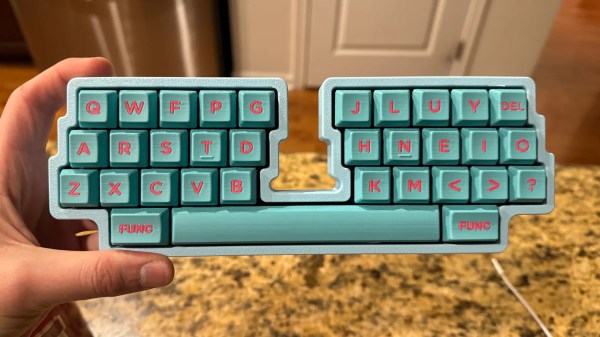
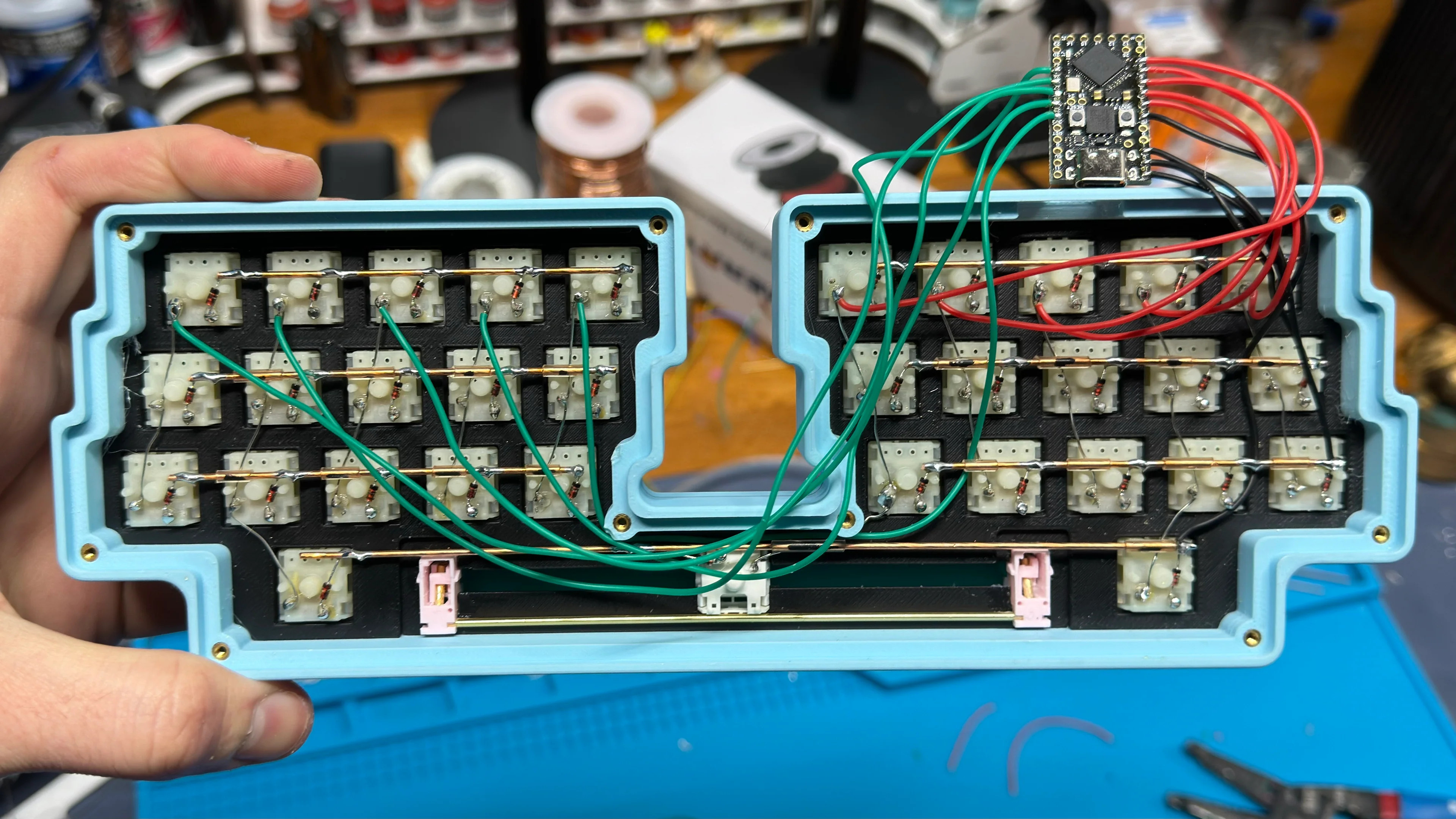
Well, it was bound to happen at some point. [sporewoh]’s bunchiez40 keyboard for ants is made of mouse switches, which of course begs for a mouse made of keyboard switches.

Image by [sporewoh] via GitHub
[sporewoh]’s keyboards have been steadily shrinking, and they built this in order to get the smallest possible form factor for the number of keys. Surprisingly, since the mouse switches have an actuation force similar to some heavier MX-style switches (~70 g), [sporewoh] is able to squeeze 85 WPM out of it, albeit with some argument from the wrists.

If you want to build a bunchiez40, everything is available on GitHub, including the CAD files for that lovely anodized aluminium case. The typing video is coming soon, and I’m taking bets on whether it’s as quiet as a mouse, as one redditor joked.

Continue reading “Keebin’ With Kristina: The One With The Biblically-Accurate Keyboard”

The Chocolate Must Flow This Holiday Season

After a long December of hand-coating chocolates for relatives last year, [Chaz] decided that enough was enough and built a chocolate enrobing machine to do the dirty work for him. As a side project, he built a rotary tumbler to chocolate-coat things like wasabi peas, which we assume are designated for [Chaz]’s enemies.

This build started with an off-the-shelf chocolate fountain for which [Chaz] designed and printed a new nozzle in PLA. He also knocked off the flutes that make it fountain on the band saw and removed the rest of the material on the lathe.

The conveying bit comes from a conveyor toaster oven that [Chaz] had lying around — he removed the conveyor and hooked it up to a motor from his collection using a slightly modified flex coupler.

With the chocolate enrober complete, [Chaz] moved on building to the rotary tumbler, which is made from two thrift store pans hammered together at the edges and connects up to the front of a KitchenAid mixer. The final verdict was that this did not work as well as the enrober, but it wasn’t a complete bust — wasabi peas (and most of the kitchen) got coated in chocolate.

While we’re not sure we’d use that PLA chocolate pump more than once, we sure would like to enrobe some things in chocolate, and this seems like a good way to get it done. Check out the build video after the break.

Chocolate is good for more than coating everything in sight. Speaking of sight, check out these chocolate optics.

Continue reading “The Chocolate Must Flow This Holiday Season”

A Fully-Transparent Air Bubble Display

We all have good intentions when starting a new project, but then again, we all know where those lead. Such is the case with [RealCorebb]’s BBAir project, a completely transparent air bubble display. Although the plan was to spend about three months on it, the months slowly added up to a full year of tinkering.

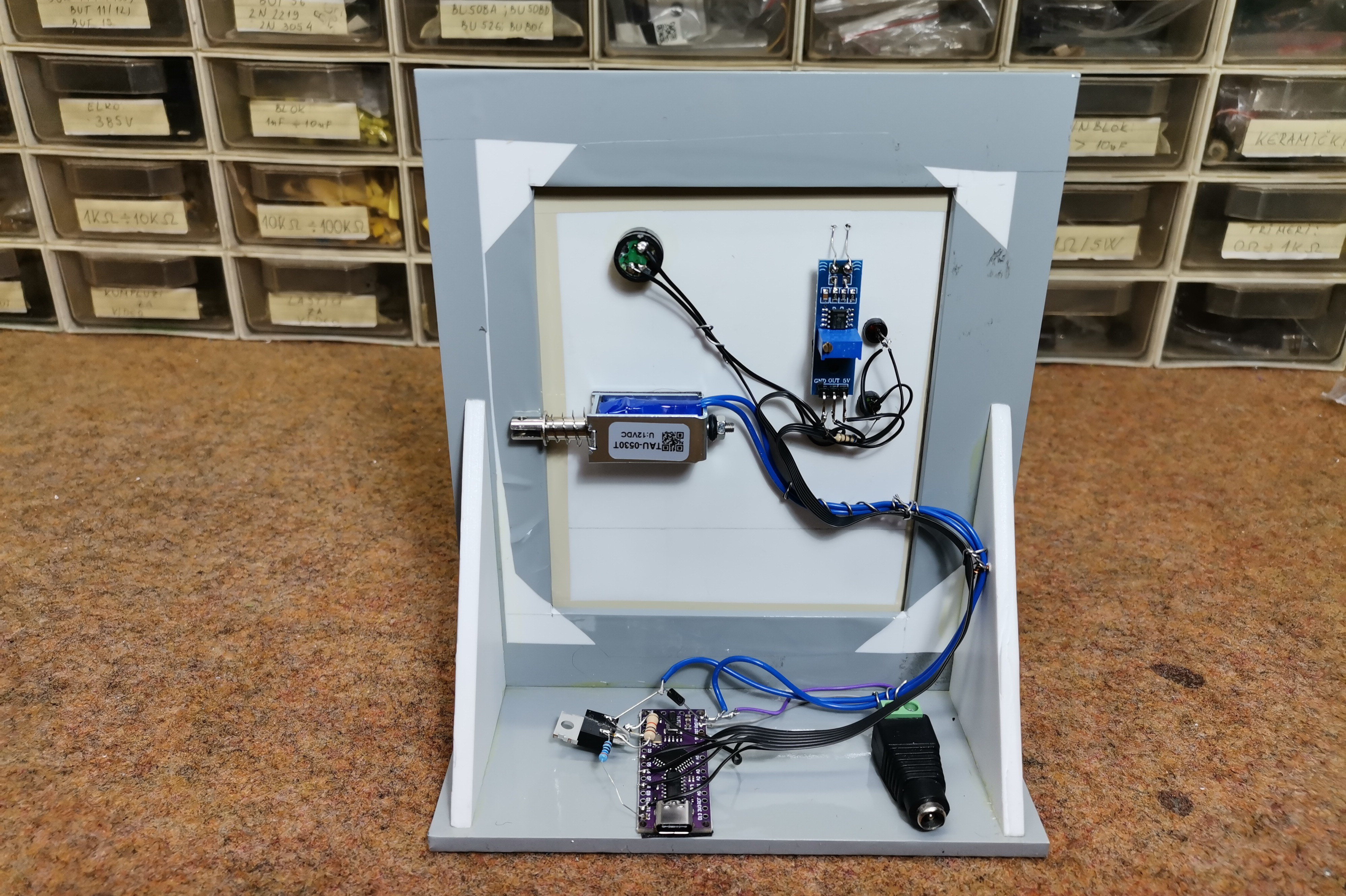
It all started when [RealCorebb] made a subscriber counter using Minecraft campfire smoke to display the digits. Someone suggested using air to implement the next iteration, and for [RealCorebb], it was challenge accepted. After considering a syringe for each channel, a separate pump, or one pump and many solenoids, [RealCorebb] settled on solenoids to push air, and designed a PCB to reduce the amount of wire spaghetti.

Once [RealCorebb] created an acrylic enclosure and wired everything up, it was time to test it out. Everything worked, except that air was leaking from somewhere, which turned out to be the way the solenoids were installed. Then, of course, it was time to don sunglasses and write the code. We still don’t know if [RealCorebb] settled on water, glycerine, or silicone oil, but the end result is quite nice, and we’re betting on glycerine. Be sure to check out the build video after the break, which has English subtitles.

Although we’ve seen our share of bubble displays before, we often discuss bubble LEDs displays like this one.

Continue reading “A Fully-Transparent Air Bubble Display”

Cat-o-Matic 3000 Serves Your Feline Masters

When you have three cats and three humans, you have one problem: feeding them on a schedule without over or under feeding them. Even if there was only one human in the equation, the Cat-o-Matic 3000 would still be a useful tool.

Essentially, it’s a traffic light for cats — where green means you are go for feeding, and red means the cat was just fed. Yellow, of course, means the cat is either half-full or half-empty, depending on your outlook.

The brains of this operation is an ATmega88PA leftover from another project. There’s a no-name voltage regulator that steps up the two AA cells to 5 volts. Timing comes from a 32 kHz crystal that allows the microcontroller to stay in power-saving sleep mode for long periods of time.

Creator [0xCAFEAFFE] says the firmware was cobbled together from other projects. Essentially, it wakes up once per second to increment the uptime counter and then goes back to sleep. Short-pressing a button shows the feeding status, and long-pressing it will reset the timer.

Wanna make a cat status indicator without electronics? Give flexures a try.

Add Some Blinkenlights To Your Supercon Badge

We’re not sure what is more amazing here: the glow of the blinkenlights themselves, the tedium involved in creating it, or the fact that [makeTVee] soldered 280 microscopic WS2812 LEDs while at Supercon.

This hack began before the con when [makeTVee] designed the LED-diffusing frame in Fusion 360 and printed it in clear resin. Rather than solder the LEDs straight, the frame has 280 teeth that support each one at a 55° angle.

Not only does this look cool, it makes the bridging of DOUT to DIN much easier. That leaves GND and VCC to be painstakingly connected with 30 AWG wire. How, you might ask? With a little help from 3.5x magnifying glasses and the smallest soldering iron tip available, of course.

But that’s not all. Since 280 addressable LEDs need a lot of power, [makeTVee] also designed a holder for the LiPo battery pack that fits into the existing AA holders.

Want to see more awesome badge hacks? Check out the compendium.

Hacked Tea Lights Flicker Just Right

Flickering LED tea lights are a friendly and safe alternative to having flaming little pots of wax situated around your home, but sometimes the flicker scheme leaves something to be desired.

[Roger Rabbit] found a set of six such rechargeable tea lights with a base and a remote, and replaced the controller with an ATtiny85 for a more realistic flicker. When [Roger] opened up one of the candles, they found an IR sensor for the remote, a driver chip, and of course, an LED. No surprises there.

After desoldering the original controller, [Roger] wired in a socketed ATtiny85 on a piece of perfboard and hooked everything back up.The coolest part of this hack might just be the fact that there’s a perfect little compartment for the new microcontroller. How about that?

The Arduino code for this project is available in the Git repository, and the wonderful instruction manual is available in PDF form. Be sure to check out the brief video after the break.

You like these flickering LED candles? Here’s one you can blow out.

Continue reading “Hacked Tea Lights Flicker Just Right”

Autonomous Excavator Builds Stone Wall Algorithmically

In a move that aims to further the circular economy of the construction industry, researchers at ETH Zurich have let an autonomous excavator loose on a big pile of boulders and reclaimed concrete. The goal? To build a 20 foot (6 meter) and 213 ft (65 m) long dry-stone wall as part of a park where the landscape was digitally planned, and the earth autonomously excavated.

The coolest thing about the Menzi Muck excavator is the software, which is explored in the video after the break. Thanks to a bunch of sensors, the excavator can not only draw a 3D map of the site, it can find in situ boulders dotting the landscape and incorporate them into the wall.

Machine vision allows the excavator to grab the stones and assess their size and shape, as well as approximate their weight and center of gravity.

Then, an algorithm determines the best place for each stone and places them there without using mortar or cement. Menzi Muck is capable of number-crunching 20 to 30 stones at a time, which coincidentally is about the number in one delivery.

Want to build your own excavator? Check out this finely-detailed R/C excavator for top-notch inspiration.

Continue reading “Autonomous Excavator Builds Stone Wall Algorithmically”