Robotic Tufting Gun Fires Off CNC Textiles

Often used to make rugs, tufting is a process wherein a hollow needle is used to cram thread or yarn into fabric in some kind of pattern. This can be done by hand, with a gun, or with big machines. Some machines are set up to punch the same pattern quickly over and over again, and these are difficult to retool for a new pattern. Others are made to poke arbitrary patterns and change easily, but these machines move more slowly.

This robotic tufting system by [Owen Trueblood] is of the slow and arbitrary type. It will consist of a modified tufting gun strapped to a robot arm for CNC textile art. Tufting guns are manufactured with simple controls — a power switch, a knob to set the speed, and a trigger button to do the tufting. Once it’s affixed to the robot arm, [Owen] wants to remote control the thing.

The gun’s motor driver is nothing fancy, just a 555 using PWM to control a half H-bridge based on input from the speed control potentiometer. [Owen] replaced the motor controller with an Arduino and added an I/O port. The latter is a 3.5 mm stereo audio jack wired to GND and two of the Arduino’s pins. One is a digital input to power the gun, and the other is used as an analog speed controller based on input voltage. [Owen] is just getting started, and we’re excited to keep tabs on this project as the gun goes robotic.

This isn’t the first time we’ve seen robots do textiles — here’s a 6-axis robot arm that weaves carbon fiber.

Depraz Mouse Clone Has A USB Tail

In 1980, Logitech started selling a round, three-button input device known the Depraz mouse or Swiss mouse, which was made by — you guessed it — a Swiss company called Depraz. At the time, Logitech was primarily a software development outfit, but the success they saw in selling the Depraz mouse led them to leave logic and looping behind in order to pursue peripherals permanently.

[John Floren] recently decided to make a modern clone called the Bellwether mouse. You may remember that [John] previously restored a vintage Depraz to working condition. The only problem is that ‘working condition’ for a 40-year-old mouse is underwhelming on a modern computer.

The Bellwether mouse sports a high-end Pixart PMW3389 sensor and uses a PIC16F1454 for the controller. The most complicated part was dealing with voltage levels, because the PIC wants 5 V and the sensor only 2 V. The firmware is a mix of Microchip’s USB HID demo code and [Daniel Kao]’s Arduino code for the PWM3389 sensor.

Unlike the original Depraz’s male DE-9 connector, this updated version connects via USB. We like that [John] learned FreeCAD in order to make the body, and especially that he glued fishing weights to the underside for more heft. Check it out in action after the break. We were most curious about those switches, which at first glance look like they could be keyswitches with DSA keycaps. But no, they’re just some cool switches from the depths of Digi-Key.

Want to print yourself something more ergonomic? Perhaps you’ll click with Ploopy, the open-source trackball.

Continue reading “Depraz Mouse Clone Has A USB Tail”

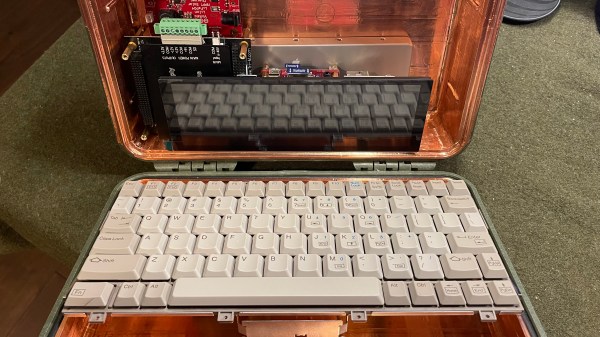
Inputs Of Interest: Canadian MCM/70 Was Kinda Like The First Cyberdeck

Not to start a debate in the comments or anything, but what would you say was the first microcomputer, or personal computer? We suppose the answer depends on your definition. Some would argue that the PC was born at Xerox PARC with a curious portrait-mode display and a three-button mouse, while others would say it all began in a garage in either Los Altos, California or Albuquerque, New Mexico.

If you take the term ‘computer’ to mean that which can crunch big numbers fairly quickly, then the Canadian-made MCM/70 is arguably the first personal computer in that it is portable, has an alphanumeric keyboard, a display, and supports cassette storage, which could be used to extend the 8K of memory. It was an all-in-one computing solution, and it could have an optional telephone modem built in. This was a forward-thinking machine for 1974.

Continue reading “Inputs Of Interest: Canadian MCM/70 Was Kinda Like The First Cyberdeck”

Hackaday Podcast 156: 3D-Printing Rainbows, Split-Flap Clocks, Swapping EV Car Batteries, And Floppy Time

This week, Hackaday Editor-in-Chief Elliot Williams and Assignments Editor Kristina Panos fawn over a beautiful Italian split-flap clock that doesn’t come cheap, and another clock made of floppies that could be re-created for next to nothing. We’ll also sing the praises of solderless circuitry for prototyping and marvel over a filament dry box with enough sensors to control an entire house. The finer points of the ooh, sparkly-ness of diffraction gratings will be discussed, and by the end of the show, you’ll know what we each like in a microscope.

Take a look at the links below if you want to follow along, and as always, tell us what you think about this episode in the comments!

(And if you’re wondering about what my joke about not having Kristina on the show for 28 seconds, and all the professionalism, was about — we both forgot to press record the first time through and got ~15 minutes into the show before noticing. Yeah. But we had a good time the second time around anyway.)

Direct Download (The best 40 MB you’ll download today!)

Continue reading “Hackaday Podcast 156: 3D-Printing Rainbows, Split-Flap Clocks, Swapping EV Car Batteries, And Floppy Time”

Anti-Curl Sandpaper Storage Is Impressive

Maybe it’s the humidity, maybe it’s the cold weather. Something is making [Laura Kampf]’s nice fabric-backed sandpaper curl up into scrolls the second it comes out of the package. So you can understand why she urgently wanted to make a storage system that would be easy to flip through like a record bin, but also provide enough pressure to keep the papers flat.

Although [Laura] didn’t know what exactly the end result would be, she got started on it anyway — that’s a great way to get more projects off the drawing board and past the finish line. It worked out, because she got a great idea while building the box and using nice cam clamps to hold the finger joints together as the glue dried. Since she already had a bunch of these cam clamps in different lengths lying around, why not use a couple of them for this?

[Laura] has two major classifications of sandpaper — paper-backed and fabric-backed — and built them separate boxen using two clamps for each box. She joined the pins with a DIY handle in order to move the cams in unison, so all she has to do is pull out to flip through the papers, and push the handle back and down to re-pressurize the stack for storage. Be sure to check out the build and demo video after the break.

While DIY clamps are often wood and metal affairs, it’s good to have 3D printing in your corner.

Continue reading “Anti-Curl Sandpaper Storage Is Impressive”

“So Long,” Said All The Tank-Driving Fish

Though some of us are heavily assisted by smart phone apps and delivery, humans don’t need GPS to find food. We know where the fridge is. The grocery store. The drive-thru. And we don’t really need a map to find shelter, in the sense that shelter is easily identifiable in a storm. You might say that our most important navigation skills are innate, at least when we’re within our normal environment. Drop us in another city and we can probably still identify viable overhangs, cafes, and food stalls.

The question is, do these navigational skills vary by species or environment? Or are the tools necessary to forage for food, meet mates, and seek shelter more universal? To test the waters of this question, Israeli researchers built a robot car and taught six fish to navigate successfully toward a target with a food reward. This experiment is one of domain transfer methodology, which is the exploration of whether a species can perform tasks outside its natural environment. Think of all the preparation that went into Vostok and Project Mercury.

Continue reading ““So Long,” Said All The Tank-Driving Fish”

Dead Mouse Reincarnated As Macropad

[Taylor] wanted to join the cool kids club and build a macropad for CAD work and video editing, but didn’t want to do it the traditional way with an Arduino. We can get behind that. In fact, [Taylor] wanted to reuse some old piece of tech if possible, which is even better. With a little luck, they found a used gaming mouse with a set of 12 tiny macro buttons on the side that were ripe for reuse. Only the scroll wheel was reported to be broken.

After verifying that all the macro buttons worked, [Taylor] tore down the mouse and extracted the daughterboard, then removed the sticker that held the rubber dome actuators in place. Then they wired up twelve Kailh box jades to the pads, doing some nice diagonal work with bare 30 AWG wire to join all the common pins together.

[Taylor] designed and printed a simple enclosure that’s a slim 21.5 mm tall including the switch plate, and then made a dozen keycaps to match. That was until [Taylor] remembered some relegendable keycaps they had lying around — the kind that let you print your own labels and trap them underneath clear plastic. The only problem was that they are stemmed for some cylindrical actuator, so [Taylor] designed an adapter piece so they would fit on MX-style sliders. Be sure to check out the build video after the break.

If for some reason box jades aren’t clicky and satisfying enough for you, try making your own maglev Hall-effect switches. These days, you even have design options.

Continue reading “Dead Mouse Reincarnated As Macropad”