Generating 3D Scenes From Just One Image

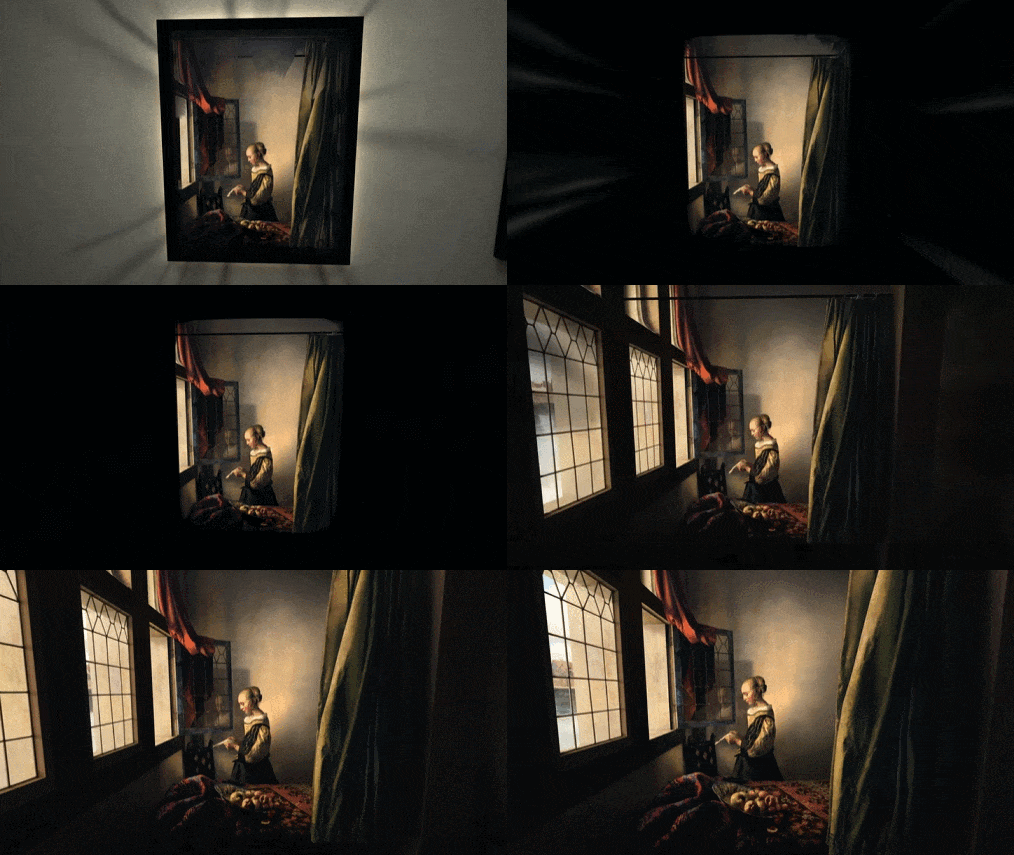
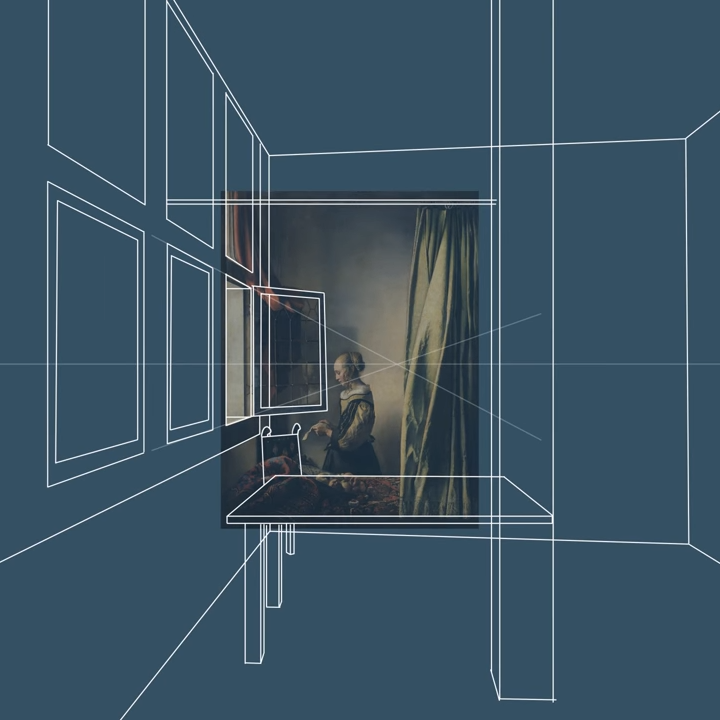
The LucidDreamer project ties a variety of functions into a pipeline that can take a source image (or generate one from a text prompt) and “lift” its content into 3D, creating highly-detailed Gaussian splats that look great and can even be navigated.

Gaussian splatting is a method used to render NeRFs (Neural Radiance Fields), which are themselves a method of generating complex scenes from sparse 2D sources, and doing it quickly. If that is all news to you, that’s probably because this stuff has sprung up with dizzying speed from when the original NeRF concept was thought up barely a handful of years ago.

What makes LucidDreamer neat is the fact that it does so much with so little. The project page has interactive scenes to explore, but there is also a demo for those who would like to try generating scenes from scratch (some familiarity with the basic tools is expected, however.)

In addition to the source code itself the research paper is available for those with a hunger for the details. Read it quick, because at the pace this stuff is expanding, it honestly might be obsolete if you wait too long.

Arduino Measures Remaining Battery Power With Zero Components, No I/O Pin

[Trent M. Wyatt]’s CPUVolt library provides a fast way to measure voltage using no external components, and no I/O pin. It only applies to certain microcontrollers, but he provides example Arduino code showing how handy this can be for battery-powered projects.

The usual way to measure VCC is simple, but has shortcomings.

The classical way to measure a system’s voltage is to connect one of your MCU’s ADC pins to a voltage divider made from a couple resistors. A simple calculation yields a reading of the system’s voltage, but this approach has two disadvantages: one is that it constantly consumes power, and the other is that it ties up a pin that you might want to use for something else.

There are ways to mitigate these issues, but it would be best to avoid them entirely. Microchip application note 2447 describes a method of doing exactly that, and that’s precisely what [Trent]’s Arduino library implements.

What happens in this method is one selects Vbg (a fixed internal voltage reference that is temperature-independent) as Vin, and selects Vcc as the ADC’s voltage reference. This is essentially backwards from how the ADC is normally used, but it requires no external hookup and is only a bit of calculation away from determining Vcc in millivolts. There is some non-linearity in the results, but for the purposes of measuring battery power in a system or deciding when to send a “low battery” signal, it’s an attractive solution.

Being an Arduino library, CPUVolt makes this idea very easy to use, but the concept and method is actually something we have seen before. If you’re interested in the low-level details, then check out our earlier coverage which goes into some detail on exactly what is going on, using an ATtiny84.

Multi-View Wire Art Meets Generative AI

DreamWire is a system for generating multi-view wire art using machine learning techniques to help generate the patterns required.

The 3-dimensional wire pattern in the center creates images of Einstein, Turing, and Newton depending on viewing angle.

What’s wire art? It’s a three-dimensional twisted mass of lines which, when viewed from a certain perspective, yields an image. Multi-view wire art produces different images from the same mass depending on the viewing angle, and as one can imagine, such things get very complex, very quickly.

A recently-released paper explains how the system works, explaining the role generative AI plays in being uniquely suited to create meaningful intersections between multiple inputs. There’s also a video (embedded just under the page break) that showcases many of the results researchers obtained.

The GitHub repository for the project doesn’t have much in it yet, but it’s a good place to keep an eye on if you’re interested in what comes next.

We’ve seen generative AI applied in a similarly novel way to help create visual anagrams, or 2D patterns that can be interpreted differently based on a variety of orientations and permutations. These sorts of systems still need to be guided by a human, but having machine learning do the heavy lifting allows just about anybody to explore their creativity.

Continue reading “Multi-View Wire Art Meets Generative AI”

A Transistor, But For Heat Instead Of Electrons

Researchers at UCLA recently developed what they are calling a thermal transistor: a solid-state device able to control the flow of heat with an electric field. This opens the door to controlling the transfer of heat in some of the same ways we are used to controlling electronics.

Heat management can be a crucial task, especially where electronics are involved. The usual way to manage heat is to draw it out with things like heat sinks. If heat isn’t radiating away fast enough, a fan can be turned on (or sped up) to meet targets. Compared to the precision and control with which modern semiconductors shuttle electrons about, the ability to actively manage heat seems lacking.

This new device can rapidly adjust thermal conductivity of a channel based on an electrical field input, which is very similar to what a transistor does for electrical conductivity. Applying an electrical field modifies the strength of molecular bonds in a cage-like array of molecules, which in turn adjusts their thermal conductivity.

It’s still early, but this research may open the door to better control of heat within semiconductor systems. This is especially interesting considering that 3D chips have been picking up speed for years (stacking components is already a thing, it’s called Package-on-Package assembly) and the denser and deeper semiconductors get, the harder it is to passively pull heat out.

Thanks to [Jacob] for the tip!

Explore Neural Radiance Fields In Real-time, Even On A Phone

Neural Radiance Fields (NeRF) is a method of reconstructing complex 3D scenes from sparse 2D inputs, and the field has been growing by leaps and bounds. Viewing a reconstructed scene is still nontrivial, but there’s a new innovation on the block: SMERF is a browser-based method of enabling full 3D navigation of even large scenes, efficient enough to render in real time on phones and laptops.

Don’t miss the gallery of demos which will run on anything from powerful desktops to smartphones. Notable is the distinct lack of blurry, cloudy, or distorted areas which tend to appear in under-observed areas of a NeRF scene (such as indoor corners and ceilings). The technical paper explains SMERF’s approach in more detail.

NeRFs as a concept first hit the scene in 2020 and the rate of advancement has been simply astounding, especially compared to demos from just last year. Watch the short video summarizing SMERF below, and marvel at how it compares to other methods, some of which are themselves only months old.

Continue reading “Explore Neural Radiance Fields In Real-time, Even On A Phone”

Terminal-Based Image Viewer, and Multi-OS Binary, and Under 100kb

[Justine Tunney]’s printimage.com is a program capable of splatting full-color images to text mode terminal sessions, but that’s not even its neatest trick. It’s also a small binary executable capable of running on six different operating systems: Linux, Windows, MacOS, FreeBSD, OpenBSD, and NetBSD. All without having to be installed or otherwise compiled first. On top of it all, it’s less than 100 kb.

How is this possible? It’s thanks to [Justine]’s αcτµαlly pδrταblε εxεcµταblε format, implemented by a project called Cosmopolitan which aims to turn C into a build-once-run-anywhere language. The printimage.com source code is included within the Cosmopolitan project.

If the name sounds a bit familiar, it’s probably because the Cosmopolitan project is a key piece of a tool we recently covered: llamafile, which allows people to package up an LLM (large language model) as a single-file, multi-OS executable.

As printimage.com shows, terminal windows are capable of more than just text. Still, plain ASCII has its appeal. Check out the ASCII art STL file viewer which might just make your next sick ASCII art banner a bit easier to generate.

New Part Day: Flush-mount Touchscreen For Retro PC Build

I recently had the opportunity to purchase an early version of a new display, and it happened to be just the thing I needed to make a project work. That display is the Elecrow 11.6″ CrowVision touchscreen slated for release in 2024. Preorders are being accepted on Crowd Supply.

I had an idea for a retro-inspired PC build that was just waiting for a screen like this. I’ll talk about the display and what’s good about it, then showcase the build for which it was the missing piece. If you’ve got a project waiting for something similar, maybe this part will provide what you need or at least turn on some new ideas.

What Is It?

The CrowVision 11.6″ 1366 x 768 touchscreen has an HDMI input, USB output for touch data, and accepts 12 V DC. It’s made to interface easily with a Raspberry Pi or other SBC (single-board computer).

Personally I consider a display like this to be the minimum comfortable size for using desktop type applications in a windowed environment. Most displays in this space are smaller. But aside from that, what helps make it useful for embedding into a custom enclosure is the physical layout and design.

Since I was looking for the largest display that could be flush-mounted in an enclosure without a lot of extra space around the display’s sides, it was just what I needed. The integrated touchscreen is a nice bonus.

Continue reading “New Part Day: Flush-mount Touchscreen For Retro PC Build”