The Golden Age Of Gadget Catalogs

Among Hackaday’s readership are likely to be many gadget enthusiasts who live for the latest electronics and who have obsessively followed gadget trends for most of their lives. You possess elite AliExpress-fu, and like the hipsters, you were into everything long before it was cool. It’s safe to say the Internet has revolutionized the world of the gadget freak, but in a time before even dial-up access there was another way into this most technophilic of pastimes. As soon as there was consumer electronics there were mail-order catalog companies slaking the thirst of the gadget-crazy, and [Cabel Sasser] is here with a look at both their heyday and their swansong.

A full page advert for a "Corporate cockpit" all-in-one wordprocessor computer.
Drew, just shut up and take my money!

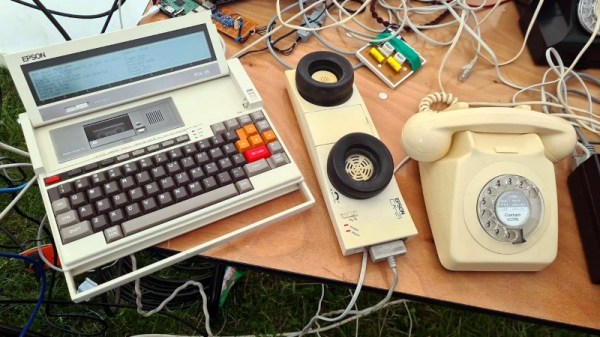
He has a particular focus on the catalog produced during the 1980s by DAK Industries Inc, a North Hollywood California based company that was the work of an entrepreneur named Drew Kaplan. He presented a glittering array of the latest and greatest tech of the era, and packaged it with riveting descriptions and beautifully-shot glossy photographs. [Cabel] was hooked, and we would certainly have been too. There were digital watches with outrageous functionality, portable briefcase computers, novelty telephones, Hi-Fi components at knock-down prices, and plenty of cassette tapes to play in them.

Their signature was an engaging copy-writing style that really made you want the product, and here we enter an interesting story in itself. There was another mail order gadget company in the 1970s which used exactly the same formula but running full-page adverts, similar enough to be obviously connected in some way. Had DAK stolen the idea? Not quite, for these were the product of a man called Joseph Sugarman, who also ran a “Learn my formula for sales success” course. Drew Kaplan didn’t hesitate to attribute his success to the Sugarman course, leaving us with the surprising conclusion that there’s more to the “Learn my formula” business than simply making money from marks prepared to pay for the course.

Here at Hackaday we occasionally venture into purple prose for fun, but we’re not trying to sell you any consumer electronics. We can’t help a professional admiration for the copy-writing in these catalogs though, and since they’re all available for download from Internet Archive we’re going to spend a while wallowing in tech nostalgia. It’s a place we’ve been to before.

Reduce The Pi 5’s Power Consumption At A Stroke

The Raspberry Pi 5 is the new wunderkind single-board computer on the block, so new in fact that users are still finding out its quirks. One of those quirks is a surprisingly high power consumption when powered down, despite halting the SoC, it leaves the power on and consumes over a watt even in standby. [Jeff Geerling] has a solution, and it’s a simple config change.

It’s useful to know how to fix this, and we’re indebted to him for finding it, but it’s hardly the most complex of hacks. Where the interest lies is in why the board leaves the lights turned on when nobody’s at home in the first place. It seems that some HATs have an issue when the 3V3 rail shuts down, but the 5V rail doesn’t. The Raspberry Pi foundation took the most compatible route and kept the rails on all the time. Perhaps future OS releases will come up with something more elegant, but at least there *is* a fix.

If you’re new to the Pi 5, you can take a look at our review of a preview model, and see why it’s the closest yet to a usable everyday PC that they’ve produced.

What Parts Should You Desolder?

A rite of passage for a young electronics enthusiast used to be collecting an array of surplus boards from whatever could be found, and using them as sources of parts to desolder. It was possible with a bit of work and searching to build all manner of electronic projects without spending much at all.  Many hardware hackers know their way around consumer electronics from the decade before their teenage years as a result. Secondhand components can still be used, but the type of components to be found has changed, as well as those needed. [ElectricMonkeyBrain] takes a look, and asks “What should you desolder?”.

As a general rule, he lands on the premise that it’s worth hanging on to the expensive stuff rather than the cheap stuff. Large capacitors, power semiconductors, and inductors aren’t cheap at all, and in the case of the inductors they can yield both ferrite parts and enameled wire for rewinding to suit. We’re surprised that he advocates holding on to electrolytic capacitors as a kit of many values is now pretty cheap, but it’s understandable that if you lack the part and it’s there on a motherboard in front of you, it’s worth desoldering. Finally, he discusses cases, something we’ve been tempted by a few times more than we’d like to mention.

In a world of easy online ordering, it’s useful to be reminded that sometimes there’s still space for salvaged parts, after all, no delivery service is as quick as reaching under your bench for an old ATX power supply to raid. As always though, don’t amass too much of it.

Continue reading “What Parts Should You Desolder?”

Flash Programmer Shows Some Nifty Tricks

A handy tool to have on the bench is a Flash chip programmer, and the ones based around the CH341A USB bus converter chip are readily available. But the chip is capable of so much more than simply programming nonvolatile memory, so [Tomasz Ostrowski] has created a utility program that expands its capabilities. The software provides easy access to a range of common i2c peripherals. He’s got it talking to smart batteries, GPIOs, environmental sensors, an OLED display, and even an FM radio module. The code can all be found in a GitHub repository. The software is Windows-only so no fun and games for Linux users yet — but since it’s open source, new features are just a pull request away.

The CH341A is much more than an i2C controller, it also supports a surprising range of other interfaces including SPI, UARTs, and even a bidirectional parallel printer port. Maybe this software will serve to fire the imagination of a few others, and who knows, we could see more extended use of this versatile chip. Oddly we’ve featured these programmer boards before, though in a tricky flashing job.

Proposed European Electronic ID Law Raises Concerns

The harmonisation of standards for electronic identification across the EU should normally be soporific enough to send even the most Club-Mate-hyped hacker straight to sleep, but as Computer Weekly reports, discussion of this reform in the EU corridors of power has caused significant unrest among cyber security experts. Just how can providing Europeans with a harmonised digital ID be so controversial? As you might imagine, the devil lies in the detail.

At issue is the eIDAS Regulation, a system which, in the words of its website: “ensures that people and businesses can use their own national electronic identification schemes (eIDs) to access public services available online in other EU countries,” and “creates a European internal market for trust services by ensuring that they will work across borders and have the same legal status as their traditional paper-based equivalents,” and the point of concern lies with its application to websites. The EU want to ensure that Europeans can digitally verify businesses as well as individuals they deal with, and since that includes websites, they want to insert a provision allowing countries to mandate their own trusted root certificates. At a stroke, this opens the potential for state actors to snoop on all encrypted online traffic, something which would compromise the security of all.

Sadly for Europeans, this isn’t the only questionable online regulation effort from that region.

Thanks [Joyce Ng] for the tip.

A Network Adapter Thinks It’s A CD-ROM. Restore Its True Calling!

A mildly annoying trend over recent years has been for USB hardware devices to expose a CD-ROM drive containing their drivers for Windows users. Of course there’s no real CD in there, instead the software lives on a piece of flash memory. It’s usually not a problem as they also appear on the USB bus as their true calling, but not always.

[Martijn Braam] found himself the lucky owner of a USB network adapter which seemed to see its only purpose in life to be such a drive, and since he  wasn’t anxious to make another piece of e-waste, he broke it open to see if the fake CD drive could be disabled.

Inside the flimsy case he found a CoreChips SR9700 Ethernet controller, a chip for which there seems to be very little data in the wild. On the underside of the PCB was a flash chip, and as expected disabling this caused the CD drive to disappear to be replaced by the expected network card.

It’s a simple but useful hack, but there’s a little bonus for those unaware in the write-up. There’s a piece of software called USB_modeswitch that can perform this task on many cards, which is worth storing away in the event that it’s needed.

Raspberry Pi OS In-Place Upgrades, Not For The Faint Hearted

The Raspberry Pi series of boards are noted for their good software support, with a continuous flow of operating system upgrades such that an original Pi from 2012 will still boot the latest Pi OS. But these upgrades are best done by writing a fresh SD card, so oddly, the Pi remains surprisingly difficult in many cases to upgrade in place. [Iustin Pop] has taken a look at the problem, and finds that though it’s not always easy it remains possible with a bit or work.

An upgrade in place of a Raspberry Pi OS install that’s running on a headless device is probably the simplest of the lot, with a relatively small set of issues. Do it on a machine using the GUI though, and the switch from x.org to Wayland makes for a whole world of pain.

Perhaps most interesting for the insight it gives us into the way Raspberry Pi OS is derived from Debian, is the crossgrade process from the ARMhf build for earlier machines to the ARM64 one for the more recent ones. Here aside from a headache of differing paths and versions, he encounters the Pi-specific compilation tweaks put in place by the developers of Raspberry Pi OS, leading to the ARMhf version being a different branch from the original Debian than the ARM64 one.

Having read his examination of in-place upgrades we have to say that simply writing a new SD card remains the most attractive option. But sometimes along comes a remote system where that’s simply not possible, and this guide might just be very useful sometime.