Jenny’s Daily Drivers: Raspberry Pi Desktop

One of the more exciting prospects upon receiving one of the earliest Raspberry Pi boards back in 2012 was that it was a fully-functional desktop computer in the palm of your hand. In those far-off days, the Debian OS distro for the board wasn’t even yet called Raspbian, but it would run a full-on desktop on your TV and you could use it after a fashion to browse the web or do wordprocessing. It wasn’t in any way fast, but it was usable enough to be more than a novelty. I’ve said before on these pages that the Raspberry Pi folks’ key product is their OS rather than their computers. While they rarely have the fastest or highest spec hardware, you can depend on Raspberry Pi OS being updated and supported through the life of the board unlike many of their competitors. I can download their latest OS image and still run it on that 2012 board, which to me ranks as a very laudable achievement.

The OS They Don’t Really Tell You About
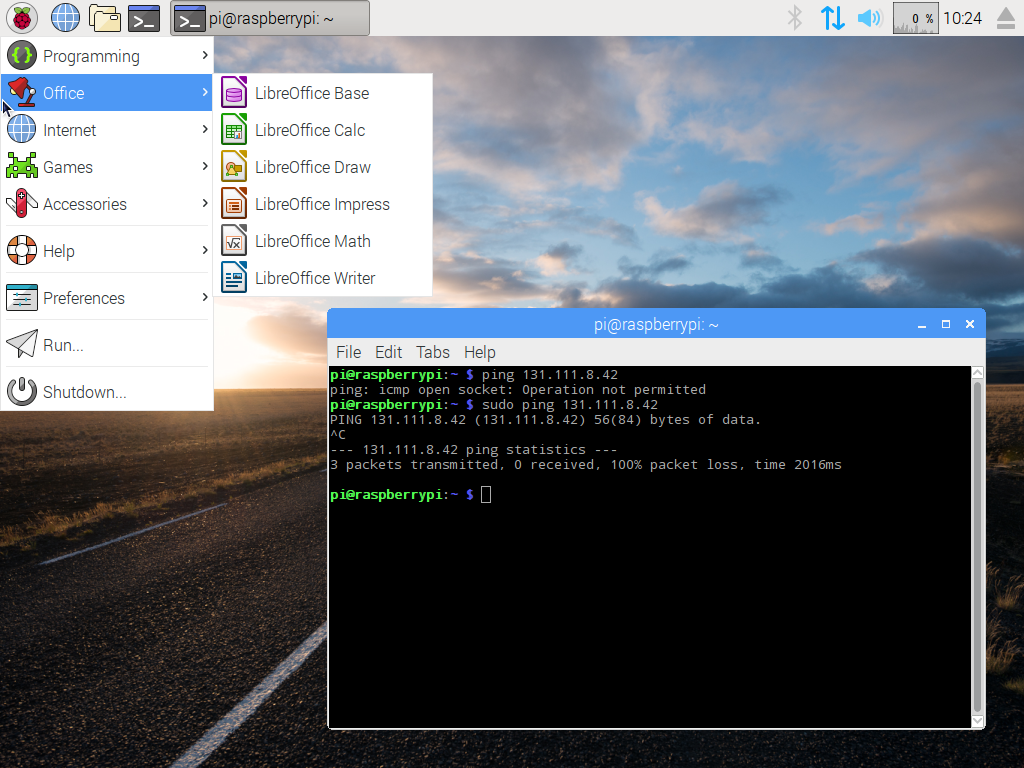
Screenshot of the first i386 Pi desktop
The background image may have changed since the first release back in 2016, but the UI hasn’t.

Raspberry Pi OS doesn’t run on any other ARM single board computers but their own, but it’s not quite accurate to say that it only runs on Raspberry Pi hardware. Since 2016 when it was launched as PIXEL, the folks in Cambridge have also maintained a PC version for 32-bit i386 computers, now called Raspberry Pi Desktop. It may be the Pi product they don’t talk about much, but  you can still find it on their downloads page.

Like the ARM version, it’s based on Debian and presents as close as possible to the environment you’d find on your Pi. I’m interested to see whether it still lives up to the claim of being usable on older hardware, so I’ve downloaded a copy and installed it on my trusty 2007 Dell Inspiron 640. It rocks a 1.6 GHz Core Duo with 4 GB of memory and a SATA SSD so it’s not the lowest spec hardware on the block, but by 2023’s standard it represents a giveaway-spec old laptop. Can I use it as a daily driver? Let’s find out! Continue reading “Jenny’s Daily Drivers: Raspberry Pi Desktop”
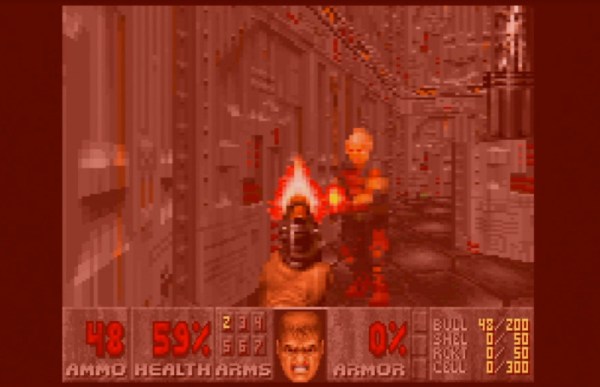
Will An 8088 Run DOOM? Now, Yes It Will!

The question on everyone’s lips when a new piece of hardware comes out is this: Will it run DOOM? Many pieces of modern hardware have been coaxed into playing id Software’s 1993 classic, but there have always been some older machines that just didn’t have the power to do it. One of them has now been conquered though, and it’s a doozy. [Frenkel]’s Doom8088, as its name suggests, is a port of the game for the original PC and AT.

As can be seen in this gameplay video, it’s not always the slickest of gaming experiences. But it works, so the question is, how on earth can a machine that was below the spec of the original, run this game? The answer comes in it being a port of GBADoom for the Game Boy Advance, a platform with less memory than a DOS PC. It still relies on extensive hard disk access for every frame though, which leaves it snail-like.

We set out to install it ourselves on one of the web based PC emulators, but fell over on the size of the required Watcom installation. If any of you have the real thing lying around though, we’d love to hear about how the game performed in the comments.

We’ve shown you so many ports of DOOM over the years to have lost count. One of our favourite recent ones uses an extremely unconventional but very retro display.

An Electric Unicycle, In Minimalist Form

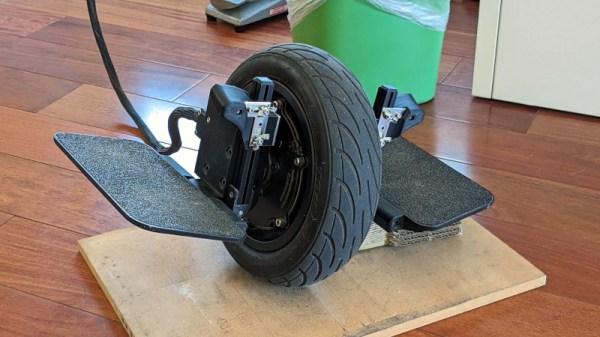
When self balancing scooters hit the market a few years ago they brought alongside them a range of machines, from the hoverboard kids toys which have provided so many useful parts, to the stand-astride electric unicycles. These last machines have a bulky battery and controller box atop the wheel, and [Dycus] set his sights on this by transferring it to a backpack with the vehicle’s IMU sensor relocated to one of the pedals.

Such a job is not merely a simple case of rewiring with some longer cables, as a first challenge the IMU communicates via I2C which isn’t suitable for longer distances. This is solved by a chipset which places the I2C on a differential pair, but even then it’s not quite a case of stepping on and zipping about. The PID parameters of the balancing algorithm on a stock machine are tuned for the extra weight of the battery on top, and these needed to be modified. Fortunately there have been enough people hacking the STM microcontroller and firmware involved for this task to be achievable, but we’d rate it as still something not for the faint-hearted.

The final result can be seen in the video below, and the quality of the physical work shows as very high. The former battery box is repurposed into a stylish backpack, and though the newly minimalist foot pedals and wheel are a little less easy to get going he zips around with ease.

Hungry for more? This ain’t the first we’ve shown you.

Continue reading “An Electric Unicycle, In Minimalist Form”

This CRT Luggable Makes Sense

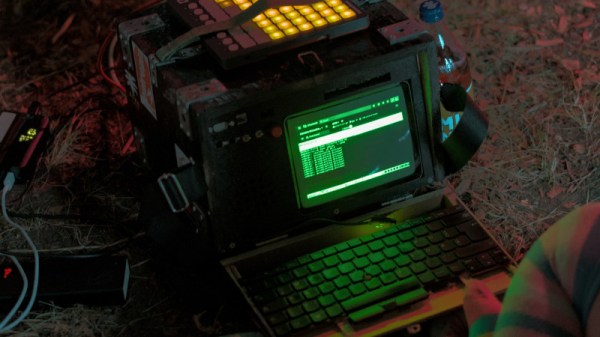
There was a time when portable computing meant not a svelte laptop but a suitcase-sized machine that was really a slimmed-down desktop with a small CRT incorporated int he same box. They were heavy and unwieldy, but the computing compromises of using one at the time were less than with what served for more portable machinery. It’s a form factor which understandably has long ago disappeared, but that hasn’t stopped [Sdomi] from reviving it with a machine that packs plenty of modern computing power.

It’s a project that started with a monitor, a diminutive green-screen model which had previously adorned a CNC machine. It’s a composite model, so it’s driven from a VGA-to-composite converter. The computing power comes from a thin-client board that packs an up-to-date AMD Ryzen processor and 32 GB of memory, and the case is manufactured from oriented strand chipboard.

The result is a chunky but definitely practical and usable take on a portable cyberdeck, with the caveat that a composite monitor will not deliver the resolution some of us might be used to. We have to admit rather liking it, there’s nothing like the curved glass of a CRT.

It’s by no means the only up to date luggable we’ve seen, though more often now they feature an LCD.

Making An Injection Mold For Yourself

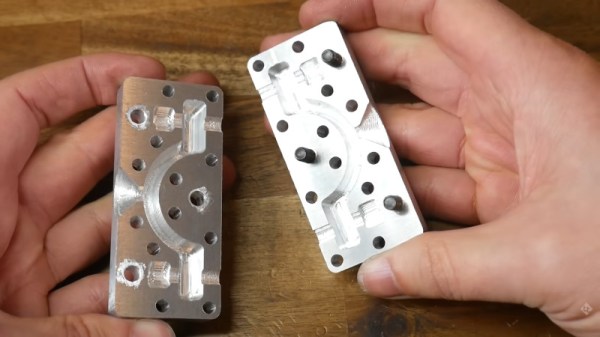
Injection molding is the obvious onward step from 3D printing when the making of a few plastic parts becomes their series manufacture. The problem with injection molding is though, that making a mold can be prohibitively expensive. Has the advent of affordable CNC machining changed that? [Teaching Tech] takes a look, and machines a mold for part of a bicycle bracket.

With a diversion into home-made silicone seals for the injection molding machine, he proceeds to machine the mold itself from a block of aluminium. It’s a basic introduction to mold construction for those of us who’ve never ventured in this direction before, and it provides some interesting lessons. As we’d expect he does a rough machining pass before returning with a ball-end tool to smooth off those curves, but there’s a lesson in measuring rather than believing the paperwork. The tool he used was a bit smaller then the spec, so his path left some rough edges that had to be returned to. Otherwise the use of a removable pair of bolts to form holes in the finished part is we guess obvious after watching the video, but it’s something we learned as injection molding newbies.

This video follows on from a previous one we also covered, in which we’re introduced to the machine itself.

Continue reading “Making An Injection Mold For Yourself”

Photography Goes Leaf Green

Something that haunts film photographers is the prospect of a film shortage. This won’t replace film in that event, but [Applied Science] demonstrates photography using leaves. That’s right, a plant can record an image on its leaves.

Anyone with a high-school level of education can tell you that the leaf is a solar energy harvester, with the green chlorophyll using CO2 scavenged from the air to make sugars in the presence of light. It stands to reason that this light sensitivity could be used to capture images, and indeed if you place a leaf in the dark for an extended period of time its chlorophyll fades away where there is no light. The technique described in the video below the break is different though, and much more sensitive than the days-long exposures required to strip chlorophyll. It relies on starch, which the leaf uses to store energy locally when it has an excess of light. Continue reading “Photography Goes Leaf Green”

Maker Faire Hannover: The Right Way To Do It

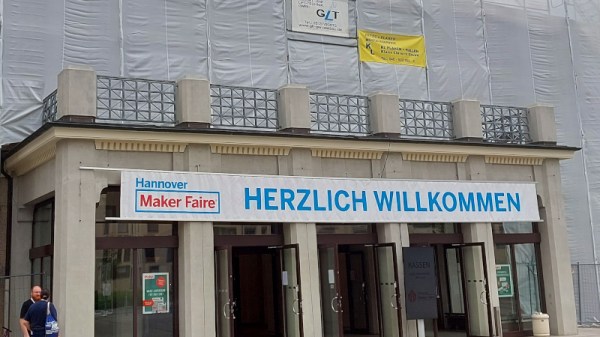
On these pages we bring you plenty of reports from events, most of which are from the hacker or hardware communities. These can be great fun to attend, but they’re not the only game in town when looking at things adjacent to our community. At what you might describe as the consumer end of the market there are the Maker Faires, which bring a much more commercial approach to a tech event. While so many of us are in Germany for Chaos Communication Camp there’s a maker faire ideally placed to drop in on the way back. We took the trip to Hannover, a large and rather pleasant city just off the Berlin to Amsterdam motorway roughly central to the top half of the country. It’s got one of the German emissions zones so without the green tax sticker in the car we took a park-and-ride on one of their clean and efficient trams to alight a short walk from the congress centre.

Plenty To See, And It’s Not All For Kids

Continue reading “Maker Faire Hannover: The Right Way To Do It”