Finally! The ROM You Wished Your Sinclair Spectrum Had!

If there is one thing that Sir Clive SInclair was famous for, it was producing electronic devices that somehow managed to squeeze near-impossible performance out of relatively meagre components. This gave us some impressive products, but it’s fair to say that sometimes this philosophy pushed the envelope a little too far. Thus even some of the most fondly remembered Sinclair products concealed significant flaws, and this extended to both their hardware and their software.
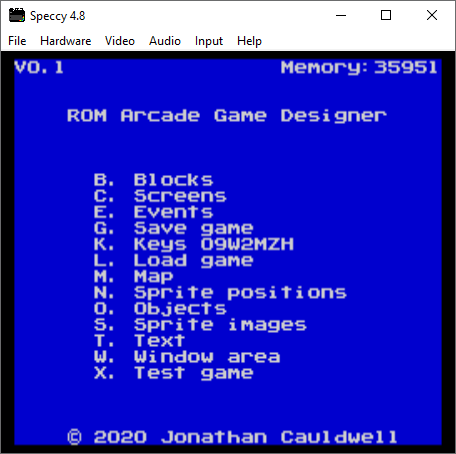
Sir Clive never gave us this!

The SInclair ZX spectrum’s ROM for example had more than its fair share of bugs, and its BASIC programming experience with single keypress was unique but also slow to run. It’s something [Jonathan Cauldwell] has addressed with his Arcade Game Designer ROM, a complete and ready to run replacement for the original Spectrum ROM that contains a scripting language, a compiler, editors for in-game assets, and a game engine upon which to run your games. It’s the ROM you wanted back in 1983, when you were struggling to fit a bit of Z80 code in a Sinclair Basic REM statement.

If you’re a Spectrum enthusiast and think this sounds a little familiar then you are of course correct. It builds upon his past work with his Arcade Game Designer, with the distribution by ROM allowing the developer to use the full 48k available on all but a very few early 16k machines. You’ll need your own EPROM on which to burn it, but we suspect that if you’re the kind of person who has a Spectrum and has writing these games in mind, you already have access to the relevant equipment.

If you’re new to all this Spectrum stuff and where its ROM came from, then maybe it’s time for a trip down memory lane.
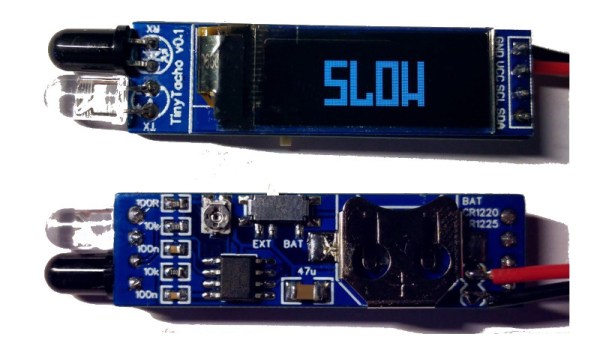
TinyTacho: Rotational Speed Measurement Without The Bulk

An electronic tachometer is a straightforward enough device, in which the light reflections from a white spot on a rotating object are detected and counted over time, measuring the revolutions per minute (RPM). It’s a technique that has its roots in analogue electronics where the resulting pulses would have fed a charge pump, and it’s a task well suited to a microcontroller that simply counts them. But do you need an all-singing, all-dancing chip to do the job? [Stefan Wagner] has done it with a humble ATtiny13.

His TinyTacho is a small PCB with an IR LED and photodiode on one end, a small OLED display on its front, and a coin cell holder on its rear. The electronics may be extremely simple, but there’s still quite some effort to get it within the ATtiny’s meagre resources. Counting the revolutions is easy enough, but the chip has no I2C interface of its own and some bitbanging code is required. You can find all the design files and software you need in a GitHub repository, and he’s put up a video of the device in action that you can see below the break.

Tachometers are a popular project hereabouts, and we’ve featured a lot of them over the years. Perhaps the best place to direct readers then is not to another project, but to how to use a tachometer.

Continue reading “TinyTacho: Rotational Speed Measurement Without The Bulk”

Adding USB To A Keyboard The Way It Used To Be Done

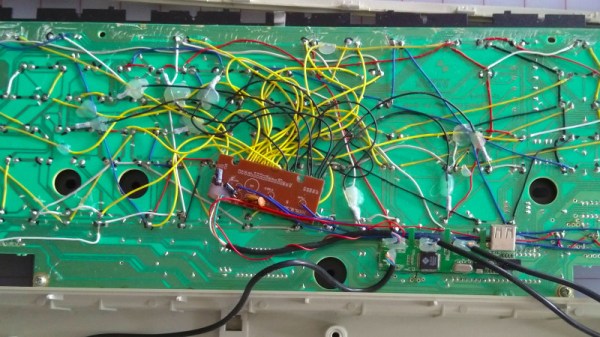
The world of custom keyboards has over the years developed its work into an art form, as mechanical key switches meet USB-HID capable microcontrollers for a plethora of designs as individual as their creators. This was however not always the case, and from the days of 8-bit home computers onwards making a custom keyboard often meant taking a surplus one from elsewhere and adapting its matrix to suit whatever controller interface was at hand. [Julian Calaby]’s USB conversion of an Apple Extended keyboard may be unusual in this day and age and was probably a late example even 15 years ago when he made it, but it remains a glorious piece of bodge-wire hardware hacking at its finest.

The task at hand with this type of conversion is to cut the matrix PCB tracks and replace them with soldered wires to create the new matrix required. This can then be wired to the controller, which in [Julian]’s case came from a cheap USB keyboard. He added a small USB hub to allow for a pair of USB sockets where Apple had put an ADB socket, making for quite a decent older keyboard with an unexpected USB interface.

Now older and wiser, he has plans to revisit his old keyboard with a modern microcontroller board, and needs to revisit the matrix again and give the peripheral new life. We still like the original though, as it captures a moment in time when keyboard matrix hacking made sense, and reminds us of our own youthful hardware follies.

Paging through Hackaday past it’s a testament to the old-school nature of this board that all we can find are microcontroller-based conversions. That’s not to say that cutting up old ‘boards is out of the question though.

Zoombombing The EU Foreign Affairs Council

Those with security clearance are capable of making foolish mistakes, just like the rest of us. So is the story of how a Dutch journalist made an appearance on video meeting of the European Union’s Foreign Affairs Council (Dutch language, Google Translate link).

Ank Bijleveld's Tweeted picture, with the access details blacked out by Daniël Verlaan.
Netherlands Defence MInister Ank Bijleveld’s Tweeted picture, with the access details blacked out by Daniël Verlaan.

Like any other video call, if you had the link you could enter the meeting. So when Netherlands Defence Minister Ank Bijleveld Tweeted a photo of a video call last Friday, the address bar of the browser gave away the secret to anyone with a keen eye. Dutch journalist Daniël Verlaan working for the broadcaster RTL saw the URL on the screen and deduced the login credentials for the meeting.

We say “deduced”, but in fact there were five of the six digits in the PIN in the clear in the URL, leaving him with the difficult task of performing a one-digit brute-force attack and joining with the username “admin”. He joined and revealed his presence, then was admonished for committing a criminal offence before he left.

On one level it’s an opportunity for a good laugh at the expense of the defence ministers, and we certainly wouldn’t want to be Ank Bijleveld or probably the EU’s online security people once the inevitable investigation into this gets under way. It seems scarcely credible that the secrecy on such a high-security meeting could have sat upon such a shaky foundation without for example some form of two-factor authentication using the kind of hardware available only to governments.

EU policy is decided not by individual ministries but by delicate round-table summits of all 27 countries. In a pandemic these have shifted to being half-online and half in-real-life, so this EU defence ministers’ meeting had the usual mosaic video feed of politicians and national flags. And one Zoom-bombing journalist.

A Raspberry Pi 400 UPS Add-On, It’s Not All Plain Sailing

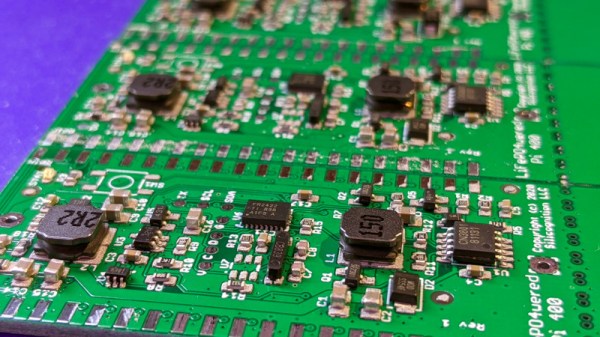
Since the recent launch of the all-in-one Raspberry Pi 400, the global hardware community have taken to the new platform and are investigating its potential for hardware enhancements. On the back it has the same 40-pin expansion connector as its single-board siblings, but it’s horizontal rather than vertical, which means that all of the conventional HATs sit in a rather ungainly upright position.

One of the first Pi 400 HATs we’ve seen comes from [Patrick Van Oosterwijck], who has made a very neat 18650-based UPS add-on that is intended to eventually fit in the back of the machine in a similar way to the home computer cartridge peripherals of old. Unfortunately not all has gone according to plan, and in finding out why that is the case we learn something about the design of the 400, and maybe even take a chance to reflect on the Pi Foundation itself.

On the face of it the 400’s interface is the same as that of its single board computer stablemates, but something this project reveals is that its 5 V pins have a current limit of 1 A. This turns out to preclude the type of plug-in Pi UPS that sits on a HAT that we’re used to, in that 1 A through the 5 V pin is no longer enough to run the computer.

This effectively puts a stop to [Patrick]’s project, though he can repurpose it for a Pi 4 and its siblings once he’s dealt with a converter chip overheating problem. He does however make a complaint about the Pi Foundation’s slowness in releasing such data about their products, and given that long-time Pi-watchers will remember a few other blips in the supply of Pi hardware data he has a point. A quick check of the Raspberry Pi GitHub repository reveals nothing related to the Pi 400 at the time of writing, and though it shares much with its Pi 4 sibling it’s obvious that there are enough differences to warrant some extra information.

Hardware hackers may not be part of the core education focus of the Pi range, but a healthy, interested, and active hardware community that feels nurtured by its manufacturer remains key to the supply of interesting Pi-related products feeding into that market. We’d like to urge the Pi Foundation to never forget the hardware side of their ecosystem, and make hardware specification an integral part of every product launch on day one.

If the Pi 400 catches your interest, you can read our review here.

Coaxial Connectors, Starting With The PL259

For the casual breadboard experimenter with a microcontroller and a few peripherals, there’s little concern over interconnects as a set of jumper wires will suffice. But as any radio amateur will tell you though, at higher frequencies it’s a very different affair. [Ria Jairam N2RJ] has embarked upon a series of videos exploring co-axial cable and its various connectors, and her first offering features the humble UHF connector, sometimes known as the PL259. Though it’s one of the older choices and its design flaws mean that “UHF” is more of an aspiration for it than a reality, it remains a common connector at the lower end of the amateur radio frequency range.

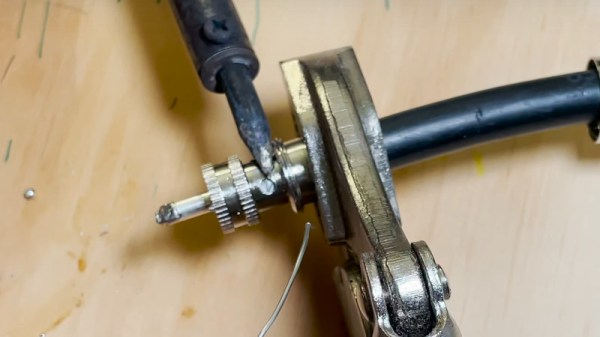
She starts with a brief history of co-axial cable, before introducing the UHF connector. We’re the introduced to its major flaw, in that it doesn’t present a constant impedance. The resulting mismatch presents a significant problem to a transmitter, especially at higher frequencies. We’re then taken through the various different models of UHF connector, including those with honeycomb dielectric to minimize the mismatch, and the fancy expensive plugs with strain relief. Finally she takes us through the proper fitting of a PL259 plug, something that there’s a bit more to than most of us might think. Altogether it’s an interesting and informative watch from an engaging and knowledgeable host, and we look forward to more.

Meanwhile, the field of RF connectors is something we’ve dipped a to into from time to time ourselves.

Continue reading “Coaxial Connectors, Starting With The PL259”

Espressif Leaks ESP32-C3: A WiFi SoC That’s RISC-V And Is ESP8266 Pin-Compatible

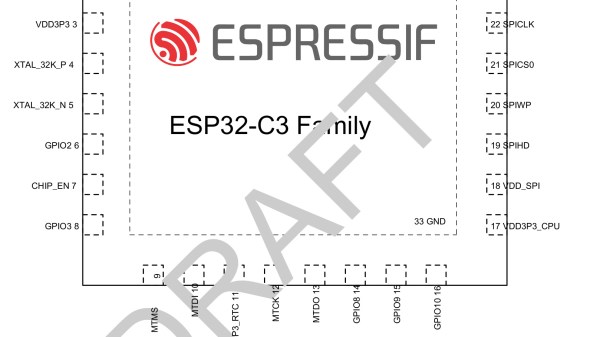
Six years on from the emergence of the Espressif ESP8266 we might believe that the focus had shifted to the newer dual-core ESP32. But here comes a twist in the form of the newly-revealed ESP32-C3. It’s a WiFi SoC that despite its ESP32 name contains a RISC-V core in place of the Tensilica core in the ESP32s we know, and uses the ESP8266 pin-out rather than that of its newer sibling. There’s relatively little information about it at the time of writing, but CNX Software have gathered together what there is including a draft datasheet whose English translation is available as a Mega download. As with other ESP32 family members, this one delivers b/g/n WiFi and Bluetooth Low-Energy (BLE) 5, where it differs is the RISC-V 32 Single-core processor with a clock speed of up to 160 MHz. There is 400 kB of SRAM and 384 kB ROM storage space built in.

While there is no official announcement yet, Espressif has been dropping hints. There’s been an OpenOCD configuration file for it in the Espressif repositories since the end of last month. And on Friday, Espressif Software Engineering Manager [Sprite_tm] answered a reddit comment, confirming the RISC-V core.

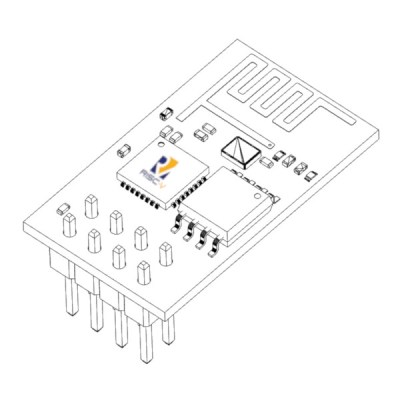
ESP-01: Kjerish, CC BY-SA 4.0, RISC-V logo: RISC-V foundation, Public domain.

Why they are releasing the part as an ESP32 rather than giving it a series number of its own remains a mystery, but it’s not hard to see why it makes commercial sense to create it in an ESP8266-compatible footprint. The arrival of competing parts in the cheap wireless SoC space such as the Bouffalo Labs BL602 we mentioned recently is likely to be eating into sales of the six-year-old chip, so an upgrade path to a more capable part with minimal new hardware design requirements could be a powerful incentive for large customers to stay with Espressif.

We’re left to guess on how exactly the rollout will proceed. We expect to see similar developer support to that they now provide for their other chips, and then ESP32-C3 powered versions of existing ESP8266 boards in short order. It’s also to be hoped that a standard RISC-V toolchain could be used instead of the device-specific ones for current Espressif offerings. What we should not expect are open-source replacements for the blobs that drive the on-board peripherals, as the new chip will share the same closed-source IP as its predecessors for them. Perhaps if the PINE64 initiative to reverse engineer blobs for the BL602 bears fruit, we might see a similar effort for this chip.