Uplink System For High-Altitude Balloons

Most uses of high-altitude balloons are fairly simple: send balloon up, have it beam down measurements and images. While this is indeed straightforward, it is also very limiting. This is why [Dave Akerman] has been working on adding to the HAB balloons he regularly flies. This builds on the work [Dave] did back in 2015 with adding LoRa transceiver RF communication.

Since LoRa transceivers are by definition capable of bidirectional communication, this was very useful for adding simple but essential features such as retransmission of data in case e.g. part of some image or telemetry data is missing. Other interesting things one can do with bidirectional transmission include controlling individual balloons, and having them transmit or relay information between balloons.

A tricky thing which [Dave] describes in the blog post is making sure that both ends of the connection are actually listening using timing settings. The use of encryption is also strongly recommended, unless you want to risk someone hijacking your balloons. This has now all been implemented in the HAB Explora app for Android, as well as the application for Windows.

Header image: Antonino Vara, CC BY 4.0.
Is It A Lawnmower? Is It An RPi IRC Server? It’s Both!

Although first presented to the world as an April 1st joke, [Jotun]’s IRC-enabled lawnmower began life as the result of casual bantering among folk on the Undernet IRC network. When the project worked out better than probably anyone could have expected, it was presented as the Green Future of Undernet on April 1st. Joking aside, the project actually is pretty interesting and well-executed.

At the core is a Remington RM110, a fairly basic gas-powered push lawnmower. After years of use it wasn’t running so well any more, so [Jotun] took it apart and cleaned the engine, despite never having done so before. With that grimy task completed, a subsequent remark in an Undernet channel about linking the lawnmower to Undernet led to a Raspberry Pi 4 and various other components being ordered.

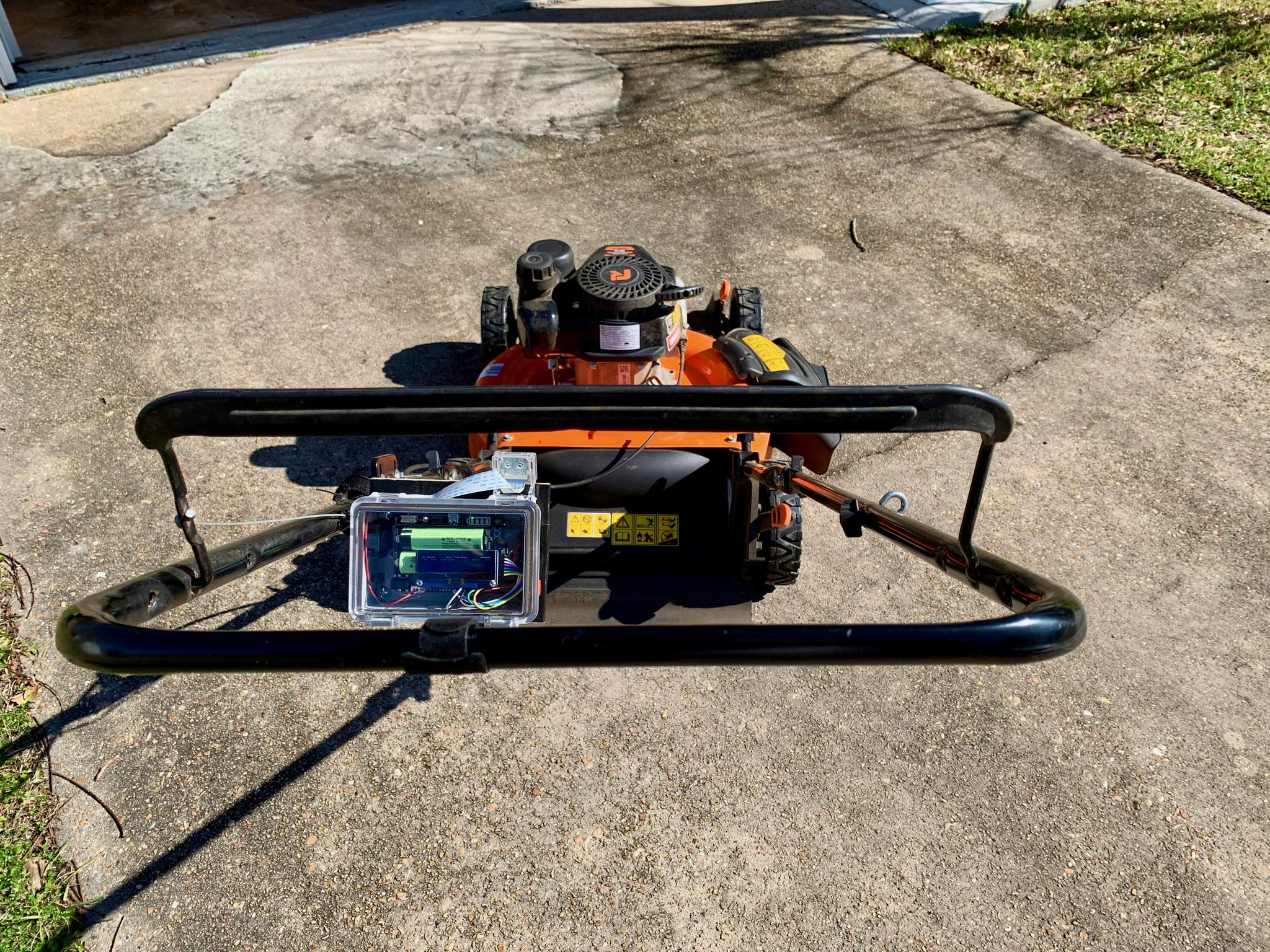
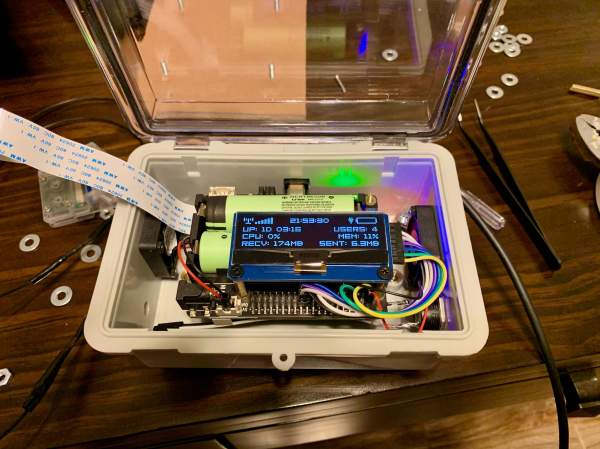
The view from the driver’s seat with the server box installed.

The write-up by [Jotun] provides a pretty good overview of the project’s history: from getting the Raspberry Pi 4 working with a UPS add-on, to getting the IRC server software working and serving clients, and putting a weather- and dust-proof box together with enough filtered ventilation to ensure that the freshly mowed grass doesn’t clog up the Raspberry Pi while keeping everything cool.

As a bonus, the system tracks the wheel revolutions so that [Jotun] can keep track of the square kilometers of grass he has cut, and reports this with an IRC bot to anyone interested on Undernet, in the channel #lawnmower. The only thing that isn’t working well yet so far is the live camera feed from the lawnmower, due to the obvious vibration issues, but [Jotun] reckons that can be solved in time.


TCam-Mini: Adding Wireless To Flir Lepton Thermal Imaging Sensors

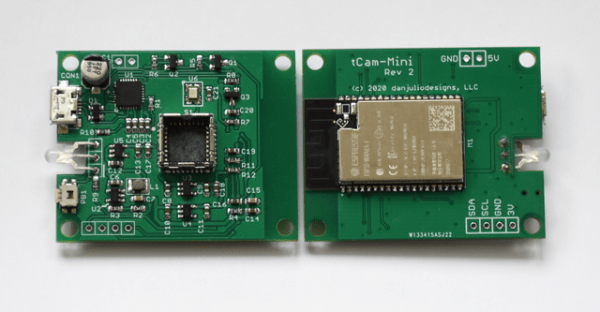
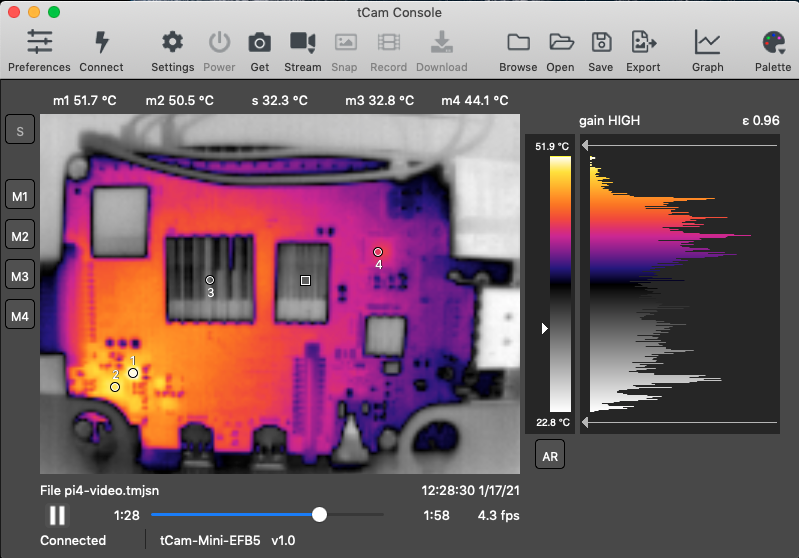
With how expensive thermal cameras are, why not build your own? This is the goal with which [Dan Julio] set out a while ago, covering the project in great detail. While the ultimate goal is to create a stand-alone solution, with its own screen, storage and processing, the TCam-Mini is an interesting platform. Using the 160×120 pixel FLIR Lepton 3.5 thermal sensor, and combining it with a custom PCB and ESP32 module for wireless, he created a wireless thermal camera called the TCam-Mini along with accompanying software that can display the radiometric data.

The project is available on GitHub, as well as as a GroupGets crowd-funding campaign, where $50 gets one a TCam-Mini board, minus the $199 Lepton 3.5 sensor. Not cheap, but quite a steal relative to e.g. the FLIR One Pro camera add-on module. Compared to the aforementioned FLIR One Pro, there’s a definite benefit in having a more portable unit that is not reliant on a smartphone and accompanying FLIR app. Being able to load the radiometric data directly into a desktop application for processing makes it a closer match to the professional thermal cameras which [Dan] states that he’d like to get as close to in terms of features as possible.

Recently [Dan] has also begun to further characterize these Lepton sensors, in order to see whether their accuracy can be improved from the rated +/- 5-10 °C. For this he repurposed an old in-ear thermometer calibration device. Along with tweaking the ESP32 firmware, there is still a lot that can be done with the TCam-Mini, but it sure looks like a fun project to tinker with if one is into Leptons.

Direct Memory Access: Data Transfer Without Micro-Management

In the most simple computer system architecture, all control lies with the CPU (Central Processing Unit). This means not only the execution of commands that affect the CPU’s internal register or cache state, but also the transferring of any bytes from memory to to devices, such as storage and interfaces like serial, USB or Ethernet ports. This approach is called ‘Programmed Input/Output’, or PIO, and was used extensively into the early 1990s for for example PATA storage devices, including ATA-1, ATA-2 and CompactFlash.

Obviously, if the CPU has to handle each memory transfer, this begins to impact system performance significantly. For each memory transfer request, the CPU has to interrupt other work it was doing, set up the transfer and execute it, and restore its previous state before it can continue. As storage and external interfaces began to get faster and faster, this became less acceptable. Instead of PIO taking up a few percent of the CPU’s cycles, a big transfer could take up most cycles, making the system grind to a halt until the transfer completed.

DMA (Direct Memory Access) frees the CPU from these menial tasks. With DMA, peripheral devices do not have to ask the CPU to fetch some data for them, but can do it themselves. Unfortunately, this means multiple systems vying for the same memory pool’s content, which can cause problems. So let’s look at how DMA works, with an eye to figuring out how it can work for us.
Continue reading “Direct Memory Access: Data Transfer Without Micro-Management”

Bare-Metal STM32: Please Mind The Interrupt Event

Interruptions aren’t just a staple of our daily lives. They’re also crucial for making computer systems work as well as they do, as they allow for a system to immediately respond to an event. While on desktop computers these interrupts are less prominent than back when we still had to manually set the IRQ for a new piece of hardware using toggle switches on an ISA card, IRQs along with DMA (direct memory access) transfers are still what makes a system appear zippy to a user if used properly.

On microcontroller systems like the STM32, interrupts are even more important, as this is what allows an MCU to respond in hard real-time to an (external) event. Especially in something like an industrial process or in a modern car, there are many events that simply cannot be processed whenever the processor gets around to polling a register. Beyond this, interrupts along with interrupt handlers provide for a convenient way to respond to both external and internal events.

In this article we will take a look at what it takes to set up interrupt handlers on GPIO inputs, using a practical example involving a rotary incremental encoder.

Continue reading “Bare-Metal STM32: Please Mind The Interrupt Event”

Cursed USB-C: When Plug Orientation Matters

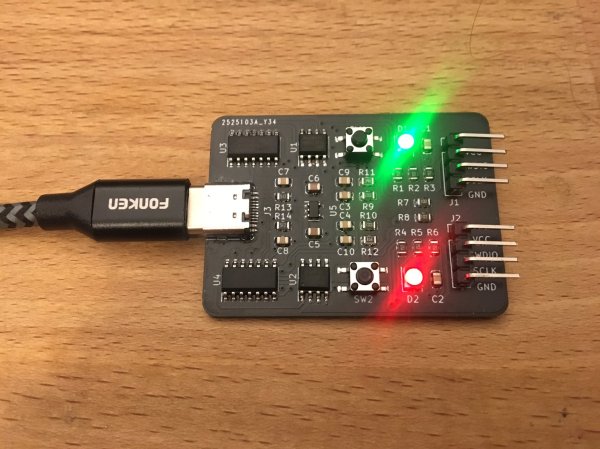
One of the selling points of the USB-C plug is that supposedly there is no way to incorrectly insert it. As [Pim de Groot] shows with a ‘Cursed USB-C 2.0 Device‘, reality is a bit more complicated when it comes to USB 2.0 compatibility in USB-C. He made a PCB that elegantly demonstrates the simplicity of the problem, featuring two LEDs. Only one orientation of the USB-C plug will cause one of the LEDs to light up green, with the other orientation leaving both LEDs blinking red.

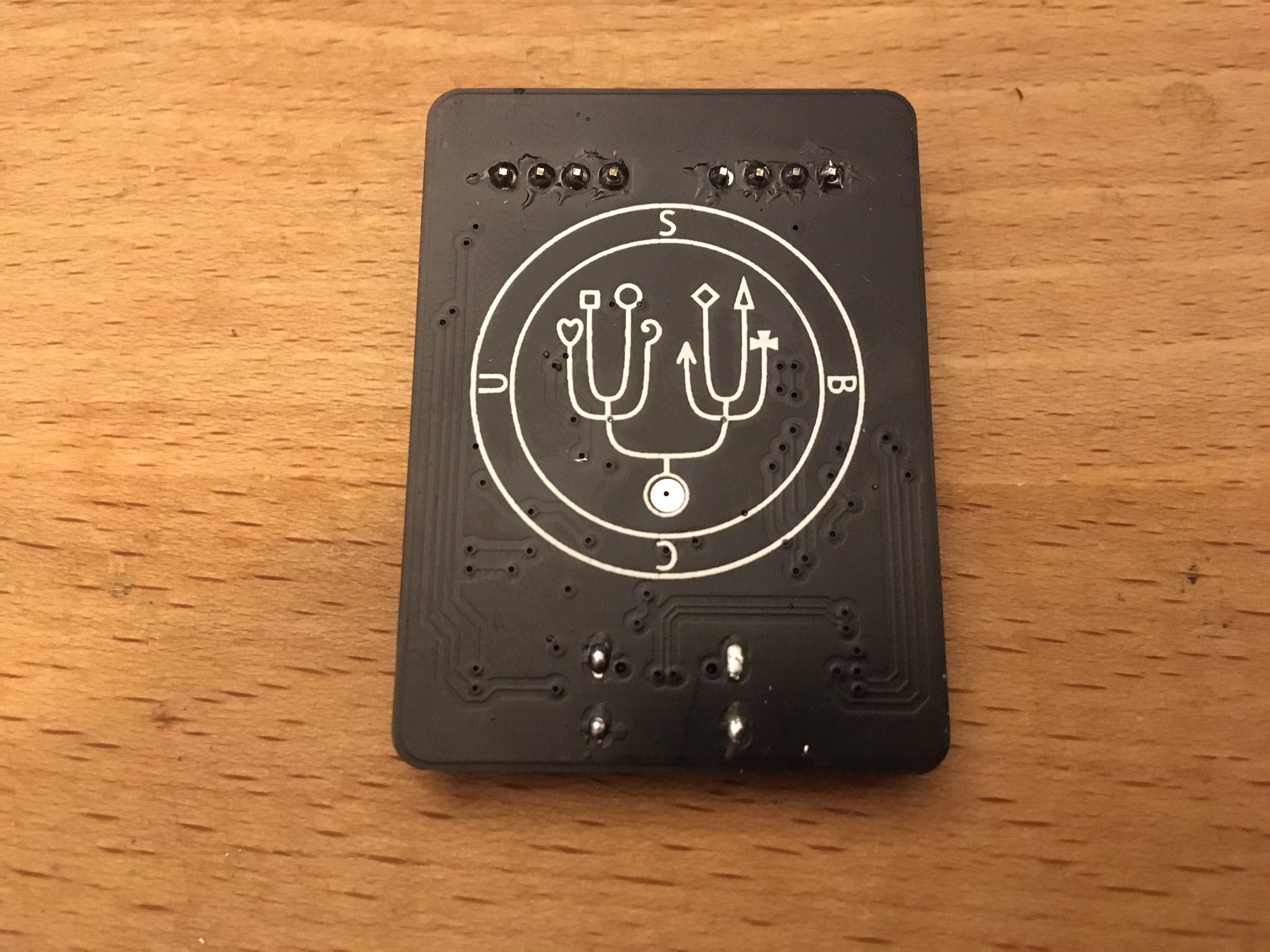
Sigil on the back of the cursed USB-C 2.0 device, by Pim de Groot.

The reason for this behavior is simple: as [Pim] explains, although the USB-C plug has only a single pair of data lines (D+/-) for USB 2.0 connectivity, the receptor duplicates these on either side of its pins, leading out two pairs of D+/- lines. Normally you would connect the matching lines in these pairs together to ensure consistent behavior no matter the plug orientation, but you don’t have to.

By leading each USB 2.0 data pair to its own SAMD11C MCU, only one of the MCUs would be connected to USB, resulting in the connected MCU blinking the LEDs. With a bit more circuitry it’s possible to detect which way around the plug is inserted and use this information in a single MCU system, altering its behavior. While at first glance this seems little more than a fun party trick, but it also offers insight in a possible failure mode of USB-C 2.0 devices where only one plug orientation works, due to broken traces or pads.

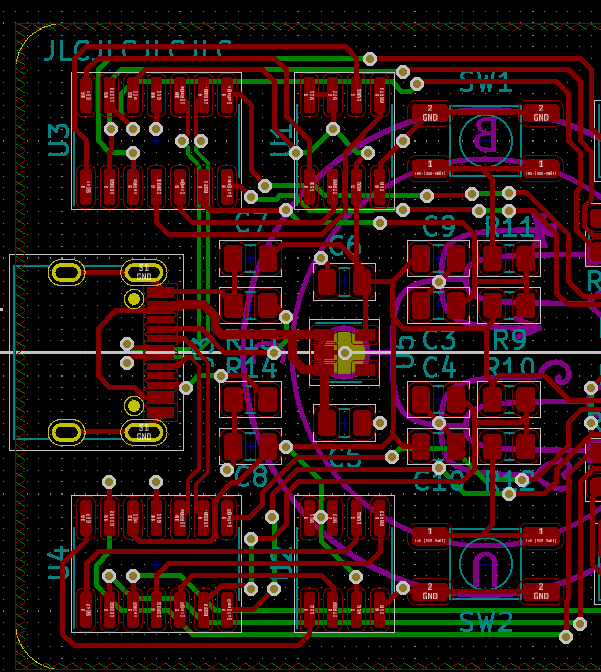
Board view of [Pim]’s Cursed USB-C 2.0 Device.

(Heading image: Cursed USB-C 2.0 Device, by Pim de Groot)

Free RTOS

Getting Started With FreeRTOS And ChibiOS

If operating systems weren’t so useful, we would not be running them on every single of our desktop systems. In the same vein, embedded operating systems provide similar functionality as these desktop OSes, while targeting a more specialized market. Some of these are adapted versions of desktop OSes (e.g. Yocto Linux), whereas others are built up from the ground up for embedded applications, like VxWorks and QNX. Few of those OSes can run on a microcontroller (MCU), however. When you need to run an OS on something like an 8-bit AVR or 32-bit Cortex-M MCU, you need something smaller.

Something like ChibiOS (‘Chibi’ meaning ‘small’ in Japanese), or FreeRTOS (here no points for originality). Perhaps more accurately, FreeRTOS could be summarized as a multi-threading framework targeting low-powered systems, whereas ChibiOS is more of a full-featured OS, including a hardware abstraction layer (HAL) and other niceties.

In this article we’ll take a more in-depth look at these two OSes, to see what benefits they bring. Continue reading “Getting Started With FreeRTOS And ChibiOS”