Cursed USB-C: When Plug Orientation Matters

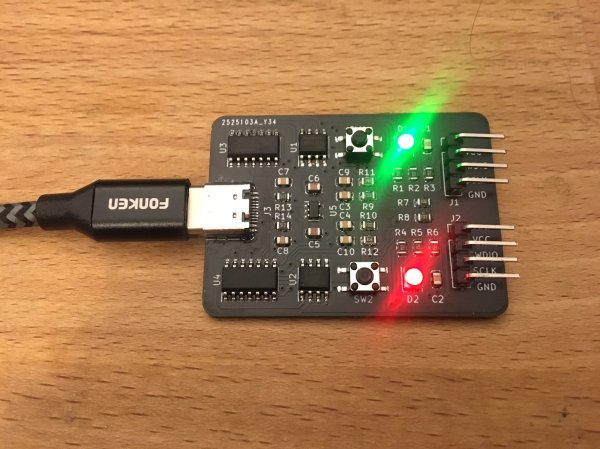
One of the selling points of the USB-C plug is that supposedly there is no way to incorrectly insert it. As [Pim de Groot] shows with a ‘Cursed USB-C 2.0 Device‘, reality is a bit more complicated when it comes to USB 2.0 compatibility in USB-C. He made a PCB that elegantly demonstrates the simplicity of the problem, featuring two LEDs. Only one orientation of the USB-C plug will cause one of the LEDs to light up green, with the other orientation leaving both LEDs blinking red.
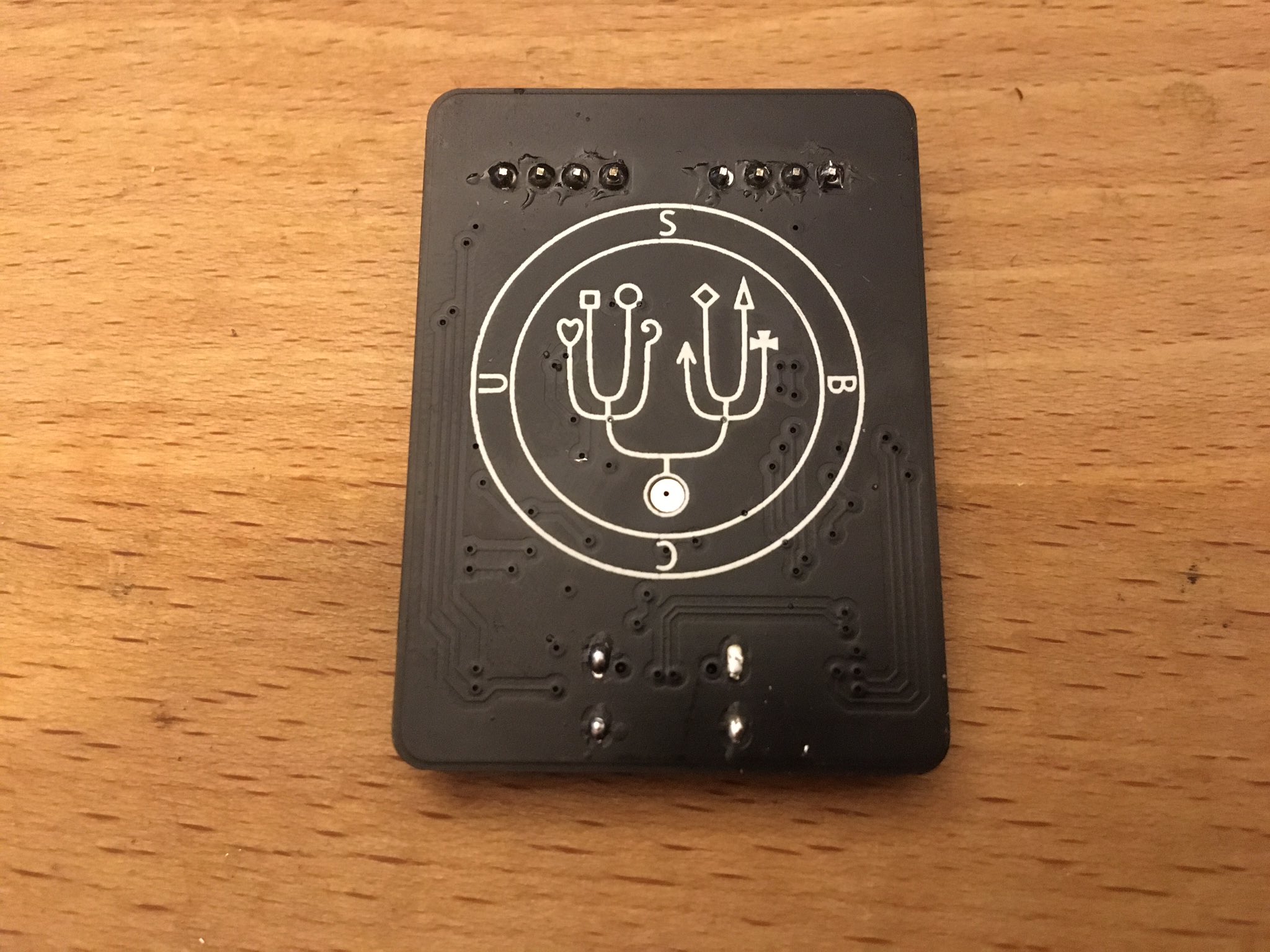
Sigil on the back of the cursed USB-C 2.0 device, by Pim de Groot.

The reason for this behavior is simple: as [Pim] explains, although the USB-C plug has only a single pair of data lines (D+/-) for USB 2.0 connectivity, the receptor duplicates these on either side of its pins, leading out two pairs of D+/- lines. Normally you would connect the matching lines in these pairs together to ensure consistent behavior no matter the plug orientation, but you don’t have to.

By leading each USB 2.0 data pair to its own SAMD11C MCU, only one of the MCUs would be connected to USB, resulting in the connected MCU blinking the LEDs. With a bit more circuitry it’s possible to detect which way around the plug is inserted and use this information in a single MCU system, altering its behavior. While at first glance this seems little more than a fun party trick, but it also offers insight in a possible failure mode of USB-C 2.0 devices where only one plug orientation works, due to broken traces or pads.
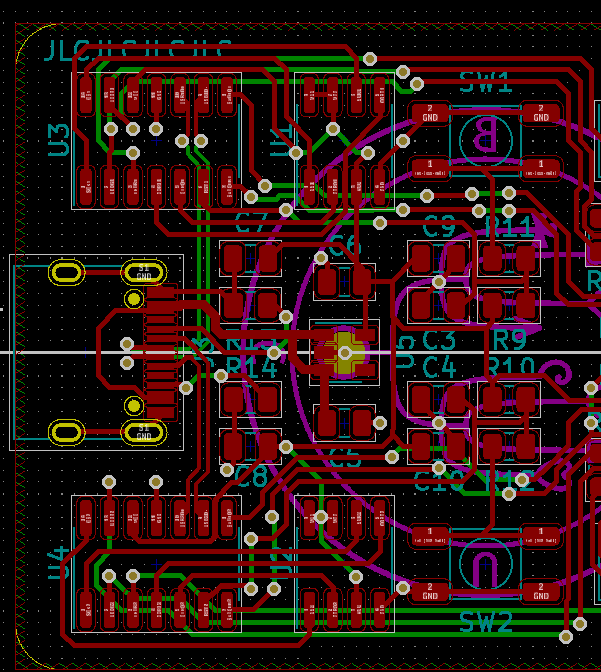
Board view of [Pim]’s Cursed USB-C 2.0 Device.

(Heading image: Cursed USB-C 2.0 Device, by Pim de Groot)
Free RTOS

Getting Started With FreeRTOS And ChibiOS

If operating systems weren’t so useful, we would not be running them on every single of our desktop systems. In the same vein, embedded operating systems provide similar functionality as these desktop OSes, while targeting a more specialized market. Some of these are adapted versions of desktop OSes (e.g. Yocto Linux), whereas others are built up from the ground up for embedded applications, like VxWorks and QNX. Few of those OSes can run on a microcontroller (MCU), however. When you need to run an OS on something like an 8-bit AVR or 32-bit Cortex-M MCU, you need something smaller.

Something like ChibiOS (‘Chibi’ meaning ‘small’ in Japanese), or FreeRTOS (here no points for originality). Perhaps more accurately, FreeRTOS could be summarized as a multi-threading framework targeting low-powered systems, whereas ChibiOS is more of a full-featured OS, including a hardware abstraction layer (HAL) and other niceties.

In this article we’ll take a more in-depth look at these two OSes, to see what benefits they bring. Continue reading “Getting Started With FreeRTOS And ChibiOS” →

Unicode: On Building The One Character Set To Rule Them All

Most readers will have at least some passing familiarity with the terms ‘Unicode’ and ‘UTF-8’, but what is really behind them? At their core they refer to character encoding schemes, also known as character sets. This is a concept which dates back to far beyond the era of electronic computers, to the dawn of the optical telegraph and its predecessors. As far back as the 18th century there was a need to transmit information rapidly across large distances, which was accomplished using so-called telegraph codes. These encoded information using optical, electrical and other means.

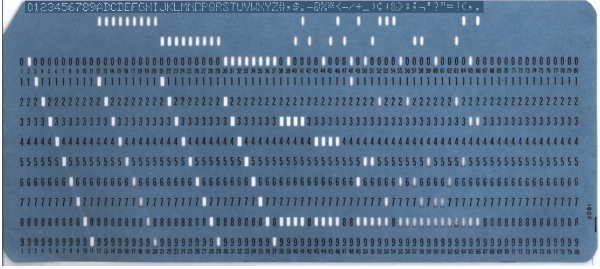
During the hundreds of years since the invention of the first telegraph code, there was no real effort to establish international standardization of such encoding schemes, with even the first decades of the era of teleprinters and home computers bringing little change there. Even as EBCDIC (IBM’s 8-bit character encoding demonstrated in the punch card above) and finally ASCII made some headway, the need to encode a growing collection of different characters without having to spend ridiculous amounts of storage on this was held back by elegant solutions.

Development of Unicode began during the late 1980s, when the increasing exchange of digital information across the world made the need for a singular encoding system more urgent than before. These days Unicode allows us to not only use a single encoding scheme for everything from basic English text to Traditional Chinese, Vietnamese, and even Mayan, but also small pictographs called ‘emoji‘, from Japanese ‘e’ (絵) and ‘moji’ (文字), literally ‘picture word’.

Continue reading “Unicode: On Building The One Character Set To Rule Them All” →

Allan McDonald’s Legacy And The Ethics Of Decision-Making

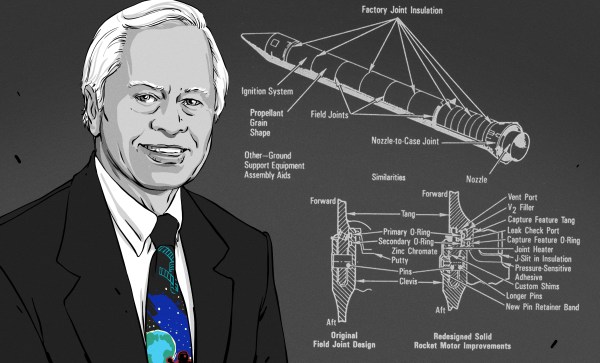
The Space Shuttle Challenger disaster on January 28, 1986 was a life-altering event for many, ranging from people who had tuned in to watch the launch of a Space Shuttle with America’s first teacher onboard, to the countless people involved in the manufacturing, maintenance and launching of these complex spacecraft. Yet as traumatizing as this experience was, there was one group of people for whom their dire predictions and warnings to NASA became suddenly reality in the worst way possible.

This group consisted of engineers at Morton-Thiokol, responsible for components in the Shuttle’s solid rocket boosters (SRBs). They had warned against launching the Shuttle due to the very cold weather, fearing that the O-ring seals in the SRBs at these low temperatures would not be able to keep the SRB’s hot gases from destroying the SRB and the Shuttle along with it.

Allan McDonald was one of these engineers who did everything they could to stop the launch. Until his death on March 6th of 2021, the experiences surrounding the Challenger disaster led him to become an outspoken voice on the topic of ethical decision-making, as well as a famous example of making the right decision, no matter how difficult the circumstances.

Continue reading “Allan McDonald’s Legacy And The Ethics Of Decision-Making” →

Free RTOS

Real-Time OS Basics: Picking The Right RTOS When You Need One

When do you need to use a real-time operating system (RTOS) for an embedded project? What does it bring to the table, and what are the costs? Fortunately there are strict technical definitions, which can also help one figure out whether an RTOS is the right choice for a project.

The “real-time” part of the name namely covers the basic premise of an RTOS: the guarantee that certain types of operations will complete within a predefined, deterministic time span. Within “real time” we find distinct categories: hard, firm, and soft real-time, with increasingly less severe penalties for missing the deadline. As an example of a hard real-time scenario, imagine a system where the embedded controller has to respond to incoming sensor data within a specific timespan. If the consequence of missing such a deadline will break downstream components of the system, figuratively or literally, the deadline is hard.

In comparison soft real-time would be the kind of operation where it would be great if the controller responded within this timespan, but if it takes a bit longer, it would be totally fine, too. Some operating systems are capable of hard real-time, whereas others are not. This is mostly a factor of their fundamental design, especially the scheduler.

In this article we’ll take a look at a variety of operating systems, to see where they fit into these definitions, and when you’d want to use them in a project. Continue reading “Real-Time OS Basics: Picking The Right RTOS When You Need One” →

Audio Out Over A UART With An FTDI USB-To-TRS Cable

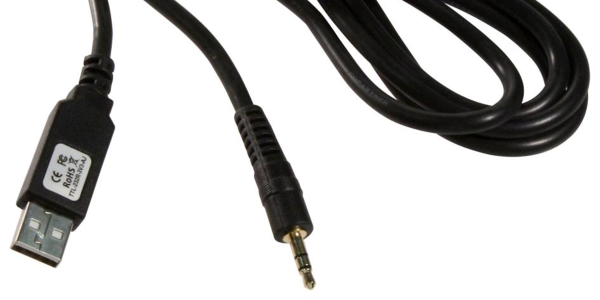
What is the easiest way to get audio from a WAV file into a line-level format, ready to be plugged into the amplifier of a HiFi audio set (or portable speaker)? As [Konrad Beckmann] demonstrated on Twitter, all you really need is a UART, a cable and a TRS phono plug. In this case a USB-TTL adapter based around the FTDI FT232R IC: the TTL-232R-3V3-AJ adapter with 12 Mbps USB on one end, and a 3 Mbps UART on the other end.

[Konrad] has made the C-based code available on GitHub. Essentially what happens underneath the hood is that it takes in a PCM-encoded file (e.g. WAV). As a demonstration project, it requires the input PCM files to be a specific sample rate, as listed in the README, which matches the samples to the baud rate of the UART. After this it’s a matter of encoding the audio file, and compiling the uart-sound binary.

The output file is the raw audio data, which is encoded in PDM, or Pulse-Density Modulation. Unlike Pulse-Code Modulation (PCM), this encoding method does not encode the absolute sample value, but uses binary pulses, the density of which corresponds to the signal level. By sending PDM data down the UART’s TX line, the other side will receive these bits. If said receiving device happens to be an audio receiver with an ADC, it will happily receive and play back the PDM signal as audio. As one can hear in the video embedded in the tweet, the end result is pretty good.


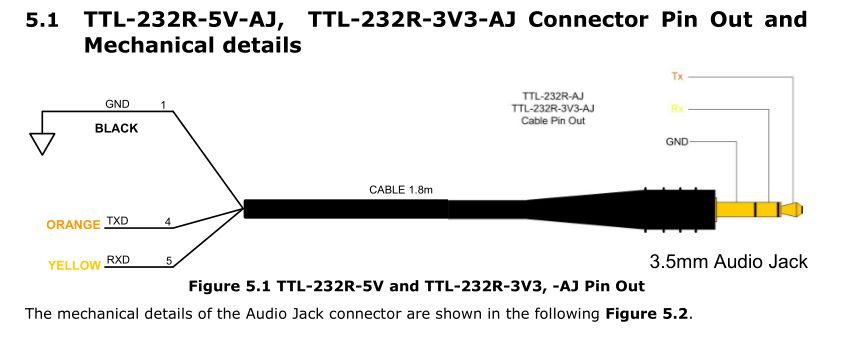
If we look at at the datasheet for the TTL-232R-3V3-AJ adapter cable, we can see how it is wired up:

When we compare this to the wiring of a standard audio TRS jack, we can see that the grounds match in both wirings, and TX (RX on the receiving device) would match up with the left channel, with the right channel unused. A note of caution here is also required: this is the 3.3V adapter version, and it lists its typical output high voltage as 2.8V, which is within tolerances for line-level inputs. Not all inputs will be equally tolerant of higher voltages, however.

Plugging random TRS-equipped devices into one’s HiFi set, phone or boombox is best done only after ascertaining that no damage is likely to result.  Be safe, and enjoy the music.

BASIC: Cross-Platform Software Hacking Then And Now

Surely BASIC is properly obsolete by now, right? Perhaps not. In addition to inspiring a large part of home computing today, BASIC is still very much alive today, even outside of retro computing.

There was a time, not even that long ago, when the lingua franca of the home computer world was BASIC. This wasn’t necessarily always the exact same BASIC; the commands and syntax differed between whatever BASIC dialect came with any given model of home computer (Commodore, Atari, Texas Instruments, Sinclair or any of the countless others). Fortunately most of these licensed or were derived from the most popular microcomputer implementation of BASIC: Microsoft BASIC.

BASIC has its roots in academics, where it was intended to be an easy to use programming language for every student, even those outside the traditional STEM fields. Taking its cues from popular 1960s languages like FORTRAN and ALGOL, it saw widespread use on time-sharing systems at schools, with even IBM joining the party in 1973 with VS-BASIC. When the 1970s saw the arrival of microcomputers, small and cheap enough to be bought by anyone and used at home, it seemed only natural that they too would run BASIC.

The advantage of having BASIC  integrated into these systems was obvious: not only were most people who bought such a home computer already familiar with BASIC, it allows programs to be run without first being compiled. This was good, because compiling a program takes a lot of RAM and storage, neither of which were plentiful in microcomputers. Instead of compiling BASIC source code, BASIC interpreters would interpret and run the code one line at a time, trading execution speed for flexibility and low resource use.

After turning on one’s microcomputer, the BASIC interpreter would usually be loaded straight from an onboard ROM in lieu of a full-blown operating system. In this interpreter shell, one could use the hardware, write and load BASIC programs and save them to tape or disk. Running existing BASIC code as well as compiled programs on one’s computer, or even typing them in from a listing in a magazine all belonged to the options. As BASIC implementations between different home computers were relatively consistent, this provided for a lot of portability.

That was then, and this is now. Are people actually still using the Basic language?

Continue reading “BASIC: Cross-Platform Software Hacking Then And Now” →