“Simplest” Oscilloscope Is A Cunning Vector Display

Superlatives are tricky things. [mircemk]’s guide “How to make Simplest ever Oscilloscope Clock” falls into that category. It’s that word, simplest. Certainly, this is an oscilloscope clock, and a nice one. But is it simple?

There’s a nice oscilloscope circuit with a cute 2″ 5LO38I CRT and EF80 tubes for horizontal and vertical deflection that we’d say is pretty simple. (It’s based on an earlier DIY oscilloscope project [mircemk] did.) The bill of materials is remarkably sparse– but it’s modules that do it. One entry is a DC-DC step up supply to get the needed HV. Another is a LM317 to get 6.3 V to heat the tubes. The modules make for a very simple BOM, but on another level, there’s quite a bit of complex engineering in those little modules.

When we get to the “clock” part of the oscilloscope clock, that quandary goes into overdrive. There’s only one line on the BOM, so that’s very simple. On the other hand, it’s an ESP32. Depending on your perspective, that’s not simple at all. It’s a microcomputer, or at least something that can play at emulating one.

Oh, in the ways that matter to a maker — parts count, time, and effort, this oscilloscope clock is very simple. The fact that its actually a vector display for a powerful little micro just adds to the versatility of the build. We absolutely love it, to be honest. Still, the idea that you can have millions of transistors in a simple project — never mind the “simplest ever” — well, it just seems weird on some level when you think about it.

It all comes back to what counts as “simple”. If we’re taking lines on a BOM, arguably this would be even simpler if you used an existing oscilloscope. 
Test Pattern Generator For SCART And RGB TVs

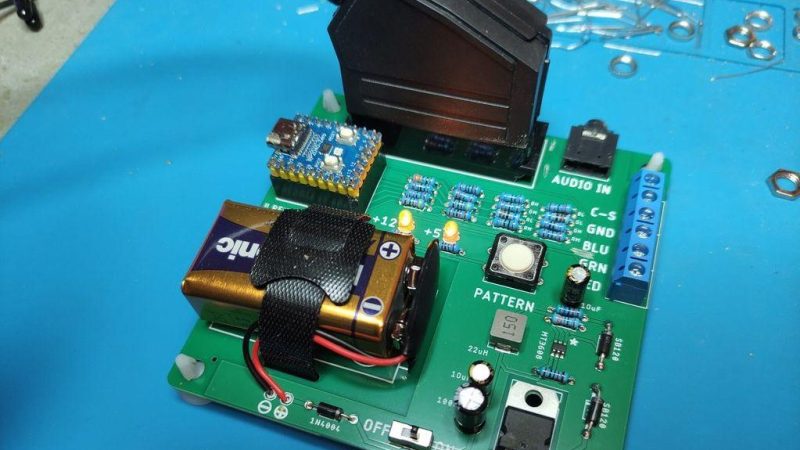
CRTs don’t last forever, and neither do the electronics that drive them. When you have a screen starting to go wonky, then you need a way to troubleshoot which is at fault. A great tool for that is a pattern generator, but they’re not the easiest to come by these days. [baritonomarchetto] needed a pattern generator to help repair his favourite arcade machine, and decided to make his own DIY Portable RGB CRT Test Pattern Generator.

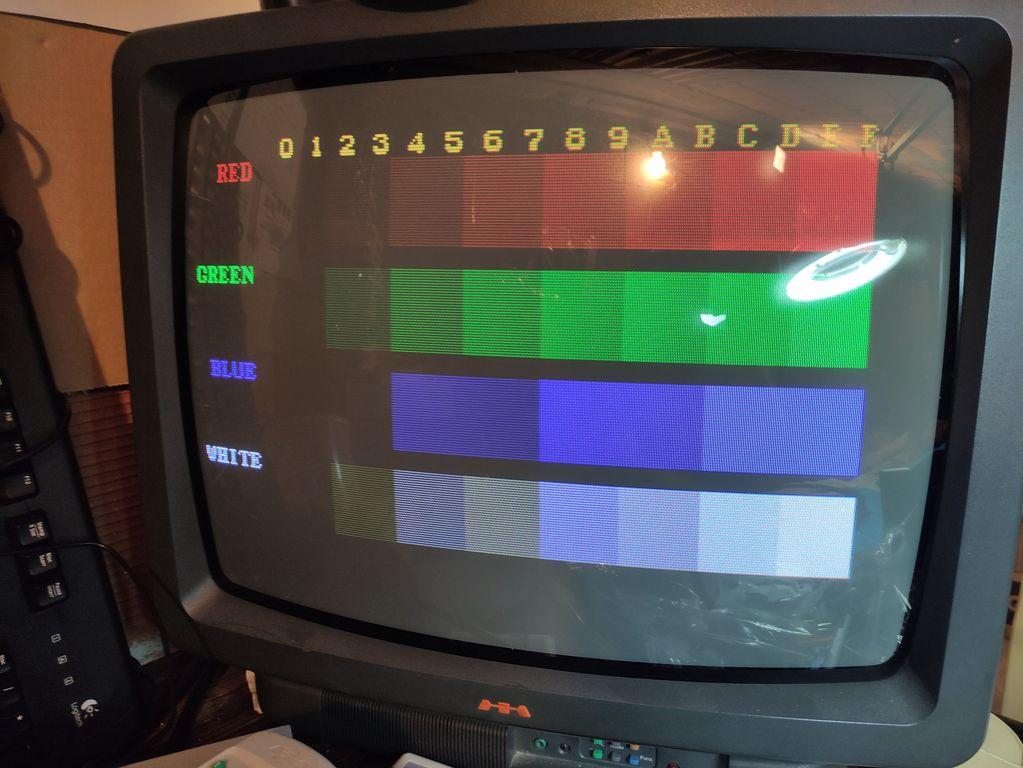
One of the test patterns available from the device. This TV appears to be in good working order.

While he does cite [Nicholas Murray]’s RP2040 test pattern generator as a starting point (which itself builds on the PicoVGA library once featured here), he couldn’t just build one. That worthy project only outputs VGA and because [baritonomarchetto] is in Europe, he needed a SCART connector. Since he’s working on arcade machines, he needed non-SCART RGB signals, too. The arcade signals need to be at higher voltages (TLL level) than the RGB signal you’d find in SCART and VGA.

The upshot is while he’s using [Nicholas]’s code for the RP2040, he’s rolled his own PCB, including a different resistor ladders to provide the correct voltages depending on if he’s dealing with a home TV or arcade CRT. To make life easier, the whole thing runs off a 9V battery.

If you’re wondering what the point of these test patterns is, check out this 1981-vintage pattern generator for some context from the era. If a digital replica doesn’t float your boat, it is possible to recreate the original analog circuitry that generated these patterns back when the CRT was king.

Dirty Pots, Meet Power Tools!

Let’s face it, nobody likes scrubbing, but what option do you have? You can’t exactly break out the grinder to clean off the remains of last nights dinner… right? Well, maybe not a grinder, but thanks to this hack by [Markus Opitz], you can use an oscillating tool.

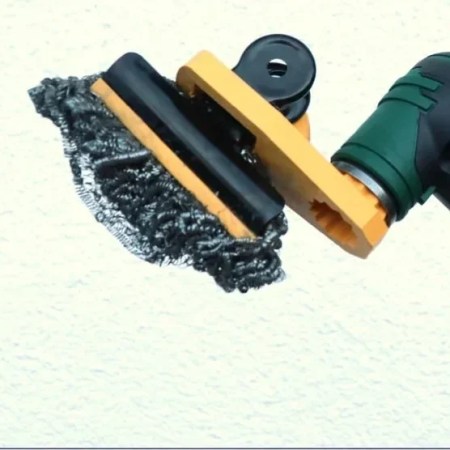
It’s a simple enough hack: [Markus] modeled the attachment for his Bosch oscillating tool in Tinkercad, and created a bracket to hold a large metal binder clip. The clip attaches with a screw, and can hold whatever scrubbing pad your carpel-tunnel afflicted hands can’t bear to hold on to. He’s using a self-cleaning stainless-steel sponge.

One nice touch is a pair of protective lips on the jaws of the metal clip, to keep it from accidentally scratching the delicate surface under care. Of course if you have a drill or a Dremel handy you can buy attachments for polishing disks of various grits, but what’s the fun in that? Doing the dishes with a hacked-together oscillating tool just somehow seems more fun. Plus this way you can’t accidentally produce an engine-turning pattern.

We don’t seem to have featured many hacks for these fun, buzzing, multi-purpose tools, so if you’ve got one send us a tip. We did feature an oscillating cutter for CNC once, but that was fully DIY.

Think You Need A New PC For Windows 11? Think Again

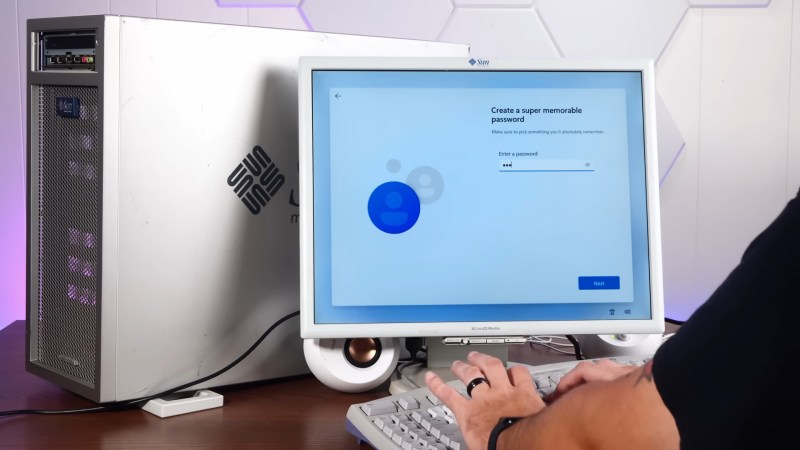
As the sun sets on Windows 10 support, many venues online decry the tsunami of e-waste Windows 11’s nonsensical hardware requirements are expected to create. Still more will offer advice: which Linux distribution is best for your aging PC? [Sean] from Action Retro has an alternate solution: get a 20 year old Sun Workstation, and run Windows 11 on that. 

The Workstation in question from 2005 is apparently among the first Sun made using AMD’s shiny new 64-bit Opteron processor. Since Windows has no legacy 32-bit support– something it shares with certain Linux distributions– this is amongst the oldest hardware that could conceivably install and run Redmond’s latest.

And it can! Not in unaltered form, of course– the real hack here is courtesy of [ntdevlabs], whose “Tiny11” project strips all the cruft from Windows 11, including its hardware compatibility checker. [ntdevlabs] has produced a Tiny11Builder script that is available on GitHub, but the specific version [Sean] used is available on Archive.org.

[Sean] needed the archived version of Tiny11 because Windows 11 builds newer than 22H2 use the POPCNT operation, which was not present in AMD’s first revision of the x86_64 instruction set. POPCNT is part of Intel’s SSE4 extension from 2007, a couple years after this workstation shipped.

If you’re sick of being told to switch to Linux, but can’t stomach staying with Windows either, maybe check out Haiku, which we reported as ready for daily driving early last year.

Continue reading “Think You Need A New PC For Windows 11? Think Again” →

Oil-Based Sprengel Pump Really Sucks

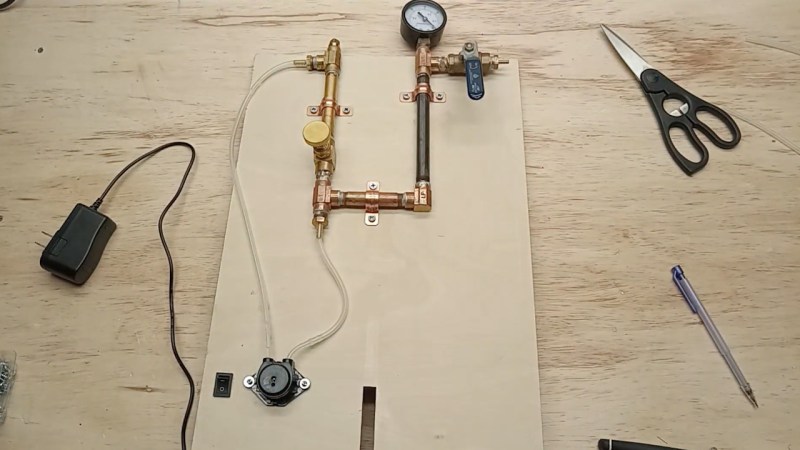
Have you heard of the Sprengel pump? It’s how they drew hard vacuum back before mechanical pumps were perfected — the first light bulbs had their vacuums drawn with Sprengel pumps, for example. It worked by using droplets of a particular liquid to catch air particles, and push them out a narrow tube, thereby slowly evacuating a chamber. The catch is that that liquid used to be mercury, which isn’t something many of us have on hand in kilogram quantities anymore. [Gabriel Wolffe] had the brainwave that one might substitute modern vacuum pump oil for mercury, and built a pump to test that idea.

Even better, unlike the last (mercury-based) Sprengel pump we saw, [Gabriel] set up his build so that no glassblowing is required. Yes, yes, scientific glassblowing used to be an essential skill taught in every technical college in the world. Nowadays, we’re glad to have a design that lets us solder brass fittings together. Technically you still have to cut an eyedropper, but that’s as complex as the glasswork gets. Being able to circulate oil with a plastic tube and peristaltic pump is great, too.

If you try it, you need to spring for vacuum pump oil. This type of pump is limited in the vacuum it can draw by the vapor pressure of the fluid in use, and just any oil won’t do. Most have vapor pressures far in excess of anything useful. In the old days, only mercury would cut it, but modern chemistry has come up with very stable oils that will do nearly as well.

How well? [Gabriel] isn’t sure; he bottomed out his gauge at 30 inches of Mercury (102 kPa). It may not be any lower than that, but it’s fair to say the pump draws a healthy vacuum without any unhealthy liquid metals. Enough to brew up some tubes, perhaps.

Continue reading “Oil-Based Sprengel Pump Really Sucks” →

Reviewing Deluxe Paint, 40 Years On

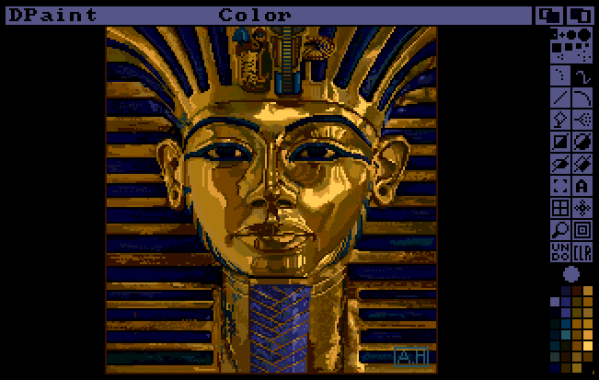
When Deluxe Paint came out with the original Amiga in 1985, it was the killer app for the platform. [Christopher Drum] starts his recent article on just that note, remembering the day he and his mother walked into a computer store, and walked out with a brand new Amiga… thanks entirely to Deluxe Paint. Forty years on, how well can this killer app compete?

[Christopher] isn’t putting Deluxe Paint head-to-head with modern Photoshop; they’re hardly in the same class. Not Photoshop, no, but modern applications that do what Deluxe Paint did so well: pixel art. There was no need to call it pixel art back then, no, but with the resolutions on hand, all digital art was pixel art in 1985.

Or 1989, which is when Deluxe Paint III came out– that’s the last version written by Dan Silva and coincidentally the last version [Christopher] owned, and the one he focuses in on his tests. It has held up amazingly well.

Sure, you don’t get a full 24-bit colour palette, but most pixel artists stick to limited palettes still anyway. You don’t quite get a modern UI, but presence of useful keyboard shortcuts allows a Hands-On-Keybord-And-Mouse (We’ll call it HOKAM, in honour of HOTAS in aerospace) workflow that is incredibly efficient.

About the only things [Christopher] found Deluxe Paint III lacked compared to its successors were a proper layering system, and of course the infinite undo we’ve all gotten so used to. (DPIII has an undo button, but it could only store one operation.) He also complained about cursor latency for some brushes, but we wonder if that might have had something to do with Windows and the emulation layer adding a delay. One thing Amiga was always known for back in the day was the snappy cursor movement, even when the processor was loaded.

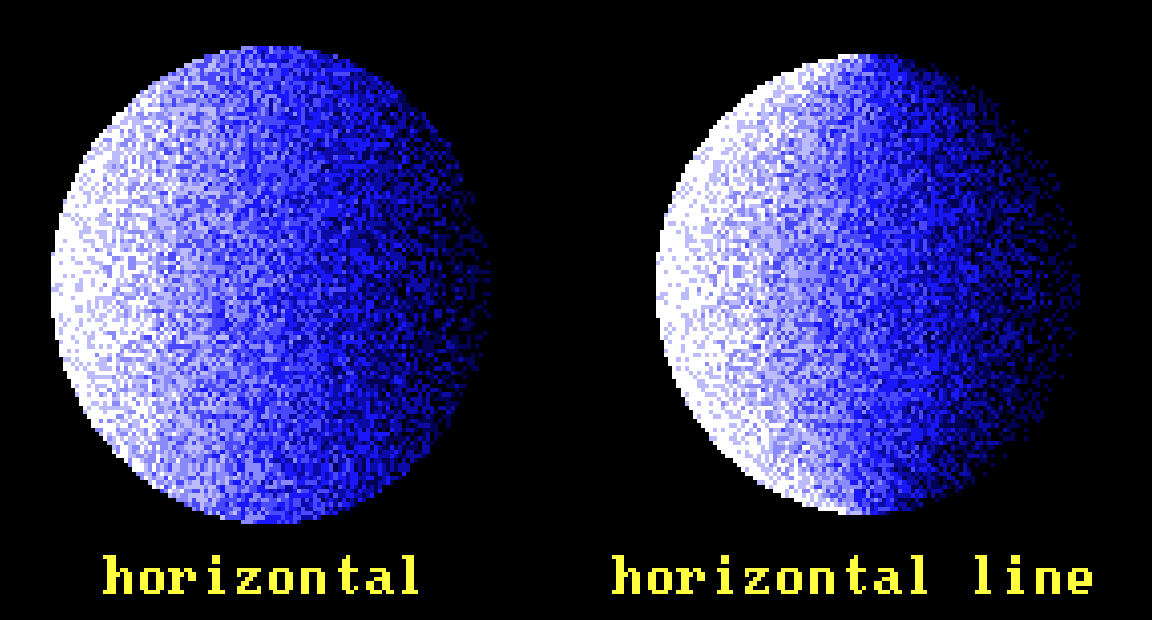
There were just as many features he found had been forgotten in the new generation — like palatte swapping animations, or flood-filling line gradients.

It’s a small detail, but that’s a nice gradient tool.

Anyone who owned an Amgia probably has fond memories of it, but alas, in spite of Commodore’s recent resurrection, we’re not likely to see a new one soon. On the other hand, at least when it comes to pixel art, there’s apparently no need to upgrade.

via reddit.

(Thumbnail and header image by Avril Harrison, distributed by Electronic Arts with Deluxe Paint.)

Raytracing makes the design easier, but the building is still as tricky as ever.

A 10″ Telescope, Because You Only Live Once

Why build a telescope? YOLO, as the kids say. Having decided that, one must decide what type of far-seer one will construct. For his 10″ reflector, [Carl Anderson] once again said “Yolo”— this time not as a slogan, but in reference to a little-known type of reflecting telescope.

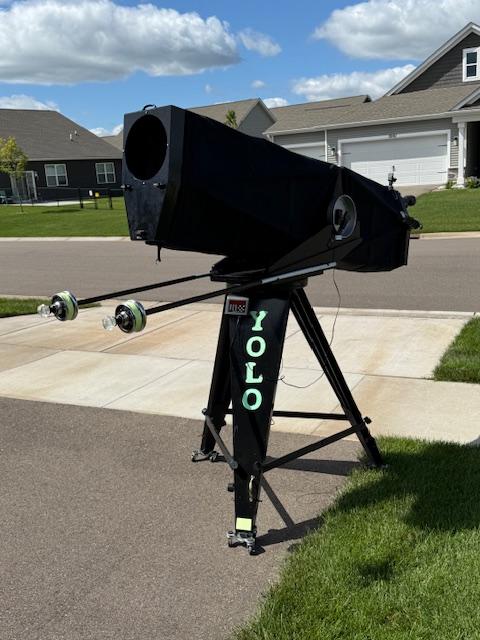
Telescope or sci-fi laser gun? YOLO, just try it.

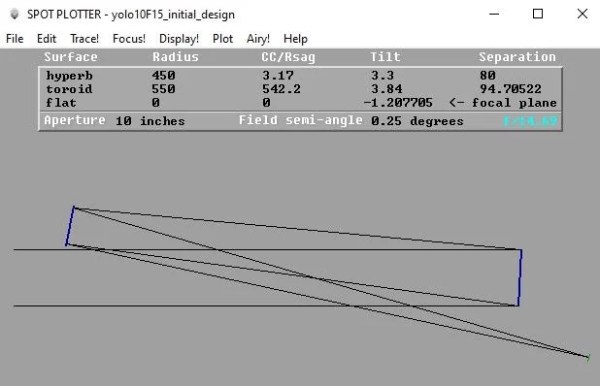
The Yolo-pattern telescope was proposed by [Art Leonard] back in the 1960s, and was apparently named for a county in California. It differs from the standard Newtonian reflector in that it uses two concave spherical mirrors of very long radius to produce a light path with no obstructions. (This differs from the similar Schiefspiegler that uses a convex secondary.) The Yolo never caught on, in part because of the need to stretch the primary mirror in a warping rig to correct for coma and astigmatism.

[Carl] doesn’t bother with that, instead using modern techniques to precisely calculate and grind the required toric profile into the mirror. Grinding and polishing was done on motorized jigs [Carl] built, save for the very final polishing. (A quick demo video of the polishing machine is embedded below.)

The body of the telescope is a wooden truss, sheathed in plywood. Three-point mirror mounts alowed for the final adjustment. [Carl] seems to prefer observing by eye to astrophotography, as there are no photos through the telescope. Of course, an astrophotographer probably would not have built an F/15 (yes, fifteen) telescope to begin with. The view through the eyepiece on the rear end must be astounding.

If you’re inspired to spend your one life scratch-building a telescope, but want something more conventional, check out this comprehensive guide. You can go bit more modern with 3D printed parts, but you probably don’t want to try spin-casting resin mirrors. Or maybe you do: YOLO!

Continue reading “A 10″ Telescope, Because You Only Live Once” →