Interlaken Want To Connect All The Chips

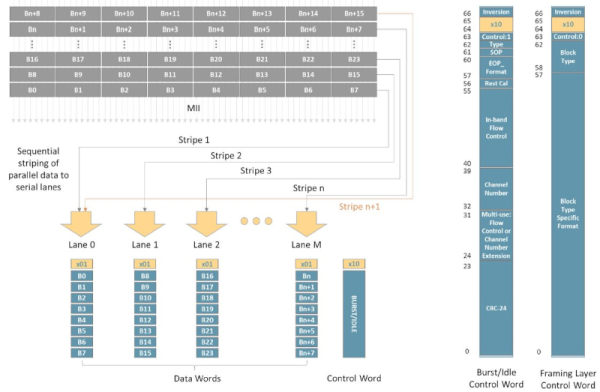
One of the problems with designing things on a chip is finding a good way to talk to the outside world. You may not design chips yourself, but you care because you want to connect your circuits — including other chips — to the chips in question. While I2C and SPI are common solutions, today’s circuits are looking for more bandwidth and higher speeds, and that’s where Interlaken comes in. [Comcores] has an interesting post on the technology that blends the best of SPI 4.2 and XAUI.

The interface is serial, as you might expect. It can provide both high-bandwidth and low-latency multi-channel communications. Interlaken was developed by Cisco and Cortina Systems in 2006 and has since been adopted by other industry-leading companies. Its latest generation supports speeds as high as 1.2 Tbps.

Continue reading “Interlaken Want To Connect All The Chips”

Using STEP And STL Files In FreeCAD

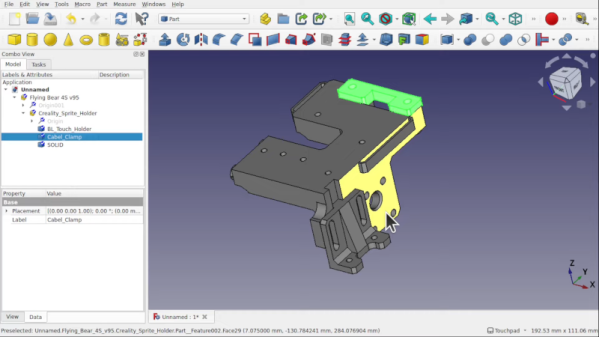
If you’ve tried FreeCAD, you know that it has a daunting number of workbenches and options. [MangoJelly] has a large number of video tutorials on FreeCAD, and the latest one, below, covers working with STEP and STL with the tool.

If you’ve ever wondered why designers like to work with STEP files and not STL, this video answers that question immediately. A part brought in from a STEP file is closer to the original CAD object. It doesn’t have all the operations that make the part up, but it does have proper faces that you can work with like a normal part. The same part imported from STL, however, is one single mesh.

Continue reading “Using STEP And STL Files In FreeCAD”

[CuriousMarc] Repairs A Floppy

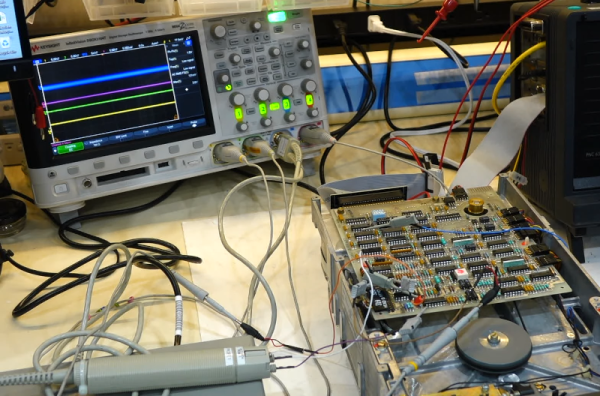
[CuriousMarc] has a pile of 8-inch drives, all marked bad. You can’t just pop over to the computer store and buy a new one these days, so it was off to the repair bench. Although the target drive would do a quick seek,  once it was in use, it just kind of shut down. So [Marc] started sending low-level commands to the device to see if he could isolate the fault. You can watch the whole adventure in the video below.

Using a breakout board, he was able to monitor and exercise all the pins going into the floppy. A quick study of the schematics, and connection to the scope were all [Marc] needed to build some theories of what was happening.

One of the theories was that the head amplifier was disabled, but it turned out to be fine. After several other dead ends, he finally found a broken spring and came up with a creative repair for it. But there was still no clear reason why the drive wouldn’t work. By process of elimination, he started to suspect an array of diodes used for switching, but again, it was another dead end.

Luckily, he had one working drive, so he could compare things between them. He found a strange voltage difference. Turns out the old advice of checking power first might have paid off here. One of the voltage regulator ICs was dead. In all fairness, there are two 12V power supplies and he had checked one of them but had missed the second supply.  This supply is only used for head bias which switches the diodes he had suspected earlier. There had also been a loose pin that might have been a contributor.

With a new power supply IC, the drive worked but needed an alignment. You may never need to repair an 8-inch floppy drive, but the logic in chasing down a problem like this will serve you well on any diagnostic task.

If you think the big drives won’t work with a modern PC, they will. On the other hand, if you need to read some badly enough, you could just use an oscilloscope.

Continue reading “[CuriousMarc] Repairs A Floppy”

Relive The Glory Days Of Sun Workstations

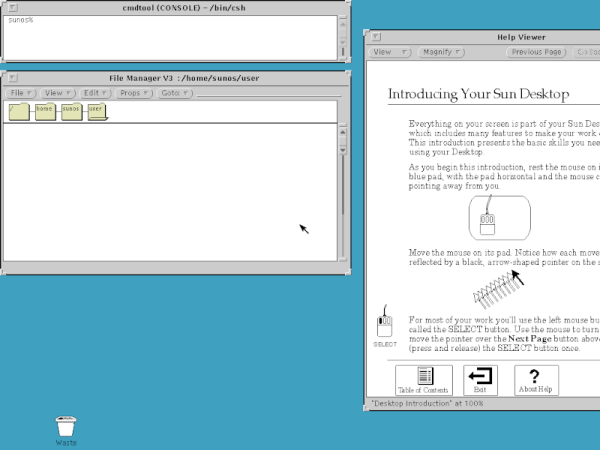
When the IBM PC first came out, it was little more than a toy. The serious people had Sun or Apollo workstations. These ran Unix, and had nice (for the day) displays and network connections. They were also expensive, especially considering what you got. But now, QEMU can let you relive the glory days of the old Sun workstations by booting SunOS 4 (AKA Solaris 1.1.2) on your PC today. [John Millikin] shows you how in step-by-step detail.

There’s little doubt your PC has enough power to pull it off. The SUN-3 introduced in 1985 might have 8MB or 16MB of RAM and a 16.67 MHz CPU. In 1985, an 3/75 (which, admittedly, had a Motorola CPU and not a SPARC CPU) with 4MB of RAM and a monochrome monitor cost almost $16,000, and that didn’t include software or the network adapter. You’d need that network adapter to boot off the network, too, unless you sprung another $6,000 for a 71 MB disk.  The SPARCstation 1 showed up around 1989 and ran from $9,000 to $20,000, depending on what you needed.

Continue reading “Relive The Glory Days Of Sun Workstations”

Internet Of Washing Machines Solves An Annoyance

[Laurence Tratt]’s washing machine blew up, so he sprung for a brand new model with all the bells and whistles. Of course, these days, that means it has an Internet connection and an API. While we’re not quite convinced our washing machine actually needs such a thing, at least [Laurence] is making the most of it by creating an interface to the washer’s API that provides a handy countdown on the computer.

Honestly, there was one other option. The washer’s phone app — that sounds funny when you say it out loud — will notify you when the clothes are done. But it doesn’t provide a countdown, and it seems to regularly log you off, which means you don’t get the notifications anymore. You can see the minimal interface in the video below.

The exact combination of curl, jq, and pizauth probably won’t help you unless you have the same washer. On the other hand, it is a good example of how to hit some alien API and work out the details. Any API that uses OAuth2 and JSON won’t look too different. Speaking of OAuth2, that’s the purpose of the pizauth program — which, it turns out, [Laurence] is the author of.

Of course, you can refit an old washing machine to do this, too. We are more likely to steal the machine’s motor than to want to talk to it but to each their own!

Continue reading “Internet Of Washing Machines Solves An Annoyance”

Better Laser Cuts: Know Your Kerf

The recent crop of laser cutters are nothing short of miraculous. For a few hundred dollars you can get a machine that can easily engrave and — subject to materials — cut well, too. [Nate] has been taking advantage of a laser to make boxes that join together using finger joinery. The problem is, the pieces have to fit exactly to get a good box. While setting dimensions in software is fine, you need to account for how much material the laser removes — something traditional woodworkers and machinists know as kerf.

You can, of course, employ trial and error to get good results. But that’s wasteful and potentially time-consuming. [Nate] built a “tolerance fence” that is quick to cut out and allows accurate measurement of kerf. You can quickly use the tolerance fence to make measurements and increase your chances of nailing your boxes on the first cut.

You have to customize the fence based on the thickness of your material. [Nate] uses Lightburn, which probably has a kerf offset already set by default in your layers. If not, you’ll need to turn it on and set an estimate of your kerf size. Then you are ready to cut the fence pieces and see how they fit together.

If the fit is too loose, you want to raise the kerf setting and try again. If it is too tight, you lower the kerf setting. As [Nate] says, “Lower equals looser.”

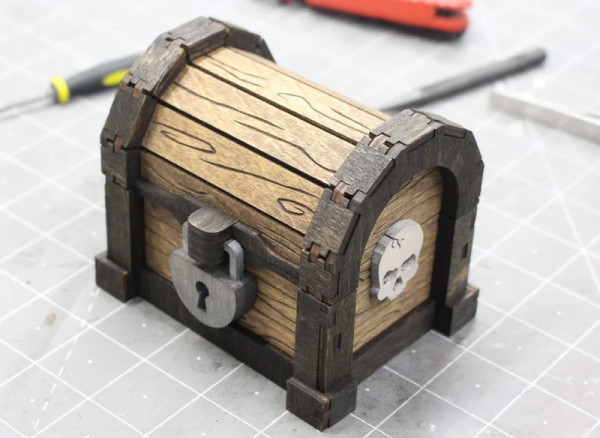
The results speak for themselves, as you can see in the treasure chest image [Nate] provided. Well worth the effort to get this parameter right. We do enjoy laser cutting and engraving things. If you are cutting and don’t have air assist, you really need to hack up something.

Kicad Autorouting Made Easy

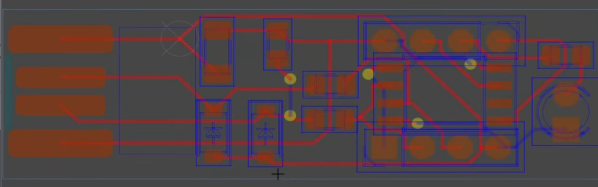
One of the most laborious tasks in PCB layout is the routing. Autorouting isn’t always perfect, but it is nice to have the option, even if you only use it to get started and then hand-tune the resulting board. Unfortunately, recent versions of Kicad have dropped support for autorouting. You can, however, still use Freerouting and the video from [Mr. T] below shows you how to get started.

There are three ways to get the autorouting support. You can install Java and a plugin, you can isntall using a ZIP file, or you can simply export a Specctra DSN file and use Freerouting as a standalone program. Then you import the output DSN file, and you are done.

Continue reading “Kicad Autorouting Made Easy”