Hack The Web Without A Browser

It is a classic problem. You want data for use in your program but it is on a webpage. Some websites have an API, of course, but usually, you are on your own. You can load the whole page via HTTP and parse it. Or you can use some tools to “scrape” the site. One interesting way to do this is woob — web outside of browsers.

The system uses a series of backends tailored at particular sites. There’s a collection of official backends, and you can also create your own. Once you have a backend, you can configure it and use it from Python. Here’s an example of finding a bank account balance:

>>> from woob.core import Woob
>>> from woob.capabilities.bank import CapBank
>>> w = Woob()
>>> w.load_backends(CapBank)
{'societegenerale': <Backend 'societegenerale'>, 'creditmutuel': <Backend 'creditmutuel'>}
>>> pprint(list(w.iter_accounts()))
[<Account id='7418529638527412' label=u'Compte de ch\xe8ques'>,
<Account id='9876543216549871' label=u'Livret A'>,
<Account id='123456789123456789123EUR' label=u'C/C Eurocompte Confort M Roger Philibert'>]
>>> acc = next(iter(w.iter_accounts()))
>>> acc.balance
Decimal('87.32')

The list of available backends is impressive, but eventually, you’ll want to create your own modules. Thankfully, there’s plenty of documentation about how to do that. The framework allows you to post data to the website and easily read the results. Each backend also has a test which can detect if a change in the website breaks the code, which is a common problem with such schemes.

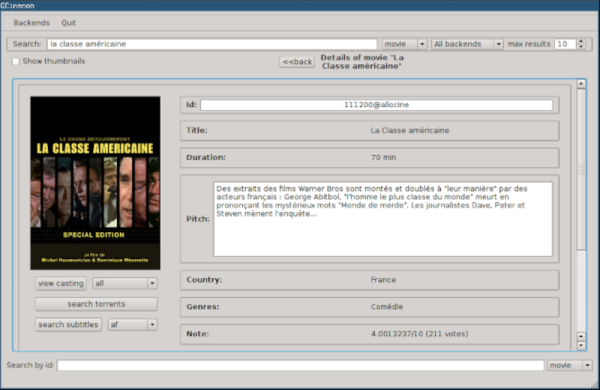
We didn’t see a Hackaday backend. Too bad. There are, however, many application examples, both console-based and using QT. For example, you can search for movies, manage recipes, or dating sites.

Of course, there are many approaches possible to this problem. Maybe you need to find out when the next train is leaving.
Giant 3D Prints Piece-by-Piece

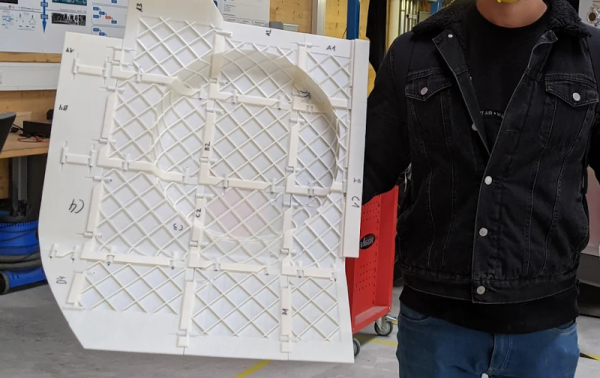
While FDM printers have gotten bigger lately, there’s almost always going to be a part that is bigger than your bed. The answer? Break your design into parts and assemble them after printing. However, the exact method to do this is a bit of a personal choice. A mechanical engineering student wrote:

After researching the state of the art as well as your ideas here on reddit, I realized, that there are almost no universal approaches to divide a large part and join the pieces which maintain mechanical strength, precisely position each segment, and also counteract tolerances due to the FDM-process.

Therefore I tried to develop a universal method to segment large trim parts, additively manufacture each segment and finally join those segments to form the desired overall part.

The result is a research paper you can download for free. The method focuses on thin parts intended as automotive trim, but could probably be applied to other cases.

You can read about the thought process, but the final result was a joggle — a joint made with a rabbet and tongue. Adhesive holds it together, but the joint offers advantages in constraining the final product and the transmission of force in the assembly. Judging by the picture, the process works well. It would be interesting to see slicer software develop the capability to segment a large model using this or a similar technique.

Of course, you can just build a bigger printer, at least to a point. It seems, though, that that point is pretty big.

Improve Your Front Panels

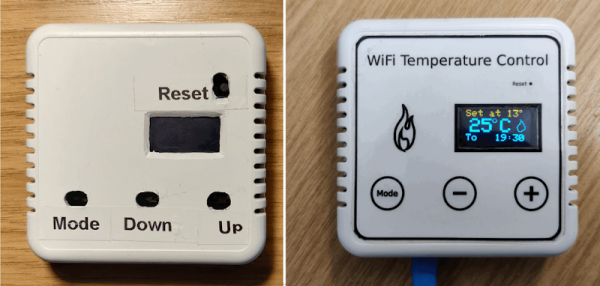
For many of us, the bane of electronic projects is making a professional-looking enclosure. Sure, 3D printing has made it easier to make the actual enclosure, but there’s still the problem of labeling it. [Richard Langner] has the answer with something he calls easy front panels. You can read about it or watch the tutorial video below.

The concept is easy enough. You create your beautiful artwork in your choice of graphics programs. The example uses Inkscape, but you could do it in anything, even PowerPoint. You print it out and cut it to size. You could, of course, print it in color or — as the example does — color it in by hand.

Continue reading “Improve Your Front Panels”

Art of 3D printer in the middle of printing a Hackaday Jolly Wrencher logo

3D Printering: Getting Started With Universal Bed Leveling

Last time we talked about how Marlin has several bed leveling mechanisms including unified bed leveling or UBL. UBL tries to be all things to all people and has provisions to create dense meshes that model your bed and provides ways for you to adjust and edit those meshes.

We talked about how to get your printer ready for UBL last time, but not how to use it while printing. For that, you’ll need to create at least one mesh and activate it in your startup code. You will also want to correctly set your Z height to make everything work well. Continue reading “3D Printering: Getting Started With Universal Bed Leveling”

This DIY Microscope Design Is All Wet

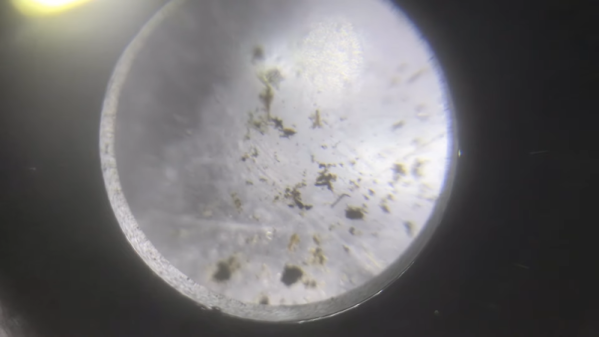
[Robert Murray-Smith] wanted to recreate how some ancient microscopes worked: with a drop of water as a lens. The idea is that the meniscus of a drop of water will work as a lens. This works because of surface tension and by controlling the attraction of the water to the surface,  you can actually form convex and concave surfaces.

What’s interesting is that this doesn’t require a lot of equipment. Some plastic, a hole punch, some pens, a flashlight, and some other odds and ends. Then it’s just a matter of grabbing some puddle water and examining the critters inside. Of course, with a single lens, these are more properly magnifying glasses. Some claim that people in China built such instruments thousands of years ago. [Robert] mentions [Antonie van Leeuwenhoek] as the father of the microscope, although he wasn’t the first to build such a device. He did create amazing glass lenses using a method he kept secret but has been worked out using modern science.

It is hard to see much through the camera, but it clearly was magnifying. Not a bad little rainy day kid’s project since you probably have everything you need on hand. We wonder what other readily-available things you could image with a device like this.

Of course, if you want to build a real microscope, the designs are out there. You can even make one using — mostly — LEGO.

Continue reading “This DIY Microscope Design Is All Wet”

Pico Does PID

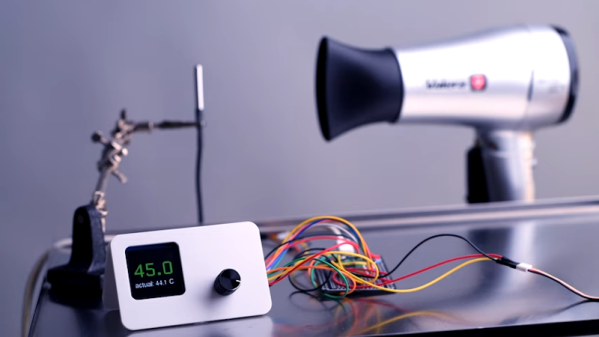
If you wanted to, say, control a temperature you might think you could just turn on a heater until you reach the desired temperature and then turn the heater off. That sort of works, but it is suboptimal — you’ll tend to overshoot the goal and then as the system cools down, you’ll have to catch up and the result is often a system that oscillates around the desired value but never really settles on the correct temperature. To solve that, you can use a PID — proportional integral derivative — loop and that’s what [veebch] has done with a Rasberry Pi PICO and Micropython.

The idea is to control an output signal based on the amount of difference between the actual temperature and the desired temperature (the proportional error). In addition, the amount is adjusted based on the long term error (integral) and any short term change (the derivative). You can also see a video about using the control loop to make a better sous vide burger, below. Continue reading “Pico Does PID”

Microwave Sampler Is Like Time Domain Mixer

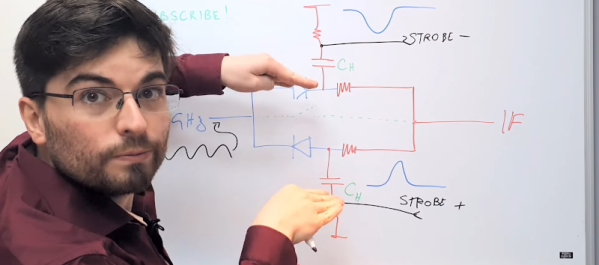
[Gregory] is building some microwave gear and wanted to convert a 3.3 GHz signal to a 12 MHz intermediate frequency. You might think of using a mixer, but you’d need a local oscillator of nearly 3.3 GHz which is not only hard to build, but also will be very close to the signal of interest which is not a great idea. Instead, [Gregory] opted for a sampler, which uses an effect you usually try to avoid — aliasing — to allow downconversion with a much smaller local oscillator. You can see the design in the video below.

In the case of converting 3.3 GHz to 12 MHz, the local oscillator is around 100 MHz. How does that work? Watch the video and find out. The final project will triple the 3.3 GHz signal and we presume the 12 MHz downconvert is to easily phase lock the frequency using a PLL (phase-locked loop).

Continue reading “Microwave Sampler Is Like Time Domain Mixer”