Hands-On: Smarty Cat Is Junior’s First Slide Rule

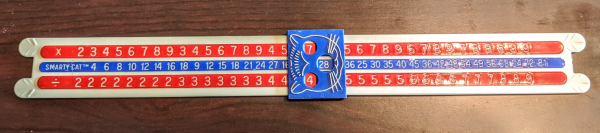
You may remember that I collect slide rules. If you don’t, it probably doesn’t surprise you. I have a large number of what I think of as normal slide rules. I also have the less common circular and cylindrical slide rules. But I recently picked up a real oddity that I had to share: the Smarty Cat. It isn’t exactly a slide rule but it sort of is if you stretch the definition a bit.

Real Slide Rules

A regular slide rule takes advantage of the fact that you can multiply and divide by adding logarithms. Imagine having two rulers marked in inches or centimeters — it doesn’t matter (see the adjoining image). Suppose you want to add 5 and 3. You count off 5 marks on one ruler and line it with up the zero inch mark on the other ruler. Now you count off 3 marks on the second ruler and that position on the first ruler will indicate the result. Here it lines up with the 8 mark, which is, of course, the correct answer.

That’s a simple addition. But if you can convert your numbers into logarithms, add the logarithms, and then back out to a regular number, you can multiply.

Continue reading “Hands-On: Smarty Cat Is Junior’s First Slide Rule”
OpenChronograph Lets You Roll Your Own Smart Watch

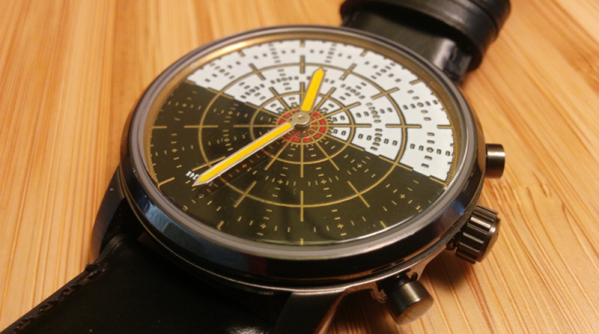
At first, smartwatches were like little tiny tablets or phones that you wore on your wrist. More recently though we have noticed more “hybrid” smartwatches, that look like a regular watch, but that use their hands to communicate data. For example you might hear a text message come in and then see the hand swing to 1, indicating it is your significant other. Want to roll your own? The OpenChronograph project should be your first stop.

The watches are drop in replacements for several Fossil and Skagen watch boards (keep in mind Fossil and Skagen are really the same company). There’s an Arduino-compatible Atmega328p, an ultra low power real time clock, a magnetometer, pressure sensor, temperature sensor, and support for a total of three hands. You can even create PCB artwork that will act as the watch face using Python.

Continue reading “OpenChronograph Lets You Roll Your Own Smart Watch”

$80 Dual Extrusion Kit Might Work With Your 3D Printer

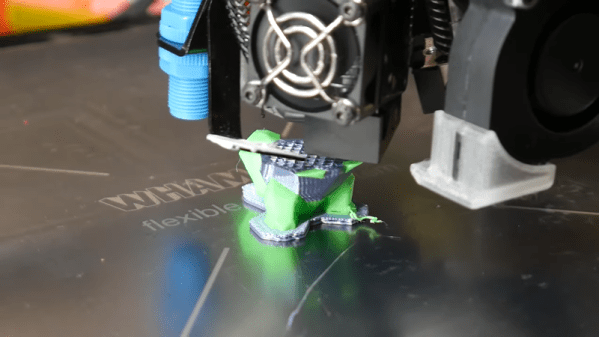
[Teaching Tech] sprung about $80 or a kit to add dual extrusion to his 3D printer, plus another $20 for an accessory kit. He did get it to work well, but it wasn’t without problems which he covers in the video below.

The design of the head uses a servo to swing two hot ends to — in theory — the same point. Each hot end has an ooze shield, so you don’t need to deal with that in your G-code by building a priming tower. However, there are some requirements for your printer.

Continue reading “$80 Dual Extrusion Kit Might Work With Your 3D Printer”

OpenAstroTracker Turns Your DSLR Into An Astronomy Instrument

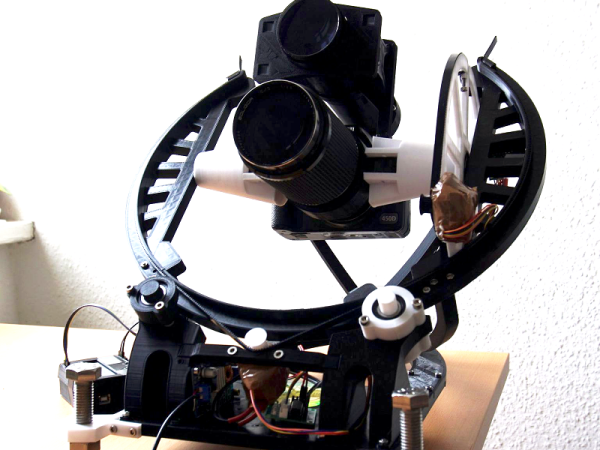
If you want to take beautiful night sky pictures with your DSLR and you live between 15 degrees and 55 degrees north latitude you might want to check out OpenAstroTracker. If you have a 3D printer it will probably take about 60 hours of printing, but you’ll wind up with a pretty impressive setup for your camera. There’s an Arduino managing the tracking and also providing a “go to” capability.

The design is over on Thingiverse and you can find code on GitHub. There’s also a Reddit dedicated to the project. The tracker touts its ability to handle long or heavy lenses and to target 180 degrees in every direction.

Continue reading “OpenAstroTracker Turns Your DSLR Into An Astronomy Instrument”

3D Printed Breadboard Helper Makes Wiring Neater And Easier

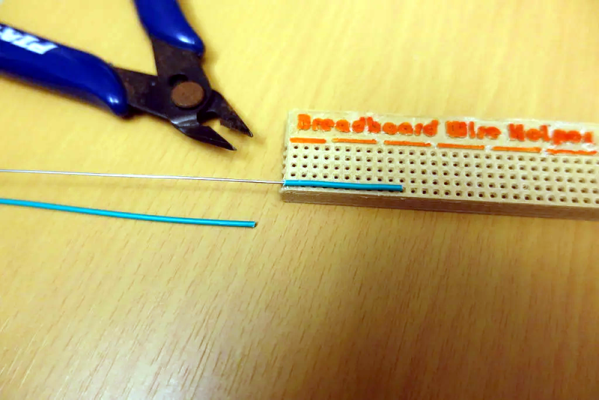
Breadboards make it simple to prototype and test circuits. If you use flexible wires with pins to make connections, it usually results in a rat’s nest. For many of us, using solid wire makes a rat’s nest, too. However, the very neat among us will cut solid wire to just the right length and strip just the right amount of wire and lay the wires very flat and neat along the board. [Moononournation] did a 3D print that makes the latter method much easier. You can find his Breadboard Wire Helper on Thingiverse and see a video, below.

The idea is simple: start with a piece of wire stripped on one side, then count out the number of holes it needs to traverse and push the stripped end through the hole. Trim the wire to fit. To complete the other side, lay the wire flat along the tool to the edge. Now you can see where to strip that side of the wire. After you remove the insulation, you can bend the wire down and cut the wire to fit. Now you have a perfect size and shape wire to place in the actual breadboard.

Granted, this isn’t that hard to do with the existing breadboard if it isn’t too packed. You could even use a spare breadboard. But it is a little easier to trim the wire to the right size with this jig. If you don’t want to 3D print it, you could probably pull the tape off the back of a cheap board and remove the springs to get a similar effect.

So while this little tool probably won’t change your life, it might make it a little easier. What other tools do you use when breadboarding? Let everyone know in the comments.

Continue reading “3D Printed Breadboard Helper Makes Wiring Neater And Easier”

Learning Morse Code The Ludwig Koch Way

Most countries have dropped the requirement for learning Morse code to become a ham radio operator. Because of that, you might think Morse code is dead. But it isn’t. Some people like the nostalgia. Some like that you can build simple equipment to send and receive Morse code. Others like that Morse code is much more reliable than voice and some older digital modes. Regardless of the reason, many people want to learn Morse code and it is still a part of the ham radio scene. The code has a reputation of being hard to learn, but it turns out that is mostly because people haven’t been taught code in smart ways.

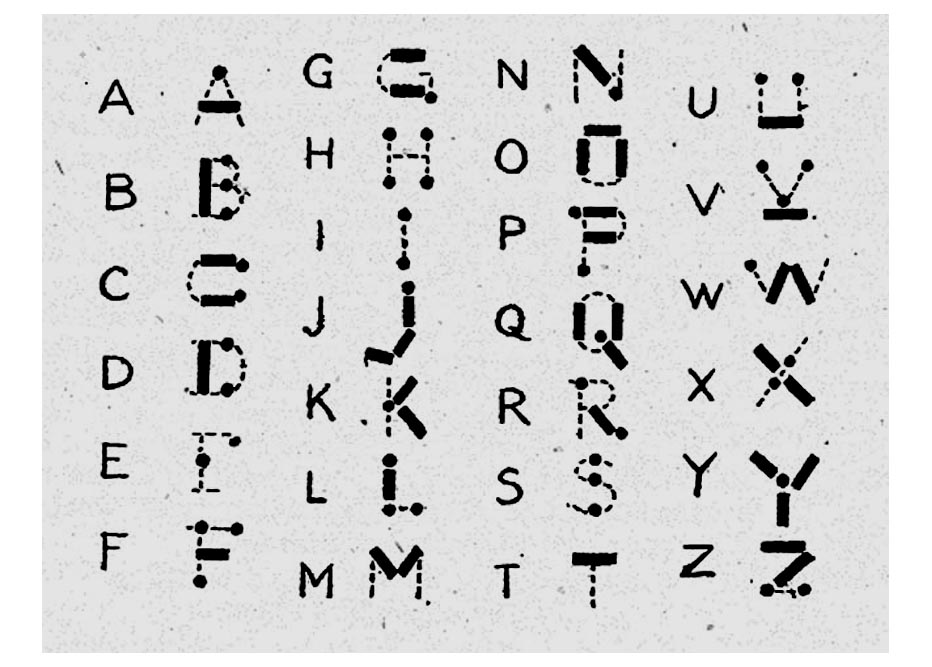
I don’t know if they still do, but some youth organizations used to promote some particularly bad ways to learn the code. The second worse way is to learn “dots and dashes” and many people did learn that way. The very worst way was using an image like the adjacent one to try to map the dots and dashes into letter shapes. This chart dates back to at least 1918 when a Girl Guides handbook printed it.

Even if you are a visual learner, this is a bad idea. The problem is, it is nearly impossible to hear sounds at 20 or 30 words per minute and map them to this visual representation. Another visual method is to use a binary tree where left branches are dots and right branches are dashes.

If you only need to master 5 words per minute to get a merit badge, you might get away with this. But for real use, 5 words a minute is very slow. For example, this sentence would take about 3 minutes to send at that speed. Just that one sentence.

So what are the better ways? Let’s take a look.

Continue reading “Learning Morse Code The Ludwig Koch Way”

Solid State Relay Simulation, Explained

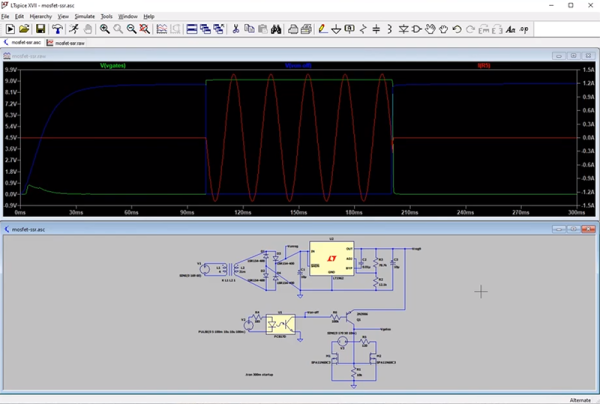
[SaltyPuglord] needed a solid state relay for a project. We’d have just bought one, but he decided to design his own in LTSpice. Along the way he made the video below, which is pretty informative and a good example of a non-trivial design in LTSpice.

MOSFETs have made designs like this a lot easier, to the extent that it should be as easy as putting a pair of beefy fets in-line with the AC source and load. However, that has a few ramifications that [Salty] covers in the video.

The biggest concern comes in isolating the DC supply from ground. He used a transformer which is tricky to simulate in LTSpice. Beyond that the design of the power supply is quite simple, and as he mentions in the video, you don’t really need this complex of a regulator just to feed the gates of the MOSFETs.

Continue reading “Solid State Relay Simulation, Explained”