Tiny Programming Language In 25 Lines Of Code

There are certain kinds of programs that fascinate certain kinds of software hackers. Maybe you are into number crunching, chess programs, operating systems, or artificial intelligence. However, on any significant machine, most of the time those activities will require some sort of language. Sure, we all have some processor we can write hex code for in our head, but you really want at least an assembler if not something sturdier. Writing languages can be addictive, but jumping right into a big system like gcc and trying to make changes is daunting for anyone. If you want a gentle introduction, check out [mgechev’s] language that resides in 25 lines of Javascript.

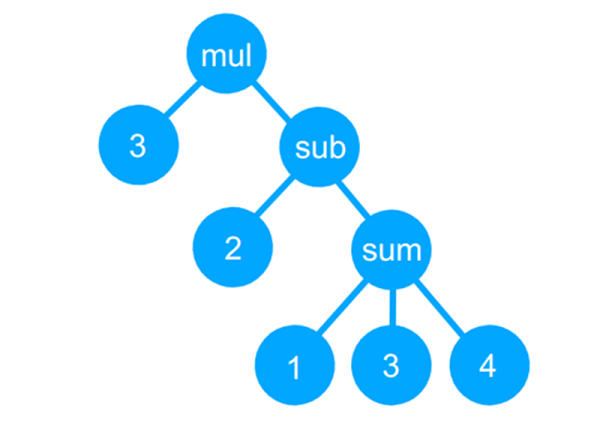
The GitHub page bills it as a tiny compiler, although that is a bit misleading and even the README says it is a transpiler. Actually, the code reads a simple language, uses recursive descent parsing to build a tree, and then uses a “compiler” to convert the tree to JavaScript (which can then be executed, of course). It can also just interpret the tree and produce a numerical answer.

Continue reading “Tiny Programming Language In 25 Lines Of Code”
Reverse Engineering The TEC-06 Battery Tester

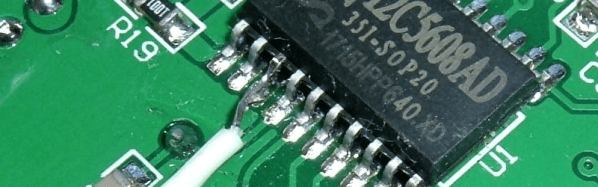
[Syonyk] read that you could solder a few wires to a TEC-06 battery capacity tester, connect it to a TTL serial adapter, and it would interface with some Windows software via a serial port. You can buy it already enabled for serial, but since he had the non-connected version, he was interested in trying it. Not only did it work, but he took the time to reverse engineer the protocol and made a detailed write up about his findings and how he attacked the problem.

Around here, we never need an excuse to reverse engineer anything. But [Synonyk] mentions that he didn’t like using Windows-only software from China. If he wants it on Linux, or if Windows compatibility breaks with a new version, or if the software has spyware in it, he wants to be able to continue using the device. Of course, he also admits — and we get it — that he just enjoys doing it, too.

Continue reading “Reverse Engineering The TEC-06 Battery Tester”

How Low Can An ESP8266 Go?

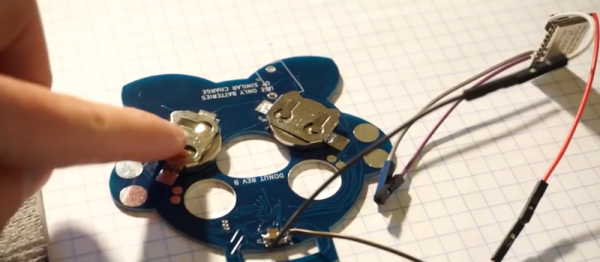
We’ve been tuned into coin cell designs lately given the coin cell challenge, so we were interested in [CNLohr]’s latest video about pushing the ESP8266 into the lowest-possible battery drain with coin cells. The result is a series of hacks, based on a reverse-engineered library and depends on a modified router, but that gets the power consumption down by more than a factor of ten!

Although the ESP8266 has a deep sleep mode that draws only 20 microamps or so, that isn’t as rosy as it seems. If you could go to sleep for a while, wake up for just a moment, send your data, and then go back to sleep, that might be one thing. But when you use conventional techniques, the device wakes up and has to do about ten seconds of work (at high power) to connect to a nearby access point. Then it can do what you want and go back to sleep. That ten-second hit is a killer on small batteries.

Since that’s all you can do with the standard libraries, the next step was to find [pvvx] who has reverse engineered a great deal of the libraries and provides a library with no WiFi capability. That’s a two-edged sword. The pro is you get a 30 ms startup from a deep sleep. The downside is — well — you don’t have WiFi.

Continue reading “How Low Can An ESP8266 Go?”

We Couldn’t Afford An Oculus, So We Built One

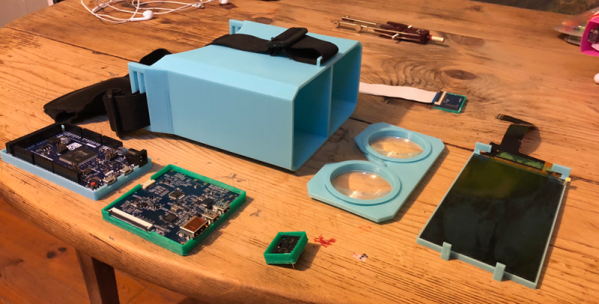
Like a lot of 16-year-olds, [Maxime Coutté] wanted an Oculus Rift. Unlike a lot of 16-year-olds, [Maxime] and friends [Gabriel] and [Jonas] built one themselves for about a hundred bucks and posted it on GitHub. We’ll admit that at 16 we weren’t throwing around words like quaternions and antiderivatives, so we were duly impressed.

Before you assume this is just a box to put a phone in like a Google Cardboard, take a look at the bill of materials: an Arduino Due, a 2K LCD screen, a Fresnel lens, and an accelerometer/gyro. The team notes that the screen is what will push the price unpredictably, but they got by for about a hundred euro. At the current exchange rate, if you add up all the parts, they went a little over $100, but they were still under $150 assuming you have a 3D printer to print the mechanical parts.

Continue reading “We Couldn’t Afford An Oculus, So We Built One”

Interactive LED Table

Some hackers make functional things that you can’t allow to be seen in polite company. Others make beautiful things that could come from a high-end store. [Marija] falls into the second category and her interactive LED coffee table would probably fetch quite a bit on the retail market. You can see a video of the awesome-looking table, below.

It isn’t just the glass, MDF, and pine construction. There’s also a Bluetooth interface to a custom Android application from [Dejan], who collaborated on the project. However, if you aren’t comfortable with the woodworking, [Marija’s] instructions are very detailed with great pictures so this might be a good starter project.

Continue reading “Interactive LED Table”

Microsoft Gets Hacker Friendly

You don’t often hear hackers say a lot of good things about Microsoft. Sure, you might use Windows, especially if you have one of those embarrassing day jobs. But at night in a hacker’s secret lab, you are likely to find something that looks more like Unix, even if it has a penguin, a piece of fruit, or even a green robot on the label. But we’ll give Microsoft credit. Their new MakeCode site will be a great boon for educators, students, and anyone who wants to learn how to code. What’s more is they are joined by a lot of familiar hacker faces including AdaFruit, Sparkfun, and Seeed Studios.

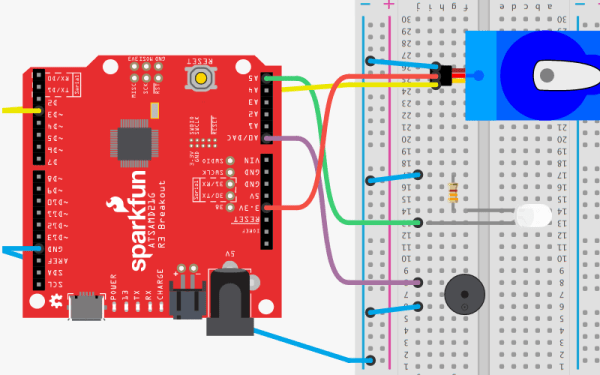
The idea is to have tutorials and if that was all there was to it, this would be a short post. But what is really entertaining about the site is that there are web-based emulators for all the hardware so you can actually do the projects in your browser with no extra hardware. You can also do your own projects from scratch.

Continue reading “Microsoft Gets Hacker Friendly”

Roll Your Own Raspberry Pi OS

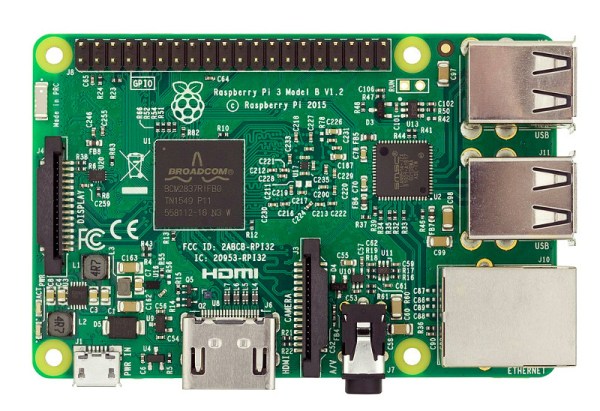
Writing an operating system is no small task, but like everything else it is easier than it used to be. [JSandler] has a tutorial on how to create a simple operating system for the Raspberry Pi. One thing that makes it easier is the development environment used. QEMU emulates a Raspberry Pi so you can do the development on a desktop PC and test in the virtual environment. When you are ready, you can set up a bootable SD card and try your work on a real device.

The operating system isn’t very complex, but it does boot, organize memory, displays on the screen, handles interrupts, and manages processes. What else do you need?

Continue reading “Roll Your Own Raspberry Pi OS”