Retrotechtacular: ASCII Art In The 19th Century

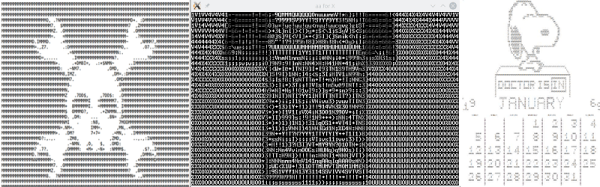
Computer graphics have come a long way. Some video games today exceed what would have passed for stunning cinema animation only a few years ago. However, it hasn’t always been like this. One of the earliest forms of computer-generated graphics used text characters to draw on printers.
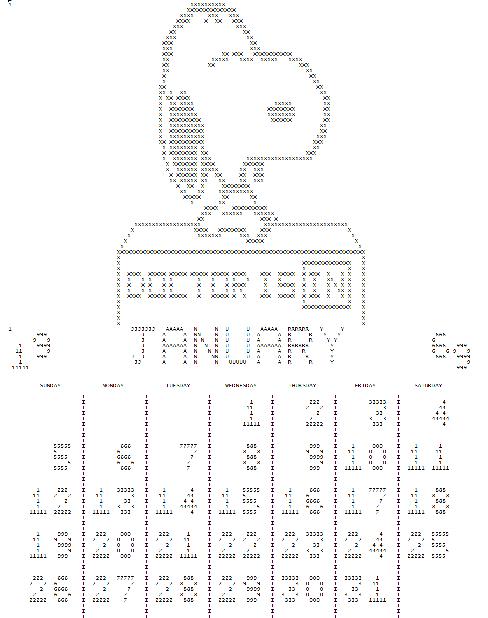
snoopy-calendarEarly computer rooms were likely to have a Snoopy character on green and white fan-fold paper. Calendars with some artwork were also popular (see left, and find out about the FORTRAN that created it, if you like). Ham radio operators who use teletypes (RTTY, in ham parlance) often had vast collections of punched tape that held artwork. Given that most hams in the 1950s and 1960s were men and the times were different, a lot of them were more or less “R” rated.
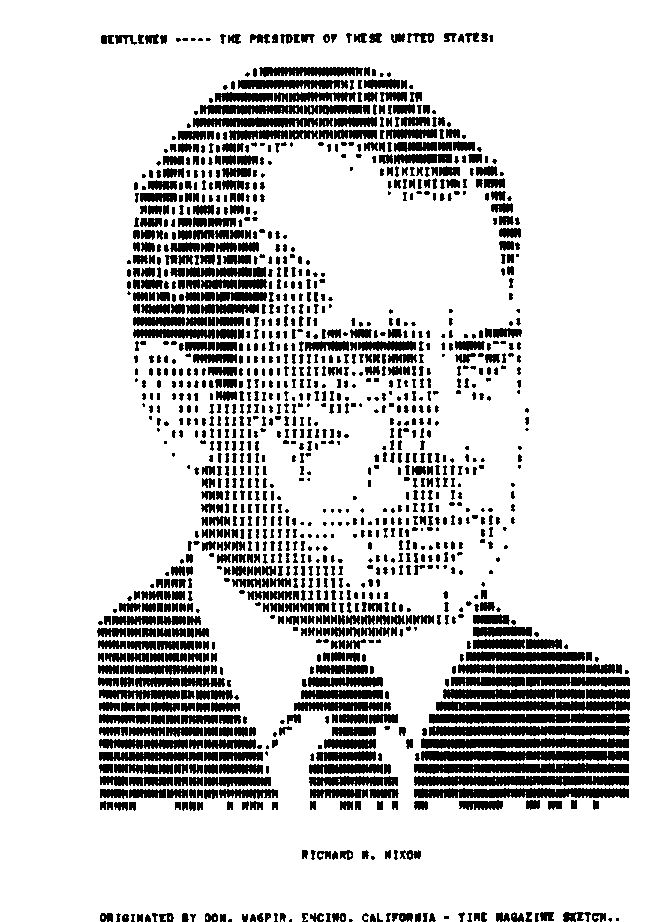
nixonNot all of them were, though. For example, Richard Nixon was decidedly “G” rated (see right). Simple pictures would use single characters, but sophisticated ones would use the backspace character to overprint multiple characters.

Ham Radio Art

You often hear this described as ASCII art, today, although hams usually use 5-bit BAUDOT code, so that’s a misnomer for those images, at least. Of course, today, people aren’t keen on storing roll after roll of paper tape (or even owning a tape reader) so there have been several projects to capture this art in a more modern format.

Although there is still some RTTY art activity, picture sending has been mostly replaced by slow scan TV (SSTV) which sends actual still images or other modes like FAX. Some of the newer digital modes even have the ability to send pictures. You can be discussing your radio for example, and then show the other ham a photo of the radio.

Continue reading “Retrotechtacular: ASCII Art In The 19th Century” →
Raspberry Pi Gets Turned On

The Raspberry Pi and other similar Linux-based single board computers simplify many projects. However, one issue with Linux is that it doesn’t like being turned off abruptly. Things have gotten better, and you can certainly configure things to minimize the risk, but–in general–shutting a Linux system down while it is running will eventually lead to file system corruption.

If your project has an interface, you can always provide a shutdown option, but that doesn’t help if your application is headless. You can provide a shutdown button, but that leaves the problem of turning the device back on.

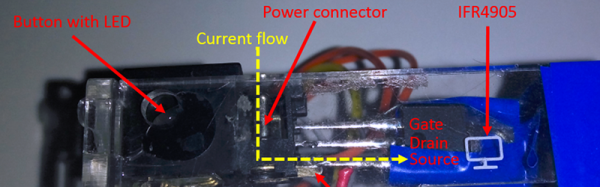
[Ivan] solved this problem with–what else–an Arduino (see the video below). Simplistically, the Arduino reads a button and uses a FET to turn off the power to the Pi. The reason for the Arduino, is that the tiny processor (which draws less than a Pi and doesn’t mind being shut down abruptly) can log into the Pi and properly shut it down. The real advantage, though, is that you could use other Arduino inputs to determine when to turn the Pi on and off.

Continue reading “Raspberry Pi Gets Turned On” →

Mag Lev Without The Train (But With An FPGA)

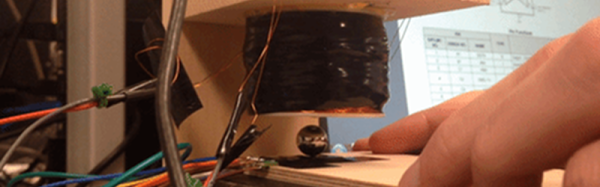
It always surprises us that magnetic levitation seems to have two main purposes: trains and toys. It is reasonably inexpensive to get floating Bluetooth speakers, globes, or just floating platforms for display. The idea is reasonably simple, especially if you only care about levitation in two dimensions. You let an electromagnet pull the levitating object (which is, of course, ferrous). A sensor detects when the object is at a certain height and shuts off the magnet. The object falls, which turns the magnet back on, repeating the process. If you do it right, the object will reach equilibrium and hover near the sensor.

Some students at Cornell University decided to implement the control loop to produce levitation using an Altera FPGA. An inductive sensor determined the position of an iron ball. The device uses a standard proportional integral derivative (PID) control loop. The control loop and PWM generation occur in the FPGA hardware. You can see a video of their result, below.

Continue reading “Mag Lev Without The Train (But With An FPGA)” →

One lightbulb ON one OFF

Single Molecule Detects Light

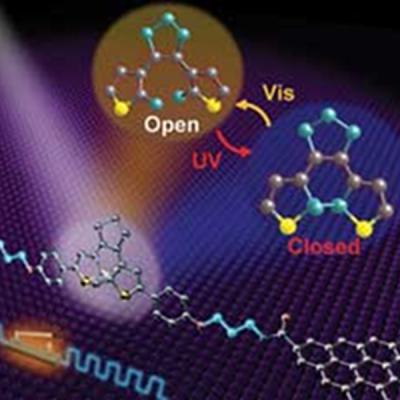
Everything is getting smaller all the time. Computers used to take rooms, then desks, and now they fit in your pocket or on your wrist. Researchers that investigate light sensors have known that individual diarylethene molecules can exist in two states: one where it conducts electricity and one where it doesn’t. A visible photon causes the molecule to be electrically open and ultraviolet causes it to close. But there’s a problem.

light600Placing electrodes on the molecule interferes with the process. Depending on the kind of electrode, the switch will get stuck in the on or off position. Researchers at Peking University in Beijing determined that placing some buffering material between the molecule and the electrodes would reduce the interference enough to maintain correct operation. What’s more the switches remain operable for a year, which is unusually long for this kind of construct.

Using chemical vapor deposition and electron beam lithography, the team produced over 40 working single molecule switches. These devices could be useful in optical computing and other applications. Future work will include developing multilevel switches comprised of multiple molecules.

If you want something more macroscopic, you might try using an LED to sense light. A switch is fine, but sometimes you want to generate a signal.

Gawking Text Files

Some tools in a toolbox are versatile. You can use a screwdriver as a pry bar to open a paint can, for example. I’ve even hammered a tack in with a screwdriver handle even though you probably shouldn’t. But a chainsaw isn’t that versatile. It only cuts. But man does it cut!

aukAWK is a chainsaw for processing text files line-by-line (and the GNU version is known as GAWK). That’s a pretty common case. It is even more common if you produce a text file from a spreadsheet or work with other kinds of text files. AWK has some serious limitations, but so do chainsaws. They are still super useful. Although AWK sounds like a penguin-like bird (see right), that’s an auk. Sounds the same, but spelled differently. AWK is actually an acronym of the original author’s names.

If you know C and you grok regular expressions, then you can learn AWK in about 5 minutes. If you only know C, go read up on regular expressions and come back. Five minutes later you will know AWK. If you are running Linux, you probably already have GAWK installed and can run it using the alias awk. If you are running Windows, you might consider installing Cygwin, although there are pure Windows versions available. If you just want to play in a browser, try webawk.

Continue reading “Gawking Text Files” →

1000 CPUs On A Chip

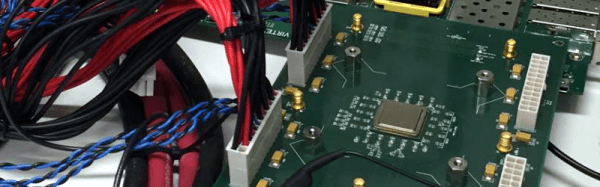
Often, CPUs that work together operate on SIMD (Single Instruction Multiple Data) or MISD (Multiple Instruction Single Data), part of Flynn’s taxonomy. For example, your video card probably has the ability to apply a single operation (an instruction) to lots of pixels simultaneously (multiple data). Researchers at the University of California–Davis recently constructed a single chip with 1,000 independently programmable processors onboard. The device is energy efficient and can compute up to 1.78 trillion instructions per second.

The KiloCore chip (not to be confused with the 2006 Rapport chip of the same name) has 621 million transistors and uses special techniques to be energy efficient, an important design feature when dealing with so many CPUs. Each processor operates at 1.78 GHz or less and can shut itself down when not needed. The team reports that even when computing 115 billion instructions per second, the device only consumes about 700 milliwatts.

Unlike some multicore designs that use a shared memory area to communicate between processors, the KiloCore allows processors to directly communicate. If you are just a diehard Arduino user, maybe you could scale up this design. Or, if you want to make use of the unused power in your video card under Linux, you can always try to bring KGPU up to date.

Graphene Optical Boom Emits Light With No Diode

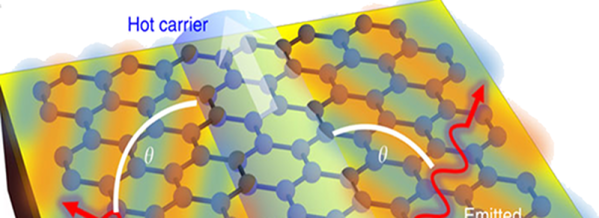
When a supersonic aircraft goes faster than the speed of sound, it produces a shockwave or sonic boom. MIT researchers have found a similar optical effect in graphene that causes an optical boom and could provide a new way to convert electricity into light.

The light emission occurs due to two odd properties of graphene: first, light gets trapped on the surface of graphene, effectively slowing it down. In addition, electrons pass through at very high speeds. Interestingly, the speeds are nearly the same–that is, electrons and trapped light travel at almost the same speed. The researchers found a way to make the electrons move faster than the speed of light (in the graphene) and thus created Cerenkov emissions. Because of the structure of graphene, the resulting light is intense and tightly focused.

The researchers speculate that this technique could be important in building graphene-based optical chips. We’ve talked about mixed graphene and semiconductor chips before. Graphene is pretty exotic stuff. It can even fold itself.