Wimbledon Goes Automated

When you think of tennis, you probably think of Wimbledon, the All England Club’s famous competition that has run for 147 years. Part of that history has always been line judges who call the ball in or out, sometimes to the ire of players and fans alike. But line judges will be no more at Wimbledon. They are moving to ELC or electronic line calling on all courts in both the main draw and the qualifying tournaments, according to [Tumaini Carayol] writing in The Guardian.

Of course, in 2007, the competition started using “Hawk-Eye,” which allows for review and challenges of the calls. ELC has also been used in other venues, such as the US Open, which has also done away with all line judges.

In fact, the only grand slam tournament that isn’t using ELC now is the French Open. There is some concern, however. The increased availability of line judges will cut down on the demand for new line judges at lesser tournaments. However, these jobs are a common pathway for aspiring chair judges to gain experience and exposure.

According to the Bloomberg video below, the system uses cameras and microphones to keep track of the ball’s position. Other reports say there are 18 cameras and, apparently, the system uses a computer-generated voice to call “out,” “fault,” or “foot fault.”

Apparently, there are some downsides, however. Last month at the US Open, play was halted because the remote office of the technicians operating the ELC system had to evacuate due to a fire alarm.

[Lewin Day] thinks tech will ruin sports. He may be right. Of course, we are more likely to play sports on technology.
Continue reading “Wimbledon Goes Automated”

The Punched Card Detective

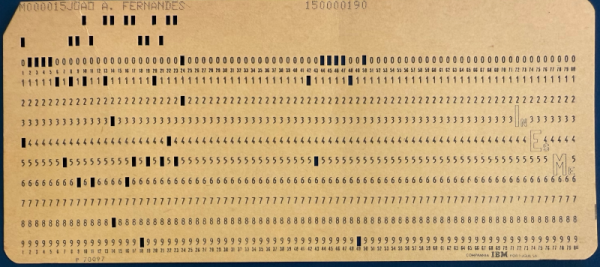
[John Graham-Cumming] might not be the first person to thumb through an old book and find an IBM punched card inside. But he might be the first to actually track down the origin of the cards. Admittedly, there were clues. The book was a Portuguese book about computers from the 1970s. The cards also had a custom logo on them that belonged to a computer school at the time.

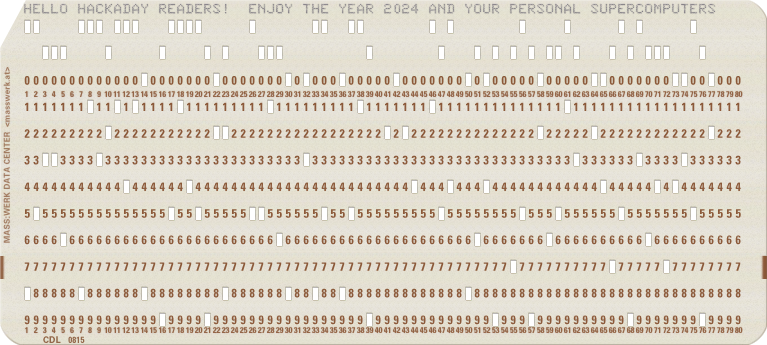
A Hackaday card, thanks to the online card punch

It is hard to remember, but there was a time when cards reigned supreme. Sometimes called Hollerith cards after  Herman Hollerith, who introduced the cards to data processing, these cards used square holes to encode information. Reading a card is simple. There are 80 columns on a classic card. If a column has a single punch over a number, then that’s what that column represents. So if you had a card with a punch over the “1” followed by a punched out “5” in the next column and a “0” in the column after that, you were looking at 150. No punches, of course, was a space.

So, how did you get characters? The two blank regions above the numbers are the X and Y zones (or, sometimes, the 11 and 12 zones). The “0” row was also sometimes used as a zone punch. To interpret a column, you needed to know if you expected numbers or letters. An 11-punch with a digit indicated a negative number if you were expecting a number. But it could also mean a particular letter of the alphabet combined with one or more punches in the same column.

Continue reading “The Punched Card Detective”

Braun TS2 Radio Turns 68, Gets Makeover

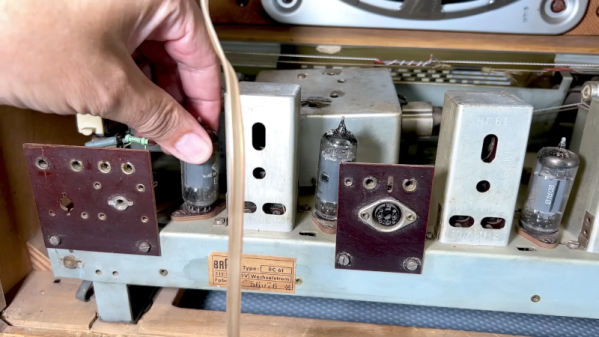
The Braun TS2 radio was a state-of-the art tube set in 1956. Today it still looks great, but unsurprisingly, the one that [Manuel Caldeier] has needed a little tender loving care. The table radio had a distinct style for its day and push-buttons. However, the dial glass and the speaker grill needed replacement. Even more interesting, the radio has a troublesome selenium rectifier, giving him the perfect chance to try out his new selenium rectifier solid-state replacement.

The radio is as good-looking inside as it is outside. You can tell that this isn’t his first restoration, as he has several tricks to test things at different stages of the project.

While the radio looked good, it smelled of smoke, which required a big effort to clean. The dial glass was intact enough for him to duplicate it in a graphic program and print it on a transparent adhesive sticker. With a deep breath, he removed the original markings from the glass so he could add the sticker to it. That didn’t work because the label needed cutouts. So now he is waiting for a piece of acrylic that will have the art UV printed on it.

We want to see the next part as we imagine the radio sounds as good as it looks when it is working. If you want to know more about the rectifier replacement, we covered that earlier. Even years later, Braun would have a clean aesthetic.

Continue reading “Braun TS2 Radio Turns 68, Gets Makeover”

What Happened To Duracell PowerCheck?

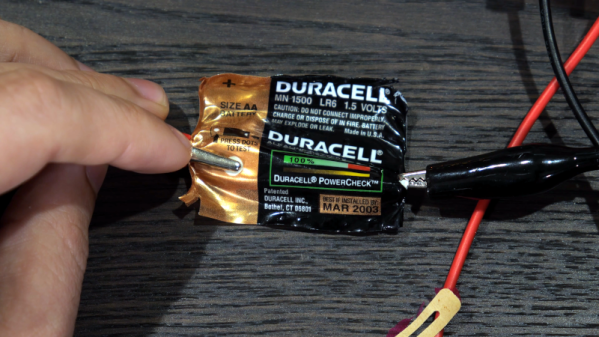
Remember Duracell’s PowerCheck? The idea was that a strip built into the battery would show if the battery was good or not. Sure, you could always get a meter or a dedicated battery tester — but PowerCheck put the tester right in the battery. [Technology Connections] has an interesting video on how these worked and why you don’t see them today. You can see it below.

Duracell didn’t invent the technology. The patent belonged to Kodak, and there were some patent issues, too, but the ones on the Duracell batteries used the Kodak system. In practice, you pushed two dots on the battery, and you could see a color strip that showed how much capacity the battery had left. It did this by measuring the voltage and assuming that the cell’s voltage would track its health. It also assumed — as is clearly printed on the battery — that you were testing at 70 degrees F.

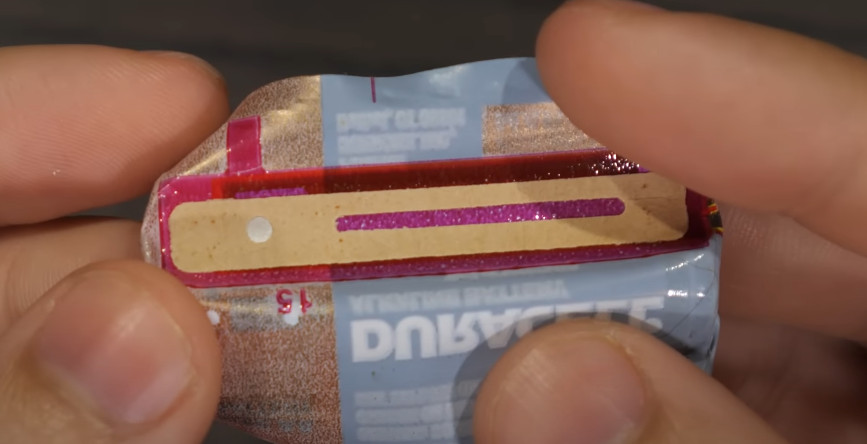
The temperature was important because the secret to the PowerCheck is a liquid crystal that turns color as it gets hot. When you press the dots, the label connects a little resistor, causing the crystals to get warm. The video shows the label taken apart so you can see what’s inside of it. The resistor isn’t linear so that’s how it changes only part of the bar to change color when the battery is weak but not dead.

It is a genius design that is simple enough to print on a label for an extremely low cost and has virtually no components. PowerCheck vanished from batteries almost as suddenly as it appeared. Some of it was due to patent disputes. But the video purports that normal people don’t really test batteries.

Watch out for old batteries in gear. Of course, if you want to really test batteries, you are going to need more equipment.

Continue reading “What Happened To Duracell PowerCheck?”

That’ll Go Over Like A Cement Airplane

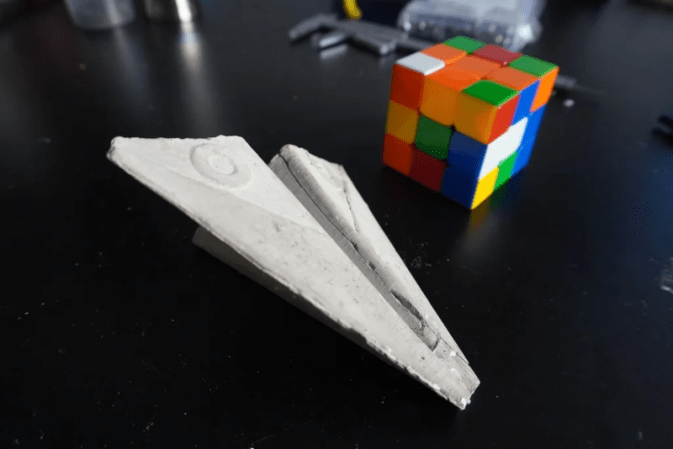
Most of us have made paper airplanes at one time or another, but rather than stopping at folded paper, [VirgileC] graduated to 3D printing them out of PLA. Then the obvious question is: can you cast one in cement? The answer is yes, you can, but note that the question was not: can a cement plane fly? The answer to that is no, it can’t.

Of course, you could use this to model things other than non-flying airplanes. The key is using alginate, a natural polymer derived from brown seaweed, to form the mold. The first step was to suspend the PLA model in a flowerpot with the holes blocked. Next, the flowerpot gets filled with alginate.

After a bit, you can remove the PLA from the molding material by cutting it and then reinserting it into the flower pot. However, you don’t want it to dry out completely as it tends to deform. With some vibration, you can fill the entire cavity with cement.

The next day, it was possible to destroy the alginate mold and recover the cement object inside. However, the cement will still be somewhat wet, so you’ll want to let the part dry further.

Usually, we see people print the mold directly using flexible filament. If you don’t like airplanes, maybe that’s a sign.

Mechanical Tool Changing 3D Printing Prototype

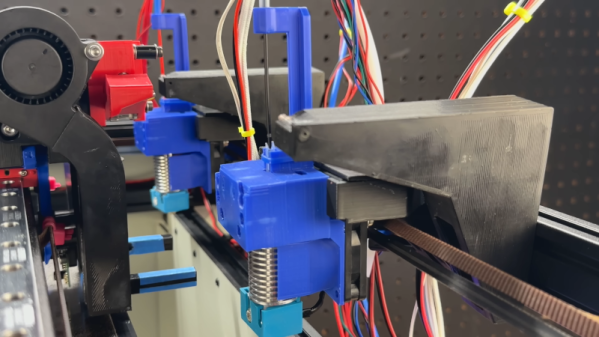
Tool changing 3D printers are hot. The idea is that instead of switching filament, you swap out hot ends or other tools. That isn’t a new idea. However, most tool changers are expensive. [Engineers Grow] has one that is simple and inexpensive, relying on the printer’s own motors and some clever mechanics.

The first step was to make a modified extruder that allowed the filament to load and unload. The first attempt didn’t work well, but that is the nice thing about 3D printing — it is easy to try again. There is only one extruder, which is good from the standpoint that you don’t need a control board with many outputs and you avoid the expense of multiple extruders.

Continue reading “Mechanical Tool Changing 3D Printing Prototype”

Art of 3D printer in the middle of printing a Hackaday Jolly Wrencher logo

3D Printering: Listen To Klipper

I recently wrote about using Klipper to drive my 3D printers, and one natural question is: Why use Klipper instead of Marlin? To some degree that’s like asking why write in one programming language instead of another. However, Klipper does offer some opportunities to extend the environment more easily. Klipper runs on a Linux host, so you can do all of the normal Linux things.

What if you wanted to create a custom G-code that would play a wave file on a speaker? That would let you have custom sounds for starting a print, aborting a print, or even finishing a print.

If you recall, I mentioned that the Klipper system is really two parts. Well, actually more than two parts, but two important parts at the core. Klipper is, technically, just the small software stub that runs on your 3D printer. It does almost nothing. The real work is in Klippy, which is mostly Python software that runs on a host computer like a Raspberry Pi or, in my case, an old laptop.

Because it is Python and quite modular, it is very simple to write your own extensions without having to major surgery or even fork Klipper. At least in theory. Most of the time, you wind up just writing G-code macros. That’s fine, but there are some limitations. This time, I’m going to show you how easy it can be using the sound player as an example.

Macros All the Way Down

Normally, you think of gcode as something like: G1 X50 Y50. Some of the newer codes don’t start with G, but they look similar. But with Klipper, G1, M205, and MeltdownExtruder are all legitimate tokens that could be “G-code.”

For example, suppose you wanted to implement a new command called G_PURGE to create a purge line (case doesn’t matter, by the way). That’s easy. You just need to put in your configuration file:

[gcode_macro g_purge]
gcode:
# do your purge code here

The only restriction is that numbers have to occur at the end of the name, if at all. You can create a macro called “Hackaday2024,” but you can’t create one called “Hackaday2024_Test.” At least, the documentation says so. We haven’t tried it.

There’s more to macros. You can add descriptions, for example. You can also override an existing macro and even call it from within your new macro. Suppose you want to do something special before and after a G28 homing command:

[gcode_macro g28]
description: Macro to do homing (no arguments)
rename_existing: g28_original
gcode:
M117 Homing...
g28_original
M117 Home done....

Continue reading “3D Printering: Listen To Klipper”