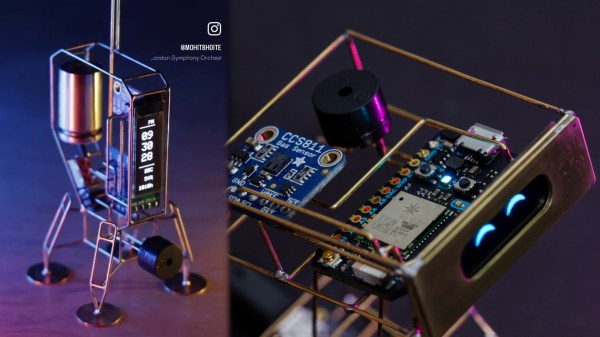
How Do You Prove An AI Didn’t Make Your Art?

In the world of digital art, distinguishing between AI-generated and human-made creations has become a significant challenge. Almost overnight, tool sets for generating AI artworks became commonly available to the public, and suddenly, every digital art competition had to contend with potential submissions. Some have welcomed AI, while others demand competitors create artworks by their own hand and no other.

The problem facing artists and judges alike is just how to determine whether an artwork was created by a human or an AI. So what can be done?

Continue reading “How Do You Prove An AI Didn’t Make Your Art?”

Walking Desk Is More Annoying Than A Standing Desk

We’re often told that sitting is bad for our backs, for our necks, and even our general health. The standing desk aims to solve this by keeping us in a more vertical position while we work. [Joel Creates] took this a step further by creating a walking desk that’s motorized and keeps him on the move.

[Joel’s] build started with a standing desk. He then pulled off the desk’s standard wheels, and replaced them with motors sourced from cheap second-hand hoverboards and a couple of casters. The hoverboard wheels and casters were upgraded with pneumatic tires for the sake of a smoother ride, and control is via a thumbstick mounted on a mouse. Power is via a large bank of lithium-polymer batteries which are responsible for running the motors and the computer hardware which [Joel] uses to work on the go. A solar panel canopy helps top off the batteries when he’s out and about.

As you might imagine, a guy walking around trails with an entire computer desk draws a lot of attention. It’s probably not the best way to be productive, but it’s a neat way to integrate exercise into your routine if you’re always working at a computer. Somehow we suspect these might not catch on. Video after the break.

Continue reading “Walking Desk Is More Annoying Than A Standing Desk”

A 555 Can Even Make Your Car Indicator More Visible

Modern cars often come with white marker lights or daytime running lights that are on all the time, as a supplement to the primary headlights. The problem is that in some vehicle designs, these additional lights tend to make it harder to see the indicators when they’re on. [nibbler] had this very problem, and decided to solve it with a special interrupter circuit that cuts the daytime running light when the indicator is on. Even better, they used a 555 to do it!

The circuit is a simple monostable 555 circuit with an active low output. It’s triggered by the indicator signal. When the indicator is on, the circuit drives a relay to switch off the power to the daytime running light. Two copies of the circuit were built, one for the left side, and one for the right side of the car. This means that when the orange indicator is lit, it’s not being overwhelmed by the white daytime running light next to it. In fact, many automakers now program this behavior into their lighting by default.

It’s a nifty hack with a real positive safety impact. We’ve featured some other neat indicator hacks of late, like these tidy sequential indicators. Meanwhile, if you’re hacking on your own automotive lighting solutions, don’t hesitate to let us know!

Build Your Own Nanoleaf-Like Hex Lights

Nanoleaf makes a variety of beautiful LED lighting products, with their hexagon tiles particularly popular with gamers and streamers alike. However, they do come at a significant cost, particularly if you want to put together a larger display. [Giovanni Aggiustatutto] decided to build his own version from scratch, with a nice wooden finish to boot.

The benefit of the wooden design is that the panels look nice both when they’re switched on, and when they’re switched off. [Giovanni] selected attractive okumè plywood for the build, which is affordable and has a lovely grain. The hexagons were then fitted on their back side with strips of WS2812B LEDs. The first hexagon is fitted with an ESP32 that runs the lights, with the other hexagons having their LEDs daisychained from there. 3D printed frames were then fitted to each hexagon to allow them to be connected together into a larger wall-hanging piece.

Ultimately, building your own wall lights lets you customize them to operate exactly as you want, and often lets you save a lot of money, too. We’ve featured other similar builds before, too. Video after the break.

Continue reading “Build Your Own Nanoleaf-Like Hex Lights”

A Yamaha DX7 On A USB Dongle

The Yamaha DX7 was released in 1983, with its FM synthesis engine completely revolutionizing the electronic music world at the time. It didn’t come cheap, and still doesn’t today, but we are blessed with emulators that can give us the same sound on a budget. In that vein, [Kevin] decided to whip up a Yamaha DX7 you can carry around in a little USB dongle. 

The build centers around the use of a Raspberry Pi Zero, Zero W, or Zero 2W configured to run the MiniDEXED DX7 emulator. The Pi is then set up with a dongle adapter board that allows it to run in USB Gadget mode. The Zero line of Raspberry Pis are perfect for this use, as they draw less current and so can, under the right conditions, run off a computer’s USB port. The Pi receives MIDI commands over the USB interface, and outputs sound via a Pimoroni Audio Shim. Effectively, the result is a single-channel DX7 synth that plugs in via USB; or eight channels if you use the more powerful Zero 2W.

[Kevin] readily admits that there probably isn’t much use for a DX7 dongle, given that you could just load a DX7 emulator in your DAW of choice instead. Regardless, it’s a fun build, and one that ably demonstrates the USB Gadget mode of operation for the Raspberry Pi. Video after the break. Continue reading “A Yamaha DX7 On A USB Dongle”

Analog Wall Calendar Keeps Track Of The Days For You

[ssh16] had seen some fancy wristwatches with retrograde hands. Wanting to do something similar of their own, they set about creating an analog wall calendar that displays the date and the day of the week.

The build uses a pair of stepper motors to control the hands, a simple choice for accurate and reliable motion control. A Microchip PIC18F24J50 serves as the brains of the operation, chosen for its built-in RTC module and the fact that it has plenty of IO for controlling stepper motors. The built-in RTC is programmed with calendar information for the next 100 years, so there is no need to adjust the clock for leap years on the regular. The top hand of the wall calendar is driven in an arc to show days of the month, from 1 to 31. The bottom hand similarly steps through the 7 days of the week. If you’re unfamiliar with the concept of retrograde hands, they’re simply hands that sweep in an arc instead of moving in a whole continuous circle.

Hackers do love a good clock build, even if this one doesn’t specifically tell the time itself. If you’ve whipped up your own nifty timepiece, know that we’d love to see its fine face on the tipsline!

Drone Motion Capture, The Open Source Way

If you want to do some really advanced flying with drones, you typically need to be able to track them in space. [Joshua Bird] has whipped up a drone tracking system that can do the job for as little as $20 with millimeter-scale precision.

The system uses four PS3 Eye cameras which can be had second-hand at a cost of just $5 each. They’re modified by removing their IR cut filter, and putting in an IR-passing filter in the form of a cut-up slice of floppy disk. The system tracks the drones via their infrared indicators and the known locations of the four cameras themselves, which the system is capable of mapping out automatically. By using four cameras, the system is robust in the event the view of a camera is occluded. The system can track multiple drones at the same time, with [Joshua] demonstrating it working with two drones each carrying three infrared markers. He has the system set up to send positional updates to ESP32 microcontrollers on the drones themselves, which command the drones to hold them in set positions.

Code is available on GitHub for the curious. We’ve seen other similar work before, too.

Continue reading “Drone Motion Capture, The Open Source Way”