Reverse-Engineering Mystery TV Equipment: The Micro-Scan

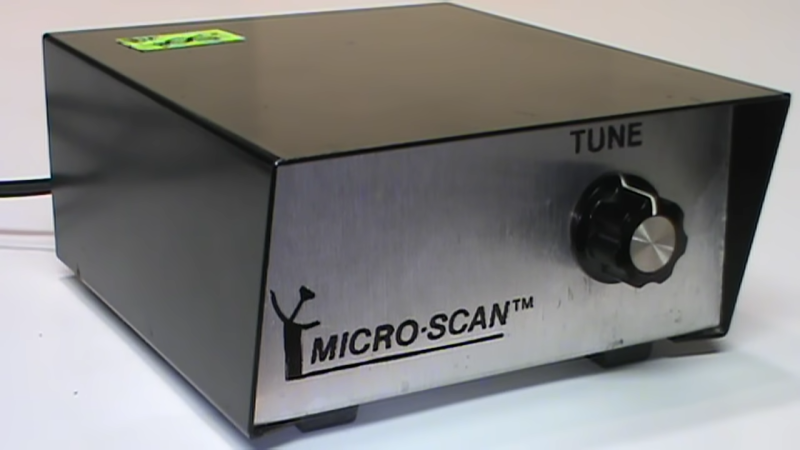
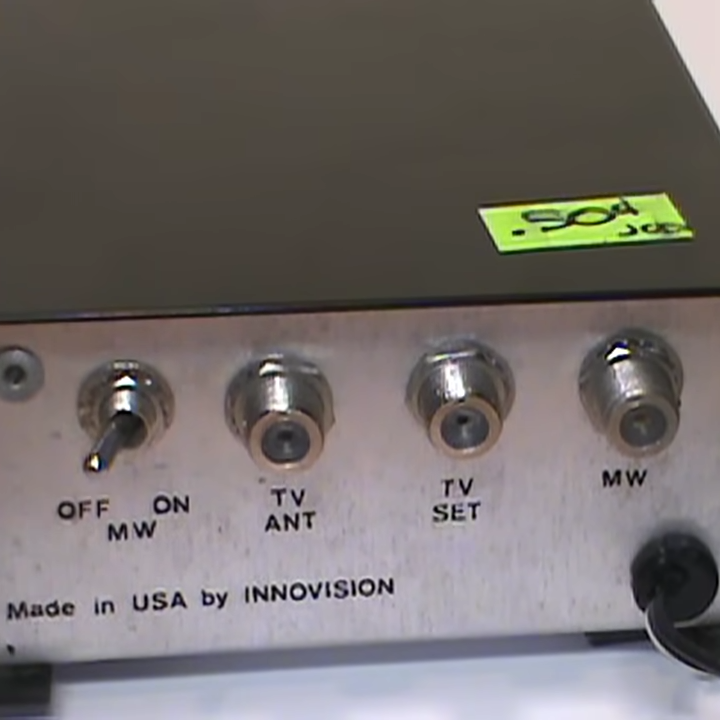
[VWestlife] ended up with an obscure piece of 80s satellite TV technology, shown above. The Micro-Scan is a fairly plan metal box with a single “Tune” knob on the front. At the back is a power switch and connectors for TV Antenna, TV Set, and “MW” (probably meaning microwave). There’s no other data. What was this, and what was it for?
Satellite TV worked by having a dish receive microwave signals, but televisions could not use those signals directly. A downconverter was needed to turn the signal into something an indoor receiver box (to which the television was attached) could use, allowing the user to select a channel to feed into the TV.

At first, [VWestlife] suspected the Micro-Scan was a form of simple downconverter, but that turned out to not be the case. Testing showed that the box didn’t modify signals at all. Opening it up revealed the Micro-Scan acts as a combination switchbox and variable power supply, sending a regulated 12-16 V (depending on knob position) out the “MW” connector.

So what is it for, and what does that “Tune” knob do? When powered off, the Micro-Scan connected the TV (plugged into the “TV Set” connector) to its normal external antenna (connected to “TV Antenna”) and the TV worked like a normal television. When powered on, the TV would instead be connected to the “MW” connector, probably to a remote downconverter. In addition, the Micro-Scan supplied a voltage (the 12-16 V) on that connector, which was probably a control voltage responsible for tuning the downconverter. The resulting signal was passed unmodified to the TV.

It can be a challenge to investigate vintage equipment modern TV no longer needs, especially hardware that doesn’t fit the usual way things were done, and lacks documentation. If you’d like to see a walkthrough and some hands-on with the Micro-Scan, check out the video (embedded bel0w).

Continue reading “Reverse-Engineering Mystery TV Equipment: The Micro-Scan”
Checking Out A TV Pattern Generator From 1981

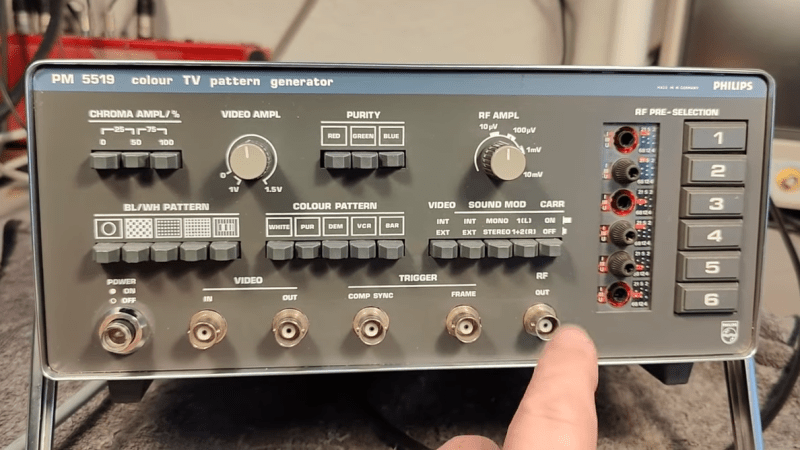
The picture on a TV set used to be the combined product of multiple analog systems, and since TVs had no internal diagnostics, the only way to know things were adjusted properly was to see for yourself. While many people were more or less satisfied if their TV picture was reasonably recognizable and clear, meaningful diagnostic work or calibration required specialized tools. [Thomas Scherrer] provides a close look at one such tool, the Philips PM 5519 GX Color TV Pattern Generator from 1981.

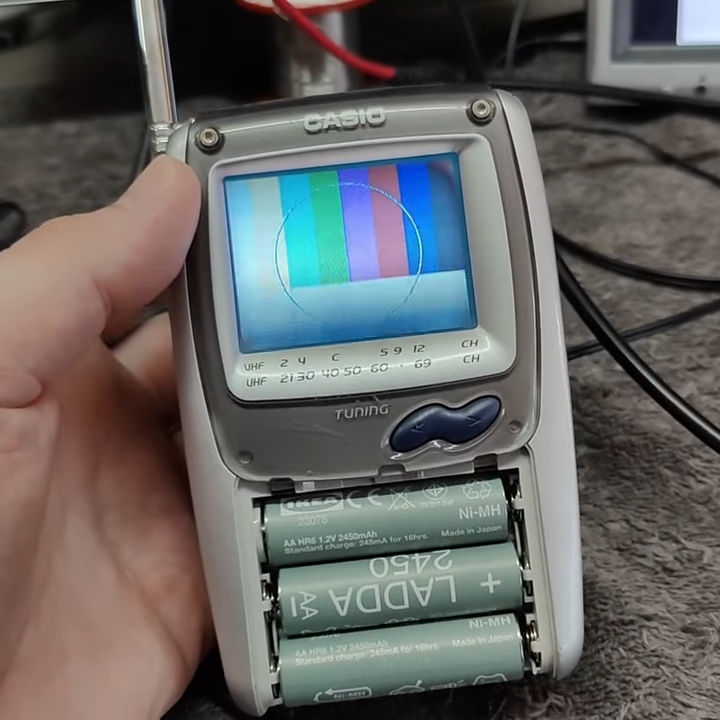
This Casio handheld TV even picked up the test pattern once the cable was disconnected, the pattern generator acting like a miniature TV station.

The Philips PM 5519 was a serious piece of professional equipment for its time, and [Thomas] walks through how the unit works and even opens it up for a peek inside, before hooking it up to both an oscilloscope and a TV in order to demonstrate the different functions.

Tools like this were important because they could provide known-good test patterns that were useful not just for troubleshooting and repair, but also for tasks like fine-tuning TV settings, or verifying the quality of broadcast signals. Because TVs were complex analog systems, these different test patterns would help troubleshoot and isolate problems by revealing what a TV did (and didn’t) have trouble reproducing.

As mentioned, televisions at the time had no self-diagnostics nor any means of producing test patterns of their own, so a way to produce known-good reference patterns was deeply important.

TV stations used to broadcast test patterns after the day’s programming was at an end, and some dedicated folks have even reproduced the hardware that generated these patterns from scratch.

Continue reading “Checking Out A TV Pattern Generator From 1981”

Tearing Down A Mysteriously Cheap $5 Fiber Optic To Cable TV Adapter

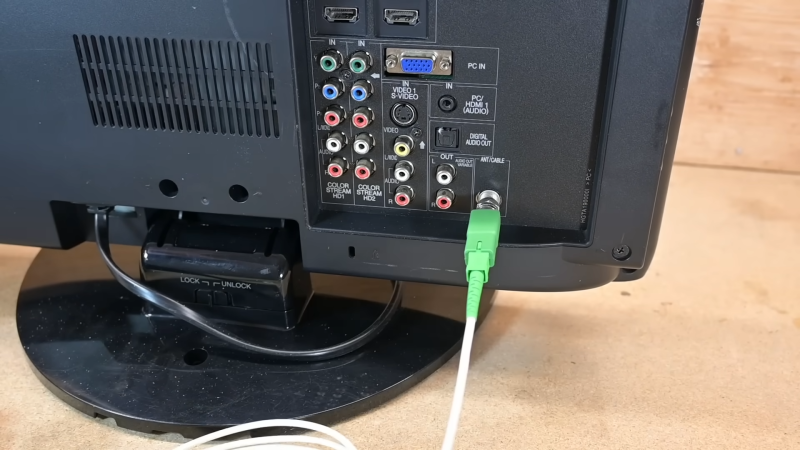
In his regular browsing on AliExpress, [Ben Jeffrey] came across something he didn’t understand—a $5 fiber optic to RF cable TV adapter. It was excessively cheap, and even more mysteriously, this thing didn’t even need power. He had to know how it worked, so he bought one and got down to tinkering with it.

Inside the device in question.

[Ben] needed some hardware to test the device with, so he spent $77 on a RF-to-fiber converter and a cheap composite-to-RF modulator so he could test the $5 fiber-to-RF part. A grand expenditure to explore a $5 device, but a necessary sacrifice for the investigation. Once [Ben] hooked up a fiber optic signal to the converter, he was amazed to see it doing its job properly. It was converting the incoming video stream to RF, and it could readily be tuned in on a TV, where the video appeared clean and true.

It was disassembly that showed how simple these devices really are. Because they’re one-way converters, they simply need to convert a changing light signal into an RF signal. Inside the adapter is a photodiode which picks up the incoming light, and with the aid of a few passives, the current it generates from that light becomes the RF signal fed into the TV. There’s no need for a separate power source—the photodiode effectively works like a solar panel, getting the power from the incoming light itself. The part is ultimately cheap for one reason—there just isn’t that much to it!

It’s a neat look at something you might suspect is complex, but is actually very simple. We’ve explored other weird TV tech before, too, like the way Rediffusion used telephone lines to deliver video content. Video after the break.

Simulating Cable TV

[Wrongdog Recons] suffers from a severe case of nostalgia. His earlier project simulated broadcast TV, and he was a little surprised at how popular the project was on GitHub. As people requested features, he realized that he could create a simulated cable box and emulate a 1990s-era cable TV system. Of course, you also needed a physical box, which turned into another project. You can see more about the project in the video below.

Inside is, unsurprisingly, a Raspberry Pi. Then you have to pretend to be a cable TV scheduler and organize your different video files for channels. You can interleave commercials and station breaks.

One addition was a scheduler so you could set up things like football games only play during football season. You can also control timing so you don’t get beer commercials during Saturday morning cartoons.

Continue reading “Simulating Cable TV”

GPS Broken? Try TV!

GPS and similar satellite navigation systems revolutionized how you keep track of where you are and what time it is. However, it isn’t without its problems. For one, it generally doesn’t work very well indoors or in certain geographic or weather scenarios. It can be spoofed. Presumably, a real or virtual attack could take the whole system down.

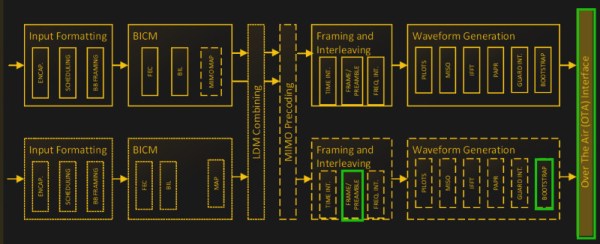
Addressing these problems is a new system called Broadcast Positioning System (BPS). It uses upgraded ATSC 3.0 digital TV transmitters to send exact time information from commercial broadcast stations. With one signal, you can tell what time it is within 100 ns 95% of the time. If you can hear four towers, you can not only tell the time, but also estimate your position within about 100 m.

The whole thing is new — we’ve read that there are only six transmitters currently sending such data. However, you can get a good overview from these slides from the National Association of Broadcasters. They point out that the system works well indoors and can work with GPS, help detect if GPS is wrong, and stand in for GPS if it were to go down suddenly.

Continue reading “GPS Broken? Try TV!”

A TV With Contrast You Haven’t Seen For Years

It’s something of a surprise, should you own a CRT TV to go with your retrocomputers, when you use it to view a film or a TV show. The resolution may be old-fashioned, but the colors jump out at you, in a way you’d forgotten CRTs could do. You’re seeing black levels that LCD screens can’t match, and which you’ll only find comparable on a modern OLED TVs. Can an LCD screen achieve decent black levels? [DIY Perks] is here with a modified screen that does just that.

LCD screens work by placing a set of electronic polarizing filters in front of a bright light. Bright pixels let through the light, while black pixels, well, they do their best, but a bit of light gets through. As a result, they have washed-out blacks, and their images aren’t as crisp and high contrast as they should be. More modern LCDs use an array of LEDs as the backlight which they illuminate as a low resolution version of the image, an approach which improves matters but leaves a “halo” round bright spots.

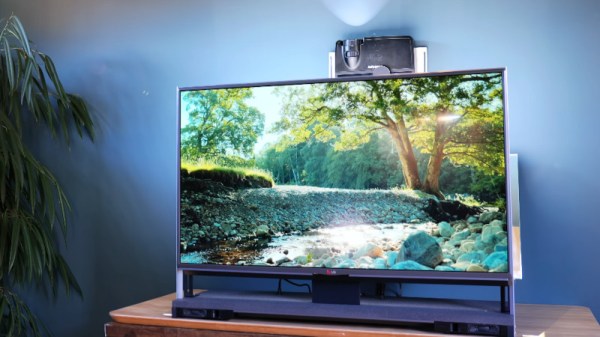
The TV in the video below the break is an older LCD set, from which he removes the backlight and places the electronics in a stand. He can show an image on it by placing a lamp behind it, but he does something much cleverer. An old DLP projector with its color wheel removed projects a high-res luminance map onto the back of the screen, resulting in the coveted high contrast image. The final result uses a somewhat unwieldy mirror arrangement to shorten the distance for the projector, but we love this hack. It’s not the first backlight hack we’ve seen, but perhaps it give the best result.

Continue reading “A TV With Contrast You Haven’t Seen For Years”

Pi Pico Makes SSTV Reception A Snap

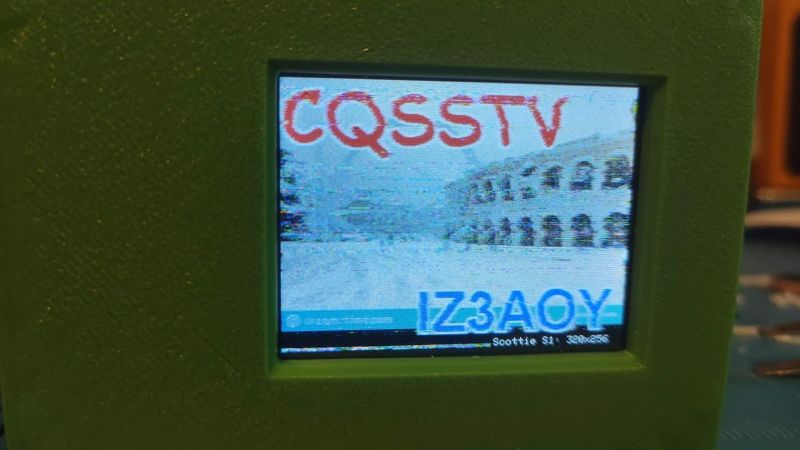
There’s a paradox in amateur radio: after all the time and effort spent getting a license and all the expense of getting some gear together, some new hams suddenly find that they don’t have a lot to talk about when they get in front of the mic. While that can be awkward, it’s not a deal-breaker by any means, especially when this Pi Pico SSTV decoder makes it cheap and easy to get into slow-scan television.

There’s not much to [Jon Dawson]’s SSTV decoder. Audio from a single-sideband receiver goes through a biasing network and into the Pico’s A/D input. The decoder can handle both Martin and Scottie SSTV protocols, with results displayed on a TFT LCD screen. The magic is in the software, of course, and [Jon] provides a good explanation of the algorithms he used, as well as some of the challenges he faced, such as reliably detecting which protocol is being used. He also implemented correction for “slant,” which occurs when the transmitter sample rate drifts relative to the receiver. Fixing that requires measuring the time it took to transmit each line and adjusting the timing of the decoder to match. The results are dramatic, and it clears up one of the main sources of SSTV artifacts.

We think this is a great build, and simple enough that anyone can try it. The best part is that since it’s receive-only, it doesn’t require a license, although [Jon] says he’s working on an encoder and transmitter too. We’re looking forward to that, but in the meantime, you might just be able to use this to capture some space memes.

Continue reading “Pi Pico Makes SSTV Reception A Snap”