Hackaday Links: August 1, 2010

PCB Group Orders

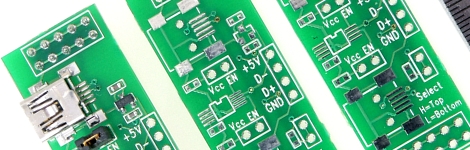
[Phil] wrote in to let us know about the DorkbotPDX group orders. The site makes group PCB orders until a cutoff date or the panel is full. You get three copies of your design with no setup fee for just $5/square inch including domestic postage. Not a bad price. We aren’t affiliated with them, but we’re always looking for board production options for hobbyists. BatchPCB is another popular one, and if you need help getting your design ready we’ve got your covered.

Aspire One MAME cabinet
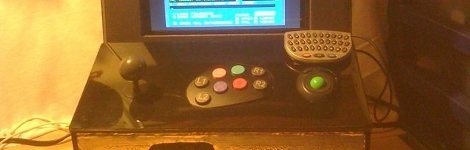
[Tim] built a MAME cabinet using foam board and some USB peripherals. Inside you’ll find an Acer Aspire One netbook. This build is quick, cheap, and if you get tired of it you won’t feel you’re stuck with it in the way owners of other MAME cabinet builds might.

Embedded Cake
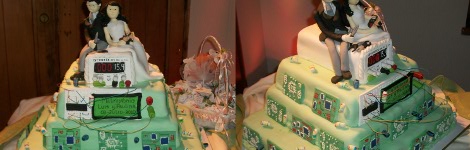
If you are an embedded programmer who happens to be marrying another embedded programmer take note. This wedding cake is perfect for you; decorated with character LCD screens, solderless breadboards, and development boards along with the wires that connect them all together. [Francirius], a read from Chile, says this cake was the handy work of [Paulina Verdejo].
Multi-purpose Welding Cart

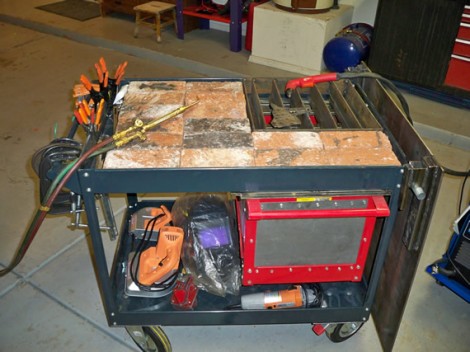
[Todd Harrison] put together a welding cart that has all kinds of tricks built-in. The carcass is a cheap rolling cart that has been reinforced with steel plate and beefier wheels. The top tray can be loaded up with fire brick for oxygen-acetylene welding or with a grate for cutting. That grate lets the slag fall through and into the red-rimmed fire-box below. Finally, there’s a steel plate to the right of the cart that rotates and slides over the top of the unit to prepare it for MIG welding. Todd walks us through his versatile invention in the video after the break. This will nicely augment your other welding hacks.

Continue reading “Multi-purpose Welding Cart”

Save A Baby, Nursery Temperature Monitor

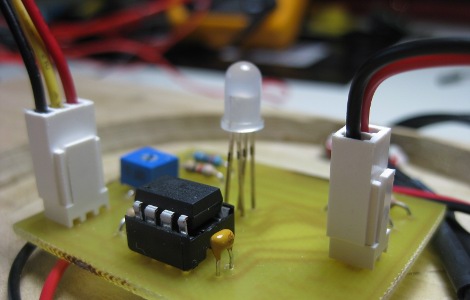
Yes, you could argue this Nursery Room Temperature Monitor is simply an LED and an Arduino with a temperature sensor, but [Jay] really did put more thought into the process. For instance he stuck with AVR, built a wooden base and sanded globe, and even included schematics and source code. Plus, SIDS is no laughing matter and the more you know, the more it can be prevented. Back on point, one thing we would add is PWM for a more gradual change in color. What would you add?

Continue reading “Save A Baby, Nursery Temperature Monitor”

XT IDE Controller

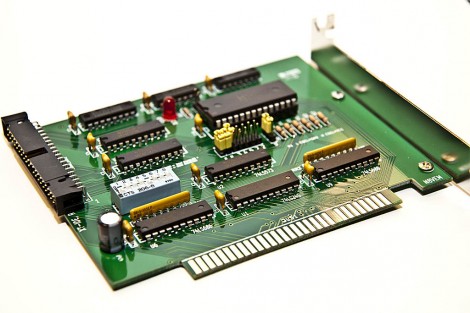
[Geordy] wanted to use some IDE devices but he didn’t have an interface card for his XT system, which can’t handle 16-bit  IDE. He looked around for 8-bit ISA controllers but they were hard to find and quite expensive. Lucky for him there’s an open source project that makes a solution to this problem. The XTIDE project brought together a group of vintage computing enthusiasts to design this ISA card. [Geordy] was even able to order a professional PCB from one of the forum members. He ordered the parts an soldered it together, costing about $30 total. He had a friend help him burn the code to the EEPROM but that’s easy enough to do with an Arduino, Bus Pirate, or one of several other methods. Now his grand plans at installing DOS 6.22 have been realized.

DefCon 18 Official Badges

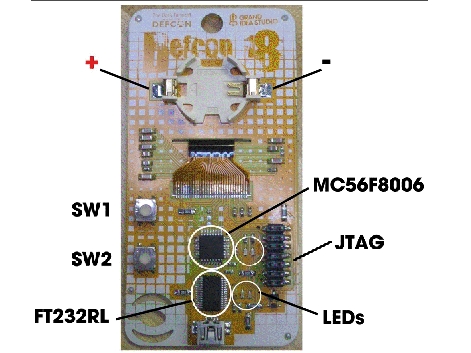
The details are out for the DefCon 18 badges. The new design has a lot of goodies packed into it, most notably a 128×32 LCD display. You can’t see it in the image above because it’s on the other side of the badge; the ribbon cable passes through a slit in the substrate to reach the connector on the back. The board has a mini-USB connector and is meant to get even the unseasoned novice up and running with some firmware tweaks. The Freescale processor (which is the same chip as last year’s badge) is running a bootloader that can be accessed and flashed using a terminal program. Yeah… impressive.

But it doesn’t stop with the component selection or firmware mastery, these badges are beautiful too. What you see above is the prototype, but the 7780 badges produced come in seven different flavors (as usual), laser etched on a PCB that uses Aluminum as the substrate. Line up all the badges side-to-side and you get a graphic art storyboard. [Joe] outdid himself this year, and he’s been nice enough to share the development details (PDF) which we spent way too much time drooling over.

[Thanks Kim]

Scoreboard From Scratch

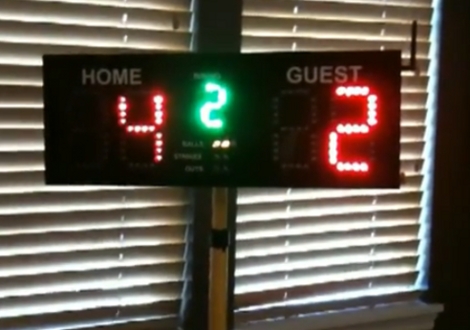
[Kenneth] built this scoreboard for use at a ballpark that lacks such luxuries. We think this a phenomenal application for his skill and his pocketbook. He laid out PCBs for each digit in Eagle and etched them himself, then installed the indicators for home score, visitor score, inning, balls, strikes, and outs in a laser cut case. A pretty beefy battery along with the folding stand make this quite portable.

In the demo video after the break he’s connected to the scoreboard via telnet to update the score. This trick is accomplished using SparkFun’s WiFly GSX breakout board to set up an adhoc wireless network. The goal is to write an iPhone app that will be used to control the board in the field (or the outfield as it were).

This could definitely be used for different types of scoring during the off season.

Continue reading “Scoreboard From Scratch”

Building A Better Water Rocket Launchpad

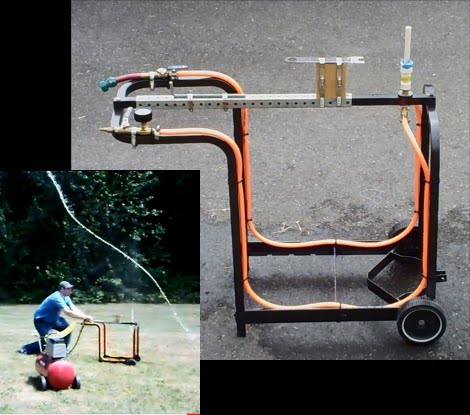
School will be starting again in a few weeks but it’s not too late to enjoy a little time with your kids. This water rocket launcher lets you do just that. Built using the frame from an old grill, a soda bottle takes its place on the upturned PVC pipe. There’s a connection for your garden hose that allows you to inject water into the bottle. From there, a compressor connection pressurizes the bottle in preparation for launch. Watch it happen in the video after the break. That bottle could use some fins and a nose cone but there’s no denying the delight the kids are enjoying when they chase after the downed craft.

If you’ve already got a compressor and some empty 2-liter bottles you might also pick up some extra PVC to make this pressurized water cannon.