3D Printed GoPro Toy Car Mount

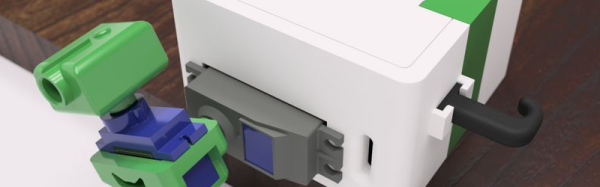
There’s been a spate of YouTube videos of people strapping GoPro cameras onto things recently. [Ruiz] at [Adafruit] is looking to contribute to this trend with this tutorial on 3D printing a GoPro Session toy car mount. The entire toy car mount is 3D printed, except for the axles, which are made of the unprinted filament with melted ends to hold the wheels in place.

The part of the mount that fits around the camera is printed in a flexible filament (think Ninjaflex), so it holds on tightly to the GoPro and can be used as a bumper as well. The car that fits into the base of the camera sleeve is designed to run on Hot Wheels track so that you can lay out your shots and keep the subject in frame. It’s a neat design that could be useful for creating an interesting point of view in a video.

If you have hotwheel, a GoPro (or other tiny camera), and 3D printer this is the project that will get you through the holiday without the kids driving you crazy. Good luck dear hackers.

Continue reading “3D Printed GoPro Toy Car Mount”

Open Source Pancakes

It is definitely a first world problem: What do you do when creating a custom pancake requires you to put a design on an SD card and plug it into your pancake printer? This is what was nagging at [drtorq]. Granted, since he works for a publication called “The Stack” maybe a pancake printer isn’t so surprising. [drtorq] built the custom PancakeBOT software on Linux as a start to his hacking on the flapjack creating robot.

[drtorq] promises more hacking on the printer in the future, so this is just step one. We expect the mods will be a lot like a typical 3D printer, except the heated bed is absolutely necessary on this model. The printer is more like a CNC engraver than a 3D printer since it is basically an XY carriage with a nozzle that flows batter instead of polymer.

Continue reading “Open Source Pancakes”

3D Printering: Smartphone Resin Printers Actually Work

Last spring, the world saw something amazing. It was a device that would revolutionize the planet, save the world, and turn your smartphone into a 3D printer. Kickstarters aren’t known for selling themselves short. I speak, of course, of the OLO 3D printer, later renamed the ONO 3D printer, ostensibly because of a trademark dispute.

While filament-based 3D printers are extremely capable and slicing software is only getting better, resin-based printers are able to produce prints of nearly unparalleled quality. If you want high-resolution objects and fine detail, a resin printer is the way to go. These resin printers, however, are a bit more expensive than your traditional filament printers. A few hundred dollars will buy you a serviceable i3 clone, and less than a thousand will get you a real Prusa capable of printing in four colors. The premier desktop resin printer, the Form 2 from Form Labs, starts at $3500 USD.
Continue reading “3D Printering: Smartphone Resin Printers Actually Work”

Direct To Object 3D Printing

As the patents for fused-filament 3D printers began to expire back in 2013, hackers and makers across the globe started making 3D objects in their garages, workshops and hackerspaces. Entire industries and businesses have sprung up from the desktop 3D printing revolution, and ushered in a new era for the do-it-yourself community. Over the past couple of years, hackers have been pushing the limits of the technology by working with ever more exotic filament materials and exploring novel and innovative ways to make multi-colored 3D prints. One of the areas lagging behind the revolution, however, is finishing the 3D print into a final product. We’d be willing to bet a four meter reel of 5 V three-and-a-half amp NeoPixels that there are just as many artists and craftsman using 3D printers as there are traditional hackers and makers. These brave souls are currently forced to use the caveman technique of paint-and-brush in order to apply color to their print. We at Hackaday hereby declare this unacceptable.

Continue reading “Direct To Object 3D Printing”

New Part Day: Smoothie For RAMPS

When it comes to 3D printer controllers, there are two main schools of thought. The first group is RAMPS or RAMBo which are respectively a 3D printer controller ‘shield’ for the Arduino Mega and a stand-alone controller board. These boards have been the standard for DIY 3D printers for a very long time, and are the brains for quite a few printers from the biggest manufacturers. The other school of thought trundles down the path of ARM, with the most popular boards running the Smoothie firmware. There are advantages to running a printer with an ARM microcontroller, and the SmoothieBoard is fantastic.

Re-ARM for RAMPS — a Kickstarter that went live this week — is the middle ground between these two schools of thought. It’s a motherboard for RAMPS, but brings the power of a 32-bit LPC1768 ARM processor for all that smooth acceleration, fine control, and expansion abilities the SmoothieBoard brings.

Continue reading “New Part Day: Smoothie For RAMPS”

3D Printing Permanent Magnets

Researchers at TU Wien wanted to create magnets with exactly the right magnetic field for a particular application. Their solution? 3D printing of magnets. Previously, it has been difficult to produce permanent magnets with a specific shape of the magnetic field. The resulting magnets will be a boon to magnetic sensor construction.

Previously, after designing a magnet with a specific shape and magnetic field, a researcher would have to create tooling for injection molding. This is expensive and time-consuming and often not worth it for small quantities of magnets.

Continue reading “3D Printing Permanent Magnets”

Pi Zero Transforms To Game Boy

[GreatScott] bought a Game Boy case. Normally, you’d assume you wanted this to repair a damaged Game Boy, but in this case [GreatScott] used a Pi Zero and some 3D printing to build a game system into the tiny box. You can see some videos, below.

Two interesting parts of the project are the source of the LCD display (a rearview camera screen) and the selection of batteries. Lithium ion batteries are all the rage. But if you watch the news, you know there are some safety issues with using the batteries, especially if you use them improperly. [GreatScott] decided to go with nickel metal hydride cells which still need a protection circuit, but are typically less of a danger than the newer technology cells.

Continue reading “Pi Zero Transforms To Game Boy”