32C3: 20 Oscillators In 20 Minutes

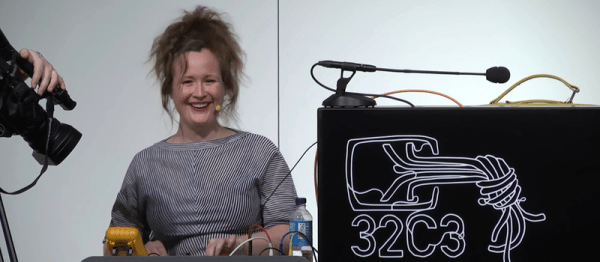
In terms of implausible stand-up comedy, [Darsha]’s “20 Oscillators in 20 Minutes” is pretty far out there. First of all, she’s sitting down, with googly eyes on her multimeter, and five breadboards and a mess of 9V batteries laid out in front of her. “Has anybody built electronics before? Has anybody built electronics in front of this many people before? Yeah, so you’d better f**king be nice.” And she’s off!
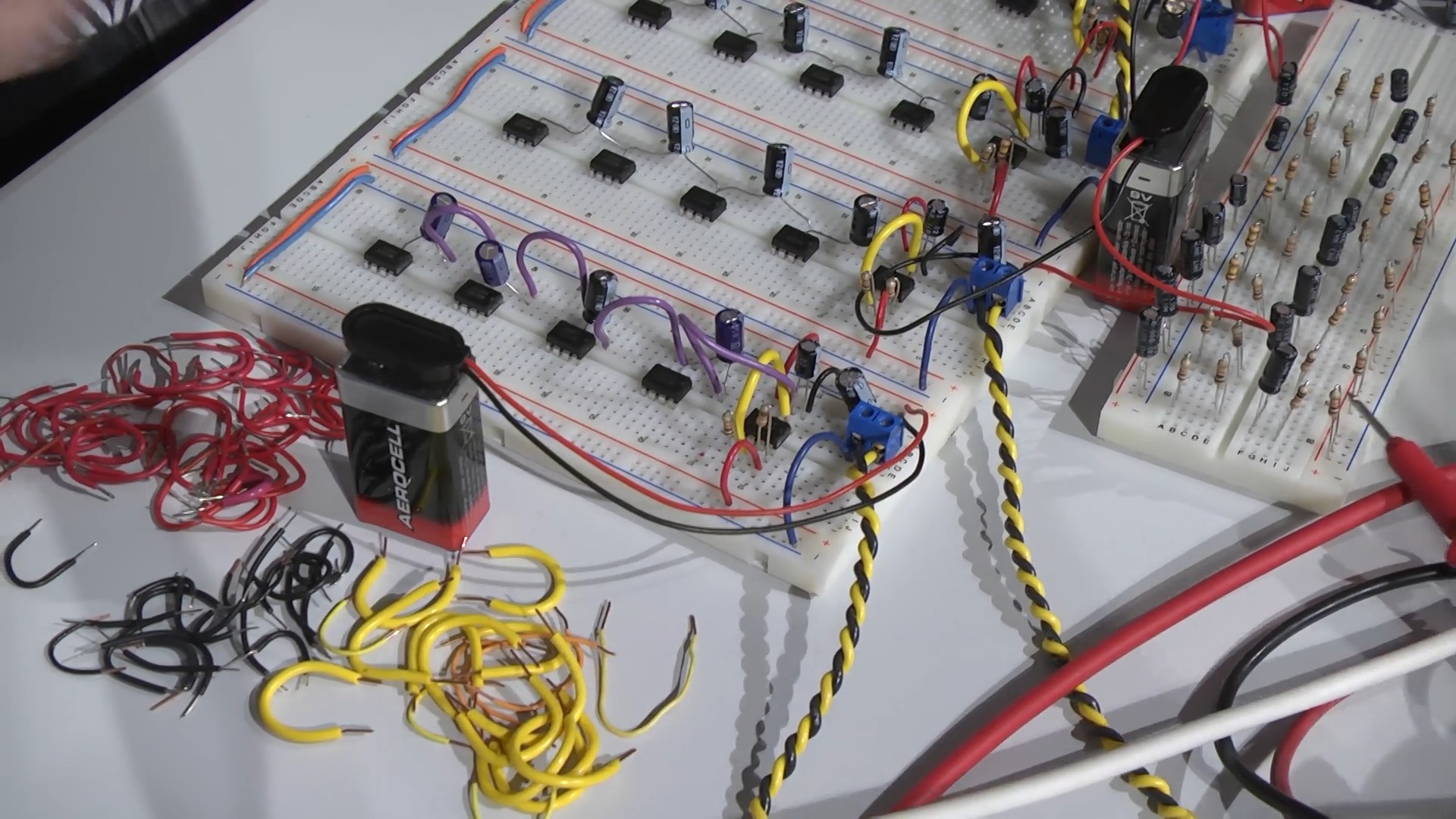
twenty_oscillators-shot0012“Square waves are really good for your speakers.” And a few seconds later, a lub-dub beat-frequency oscillator filled the hall. And then there’s the stand-up clichés: “Anyone in the audience from Norway?!” And “Anyone know what chip I’m using here?” (The 555.) A heckler, or participant, shouts up “What are you doing?” She responds “Building this!” and shows a sketch of the basic layout.

She baits the audience — “Do you want to ask me about duty cycles?” — and tells stories: “And then one time the solder fell in my lap and burned through my crappy jeggings. Who knows what jeggings are? Whooo!!” All the while the clicking gets louder and more complicated.

Then there’s the suspense. “11 minutes left? Shit, I dunno if I’m going to make it this time!” She’s visibly panicked. A question: “How do you protect the outputs from overvoltage?” “I don’t. (pause, laughter) I use some filter caps and just, well, hope that you guys have good insurance.”

Nearing the home stretch, there’s this quasi-rhythmic ticking and pulsing slowly building up in the background. She plugs in another capacitor, and the crowd spontaneously applauds. A little bit later, she shouts “Is it loud enough?” over the din and turns it down. At the end, the timing’s getting really tight, and she calls up someone to help from the audience.

We won’t spoil it, naturally. You’ll just have to watch it run to the end. We laughed, we cried. It was better than Schroedinger’s cats.

(We’d use hex inverters.)

32C3: 3D Printing On The Moon

How do you resist this talk title? You can’t! [Karsten Becker]’s talk about what kinds of 3D printers you’d use on the moon is a must-see.

[Part-Time Scientists] was a group of 35 people working on a mission to the moon. Then they won the qualifying round in the Google Lunar XPRIZE, got a bunch of money, and partnered with some heavy corporate sponsors, among which is Audi. Now they’ve added eleven full-time employees and updated the name to [PT Scientists]. (They’re taking applications if you’re interested in helping out!)

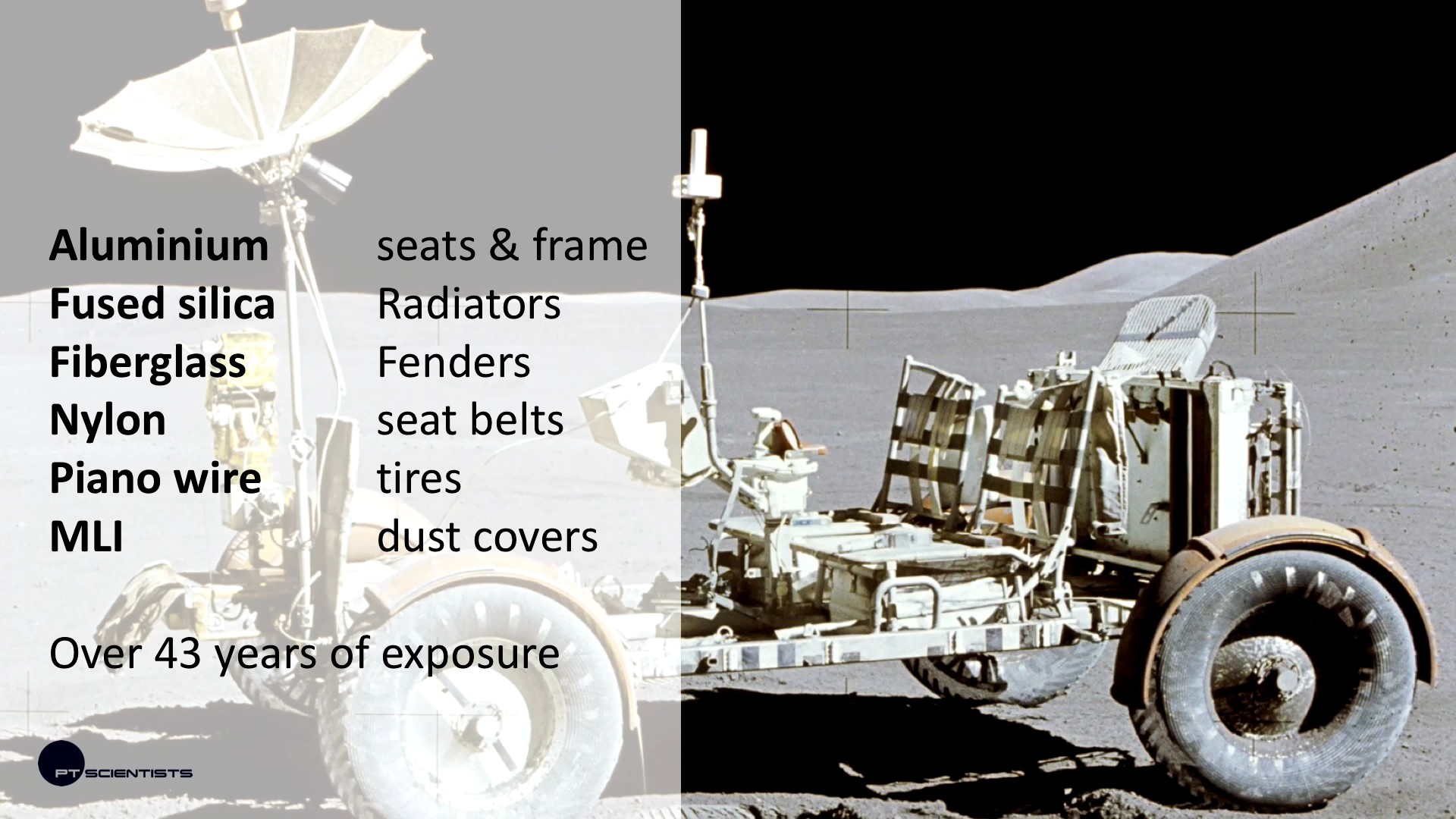
3d_printing_on_moon-shot0026A really neat part of their planned mission is to land near the Apollo 17 landing site, which will let them check up on the old lunar rover that NASA left up there last time. The science here is that, 45 years on, they hope to learn how all of the various materials that make up the rover have held up over time.

But the main attraction of their mission is experimental 3D printing using in-situ materials. As [Karsten] says, “3D printing is hard…but we want to do it on the moon anyway.”

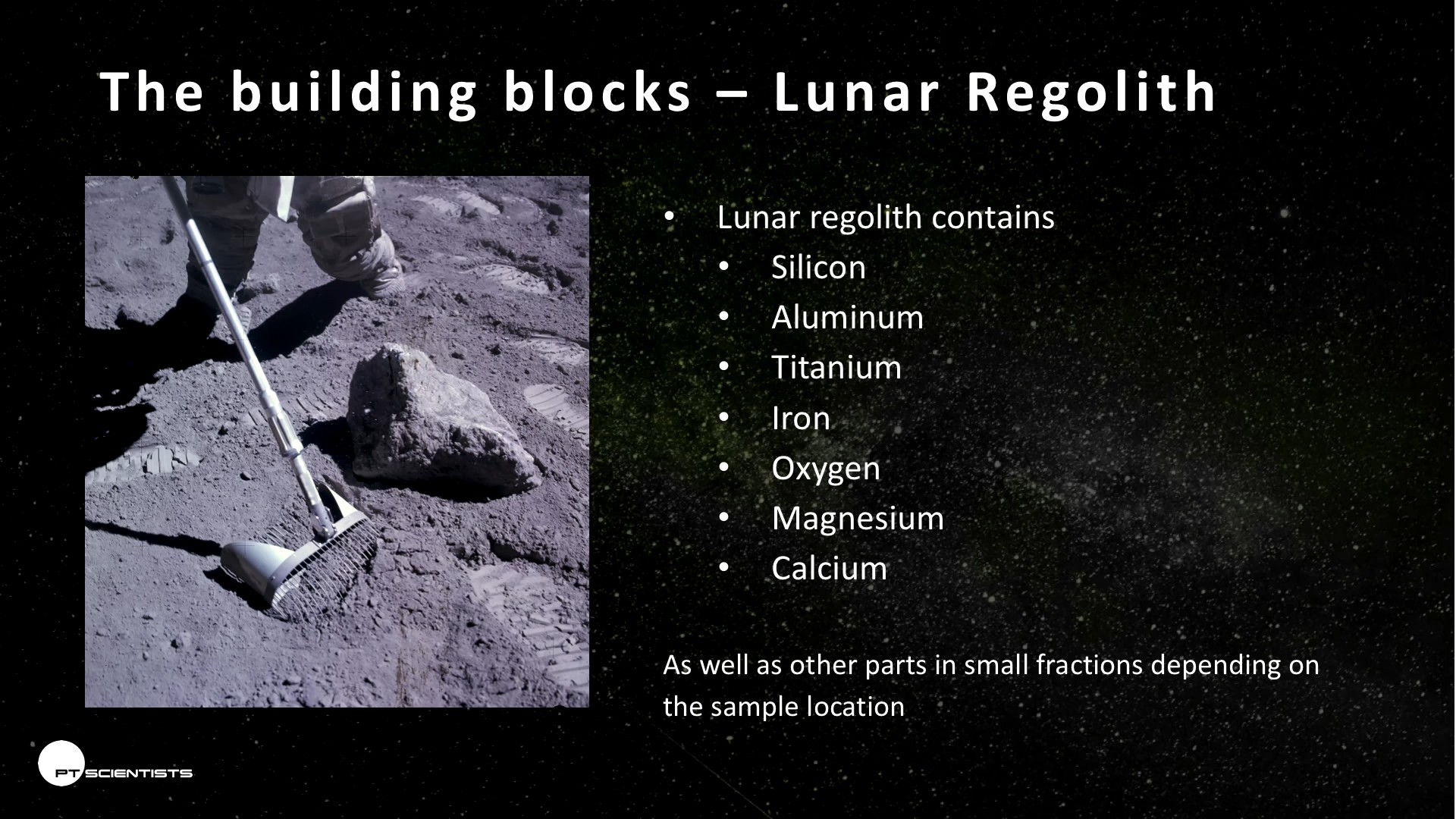
3d_printing_on_moon-shot0027One idea is to essentially microwave the lunar regolith (and melt it) . This should work because there’s a decent iron component in the regolith, so if they can heat it up it should fuse. The catch with microwaving is directivity — it’s hard to make fine details. On the plus side, it should be easy to make structures similar to paved roads out of melted regolith. Microwave parts are robust and should hold up to launch, and microwaving is relatively energy efficient, so that’s what they’re going to go for.

But there are other alternatives. The European Space Agency is planning to bring some epoxy-like binder along, and glue regolith together in layers like a terrestrial cement printer. The problem is, of course, schlepping all of the binder to the moon in the first place.

And then there are lasers. [Karsten] talked lasers down a little bit, because they’re not very energy efficient and the optics are fidgety — not something you’d like to be supporting remotely from earth.

The final option that [Karsten] mentioned was the possibility of using locally-generated thermite to fuse regolith. This has been tested out on earth, and should work. [Karsten] thought it was an interesting option, but balls of hot thermite are potentially tough on rovers, and the cost of mistakes are so high that they’re going to put that off for a future mission.

In the end, the presentation ran only thirty minutes long, so there’s a great Q&A session after that. Don’t go home once you hear the audience clapping!

32C3: My Robot Will Crush You With Its Soft Delicate Hands!

In his talk at 32C3 [Matthew Borgatti] talked both about his company’s work with NASA toward developing robotic spacesuits and helping people with Cerebral Palsy better control their limbs. What do these two domains have in common? “One-size fits all pneumatic exoskeletons.”

[Matthew] makes a tremendously compelling case for doing something new and difficult in robotics — making robotic systems out of squishy, compliant materials. If you think about it, most robots are hard: made of metal and actuated by motors and gears, cables, or (non-compressible) pneumatic fluid. If you want to build suits that play well with soft and squishy people, they’ll need at least a layer of softness somewhere.

But [Matthew]’s approach is to make everything soft. In the talk, he mentions a few biological systems (octopus arms and goat’s feet) that work exactly because they’re soft. Why soft? Because soft spreads force around automatically and accommodates uneven terrain. And this makes it easier on the people who wear robotic suits and on the designers of the robots who don’t need to worry about the fine detail of the ground they’re walking on.

The talk ended up being very short, but there’s a fantastic Q&A at the end. It’s a must-see. And if you can’t get enough of [Matthew] or squishy robots, we’ve covered his robots before and he even had an entry in the Hackaday Prize.

32C3: Running Linux On The PS4

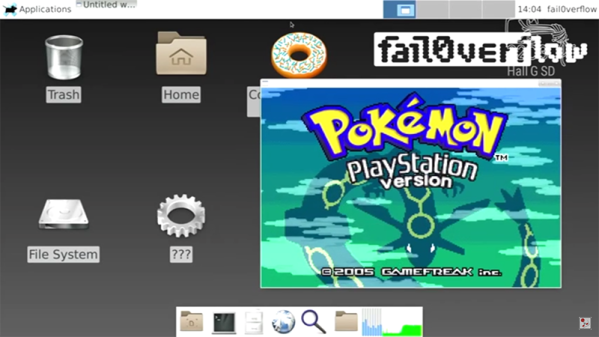
At the 2010 Chaos Communication Congress, fail0verflow (that’s a zero, not the letter O) demonstrated their jailbreak of the PS3. At the 2013 CCC, fail0verflow demonstrated console hacking on the Wii U. In the last two years, this has led to an active homebrew scene on the Wii U, and the world is a better place. A few weeks ago, fail0verflow teased something concerning the Playstation 4. While this year’s announcement is just a demonstration of running Linux on the PS4, fail0verflow can again claim their title as the best console hackers on the planet.

Despite being able to run Linux, there are still a few things the PS4 can’t do yet. The current hack does not have 3D acceleration enabled; you won’t be playing video games under Linux with a PS4 any time soon. USB doesn’t work yet, and that means the HDD on the PS4 doesn’t work either. That said, everything to turn the PS4 into a basic computer running Linux – serial port, framebuffer, HDMI encoder, Ethernet, WiFi, Bluetooth, and the PS4 blinkenlights – is working.

Although the five-minute lightning talk didn’t go into much detail, there is enough information on their slides to show what a monumental task this was. fail0verflow changed 7443 lines in the kernel, and discovered the engineers responsible for the southbridge in the PS4 were ‘smoking some real good stuff’.

This is only fail0verflow’s announcement that Linux on the PS4 works, and the patches and bootstrap code are ‘coming soon’. Once this information is released, you’ll need to ‘Bring Your Own Exploit™’ to actually install Linux.

Video of the demo below.

Continue reading “32C3: Running Linux On The PS4”

32C3: Inside Glorious Leader’s Operating System

North Korea is a surveillance state propped up by a totalitarian government infamous for human rights abuses and a huge military that serves the elite while the poor are left to fight over scraps. Coincidently, that’s exactly what North Korea says about the United States.

There is one significant difference between the two countries: North Korea has developed its own operating system for its citizens, called Red Star OS. It’s an operating system based on Linux, but that has a few interesting features that allow Glorious Leader to take care of his citizens. A deep teardown of what has gone into the development of Red Star OS hasn’t been available until now, with [Florian Grunow] and [Niklaus Schiess]’s talk at the Chaos Communication Congress this week.

Kim Jong-Un with an iMac

The first question anyone must ask when confronted with an operating system built by a country that doesn’t have much electricity is, “why?” This question can only be answered philosophically; the late Kim Jong-Il stressed the importance of North Korea developing “their own style” of programming, and not relying on western operating systems. Nearly everything in Red Star has been modified, with a custom browser called Naenara, a crypto tool, a clone of Open Office, a software manager, and a custom music composition tool. Red Star also had to have the look and feel of OS X; that is, after all, what Glorious Leader uses.

Red Star goes much deeper than custom browsers and a desktop theme. There are other, subtler components inside the OS. There is a program that verifies the integrity of the system by checking signatures of the custom files against a database. If a file has been tampered with, the system reboots. Since this tamper check runs on bootup, Red Star makes it nearly impossible to modify files for study. This is one of the big features designed into Red Star – system integrity is paramount.

There are other custom bits of software that hide files from the user even if they have root, and a ‘virus scanner’ that is anything but. This virus scanner checks documents for patterns that, when put through Google Translate, are strange, weird, and somewhat understandable. Phrases like, “punishment”, “hungry”, and “strike with fists” are detected in all documents, and depending on what the developers decide, these documents can be deleted on a whim.

While scanning a system for documents that contain non-approved speech is abhorrent enough, there’s another feature that would make any privacy advocate weep. Media files including DOCX, JPG, PNG, and AVI files are watermarked by every computer that opened the files. This allows anyone to track the origin of a file, with the obvious consequences to free speech that entails.

While most people in the US consider North Korea to be a technological backwater and oppressive regime, the features that make Red Star OS useful to the DPRK are impressive. The developers touched nearly everything in Red Star, and the features inside it are rather clever and make their style of surveillance very useful. They’re also doing this without any apparent backdoors or other spycraft; they’re putting all their surveillance out in the open for all to see, which is, perhaps, the best way to go about it.

32C3: Vector Video Games

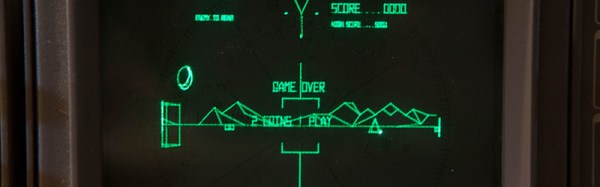
There are a few classic video games that rely on vector graphics and special monitors. Asteroids is incomplete if you’re not playing it in its original arcade format. The same goes with Tempest, Lunar Lander, and the 1983 Star Wars arcade game. Emulation of these games is possible, even with MAME, but the display – like every display you can buy today – is still rasterized. The solution to this problem is to create a vector display output for MAME that works in conjunction with adapter boards and DACs connected to a monitor.

For this year’s Chaos Computer Congress, that’s exactly what [Trammell Hudson] and [Adelle Lin] did. They’ve created an open source vector gaming system that connects MAME to XY monitors and oscilloscopes.

The build uses a custom board equipped with a Teensy 3.1 microcontroller and a 12-bit DAC to convert XY coordinates sent by MAME to vectors that can be displayed on any XY monitor. This, of course, requires a patch to MAME, which the maintainers rejected as being an, “unacceptably hacky way to achieve the intended result.” It does achieve the intended result, though: allowing dozens of vector games playable on whatever monitor supports vector graphics.

So far, [Trammell] and [Adelle] have gotten their system working on Vectrex consoles, analog oscilloscopes set to XY mode, and vectorscopes that litter every broadcast station and surplus shop. Check out [Trammell] and [Adelle]’s talk, and if you want to build the V.st vector display driver, the board is available from OSHPark.

32C3: A Free And Open Source Verilog-to-Bitstream Flow For ICE40 FPGAs

[Clifford] presented a fully open-source toolchain for programming FPGAs. If you don’t think that this is an impressive piece of work, you don’t really understand FPGAs.

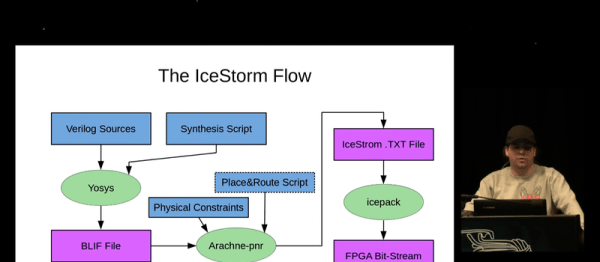
The toolchain, or “flow” as the FPGA kids like to call it, consists of three parts: Project IceStorm, a low-level tool that can build the bitstreams that flip individual bits inside the FPGA, Arachne-pnr, a place-and-route tool that turns a symbolic netlist into the physical stuff that IceStorm needs, and Yosys which synthesizes Verilog code into the netlists needed by Arachne. [Clifford] developed both IceStorm and Yosys, so he knows what he’s talking about.

What’s most impressive is that FPGAs aren’t the only target for this flow. Because it’s all open source and modifiable, it has also been used for designing custom ASICs, good to know when you’re in need of your own custom silicon. [Clifford]’s main focus in Yosys is on formal verification — making sure that the FPGA will behave as intended in the Verilog code. A fully open-source toolchain makes working on this task possible.

If you’ve been following along with [Al Williams]’s FPGA posts, either this introduction or his more recent intermediate series that are also based on the relatively cheap Lattice iCEStick development kit, this video is a must-watch. It’s a fantastic introduction to the cutting-edge in free FPGA tools.