This excellent content from the Hackaday writing crew highlights recurring topics and popular series like Linux-Fu, 3D-Printering, Hackaday Links, This Week in Security, Inputs of Interest, Profiles in Science, Retrotechtacular, Ask Hackaday, Teardowns, Reviews, and many more.
As one of the most popular buses today for on- and inter-board communication within systems, there’s a good chance you’ll end up using it with an embedded system. I2C offers a variety of speeds while requiring only two wires (clock and data), which makes it significantly easier to handle than alternatives, such as SPI. Within the STM32 family of MCUs, you will find at least one I2C peripheral on each device.
As a shared, half-duplex medium, I2C uses a rather straightforward call-and-response design, where one device controls the clock, and other devices simply wait and listen until their fixed address is sent on the I2C bus. While configuring an STM32 I2C peripheral entails a few steps, it is quite painless to use afterwards, as we will see in this article. Continue reading “Bare-Metal STM32: Using The I2C Bus In Master-Transceiver Mode”→
Even though a computer’s memory map looks pretty smooth and very much byte-addressable at first glance, the same memory on a hardware level is a lot more bumpy. An essential term a developer may come across in this context is data alignment, which refers to how the hardware accesses the system’s random access memory (RAM). This and others are properties of the RAM and memory bus implementation of the system, with a variety of implications for software developers.
For a 32-bit memory bus, the optimal access type for some data would be a four bytes, aligned exactly on a four-byte border within memory. What happens when unaligned access is attempted – such as reading said four-byte value aligned halfway into a word – is implementation defined. Some hardware platforms have hardware support for unaligned access, others throw an exception that the operating system (OS) can catch and fallback to an unaligned routine in software. Other platforms will generally throw a bus error (SIGBUS in POSIX) if you attempt unaligned access.
The smartphone represents one of the most significant shifts in our world. In less than thirteen years, we went from some people owning a dumb phone to the majority of the planet having a smartphone (~83.7% as of 2022, according to Statista). There are very few things that a larger percentage of people on this planet have. Not clean water, not housing, not even food.
How does a smartphone work? Most people have no idea; they are insanely complicated devices. However, you can break them down into eight submodules, each of which is merely complex. What makes them work is that each of these components can be made small, at massive economies of scale, and are tightly integrated, allowing easy assembly.
So without further ado, the fundamental eight building blocks of the modern cellphone are: the application processor, the baseband processor, a SIM card, the RF processor, sensors, a display, cameras & lenses, and power management. Let’s have a look at them all, and how they fit together.
Russia’s loose cannon of a space boss is sending mixed messages about the future of the International Space Station. Among the conflicting statements from Director-General Dmitry Rogozin, the Roscosmos version of Eric Cartman, is that “the decision has been made” to pull out of the ISS over international sanctions on Russia thanks to its war on Ukraine. But exactly when would this happen? Good question. Rogozin said the agency would honor its commitment to give a year’s notice before pulling out, which based on the current 2024 end-of-mission projections, means we might hear something definitive sometime next year. Then again, Rogozin also said last week that Roscosmos would be testing a one-orbit rendezvous technique with the ISS in 2023 or 2024; it currently takes a Soyuz about four orbits to catch up to the ISS. So which is it? Your guess is as good as anyones at this point.
At what point does falsifying test data on your products stop being a “pattern of malfeasance” and become just the company culture? Apparently, something other than the 40 years that Mitsubishi Electric has allegedly been doctoring test results on some of their transformers. The company has confessed to the testing issue, and also to “improper design” of the transformers, going back to the 1980s and covering about 40% of the roughly 8,400 transformers it made and shipped worldwide. The tests that were falsified were to see if the transformers could hold up thermally and withstand overvoltage conditions. The good news is, unless you’re a power systems engineer, these aren’t transformers you’d use in any of your designs — they’re multi-ton, multi-story beasts that run the grid. The bad news is, they’re the kind of transformers used to run the grid, so nobody’s stuff will work if one of these fails. There’s no indication whether any of the sketchy units have failed, but the company is “considering” contacting owners and making any repairs that are necessary.
For your viewing pleasure, you might want to catch the upcoming documentary series called “A League of Extraordinary Makers.” The five-part series seeks to explain the maker movement to the world, and features quite a few of the luminaries of our culture, including Anouk Wipprecht, Bunnie Huang, Jimmy DiResta, and the gang at Makers Asylum in Mumbai, which we assume would include Anool Mahidharia. It looks like the series will focus on the real-world impact of hacking, like the oxygen concentrators hacked up by Makers Asylum for COVID-19 response, and the influence the movement has had on the wider culture. Judging by the trailer below, it looks pretty interesting. Seems like it’ll be released on YouTube as well as other channels this weekend, so check it out.
But, if you’re looking for something to watch that doesn’t require as much commitment, you might want to check out this look at the crawler-transporter that NASA uses to move rockets to the launch pad. We’ve all probably seen these massive beasts before, moving at a snail’s pace along a gravel path with a couple of billion dollars worth of rocket stacked up and teetering precariously on top. What’s really cool is that these things are about as old as the Space Race itself, and still going strong. We suppose it’s easier to make a vehicle last almost 60 years when you only ever drive it at half a normal walking speed.
And finally, if you’re wondering what your outdoor cat gets up to when you’re not around — actually, strike that; it’s usually pretty obvious what they’ve been up to by the “presents” they bring home to you. But if you’re curious about the impact your murder floof is having on the local ecosystem, this Norwegian study of the “catscape” should be right up your alley. They GPS-tagged 92 outdoor cats — which they dryly but hilariously describe as “non-feral and food-subsidized” — and created maps of both the ranges of individual animals, plus a “population-level utilization distribution,” which we think is a euphemism for “kill zone.” Surprisingly, the population studied spent almost 80% of their time within 50 meters of home, which makes sense — after all, they know where those food subsidies are coming from.
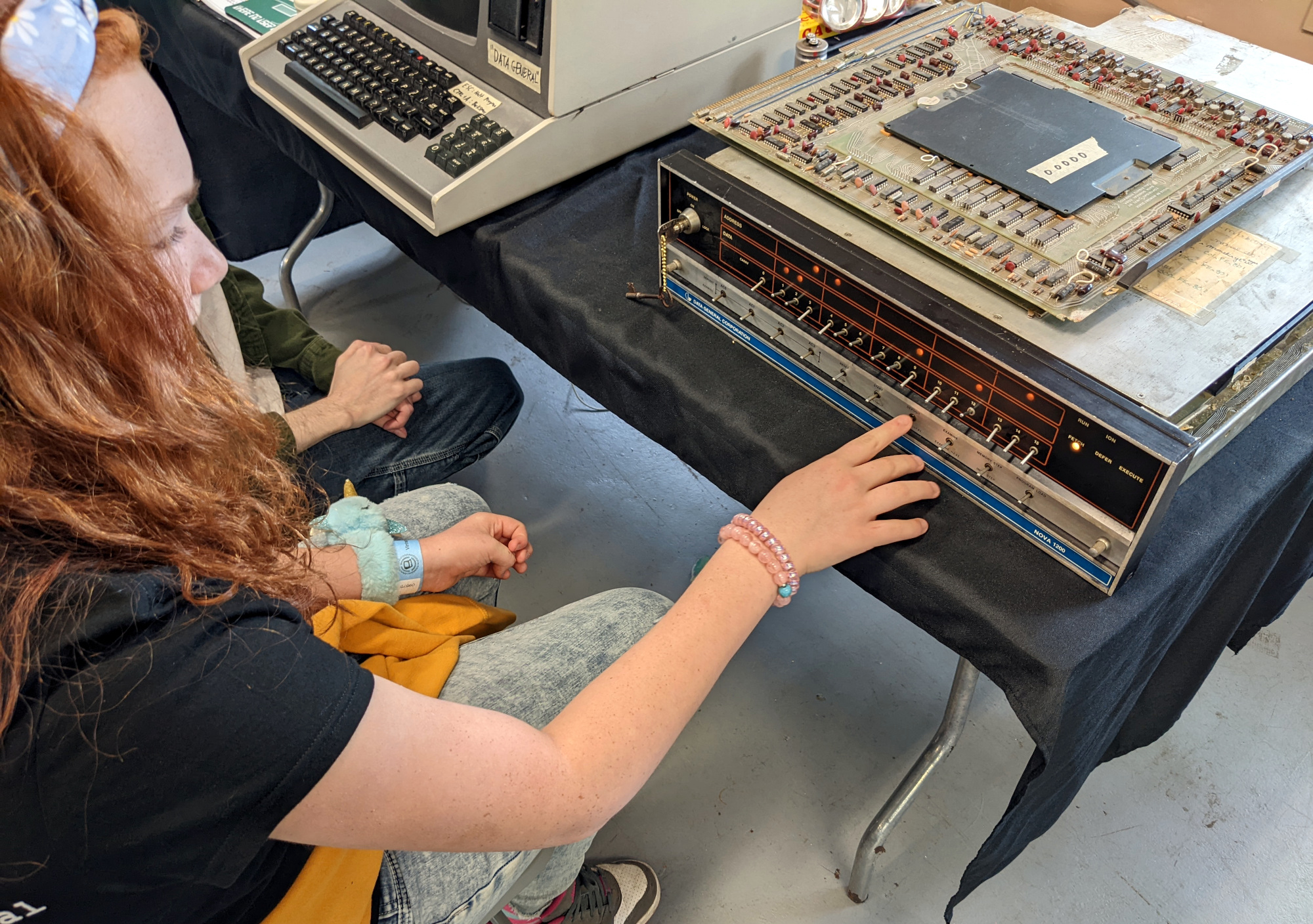
Tom Nardi and I were talking about his trip to the Vintage Computer Festival on the podcast, and he admitted to not having been a retrocomputer aficionado before his first trip. But he ended up keying some binary machine code into some collection of archaic silicon, and he got it. In the same episode, the sound of the week was a Strowger switch — the old electromechanical “brain” of telephone switching centers of old. The sample I used was from Sam of Look Mum No Computer on YouTube, who got one for his museum and thinks it’s just awesome.
Why do people like this kind of old (obsolete?) tech? It’s certainly not because it’s overwhelmingly capable — the giant old switch is replaced easily by a stack of silicon, and don’t even get me started on the old blinkenlights computer that Tom was keying on. In both of these cases, the people are significantly younger than the tech they’re playing around with, so that rules out nostalgia. What’s left?
I think it’s that sometimes the older technology is more immediate, more understandable, more tangible, and that resonates with people. In a time when we all have wonder devices that can do anything, programmed in languages that are pleasant, using libraries that are nothing short of magical in terms of making difficult things easy, understanding how things work down to the ground is a rare commodity.
But it’s a strange position to find ourselves in, technologically, where there’s almost necessarily a trade-off between the usefulness and functionality of a device with the ability to understand fundamentally how it works.
This article is part of the Hackaday.com newsletter, delivered every seven days for each of the last 200+ weeks. It also includes our favorite articles from the last seven days that you can see on the web version of the newsletter.
Want this type of article to hit your inbox every Friday morning? You should sign up!
Watching television today is a very different experience from that which our parents would have had at our age, where we have high-definition digital on-demand streaming services they had a small number of analogue channels serving linear scheduled broadcasting. A particular film coming on TV could be a major event that it was not uncommon for most of the population to have shared, and such simple things as a coffee advert could become part of our common cultural experience. Behind it all was a minor miracle of synchronised analogue technology taking the signal from studio to living room, and this is the subject of a 1952 Coronet film, Television: How It Works! Sit back and enjoy a trip into a much simpler world in the video below the break.
Production values for adverts had yet to reach their zenith in the 1950s.
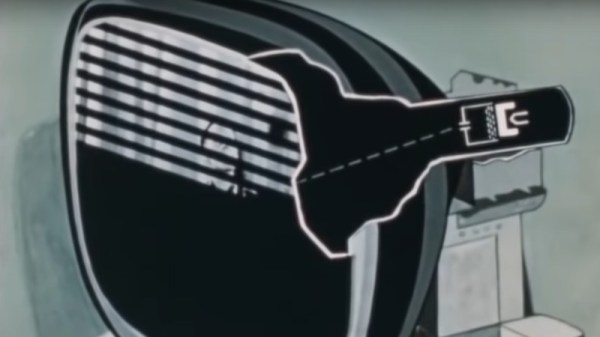
After an introduction showing the cultural impact of TV in early-50s America there’s a basic intro to a cathode-ray tube, followed by something that may be less familiar to many readers, the Image Orthicon camera tube that formed the basis of most TV signals of that era.
It’s written for the general public, so the scanning raster of a TV image is introduced through the back-and-forth of reading a book, and then translated into how the raster is painted on the screen with the deflection coils and the electron gun. It’s not overly simplified though, for it talks about how the picture is interlaced and shows how a synchronisation pulse is introduced to keep all parts of the system working together.
A particularly fascinating glimpse comes in a brief mention of the solid copper co-axial cable and overland microwave links used to transmit TV signals across country, these concrete towers can still be seen today but they no longer have the colossal horn antennas we can see in the film.
A rather obvious omission in this film is the lack of any mention of colour TV, as while it would be late 1953 before the NTSC standard was formally adopted and early 1954 before the first few colour sets would go on sale. Colour TV would have been very much the Next Big Thing in 1952, but with no transmissions to watch and a bitter standards war still raging between the field-sequential CBS system and RCA’s compatible dot-sequential system that would eventually evolve into the NTSC standard it’s not surprising that colour TV was beyond the consumer audience of the time.
Thus we’re being introduced to the 525-line standard which many think of as NTSC video, but without the NTSC compatible colour system that most of us will be familiar with. The 525-line analogue standard might have disappeared from our living rooms some time ago, but as the last few stations only came off-air last year we’d say it had a pretty good run.
Join Hackaday Editor-in-Chief Elliot Williams and Managing Editor Tom Nardi for a review of all the tech that’s fit to print. Things kick off with an update about the Hackaday Prize and a brief account of the 2022 Vintage Computer Festival East. Then we’ll talk about an exceptionally dangerous art project that’s been making the rounds on social media, a smart tea kettle that gave its life so that others can hack their device’s firmware, some suspiciously effective plant grow lights, and the slippery slope of remote manufacturer kill switches. We’ll wrap things up with some thought provoking discussion about personal liability as it pertains to community repair groups, and a close look at what makes synthetic oil worth spending extra on.
Check out the links below if you want to follow along, and as always, tell us what you think about this episode in the comments below!