Breaking Open The Quirky Nimbus

Nimbus

The Nimbus is a little Internet-connected device put out by a company called Quirky. It features four analog dials, each with graphic LCDs, with WiFi connectivity to show you how many tweets you’ve made in the past day. You know, in case you forgot, or something.

[Edu] didn’t find the social media-oriented Nimbus very useful, but Internet connected analog gauges are just so cool, so out came the screwdriver and the writing of new firmware commenced.

Inside the Nimbus there’s an SPI Flash, PIC micro, and an Electric Imp, a tiny ARM microcontroller and WiFi adapter stuffed inside an SD card. The Imp is always tied to a cloud service, in this case, a Quirky-lined cloud, but the folks at Quirky were keen to help [Edu] in his quest for better firmware.

After figuring out all the traces, [Edu] wrote a simple firmware that can control everything there is to control – the dials, displays, two buttons, and a speaker. So far he’s put some graphics on the display and PWM’d the theme from Monkey Island. This is just scratching the surface of what the device can do – [Edu] can still make use of the WiFi connectivity, and those dials can do much more than spin around in circles.

Monkey Island video below.
Continue reading “Breaking Open The Quirky Nimbus”

mirobot

Introducing Mirobot, A DIY WiFi Robot For Children

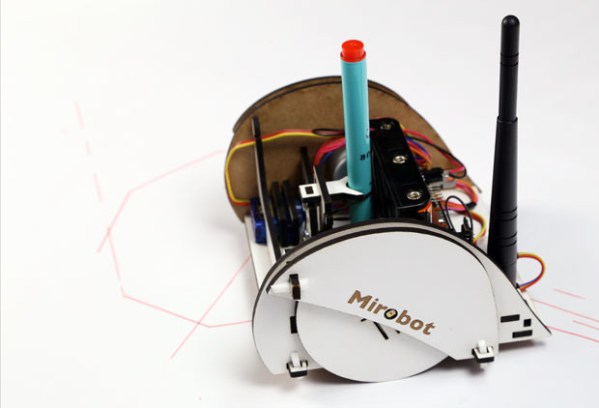
We’re quite sure that fathers parents people reading Hackaday wonder how to introduce their children acquaintances to the wonderful world of electronics. The Mirobot (Kickstarter link) might just be a good way to do so. As you may see in the picture above the Mirobot is a small WiFirobotics kit that children can build themselves to learn about technology, engineering and programming.

The laser cut chassis is assembled by snapping it together. All the electronics are left exposed to the outside so children may try to figure out which component does what. The robot is configured over your home WiFi via a Scratch-like visual programming tool. Everything (PCB, Arduino code, user interface) is open source.

The platform is based around the Arduino compatible ATMega328, two stepper motors, a Wifi module that can behave as a client or access point and 5 AA batteries. The campaign stretch goals include a collision detection sensor, line following functionality and finally a sound add-on.

Thanks [nickjohnson] for the tip.

A Modular 1GHz Spectrum Analyzer

an

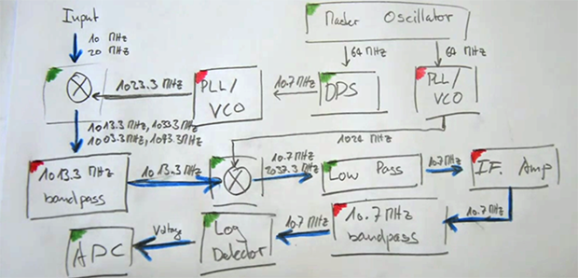
[MrCircuitMatt] has been doing a lot of radio repair recently, quickly realized having a spectrum analyzer would be a useful thing to have. Why buy one when you can build one, he thought, and he quickly began brushing up on his RF and planning out the design of a 1000 MHz spectrum analyzer

The project is based on Scotty’s Spectrum Analyzer, a sweep-mode, modular 1GHz spectrum analyzer that is, unfortunately, designed entirely in ExpressPCB. [Matt] didn’t like this proprietary design software tied to a single board house. The basic building blocks of [Scotty]’s spectrum analyzer were transferred over to KiCAD, the boards sent off to a normal, Chinese board house.

In the second video, [Matt] goes over the design of the control board, a small module that connects the spectrum analyzer to the parallel port of a PC. There’s a lot of well thought out design in this small board, a good thing, too, since he’s powering his VCO with a switched mode supply. The control board has a 32-bit I/O, so how’s he doing that with a parallel port, what is ultimately an 8-bit port? A quartet of 74ACT573, a quad buffer with latch enable. Using the eight data lines on the parallel port allows him to toggle some pins while the ancient pins on the parallel bus – Strobe, Select Printer, and Line Feed control the latches on each of the buffers. This gives him the ability to write to 32 different pins in his spectrum analyzer with a parallel port.

Right now, [Matt] is wrapping up the construction of his control board, with the rest of the modules following shortly. He thinks the completed analyzer might even be cheaper than a professional, commercial offering, and we can’t wait to see another update video.

Continue reading “A Modular 1GHz Spectrum Analyzer”

OLED display, blue LED and Smartcard

Developed On Hackaday: License Incompatibilities And Project State

mooltipass top pcb

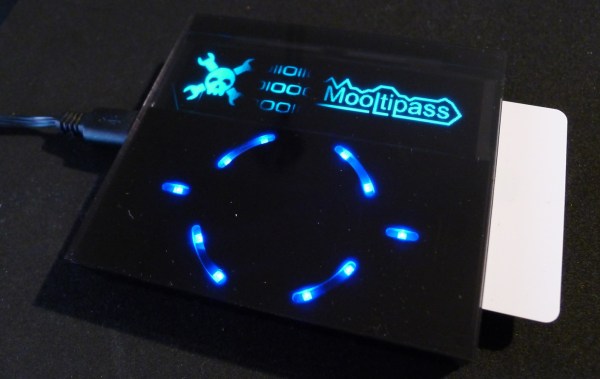
It has been a while since we wrote an article about our ongoing offline password keeper project, aka the Mooltipass. Our last post was asking our dear readers to vote for their favorite card art, so what have we been doing since then?

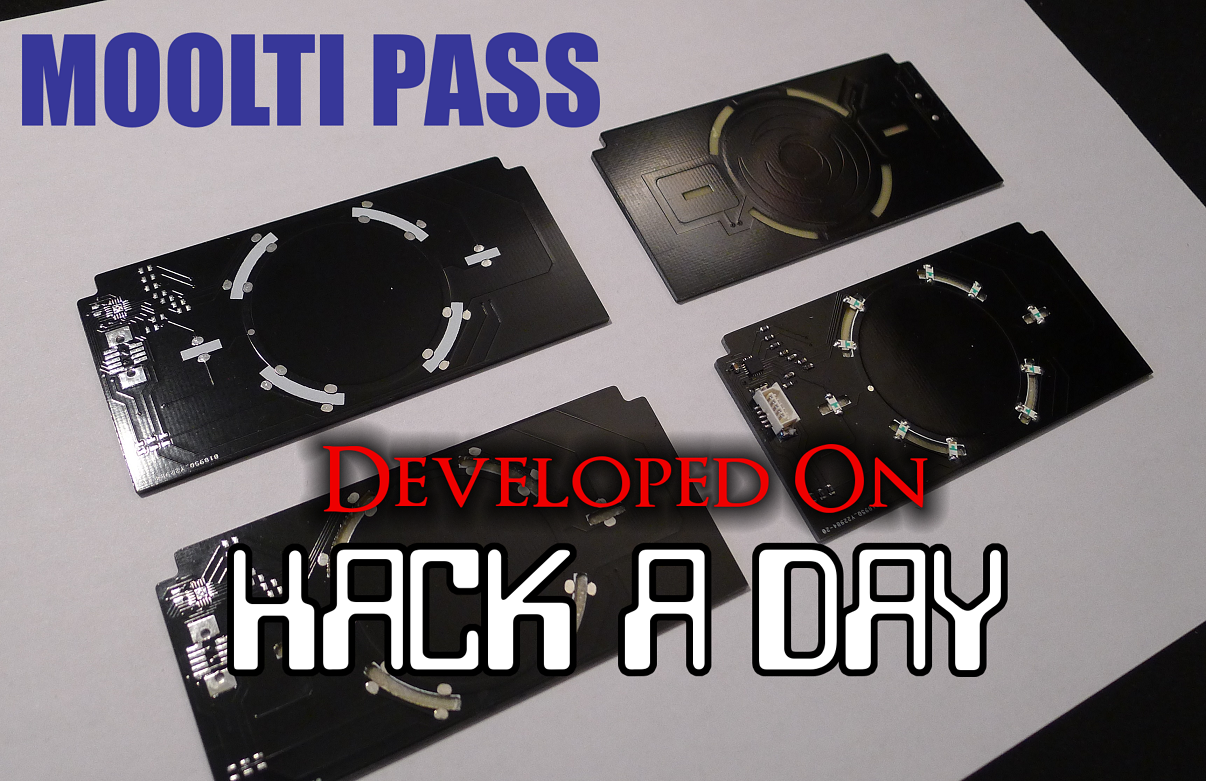
For the last few weeks we’ve mostly been improving our current PCBs and case design for the production process to go smoothly. The final top PCB shown above has been tweaked to improve his capacitive touch sensing capabilities, you may even see a video of the system in action in the Mooltipass project log on hackaday.io. We’ve also spent some time refining the two most popular card art designs so our manufacturers may print them correctly. We’ll soon integrate our updated USB code (allowing the Mooltipass to be detected as a composite HID keyboard / HID generic) into the main solution which will then allow us to work on the browser plugin.

It’s also interesting to note that we recently decided to stop using the GPL-licensed avrcryptolib. Our current project is CDDL licensed, allowing interested parties to use our code in their own project without forcing them to publish all the remaining code they created. The GPL license enforces the opposite, we therefore picked another AES encryption/decryption implementation. This migration was performed and checked by our dedicated contributor [Miguel] who therefore ran the AES NESSIE / CTR tests and checked their output, in less than a day.

We’re about to ship the first Mooltipass prototypes to our active contributors and advisers. A few weeks later we’ll send an official call for beta testers, just after we shown (here on Hackaday) what the final product looks like. Don’t hesitate to ask any question you may have in the comments section, you can also contact us on the dedicated Mooltipass Google group.

An Open Source Cortex-M0 Halogen Reflow Oven Controller With LCD

reflow oven controller

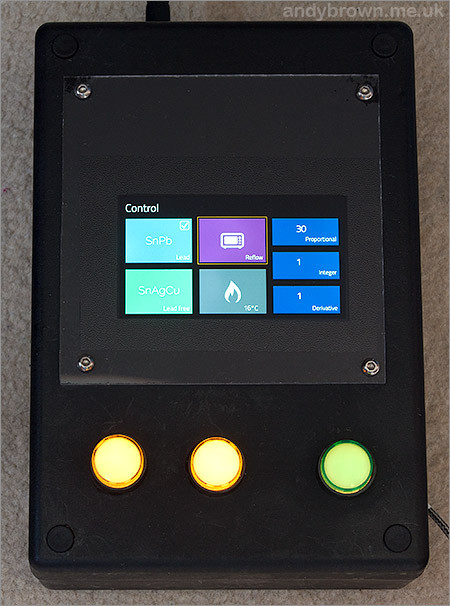
Homemade reflow ovens are a great inexpensive way to quickly solder multiple prototypes at once. [Andy] may just have built one of the best ones we’ve featured so far on Hackaday. For his project a £25 1300W 12litre halogen oven was chosen because of its low cost and fast heating time, the latter being required to follow typical reflow profile ramp-up stages.

To control the AC power [Andy] first bought a chinese Fotek Solid State Relay (SSR) on ebay, which was quickly replaced by an american one after reading concerning reports on the internet. He then made the same ‘mistake’ by buying the typical MAX6675 thermocouple-to-digital converter from the same website, as he spent much time understanding why the measurements were wrong when the IC was just defective. His final build is based around a 640×360 TFT LCD that he previously reverse engineered, the cortex-M0 STM32F051C8T7, a SPI flash, some power regulators and buttons. The firmware was written in C++ and we’ll let our readers visit [Andy]’s page to see how well  his oven performs.

Custom Nixie Tube PSU Is A Lesson In Good PCB Design

Nixie HVPSU

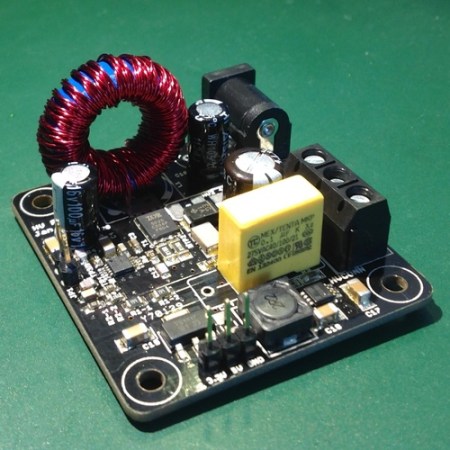
[Jan Rychter] was sick and tired of not being able to find the right power supply for his Nixie tube projects, so he decided to design his own. [Jan] started out designing around the MAX1771 (PDF) DC-DC controller, but quickly discovered he was having stability problems. Even after seven board revisions, he was still experiencing uncontrolled behavior. He ended up abandoning the MAX1171 and switching to the Texas Instruments TPS40210. After three more board designs, he finally has something that works for him. [Jan] admits that his design is likely not perfect (could have fooled us!), but he wanted to release it to the world as Open-Source Hardware to give back to the community.

The end result of [Jan’s] hard work is a 5cm x 5cm board that generates four separate output voltages from a single 12V source. These include both a 3.3V and 5V output for digital logic as well as a 220V out put for Nixie tubes and a 440V maximum output for dekatrons. The circuit also features several safety features including over-current protection, thermal shutdown, and slow-start. Be sure to check out [Jan’s] webpage to view out the schematics and technical information for this awesome circuit.

Need some Nixie tubes to go with that circuit? We know some resources for you to check out. Or you could always just build your own. How can you use this board in your next project?

The Phidgets Solar Powered Weather Station

weather

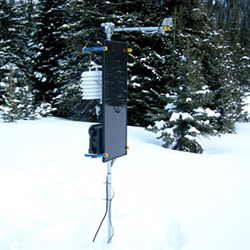
Yes, it’s a weather station, one of those things that records data from a suite of sensors for a compact and robust way of logging atmospheric conditions. We’ve seen a few of these built around Raspberry Pis and Arduinos, but not one built with a Phidget SBC, and rarely one that has this much thought put in to a weather logging station.

This weather station is designed to be autonomous, logging data for a week or so until the USB thumb drive containing all the data is taken back to the lab and replaced with a new one. It’s designed to operate in the middle of nowhere, and that means no power. Solar it is, but how big of a solar panel do you need?

That question must be answered by carefully calculating the power budget of the entire station and the battery, the size of the battery, and the worst case scenario for clouds and low light conditions. An amorphous solar cell was chosen for its ability to generate power from low and indirect light sources. This is connected to a 12 Volt, 110 amp hour battery. Heavy and expensive, but overkill is better than being unable to do the job.

Sensors, including temperature, humidity, and an IR temperature sensor were wired up to a Phidgets SBC3 and the coding began. The data are recorded onto a USB thumb drive plugged into the Phidgets board, and the station was visited once a week to retrieve data. This is a far, far simpler solution than figuring out a wireless networking solution, and much better on the power budget.

Via embedded lab