The schematic on the left and the assembled circuit on the right.

How To Make A Simple MOSFET Tester

Over on YouTube our hacker [VIP Love Secretary] shows us how to make a simple MOSFET tester.

This is a really neat, useful, elegant, and simple hack, but the video is kind of terrible. We found that the voice-over constantly saying “right?” and “look!” seriously drove us to distraction. But this is a circuit which you should know about so maybe do what we did and watch the video with subtitles on and audio off.

To use this circuit you install the MOSFET you want to test and then press with your finger the spare leg of each of two diodes; in the final build there are some metal touch pads attached to the diodes to facilitate this. One diode will turn the MOSFET off, the other diode will turn the MOSFET on, and the LED will show you which is which.

Continue reading “How To Make A Simple MOSFET Tester”

Inside and outside the Contrib Cal.

Reify Your GitHub Commit History With Contrib Cal

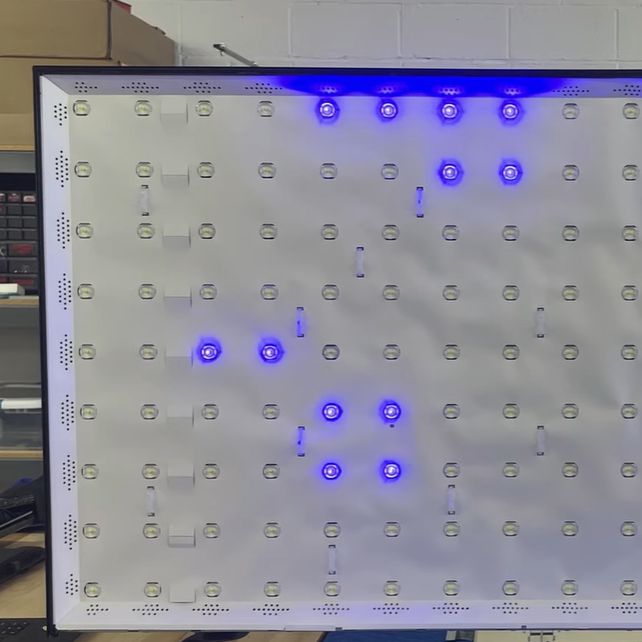
Over on Instructables, [Logan Fouts] shows us the Contrib Cal GitHub desk gadget. This build will allow you to sport your recent GitHub commit activity on your wall or desk with an attractive diffuse light display backed by a 7×4 matrix of multicolor LEDs. Motivate yourself and impress your peers!

This humble project is at the same time multifaceted. You will build a case with 3D printing, make a diffuse screen by gluing and cutting, design a LED matrix PCB using KiCad, solder everything together, and then program it all with Python. The brains of the operation are a Raspberry Pi Zero W.

The Instructables article will run you through the required supplies, help you to print the case, explain how to solder the LEDs, tell how to install the heat-set inserts for high quality screw attachments, explain wiring and power, tell you about how to use the various screws, then tell you about where to get more info and the required software on GitHub: Contrib Cal v2.

Of course this diffuse LED matrix is only one way to display your GitHub progress, you can also Track Your GitHub Activity With This E-Ink Display.

Hands holding a TI-99/4A.

How The TI-99/4A Home Computer Worked

Over on YouTube [The 8-Bit Guy] shows us how the TI-99/4A home computer worked.

[The 8-Bit Guy] runs us through this odd 16-bit home computer from back in the 1980s, starting with a mention of the mysterious extra “space” key on its antiquated keyboard. The port on the side is for two joysticks which share a bus, but you can find boards for compatibility with “newer” hardware, particularly the Atari-style joysticks which are easier to find. The AV port on the back is an old 5-pin DIN such as was typical from Commodore and Atari at the time (also there is a headphone port on the front). The other DB9 port on the back of the device is the port for the cassette interface.

The main cartridge interface is on the front right of the machine, and there’s a smaller expansion socket on the right hand side. The front interface is for loading software (on cartridges) and the side interface is for peripherals. The system boots to a now famous “press any key” prompt. (We know what you’re thinking: “where’s the any key!?” Thanks Homer.)

Continue reading “How The TI-99/4A Home Computer Worked”

Business Card Ouija board

This Ouija Business Card Helps You Speak To Tiny Llamas

Business cards, on the whole, haven’t changed significantly over the past 600-ish years, and arguably are not as important as they used to be, but they are still worth considering as a reminder for someone to contact you. If the format of that card and method of contact stand out as unique and related to your personal or professional interests, you have a winning combination that will cement yourself in the recipient’s memory.

In a case study of “show, don’t tell”, [Binh]’s business card draws on technological and paranormal curiosity, blending affordable, short-run PCB manufacturing and an, LLM or, in this case, a Small Language Model, with a tiny Ouija board. While [Binh] is very much with us in the here and now, and a séance isn’t really an effective way to get a hold of him, the interactive Ouija card gives recipient’s a playful demonstration of his skills.

Continue reading “This Ouija Business Card Helps You Speak To Tiny Llamas”

Electronic Wizard in his lab wearing his wizards hat

How To Use The AT24C32 EEPROM For 4KB External Memory For Microcontrollers

Over on YouTube [Electronic Wizard] explains how to use the AT24C32 EEPROM for external memory for microcontrollers.

He begins by explaining that you don’t want to try modifying your microcontroller flash memory for storing settings, you want to use a separate EEPROM for that. Sometimes your microcontroller will have EEPROM memory attached, but you might still find yourself needing to attach more. The AT24C32 EEPROM is a 4KB non-volatile memory chip. It’s available in various 8-pin packages and two voltage levels, either 2.7 to 5.5 volts or 1.8 to 5.5 volts, and it’s programmed using the I2C protocol.

Continue reading “How To Use The AT24C32 EEPROM For 4KB External Memory For Microcontrollers”

The Incrediplotter: Voice Controlled Plotter From Repurposed Printer

There’s something uniquely satisfying about a pen plotter. Though less speedy or precise than a modern printer, watching a pen glide across the page, mimicking human drawing, is mesmerizing. This project, submitted by [Jacob C], showcases the Incrediplotter, a brilliant repurposing of a 3D printer built by him and his brother.

Starting with a broken 3D printer, [Jacob C] and his brother repurposed its parts to create a voice-controlled pen plotter. They 3D-printed custom components to adapt the printer’s framework for plotting. An STM32 Blue Pill running Klipper controls two TMC2208 motor drivers for the x- and y-axes, while a small standalone servo manages the pen’s height.

The unique twist lies in the software: you can speak to the plotter, and it generates a drawing based on your prompt without needing to select an image. The process involves sending the user’s voice prompt to Google Gemini, which generates an image. The software then converts this image into an SVG compatible with the plotter. Finally, the SVG is translated into G-Code and sent to the plotter to start drawing.

Thanks to [Jacob C] for sharing this impressive project. It’s a fantastic example of repurposing a broken machine, and the voice-to-image feature adds a creative twist, enabling anyone to create unique artwork. Be sure to check out our other featured plotter hacks for more inspiration.

Continue reading “The Incrediplotter: Voice Controlled Plotter From Repurposed Printer”

A photo of two magnetic bubble memories installed in a circuit board

Scott Baker’s Magnetic Bubble Memory Mega-Post

Over on his blog our hacker [Scott Baker] has a Magnetic Bubble Memory Mega-Post.

If you haven’t heard of magnetic bubble memory before it’s basically obsolete nonvolatile memory. Since the 1970s when it was introduced this type of memory has been outperformed in every dimension including durability, reliability, price, density, performance, and so on. For any given application of bubble memory you will be able to find an alternative technology which is better in many ways. Except if you want some old tech to geek out over, in that case magnetic bubble memory is for you!

Continue reading “Scott Baker’s Magnetic Bubble Memory Mega-Post”