Automated Car Cover

[Mike] covers his car whenever he puts it into the garage because the top is always open. After years of this ritual he decided to upgrade his garage to automatically cover the vehicle (link dead, try the Internet Archive version). The car cover, made from a few bed sheets, attaches to the bottom of the garage door. At the front of the stall the cover has two half-pound weights sewn in with plenty of padding to protect the car’s finish. Ropes attach to these weights, travel through a pulley system, and connect to the garage door opener carriage. This $65 dollar solution makes sure [Mike’s] car is always taken care of.

[Thanks 02TA]

Choreographed Christmas Light Show (x4)

[youtube=http://www.youtube.com/watch?v=GeAwYmQOf3g]

[Lucas] is at it again this year. Not satisfied by the computerized systems available on the market, [Lucas] decided to build on last year’s project. To save a bit of cash, he built the setup around Parallax’s low-cost SX28 proto board. The system is capable of controlling 102 channels, with 8-bit dimming. 6 boards control 7 channels each and are communicated to through a serial protocol (reducing the whole setup to only 36 feet of wiring).

More importantly, he’s teamed up with 3 other neighbors who also share a passion for outdoor Christmas lighting and they’ve put together the Christmas Tour of Lights. Money raised from all donations goes directly to the St. Jude Children’s Reasearch Hospital in Memphis, Tennessee.

19th Century All-in-one PC

…well not quite, but Victorian-styled nonetheless.

In the same vein as his previous creation, [Jake] decided to steampunk his new monitor. However, this time around, he managed to squeeze a full pc into the retro case. A custom aluminum chassis had to be designed and safely house the disk drives and motherboard behind the monitor.  Since the 350W PSU was a bit too clunky to mount behind the screen, [Jake] rebuilt the base of the unit around it. The P4, 250GB SATA hard drive, and gold painted cooling fan allow the machine to run Kubuntu “Gusty Gibbon” smoothly. Coupled with a typewriter-inspired keyboard, [Jake’s] got a cutting edge antique setup.

Temperature And Electricity Monitoring

[Willem] has been using an Arduino to monitor temperatures and electricity usage. For the temperature monitoring he picked up some 1-wire temperature sensors similar to those we’ve featured in the past. To pick up on electricity usage he’s not using an amp sensors, but because he’s in the UK he does have a flashing LED on his power meter. There’s a known trick to pick up these flashes with a photo cell to calculate energy usage based on meter readings. Finally, the data from the three sensors (indoor temp, outdoor temp, and energy usage) is piped over the Internet via an Ethernet shield so that it can be collected and graphed.

[Willem] has had the system running for a year. If you’re nosy you can look at the temperature graph generated from his collected data.

BobLight Night Light Networking

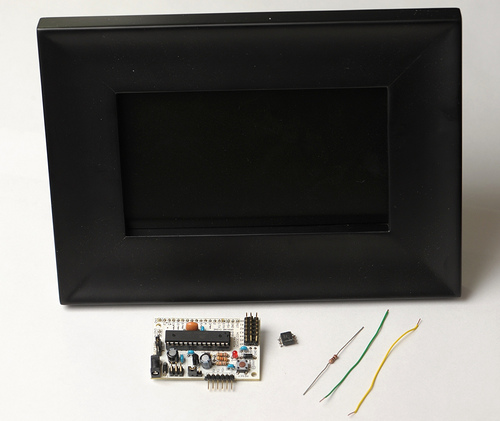
It turns out that more than just pictures of women and flashing animations can be found on the X10 website. [Jonathan] based his BobLight project around the MS14A X10 module.

The idea for the devices started off as a Christmas gift for his parents in-law. A boblight turns on when motion is detected. It then communicates (through radio) with the other boblights to turn them all on. If motion is not detected by any of the boblights for a length of time, they all turn off. Rather than having the user shut all of them off every morning, a light sensor is used to automate the task.

Each boblight is a common LED utility light combined with the board of an MS14A and added a 310MHz RF receiver. He even hacked the board by replacing the onboard PIC with a higher spec model. We think [Jonathan] did a great job at implementing an innovative concept.

Better Temperature Readings Using An Aspirated Thermometer

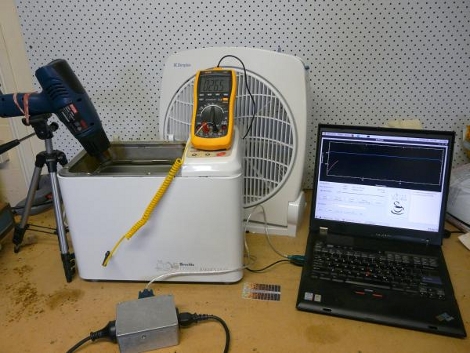
Unlike regular thermometers that can get incorrect readings because of the sun’s heat, shading, and airflow, aspirated thermometers isolate the temperature sensor from precipitation and the sun, while providing constant air circulation. Take ten 1-wire T2SS boards and combine them with DS18B20s and you’ve got yourself the start of an aspirated thermometer. A foot of PVC pipe, fans, and the above mentioned parts and you’ll have accurate temperature readings in no time.

[Dave] made his to control a natural gas boiler, pumps, and 11 gas-fired unit heaters for a combined output of 5.3 million BTUs per hour – keeping his greenhouse nice and toasty.

Update: Thanks Firetech for pointing out our silly typo.

Social Media HUD

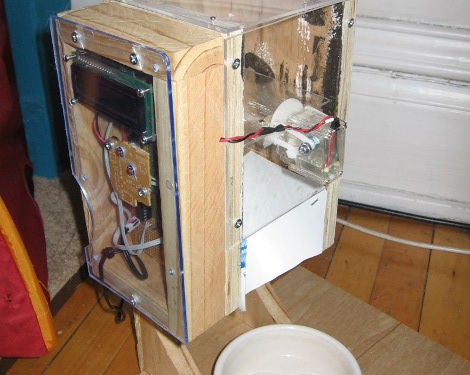
After [Gregg Benjamin] read our story about a simple physical email notifier, he decided to test his skills and add some touches of his own. Rather than limiting his notifier to just email, he has added support for displaying Pandora Radio songs, Facebook notifications, and email all to a LCD. He even has included code for an optional motion detector, as well as support for text message notification. We always love it when our stories inspire our readers to bring their own various solutions to similar problems, so we hope some of you take the code he has supplied (written in python for desktop side, and Arduino sketches for the microcontroller side) and add support for your own interests. Might we suggest RSS feed support, or other social media such as reddit or Google Reader? Let us know if you add something cool, and we might do a follow-up!

[Gregg] doesn’t have a blog of his own, so we have posted the demo video to YouTube, and he has provided all of his related code and images to Megaupload (warning, file is ~115 MB). Sorry to anyone looking for a blog link.

Continue reading “Social Media HUD”