Home Automation For Fans Of Quick-and-Dirty Solutions

At Hackaday, we celebrate all kinds of projects, but we’ll have to admit that the polished and professional-looking builds tend to catch our eye a lot more than perhaps they should. There’s plenty of love to be had for the rougher builds, though, of which this quick-and-dirty home automation system is a perfect example.

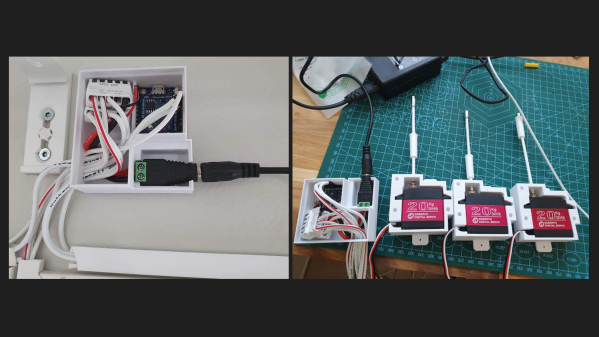
Before anyone rushes to state the obvious with, “Should have used some relays,” consider that [MAKE_IT_WITH_ME]’s stated goal was to get the basics of a home automation system built with pretty much nothing but what can be found in one of those Arduino starter kits. And further, consider that landlords might not look kindly on tenants who wire a bunch of SSRs or Sonoff switches into the walls of their building. So this minimalist build is perfect for certain use cases. Its interface to the building’s electrical system is 100% mechanical, via a servo that travels along the bank of switches on a stepper-driven leadscrew. The servo has a modified horn to properly flick the rocker-style switches, and although changing from switch to switch is a bit slow, it works surprisingly well. The video below shows it in action.

While we can see it possibly working as-is for Decora-style switches that are seen in some markets, we’d think some mods would be in order for the more standard toggle-style switch — perhaps a finger extending out from the horn, along with a second servo to tilt the whole assembly away from the wall to allow it to clear the switch bats.

Continue reading “Home Automation For Fans Of Quick-and-Dirty Solutions”

DIY Air Quality Sensor


[Andrew Lamchenko], who has built a number of small e-ink-based sensors this year, released another design called the eON Indoor Air Quality Sensor. As his previous sensor designs, the eON boasts a striking appearance with all the spit and polish of a commercially made product. Except [Andrew]’s design is completely open-source.

Besides showing air quality, it also shows basic weather conditions, and there’s a built-in weather forecasting algorithm as well. It can operate standalone or use the radio module to send readings to a smart home system.

The core sensor is the SGP40, which detects volatile organic compounds (VOCs) in the air while consuming less than 3 mA (compared to the 48 mA of the previous generation). There’s a temperature, barometric pressure, humidity, and light sensors in the package as well. Like many projects these days, [Andrew] encountered parts supply issues along the way. Because of that, and to make the design more flexible, several versions of the board have been made to accommodate the different permutations of:

  • Displays
    • 2.13-inch e-ink display
    • DES e-ink display, coming soon
  • Radio, four flavors
    • MINEW MS88SF3 (nRF52833, nRF52840)
    • MINEW MS50SFA1 (nRF52810, nRF52811)
    • MINEW MS50SFA2 (nRF52832)
    • EBYTE E73-2G4M08S1C (nRF52833, nRF52840)
  • Temp / Pressure sensor:
    • BME280
    • BMP280
    • SHTC3

[Andrew] not only designed the sensor but has done a thorough job on the documentation. Check out the GitHub repository of the project for a complete data package covering all aspects of the design, including the weather forecasting app note by John Young (an NXP engineer, not the astronaut). Last week the design was named as a finalist of the 2021 Hackaday Prize. We’re excited to see where he goes with this between now and the end of October!

Do you use an air quality sensor in your home? If so, is it only for informational purposes or do you take action based on the data, such as automatically turning on a fan or escaping to the countryside? Let us know in the comments below.

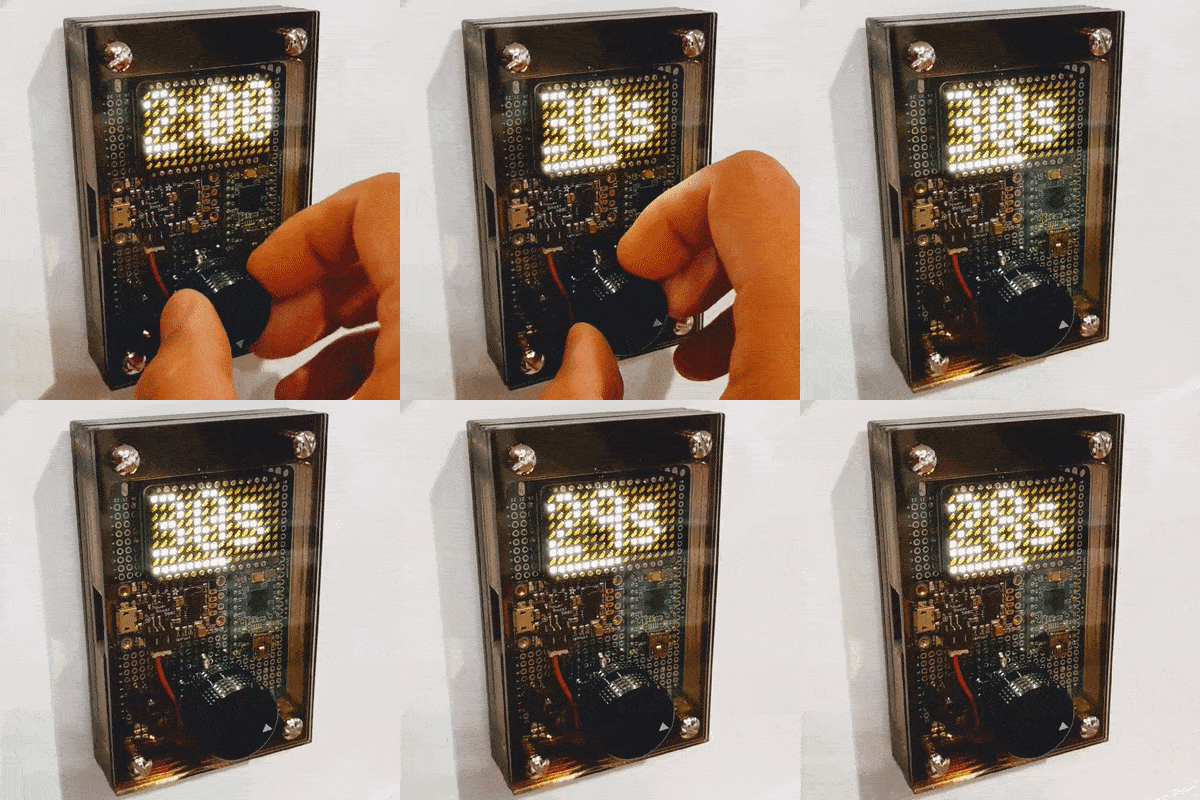
Astronomic Patio Light Timer

Not satisfied with the handheld remote control for his outdoor patio lights, [timabram] decided to build an automatic timer using an ESP8266. He’s using a set of string lights from Costco, but as you dig into his project you’ll see the method he uses can be applied to almost any set of lights that have a remote.

He does this by connecting GPIO pins from the ESP8266 GPIO into the remote control in order to simulate a user pressing the button. Both boards are packaged together in a 3D-printed enclosure that utilizes the front portion of the remote control, so that manual operation is still possible.

His firmware gets the date and time from an NTP server, and then makes an API call to an online service that returns the local sunrise and sunset times for a specific location. He tries to minimize the power consumption by experimenting with different intervals to wakeup from deep sleep and ping the time server. But in the end, he realizes the RF remote control carries quite some distance, and installed the unit inside a closet where it could be powered by adaptors connected to the mains.

We wondered how the remote control knows if the lights are on or off, and [timabram] notes this is a shortcoming which could be addressed in a future version. If you’ve ever seen a mechanical version of an astronomic timer switch, packed full of gears and dials and setting pins, you can really appreciate a no-moving-parts solutions like this project. If you want to make one that doesn’t use the internet, check out this Arduino-based solution that we wrote about back in 2013.

PiNet — One Small Project Grows Unexpectedly

A few years ago, [Gregory Sanders] aka [Dr Gerg] had one simple wish in mind when he started what is now the PiNet project — to know whether his garage door was open or closed. Instead of searching out off-the-shelf solutions, he looked at the project as a learning opportunity. After picking up Python, he built a system from a Raspberry Pi, a 12V gel cell battery, and a power supply / charger circuit. Thus project Overhead Door (ohd) was complete (see the ohd GitHub repository) and [Dr Gerg] was done.

Or so he thought. After getting a swimming pool installed, he got the itch again, and started a new project called Pool Controls, because:

The controls for your average backyard in-ground pool are pathetic. I felt like I could do better with a Raspberry Pi, a relay board and some Python. And so I did, and frankly, it’s awesome.

Then he built his own weather station to replaced a commercial one which had died twice in as many years, followed by his own web-based UI framework. Next was the integration of an outdoor security camera system. And finally, although we don’t believe it’s really final, he ripped out the cloud-based controls from his shop air conditioner and added his own Raspberry Pi-based solution. All of these projects are available on his GitHub page.

[Dr Gerg]’s goal in posting all this work is not necessarily so people can duplicate it, although that is okay as well. Instead, he hopes that people will realize that they can build these types of projects on their own, perhaps leaning some things and picking up new skills along the way — have fun doing it. We like the way you think, [Dr Gerg]. Do you know of any small projects which grew and grew and took on a life of their own?

Hacked AC Window Unit Split In Half To Cool The Garage

It’s getting into the hot summer months for those of us in the Northern Hemisphere, and for many Hackaday readers, that means its time to get the old window air conditioner out of storage and lug it back into position. But what if you’re trying to cool a space that doesn’t have a convenient window? In that case, this clever conversion that [Infrared] came up with to keep his garage cool might be of interest.

Basically, he’s taken the classic window AC and turned it into an impromptu ductless unit. By rotating the evaporator coils into a vertical position and lengthening the compressor wires, he was able to make the center of the AC thin enough that he could close his garage door over it. The back of the unit looks largely untouched, but the front side has a real Mad Max vibe going on; with sheet metal, exposed wiring, and a couple of fans thrown in for good measure. Fine for the garage or workspace, but probably not a great choice for the kid’s room.

[Infrared] says the hacked up AC can get his garage 18 degrees cooler than the outside air temperature in its current form, but he hopes the addition of some high CFM computer fans will not only improve performance, but let him make the new front panel look a bit neater. Though even in its current form, this is far from the most ridiculous DIY AC project we’ve seen in recent memory.

Continue reading “Hacked AC Window Unit Split In Half To Cool The Garage”

A Model Of Dry Humor

If you want to see a glorious combination of model bananas in a treehouse mixed with a lot of tongue-in-cheek humor, you will appreciate [Studson]’s build video. Video also after the break. He is making an homage to Donkey Kong 64 from 1999, which may be a long time ago for some folks’ memory (Expansion Pak). Grab a piece of your favorite banana-flavored fruit and sit tight for joke delivery as dry as his batch of baked bark.

The treehouse uses a mixture of found material and crafting supplies. In a colorful twist, all the brown bark-wielding sticks are green, while the decorative greenery came from a modeling store shelf. It all starts with a forked branch pruned from the backyard and a smooth-sided container lid that might make you look twice the next time you nuts are buying a bin of assorted kernels. If you thought coffee stirrers couldn’t be used outside their intended purpose, prepare to have your eyes opened, but remember to wear eye protection as some of the wood clippings look like they could achieve escape velocity. The key to making this look like an ape abode, and not a birdhouse, is the color choices and finishing techniques. Judging by the outcome and compared to the steps, making a model of this caliber is the sign of an expert.

If you wish to binge on wooden Donkey Kong, we can grant your desire, but if you prefer your treehouses life-sized, this may launch your imagination.

Continue reading “A Model Of Dry Humor”

The Regulatory Side Of Rolling Your Own Moderate Solar Farm

[Russell Graves] lives in Idaho and recently connected his solar installation to the grid, which meant adhering to regulatory requirements for both the National Electric Code (NEC) as well as complying with the local power company’s own regulations. His blog post is an interesting look at the whole regulatory process and experience, and is of interest to anyone curious about running their own solar farm, whether they have plans to connect it to the grid or not.

A circuit breaker that met NEC code, but not the power company’s requirements.

The power company has a very different set of priorities from the NEC, and part of [Russell]’s experience was in having to meet requirements that weren’t documented in the expected places, so study of the materials didn’t cut it. In particular, the power company needed the system to have disconnects with conductors that visually move out of position when disconnected. [Russell] was using NEC-compliant circuit breakers that met NEC code, but they didn’t meet the power company requirement for conductors that can be visually confirmed as being physically disconnected. Facing a deadline, [Russell] managed to finesse a compliant system that was approved, and everything got signed off just as winter hit.

How well does his solar farm work out? Sometimes the panels produce a lot of power, sometimes nearly nothing, but it has been up and running for all of winter and into spring. Over the winter, [Russell] pulled a total of 3.1 MWh from the grid, mainly because his home is heated with electric power. But once spring hit, he started pushing considerably more into the grid than he was pulling; on some days his setup produces around 95 kWh, of which about 70 kWh gets exported.

[Russell] didn’t go straight to setting up his own modest solar farm; we saw how he began by making his own ideal of a perfect off-grid office shed that ran on solar power, but it has certainly evolved since then and we’re delighted to see that he’s been documenting every bit of the journey.