Custom Firmware For Cheap Smart Bulbs Is A Cinch To Tinker With

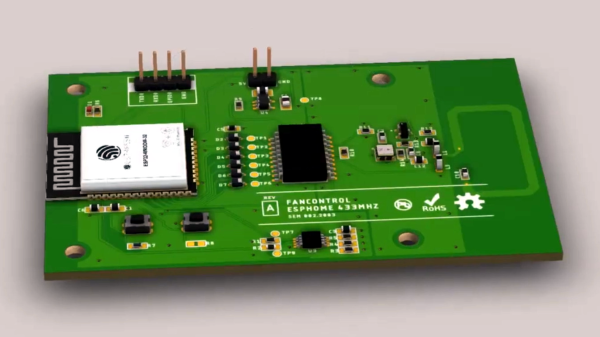
It’s the end of another decade, and while we don’t have real hoverboards, flying cars, or affordable dental care, we do have multicolored lightbulbs you can control over WiFi. [Don Howdeshell] picked up a couple of cheap Merkury branded units in a Black Friday sale, and quickly set about hacking them.

By and large, many of these bulbs are manufactured by various companies and rebranded for whoever happens to place an order. The bulbs tend to use the Tuya IOT ecosystem. Based on the ESP8266, reflashing the bulbs with custom firmware is simple, thanks to the Tuya Convert project. Using a Linux computer with a WiFi card running in Access Point mode, it spoofs a server that tricks the Tuya product into downloading a firmware update. From there, the bulb is an open book, ready to do your bidding.

One of [Don]’s attempts didn’t go so swimmingly, however. Flashing the firmware failed and the bulb was non-functional. [Don] elected to to a teardown, photographing it for our perusal, before hooking up to the ESP8266 directly over its serial interface. From there, it was simple to reprogram the bulb with Tasmota firmware, getting it back up and running.

Security alone is a great reason for running your own firmware on IoT devices. It never hurts to know what you’re connecting to your network!

Rental Home Thermostat Gets Smart Upgrade Without Modifying The Dumb Controller

A problem facing those who live in rental properties comes with two prongs: that such properties rarely have up-to-date facilities such as heating controllers, and that landlords tend to take a dim view of tenants installing their own alternatives. [Andy] wanted to upgrade the heating controller in his home and was in this situation, so he came up with a smart controller add-on for the existing mechanical timer that does not irreversibly modify anything and is easily removable when he moves on.

This sounds like an impossible task, but it’s one he’s done very well by mounting a stepper motor on a 3D-printed frame over the timer switch. It’s the type with a motorised ring onto which plastic fingers can be placed to flip a switch on or off; he’s simply removed the plastic fingers and designed a shaft extension for the motor that simulates their passing the switch. He can now turn his heating on and off at will from an ESP8266, in this case on an Adafruit Feather Huzzah.

Behind it all lies Adafruit IO with a custom dashboard — Hackaday’s [Sean Boyce] took this service for a trial run if you’d like his take on it’s features. For this project, Adafruit IO delivered exactly what [Andy] was after but still left a few teething troubles. The stepper needed to be told not to try to hold its position, and moving a stepper very slowly generated wait periods long enough to trigger the ESP’s watchdog timers. Adding in IFTTT gave him the ability to schedule, as well as Alexa control. All in all he’s replicated some commercial offerings with a lot less cost and all without annoying his landlord. You can see it in action in the video below the break.

Continue reading “Rental Home Thermostat Gets Smart Upgrade Without Modifying The Dumb Controller”

Retrotechtacular: Teasmade

We’re used to our domestic appliances being completely automated in 2020, but not so long ago they were much simpler affairs. Not everything required a human to run it though, an unexpected piece of electromechanical automation could be found in British bedrooms. This is the story of the Goblin Teasmade, an alarm clock with a little bit extra.

Continue reading “Retrotechtacular: Teasmade”

NFC For Your Home Automation

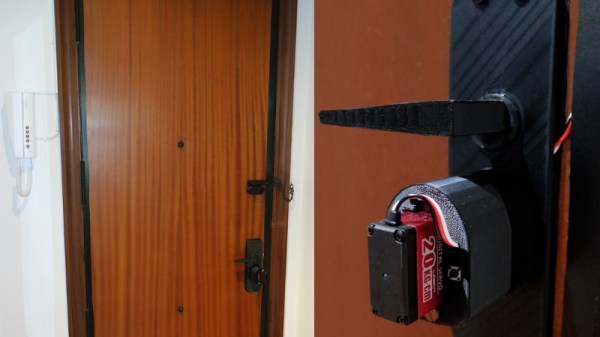
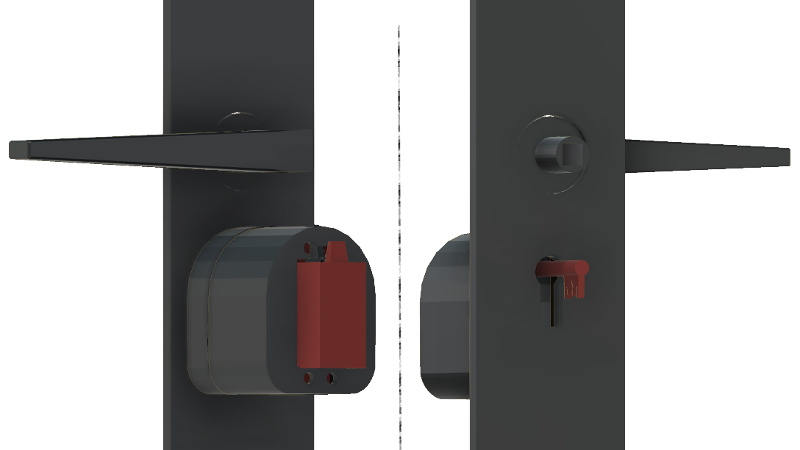
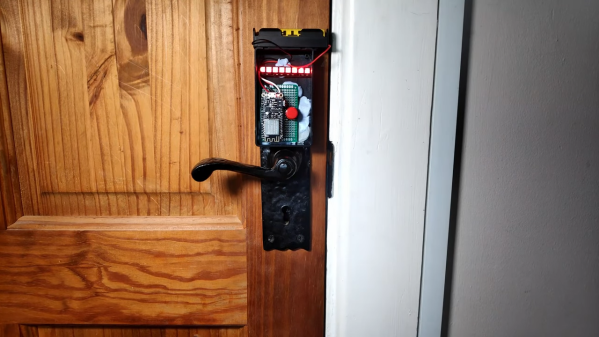
If home automation in the IoT era has taught us anything, it is that no one wants to run wires. Many of us rent, so new cabling is not even an option, even if we wanted to go that route. If you want a unique sensor, you have to build your own, and [tmkThings] wanted an NFC scanner at his front door. Just like arriving at work, he scans his credentials, and the door unlocks automagically.

Inside a little white box, we find an ESP8266 speaking Wifi attached to a PN532 talking NFC, and both are familiar names on these pages. The code, which is available on GitHub, links up with IFTTT and MQTT. For the security-minded, we won’t see this on your front door, but you can trigger your imagination’s limit of events from playing your favorite jams at the end of the day to powering down all the televisions at bedtime.

NFC hacks are great because they are instantly recognizable and readers are inexpensive, but deadbolt hacking is delightful in our books.

Continue reading “NFC For Your Home Automation”

Building (And Testing) A DIY Air Purifier

Whether it’s the usual pollution of the city, or the fact that your corner of the globe happens to be on fire currently, poor air quality is a part of daily life for many people. One way of combating this issue is with a high quality HEPA filter in your home, but unfortunately that’s not something that everyone can afford to even has access to.

Which is why [Adam Kelly] decided to design this DIY HEPA air purifier that can be built for less than $100. That might still sound like a lot of money, but compared to the $500 sticker price he was seeing for the models recommended by health officials, it’s certainly a step in the right direction. Of course, it’s only a deal if it actually works, so a big part of the project has also been verifying the design’s ability to filter particles out of the air in a timely manner.

To build his purifier, [Adam] found a HEPA H13 rated replacement filter that was cheap and readily available, and started designing a low-cost way to pulling air through it. He eventually went with a 120 mm computer case fan coupled with a step-up converter that can produce 12 V from a standard USB port. Then he just needed to design a 3D printed “lid” which would position the fan so it draws air through the center of the filter.

In terms of testing, [Adam] wasn’t worried about the purifier’s ability to actually filter out smoke particles; unless the manufacturer lied about the capabilities of the filter itself, that part is a given. But he was curious about how effective the fan would be in terms of circulating air through a room.

By installing a pitot tube from one of his drones into the lid of the purifier, he determined the airflow in the center of the filter to be approximately 160 CFM. By his calculations, that means it should be able to circulate all the air in his 25 cubic meter office around 10 times per hour. That’s a promising start, but [Adam] says he’d still be interested in a more detailed analysis of the design’s performance by anyone who might have the equipment to do so.

As he lives in Australia, this project is more than just a passing fancy for [Adam]. He only has to look out the window to see that the air he’s breathing is filled with smoke from the raging bushfires. They say that necessity is the mother of invention, and breathable air is pretty high up on the list of human necessities. Our hat’s off to anyone who sees their fellow citizens suffering and tries to use their skills to come up with a solution.

An Eight-Day Home Automation Hackathon Is Inspiration For Getting More Projects Done

There’s nothing quite like a deadline to cut through extras and get right at the heart of the problem. Maybe we should all follow Interpreet’s example and stop thinking about automating our homes and just make it in an eight-day hackathon. His talk at the 2019 Hackaday Superconference covers the zero-to-deployment home automation build he finished in the eight days leading up to his move from one continent to another.

Hackaday’s very own Inderpreet Singh found himself pulling up roots and moving from his home in India to teach at Centennial College in Toronto, Canada. He needed a way to keep an eye on his home from afar and the name of the game is IoT. When the only choice is “whatever works right now”, you can learn a lot about simple solutions.

He chose familiar hardware to work with, with the ESP8266 making up the bulk of the nodes and a Raspberry Pi as as a central hub for the setup. He chose to communicate between all the nodes on his system using WiFi because the hardware is robust and available. With security in mind, he keeps the automation system separate from the daily use WiFi system by grabbing an extra access point to serve as the automation network. The Raspberry Pi serves as a router of sorts; its Ethernet port is connected to the IoT device’s AP, while the onboard WiFi is used to connect to the home’s main AP for a connection to the wider Internet.

Software for the system is built on a REST API served by a Python Flask app. Many would advocate for using MQTT but Inderpreet’s testing with that protocol came up short as the broker he intended to use was no longer available. One of the interesting parts of his system design is that all nodes will check in at regular intervals; this allows them to inquire about actions they need to take, but it also allows the system to detect a malfunctioning node immediately. I’ve seen a similar trick used by Elliot Williams where he assigns a “ping” topic to all MQTT devices that causes them to report in with their IP address. Having a system to query and ensure the health of every node is a big tip to take away from this talk.

Continue reading “An Eight-Day Home Automation Hackathon Is Inspiration For Getting More Projects Done”

BinDayCator Lets You Know When To Take Out The Trash

Municipal waste pickup is a wonderful luxury. Typically once a week, large trucks come by and pick up bins of garbage from your residence. All you have to do is remember to put them out! In a uniquely human way, this is very hard to do. Enter the BinDayCator.

The project consists of a 3D printed model of a typical council wheelie-bin. Printed in white filament, the bin is translucent enough to glow when lit by powerful WS2812B LEDs. Having four LEDs both helps fill the entire model with an even light, as well as allows the bin to display multiple colors in different segments. This means that if it’s green bin day, the bin glows green. If it’s the day for the red and blue bins, the indicator will light up segments in red and blue.

Unfortunately there’s no global standard that councils use to serve up bin day data over the Internet, so configuration isn’t as simple as pointing the BinDayCator at your local waste authority’s website. Instead, some Node-RED code is used to scrape the council website once a day and tell the ESP8266 controlling the BinDayCator which bins are due to be placed on the roadside. A later revision has a custom calendar UI that can allow for manual configuration of the relevant days.

The BinDayCator is a cute device, and one that would likely be commercially successful if there were a simple and easy way to configure the necessary data feed. We’d love one by our front door so we didn’t miss another collection day. Visual indicators are always useful, even if its just for checking the mail. Video after the break.

Continue reading “BinDayCator Lets You Know When To Take Out The Trash”