Wii Fit World Of Warcraft

[youtube=http://www.youtube.com/watch?v=ucEV7N0N9Pw&hl=en]
By now you’ve probably seen the video of two researchers from the German Research Center for Artificial Intelligence (DFKI) navigating through maps on Google Earth by using the Wii Fit Balance Board. They’ve gone even further now by using the board to navigate World of Warcraft. It’s obvious that the board is usable with any 3D environment. The hack is entirely software based, as the board is completely unmodified. It relays data to a laptop via Bluetooth, where the pressure data in converted to directional instructions by their custom app written in C#. No notes on the project are available on DFKI’s site, but we’re betting they’ll release the software to the public once all the kinks are worked out.

[via Balance Board Blog]

Wii Dual NAND Flash Hack


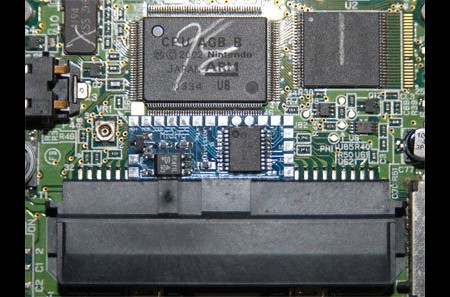
[ChipD] successfully installed two NAND flash chips into his Wii. He can keep the stock firmware on one and then flip a switch if he wants to boot using the other chip with a modified firmware. This hack is fairly straight forward. All it took was someone with steady hands to try it out. The new NAND chip is identical to the original and was salvaged from a flash drive. The chips were soldered as a stack except for the chip enable pin. The chip enable from each chip is attached to a small switch to toggle between which is active. You could use a TSOP socket to swap the different chips, but it wouldn’t fit inside the Wii case. This little switch could be hidden easily next to the GameCube ports.

Homebrew Channel For Wii

[youtube=http://www.youtube.com/v/6ji2imug_bc]

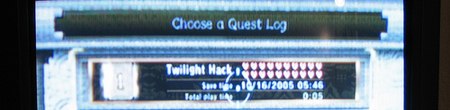
Had enough Nintendo homebrew action yet? We haven’t either. Especially not now that the doors to the homebrew scene have been blown open by The Homebrew Channel. Up to this point, the only way you could run homebrew on an unmodded Wii was the Twilight Hack, which leveraged a flaw in Twilight Princess save games. The Homebrew Channel lets you launch various homebrew apps with a useful GUI instead of performing the hack every time you want to run them. It can access apps stored on an SD card, a computer on the same network, and even USB Gecko. There is no USB flash drive or DVD support at the moment.

The Homebrew Channel can be loaded onto the Wii by running the Twilight Hack (don’t worry, it’ll probably be for the last time) with the Homebrew Channel Files in the root of your SD card. The Wii will reboot and then the channel will appear in the list. We tested it ourselves, and found that everything loaded properly from the SD card (we didn’t try the other sources). We did run into a problem where it failed to load any of our homebrew apps or even reboot properly if a Gamecube memory card was in the slot, but it’s an easy fix, just pull it out.

The devteam behind this release wanted to make things as easy and accessible as possible, so they included download links to the Twilight Hack, The Homebrew Channel, and even a homebrew software bundle to get you started. If you want more homebrew apps, head to Wiibrew.

[via everywhere]

Nintendo DS Music Creation

[youtube=http://www.youtube.com/watch?v=MQCZnwNr0ms&hl=en]
Homebrew developer [yaarglafr] recently released this video of his Protein DScratch in action. You can download a demo version here. The program simulates DJ scratching on the DS with an intuitive interface much like the ones on the touchscreen turntables we discussed the other day. It works well with any of the major DS slot devices; just run a DLDI patch on it and you’re good to go.

Continue reading “Nintendo DS Music Creation”

Nintendo DS Homebrew Guide


Running homebrew applications on the Nintendo DS is easier than ever these days, but if you didn’t get into the scene on the ground floor, knowing where to start can appear much more daunting than it actually is. The great thing is: you don’t need to crack open your DS and void the warranty. There are numerous peripheral options that handle this easily with no hardware mods required. DS Fanboy has served up a useful guide to the most popular peripherals and homebrew software. They explain the pros and cons of each peripheral along with the installation and uses of a few popular homebrew apps.

Already well versed in the homebrew arts? Then try some hacks we’ve featured previously, like building a serial interface or installing DSLinux and loading it with with software like this on-screen qwerty keyboard.

Arduino + Nunchuck +espresso = Awesome


Remember the voltage detector that I mentioned a while back? [Tim] hasn’t put up quite enough info to make me happy, but definitely enough to make me jealous. He updated his NES controlled Silvia to become a Wii nunchuck controlled (via Arduino) Silvia. That said, his last couple of blog posts have me questioning just how much espresso he’s been drinking. Theoretically, he could actually program the Silvia to refuse shots to people who are too jittery.

Wii Nunchuck Arduino Pan And Tilt Camera

[youtube=http://www.youtube.com/watch?v=MD_-YnFZFP8&hl=en]
I found this while looking for a teardown of a Wii Nunchuck remote since they’re cheap and include a 3 axis accelerometer. I mentioned an interface board the other day, but the responsiveness of the interface in this video grabbed my attention. If you like it, you should check out this [via] Nunchuck Arduino RF controlled robot. You can find details on that bot here. The accelerometer itself only runs about $10, but it’s a pretty small SMD part.