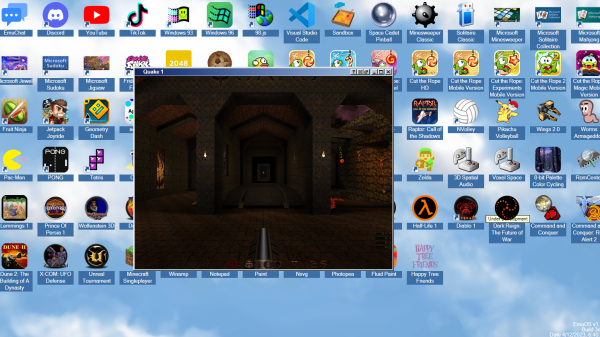
[Emupedia]’s work to preserve computer history by way of making classic and abandoned games and software as accessible as possible is being done in a handy way: right in your browser with EmuOS.
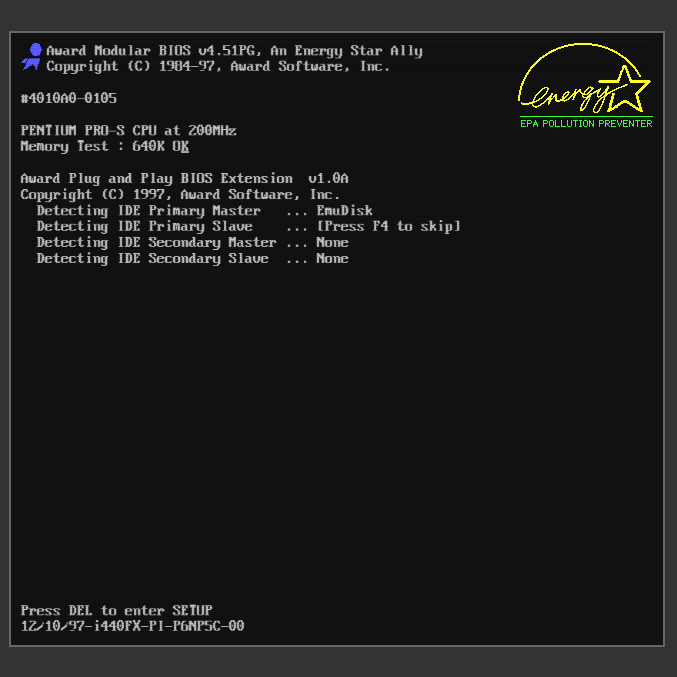
A few moments of BIOS startup kicks off EmuOS right in a browser window.
Doing things this way has powerful “Just Works” energy. Visit that link in a modern browser and in no time at all you’ll be looking at a Windows 95 (or Windows 98, or Windows ME) desktop, filled with a ton of shortcuts to pre-installed and ready-to-run classic software. Heck, you can even keep it simple and be playing the original Microsoft Solitaire in no time flat. There is also a whole ton of DOS software waiting to be fired up, just double-click the DOSBox icon, and browse a huge list. The project is still in development, so not everything works, but the stuff that does is awfully slick.
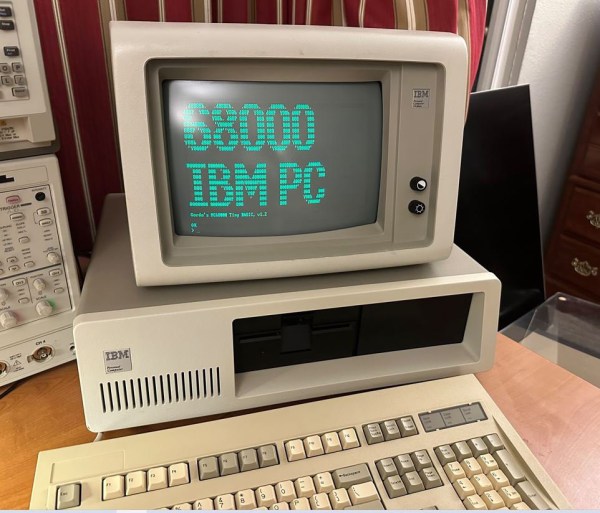
Although ARM CPUs have been making headway in several areas of computing over the last decade or so, the vast majority of desktop, laptop and server CPUs are still based on the x86 architecture. How that came to be is no secret, of course: IBM chose the Intel 8088 to power its model 5150 PC back in the early 1980s, and since it became the dominant PC platform, everyone else followed suit. But what if IBM’s purchasing department had got a good deal at Motorola instead? [Ted Fried] has been experimenting with that scenario, by equipping an IBM PC with a 68000 CPU.
To be fair, he didn’t use an actual Motorola chip; instead, he emulated a 68k core on a Teensy 4.1 and implemented the 8088’s bus interface on its pins. The emulated core does exactly the same thing an actual CPU would do, while the rest of the computer works the same way it always did – data is stored in the motherboard’s DRAM chips, keystrokes are processed by the standard 8255 chip and progam output is displayed on the monitor through the MDA video card. Continue reading “IBM PC Runs BASIC With Motorola 68000 CPU Upgrade”→
With the last manufacturer of 3.5″ floppy disks (FDs) having shut down in 2010, those who are still using this type of storage medium for production and/or retrocomputing purposes have to increasingly rely on a dwindling stack of new old stock, or the used market. With the purported unreliability of this type of magnetic media in mind, what are the chances of a box of used FDs — whether DD or HD format — still working in 2023? That’s the question which [VWestLife] set out to answer in a recent video when he bought a stash of these real-life save icons in 720 kB format from eBay.
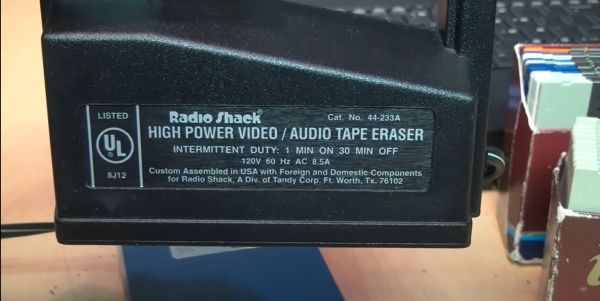
To his delight, he found that he could read most of the disks without issues, revealing contents that had been on there since the 1990s. All but four also could be formatted without issues, the problematic disks reported bad sectors, which was a bit of a bummer. As a practical demonstration of how fun magnetic media is, he then proceeded to try and fix these four disks with a bulk eraser tool. This is a rather brute-force tool that uses a rapidly fluctuating electromagnetic field to scramble the bits on magnetic media.
As the cause of reported bad sectors and other issues can be due to sector alignment issues from years of constant writing by different drives, this may sometimes fix a disk. In this case one of the bad disks was fixed, while a second still showed bad sectors while the remaining two refused to format at all. Assuming one can get a box of old FDs for cheap and has a few hours to kill, it’s not a bad way to refill that stack of empty FDs.
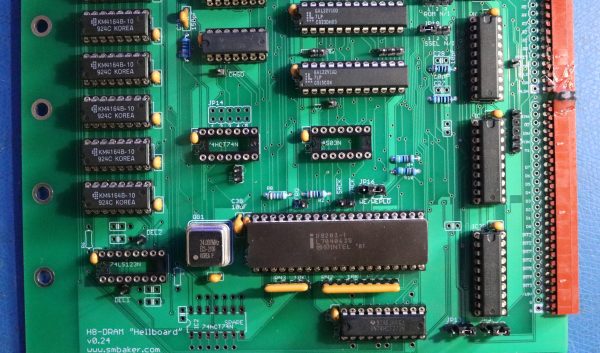
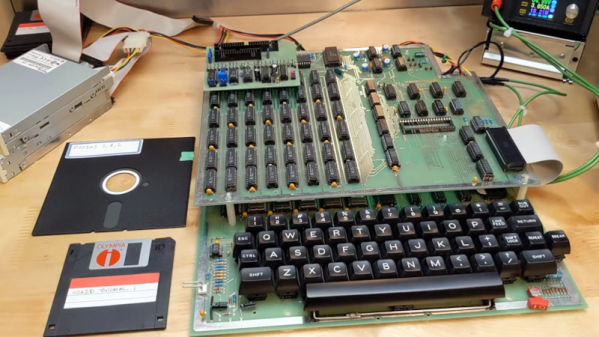
Ask anyone to name a first-generation home computer from the 1970s, and they’ll probably mention the likes of the Altair 8800 and IMSAI 8080. But those iconic machines weren’t the only options available to hobbyists back in the day: Heathkit, famous for its extensive range of electronic devices sold in kit form, jumped on the microcomputer bandwagon with their H8. Though it always remained a bit of an obscure machine, several dedicated enthusiasts kept making H8-compatible hardware and software long after the computer itself went out of production. That tradition continues in 2023, with [Scott M. Baker] producing a brand-new DRAM board that’s compatible with any version of the H8.
Although the Heathkit H8 was designed around the Intel 8080 processor, it could also be equipped with a Z80. [Scott] had built an 8085 based CPU board as well, meaning that any other hardware he developed for the H8 had to support these three processors. For something as timing-critical as a memory board, this turned out to be way harder than he’d expected.
First off, he had already made things difficult for himself by choosing DRAM rather than the simpler SRAM. Whereas SRAM chips can be more or less directly hooked up to the CPU’s address and data buses, a DRAM setup needs refresh circuitry to ensure the data doesn’t leak out of the chips’ internal capacitors. [Scott] decided to use the classic D8203 DRAM controller to do that for him — a solution that was pretty common back in the day.
Getting the timing right for all signals between the CPU and the DRAM controller was not at all trivial, however. The main problem was with two signals, called /SACK and /XACK, which were used to pause memory access during refresh cycles. Depending on which CPU was on the other side, these signals apparently had to be combined with other signals, stored in a flip-flop or delayed by a cycle or two in order to align with the processor’s internal logic. None of this seemed to work reliably, so [Scott] looked elsewhere for inspiration.
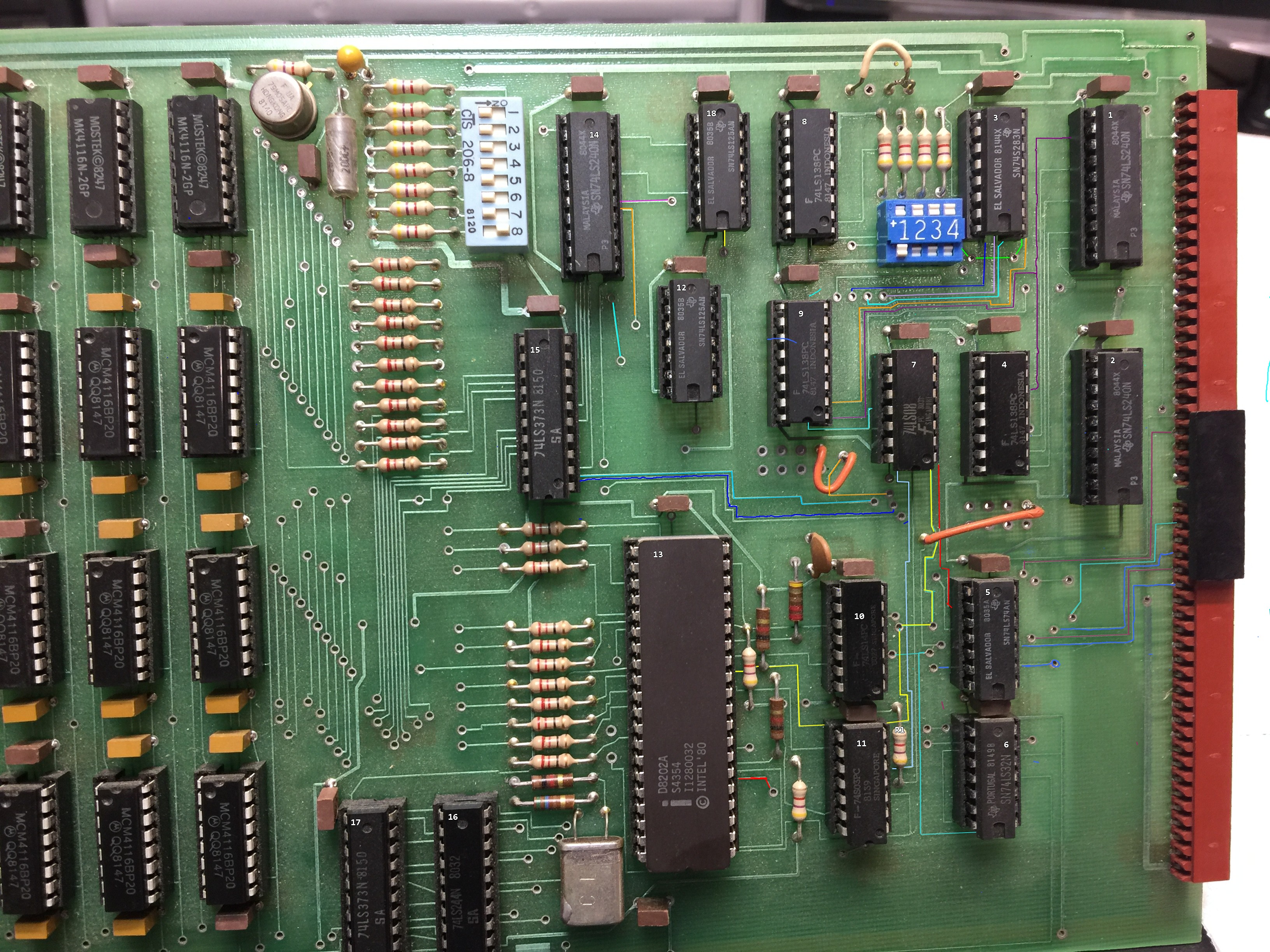
Luckily, traces are easy to follow on a two-layer board.
He found this on eBay, where a few vintage H8-compatible DRAM boards were for sale. Although [Scott] didn’t manage to win the auction, the eventual buyer was kind enough to snap some high-resolution pictures of the board which enabled him to reverse-engineer the circuit. The board used the similar D8202 DRAM controller and came with logic that generated the proper signals to interface with the 8080 and 8085 CPUs. For the Z80, [Scott] dived into the documentation for Heathkit’s Z80 option and found a schematic with a few logic gates that would satisfy the Zilog chip as well.
[Scott] combined both of these solutions on a beautiful 1980s-style printed circuit board, with a bunch of 7400 series logic gates and even two GAL22V10 programmable logic devices. With full documentation and Gerber files available on the project’s GitHub page, Heathkit H8 owners can now get their own brand-new memory board — in kit form, as a Heathkit should be.
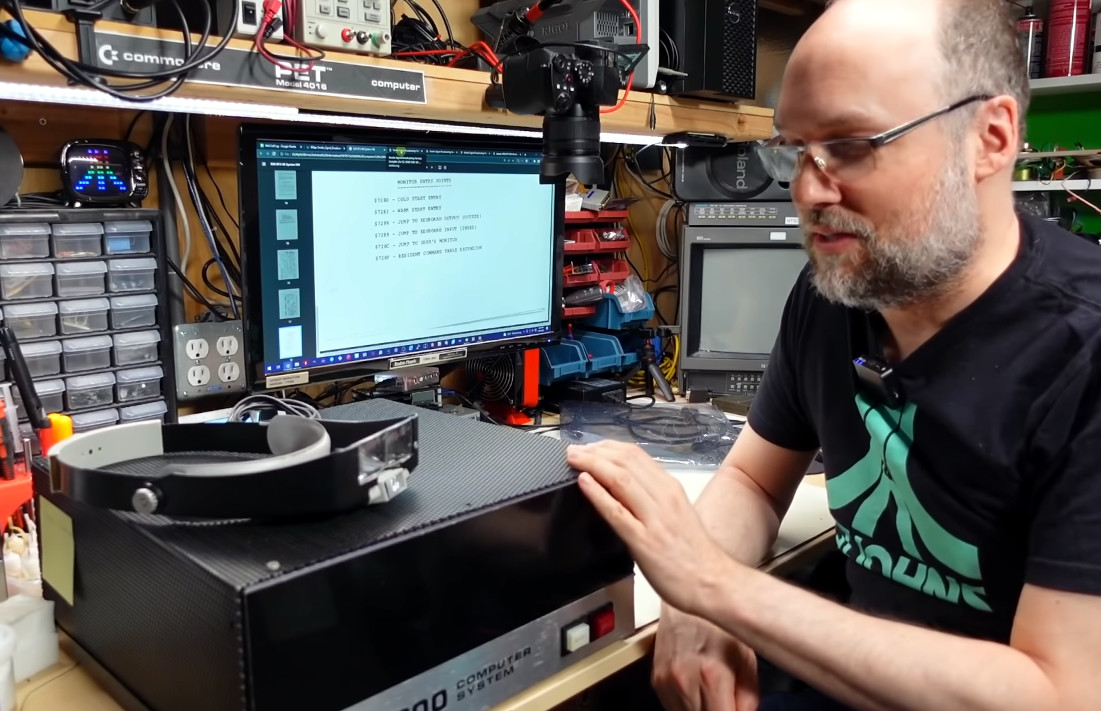
While roaming the halls of Vintage Computer Festival East 2023, we ran into [Adrian Black], who was eager to talk about the importance of classic computing in his own life and how his experience hosting the YouTube channel Adrian’s Digital Basement has impacted him these last few years.
On his channel, [Adrian] spends most of his time repairing vintage systems or exploring little-known aspects of hardware from the early days of desktop computing. His exploits have brought him to the pages of Hackaday in the past, most recently just last month, when we covered his work to add an RGB interface to a mid-1990s Sony Trinitron CRT display. But in talking to him, you quickly realize he’d be working on the very same projects whether the camera was rolling or not. He’s not out to game the YouTube algorithm; he’s just having a good time in the basement poking around with the sort of old gear that at one time would have been completely out of reach.
Exploring a rare SWTPC 6800 computer
In fact, it’s this sense of nostalgia that [Adrian] believes is responsible not just for the growing popularity of his channel but for the retrocomputing community as a whole. For many who grew up with these machines, they were far too expensive or complex to ever crack open (literally and figuratively) when they were new. Now, decades later, people like himself finally find themselves able to buy and enjoy these once-coveted objects.
Critically, they now also have the skills to do them justice, not to mention access to a worldwide community of like-minded folks who are still producing hardware and software that can be used with these classic machines. For those of a certain age, it’s literally a dream come true.
[Adrian] was just one of the retro aficionados we got a chance to talk to during VCF East 2023. We already brought you the chat we had with [Andy Geppert] about magnetic core memory and his Core64 device, but there’s plenty more to come. Stay tuned.
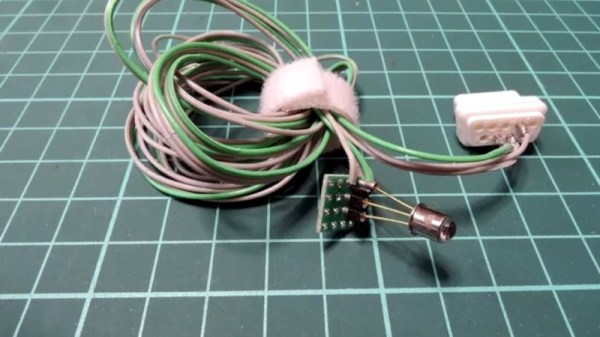
Sometimes the simplest of projects end up revealing the most interesting of things, as for example is the case with [Ryo Mukai]’s light pen for the Vectrex console. It’s an extremely simple device using an integrated light sensor with built-in Schmitt trigger, but for us the magic isn’t in the pen itself but in discovering how it worked with the Vectrex’s vector graphics.
Light pens were a popular accessory in the 8-bit computing days, offering a relatively inexpensive pointing device that gave your micro an even more futuristic feel. On most computers that used a raster-scanning TV display they simply picked up the flying dot on the screen as it passed the end of the pen, but the Vectrex with its display not scanning all of the screen at once needed a different approach.
This piqued our interest, and the answer to how it was done came from PlayVectrex. There was a target X on the screen which could be picked up with the pen, and when picked up it would surround itself with a circle. Crossing the dot as it flew round the circle would tell the console where the pen was, and the position would move to fit. For those of us who only saw a Vectrex in a shop window back in the day, mystery solved! We’ve placed a video showing the process below the break.
While our modern computer can easily emulate a lot of different old machines, there is something about having replica hardware that is even better. Not as nice as having the real thing, in some ways, although you don’t have to worry about wear and tear on a replica, either. [Jeff Tranter] has built a kit replica of an Ohio Scientific Superboard II, and it looks great, as you can see in the video below.
This was an inexpensive all-in-one 6502 computer with a keyboard and provision for TV or monitor output. If you had a 5V power supply, a cassette deck, and a TV you were in business for less money than most of the comparable alternatives. In fact, [Jeff] has the canceled check where his parents paid $486 Canadian for one in 1981. That was his introduction to computing, and we’d say that was a reasonable investment on the part of his parents.