Was Novell’s NE2000 Really That Bad?

If you used almost any form of networked PC in the late 1980s or the 1990s, the chances are that you will at some point have encountered the Novell NE2000 network card. This 16-bit ISA card became a de facto standard for 16-bit network cards, such that very few “NE2000” cards were the real thing. A host of clones filled the market, some of which followed the spec of the original rather loosely. It’s something [Michal Necasek] examines as he takes the reader through the history of the NE2000 and why it gained something of a bad reputation. An interesting read for ’90s PC veterans who battled with dodgy Windows 3.1 network drivers.

The Novell line of network cards were not a primary product of the network server OS company but an attempt to spur the uptake of networked computers in an age when few machines were supplied from the factory with a network card installed. They were largely an implementation of the reference design for the National Semiconductor DP3890 Ethernet interface chipset, and for simplicity of interfacing and drivers they used an I/O mapped interface rather than DMA. The problem with the NE2000 wasn’t the card itself which would work with any NE2000 driver, but the host of “NE2000 compatible” cards that appeared over the decade as that magic phrase became a key selling point at the bottom end of the market. Sure they might contain a DP3890 or its clones, but even minor differences in behaviour would cause them not to work with all drivers, and thus they gained a bad name. The piece reveals the original card as one that might have been slow and outdated towards the end of its reign as a standard card, but maybe one not deserving of the ire directed at it.

If ancient networking kit is your thing, we’ve got some far more obscure stuff to show you.

A Modern Mac Using An Ancient Mac Display

If you own an Apple product you probably live in a world with a few proprietary interfaces, but by and large your displays and desktop peripherals will use familiar ports such as USB and DisplayPort. For the Mac owner of yore though it was a different matter, as [Dandu] is here to tell us with the tale of a vintage Apple monochrome CRT monitor and a modern Mac.

There are no handy VGA ports to be found in this screen, instead it has a 15-pin D connector following a proprietary interface. With the right adapter it’s easy enough to produce VGA from the modern machine, but while it is in theory possible to map VGA pins to Apple pins there’s a snag with this particular model. Instead of using separate sync pins, it demands a composite sync of the type you might find in an analogue TV set that contains both horizontal and vertical sync pulses. The solution came through a simple transistor circuit, and then with the requisite settings on the modern Mac to deliver the 640×480 resolution it was possible to see a MacOS Catalina desktop on something more suited to a Mac II.

We’re more used to seeing CRT Macs in the form of the venerable SE/30, a machine that’s been on our radar for a long time.

Gorgeous 6502 Celebrates Craftsmanship Of The Early Homebrewers

The days when a computer had a front panel bristling with switches and LEDs are long gone, and on balance that’s probably for the better in terms of ease of use, raw power, and convenience. That’s not to say there aren’t those who long for the days of flipping switches to enter programs, of course, but it’s a somewhat limited market. So unless you can find an old IMSAI or Altair, chances are you’ll have to roll your own — and you could do a lot worse than this aluminum beauty of a 6502 machine.

The machine is named PERSEUS-8 by its creator, [Mitsuru Yamada]. It follows earlier machines bearing the PERSEUS badge, all of them completely homebrewed and equally gorgeous. The PERSEUS-8 would have been an impressive machine had it come along 45 years ago — the 2 MHz version of the 6502, a full 16-bit memory address space, and 16 kB of battery-backed RAM. But the mechanical and electrical construction methods and the care and craftsmanship taken are where this build really shines. The case is fabricated out of aluminum sheets and angles and looks like it could have come from a server rack. The front panel is to die for — [Mitsuru] carefully brushed the aluminum before drilling the dozens of holes needed for the toggle switches and LEDs. And the insides are equally lovely — socketed chips neatly arranged on perfboard with everything wired up using period-correct wirewrap methods. Even the labels, both on the front panel and even on the motherboard, are a joy to behold.

Builds like this are the ones that really inspire us to take the extra steps needed to make our projects not only work, but also to be beautiful. We’ve seen this kind of craftsmanship from [Mitsuru] before — recall this serial terminal that never was, or the machine that came before the PERSEUS-8.

Inside A DEC Hard Drive

A lot of technology from the not-so-distant past doesn’t resemble modern versions very much. For a case in point, look at the DEC RS08 disk drive meant to pair with a circa 1970 PDP-8. Paired with an RF08 controller, this was state of the art, holding 262K 12-bit words with a blistering access speed of almost 63K/second unless you were plugged into 50Hz AC when it was closer to 50K/second. [Uniservo] had the disk unit, but not the controller. Someone else had a controller, but no disk drive. So [Uniservo] is shipping the disk to its new owner in a move worthy of a Reeses’ Peanutbutter Cup. The problem? The disk is super fragile and shipping is risky, so he decided to remove the platter for separate packing. Good thing for us, because we get a peek inside.

The nickel-cobalt platter looks like a thick LP record with heads underneath. As you might guess from the data transfer specification, the motor was just a common AC motor that rotated the platter against the head.

Continue reading “Inside A DEC Hard Drive”

PiStorm Brings Modern Muscle To The Amiga

The Amiga, well known as the best and greatest computer ever designed, is nonetheless a platform of yesteryear. Its 68K, and later PowerPC, architectures have both been abandoned by the mainstream, and its attractive grey industrial design no longer graces store shelves. That doesn’t mean the platform is dead however, with diehard shredders like [Claude Schwarz] working hard to keep it alive with projects like PiStorm.

PiStorm is a Motorola 68K CPU emulator, running on a Raspberry PI 3A. The Pi uses its GPIOs to interact with a CPLD chip, which acts as the logic glue to allow the modern single board computer to emulate the Amiga’s original processor. However, it’s more than just an easy way to replace or upgrade a CPU. It also offers additional features, like retargetable graphics acceleration, SCSI disk emulation, and the ability to run whatever Kickstart ROM you so desire.

While the initial work has been done on a Pi 3A, [Claude] has also demonstrated some of the basic functionality running on a Pi CM4 too. The benchmarks are more fierce than a Beyoncé Super Bowl half time show, so if you need grunt on your classic Amiga, this could be the way to go. As a bonus, files to build your own are readily available on Github, which should make it a mite more accessible than other Amiga accelerator boards.

We wonder whether this accelerator could be used to hook the Amiga up to Spotify, a la this previous build. Likely, time will tell. Video after the break.

Continue reading “PiStorm Brings Modern Muscle To The Amiga”

DIY Wireless Serial Adapter Speaks (True) RS-232

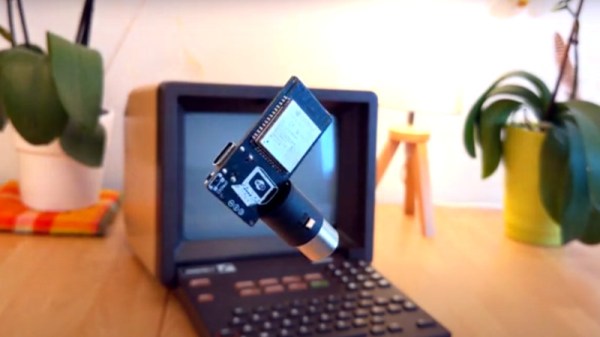
There is a gotcha lurking in wait for hackers who look at a piece of equipment, see a port labeled “Serial / RS-232”, and start to get ideas. The issue is the fact that the older the equipment, the more likely it is to be a bit old-fashioned about how it expects to speak RS-232. Vintage electronics may expect the serial data to be at bipolar voltage levels that are higher than what the typical microcontroller is used to slinging, and that was the situation [g3gg0] faced with some vintage benchtop equipment. Rather than deal with cables and wired adapters, [g3gg0] decided to design a wireless adapter with WiFi and Bluetooth on one end, and true RS-232 on the other.

The adapter features an ESP32 and is attached to a DB-9 plug, so it’s nice and small. It uses the ST3232 chip to communicate at 3 V logic levels on the microcontroller side, supports bipolar logic up to +/-13 V on the vintage hardware side, and a rudimentary web interface allows setting hardware parameters like baud rate. The nice thing about the ST3232 transceiver is that it is not only small, but can work from a 3 V supply with only four 0.1 uF capacitors needed for the internal charge pumps.

As for actually using the adapter, [g3gg0] says that the adapter’s serial port is exposed over TCP on port 23 (Telnet) which is supported by some programs and hardware. Alternately, one can connect an ESP32 to one’s computer over USB, and run firmware that bridges any serial data directly to the adapter on the other end.

Design files including schematic, bill of materials, and PCB design are shared online, and you can see a brief tour of the adapter in the video, embedded below.

Continue reading “DIY Wireless Serial Adapter Speaks (True) RS-232”

DOS Gaming PC Gets Necessary Updates

PC-104 is a standard computer form factor that most people outside of industrial settings probably haven’t seen before. It’s essentially an Intel 486 processor with lots of support for standards that have long since disappeared from most computers, but this makes it great for two things: controlling old industrial equipment and running classic DOS games on native hardware. For the latter, we turn once again to [The Rasteri] who is improving on his previous build with an even smaller DOS gaming rig, this time based on a platform even more diminutive than PC-104.

The key of a build like this is that it needs native support for the long-obsolete ISA bus to be able to interface with a SoundBlaster card, a gold standard for video games of the era. This smaller computer still has this functionality in a smaller package, but with some major improvements. First, it has a floating point unit so it can run games like Quake. It’s also much faster than the PC-104 system and uses less power. Finally, it fits in an even smaller case.

The build goes well beyond simply running software on a SoM computer. [The Rasteri] also custom built an interface board for this project, complete with all of the necessary ports and an ISA sound chip, all while keeping size down to a minimum. The new build also lets him give the build a better name than the old one (although he phrases this upgrade slightly differently), and will also let him expand some features in the future as well. Be sure to check out that first build if you’re new to this saga, too.

Continue reading “DOS Gaming PC Gets Necessary Updates”