Finding Undocumented 8086 Instructions Via Microcode

Video gamers know about cheat codes, but assembly language programmers are often in search of undocumented instructions. One way to find them is to map out all of a CPU’s opcodes and where there are holes, try those values, and see what happens. Not good enough for [Ken Shirriff]. He prefers examining the CPU’s microcode and deducing what each part of it does.

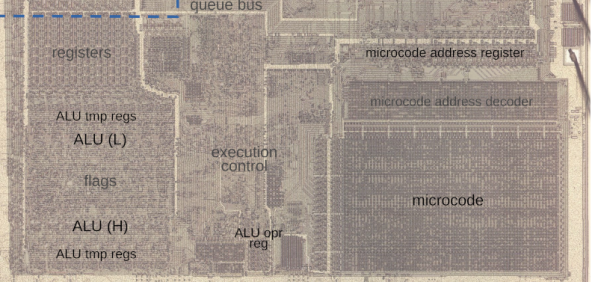
Microcode is a feature of many modern CPUs. The CPU runs several “microcode” instructions to process a single opcode. For the Intel 8086, there are 512 micro instructions, each with 21 bits. Each instruction has two parts: a part that moves a source to a destination and another that performs some other operation, such as an ALU operation. [Ken] explains it all in the post, including several hidden registers you can’t see, but the microcode can.
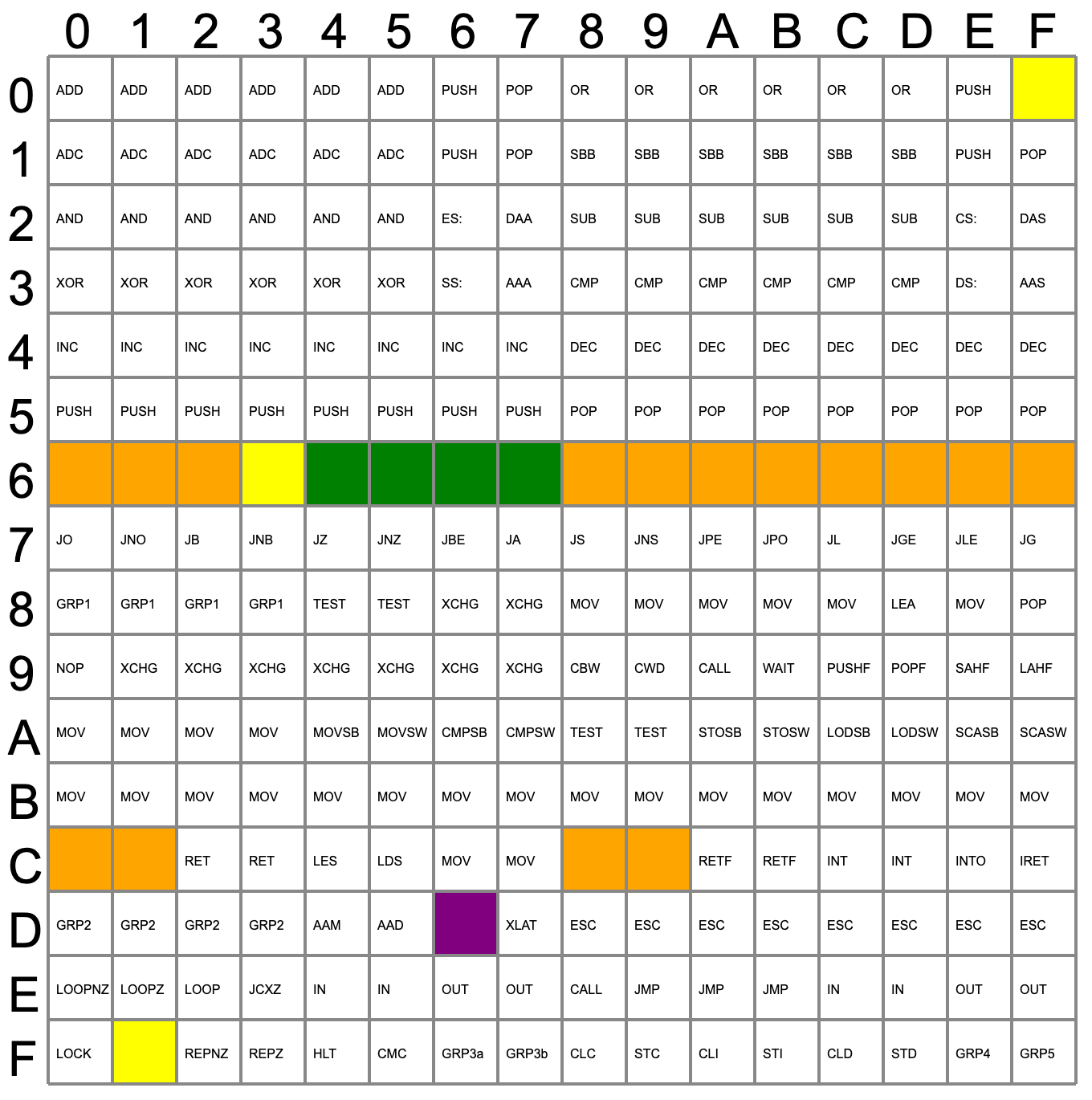
Searching for holes in the opcode table.

Some of the undocumented instructions are probably not useful. They are either impractical or duplicate a function you can already do another way. Not all of the instructions are there for technical reasons. For example, opcode D6, commonly known as SALC for “Set AL to Carry”, seems to exist only as a trap for anyone making a carbon copy of Intel’s microcode. When other companies like NEC made 8086 clones, having an undocumented instruction would strongly suggest they just copied Intel’s intellectual property (in NECs case, they didn’t).

Other cases happen where an instruction just doesn’t make sense. For example, you can pop all segment registers, and though it is not documented, you can deduce that POP CS should be opcode 0F. The problem is there is no sane reason to pop CS off the stack. The instruction works; it just isn’t useful. The opcodes from 60-6F are conditional jumps that are no different from the instructions at 70-7F because of decoding. There is no reason to document both identical instruction ranges.

The plot thickens when you go to two-byte instructions. You’ll find plenty of instructions of dubious value. You don’t hear much about undocumented instructions anymore. Why? Because modern CPUs have enough circuitry to dedicate some to detecting illegal instructions and halting the CPU. But the 8086 was squeezed too tight to allow for such a luxury. Good thing for people like us who enjoy solving puzzles.

You can still get a modern CPU to tell you more about instructions even if it won’t run them. Even the 80286 had some secret opcodes.
CP/M Porting In A Few Hours

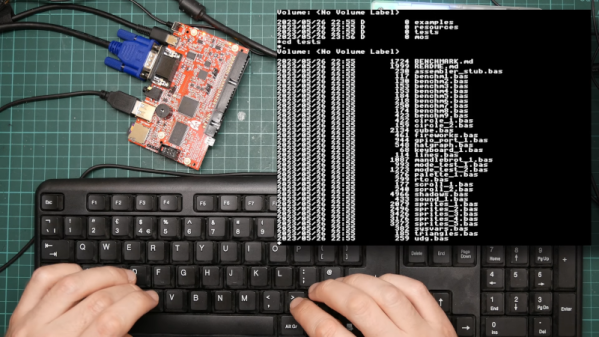
If you’ve ever wanted to watch someone bring CP/M up on a new system and you have a couple of hours to spare, check out the recorded live stream of [Poking Technology]. The system in question is an Agon Light, a modern board with a Z-80-derived CPU. If you want to get right to the porting part, you might want to skip about 31 minutes of the nearly 2.5-hour video.

The first half hour is more about the built-in assembler and the board in general. If you’ve ever ported CP/M before, you know it isn’t as hard as bootstrapping a modern operating system. There are two major things you need: A BIOS, which is specific to your machine, and a BDOS, which is usually taken verbatim from the operating system sources. Your programs typically call one of the 40 or so functions in the BDOS.

Continue reading “CP/M Porting In A Few Hours”

Reverse-Engineering Helps Typesetting Machine Punch Paper Tape Again

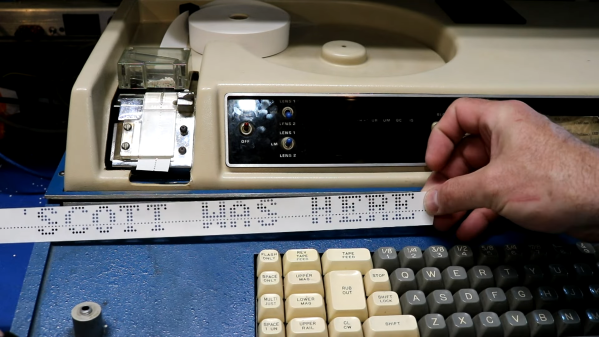
[Scott M. Baker] wants a paper tape punch for his retrocomputer collection. That’s fine with us, we don’t judge. In fact,  these electromechanical peripherals from the past have a lot going for them, especially the noise. But alas, such things are a little hard to come by these days, and rolling one from scratch would be a difficult proposition indeed. What to do?

Luckily, we live in the future, and eBay holds all sorts of wonders, including these typesetter keyboards from the 1970s, which [Scott] promptly reverse-engineered. We’ll get to the details in a minute, but first, can we just take a moment to think about the workflow these things were part of? These aren’t terminals — they lack any kind of IO apart from the punched paper tape they spewed out. The operator’s job was to punch in copy without any kind of feedback that they were hitting the right keys, and just sent the paper tap record of the session off to the typesetting machines. And you think your job sucks.

To give this thing an interface, [Scott] first had to revive the power supply, whose capacitors had seen sunnier days. With that out of the way, he set about understanding the CPU-less machine by analyzing its 7400-series logic, as well as planning how to make the native 6-bit output into a more manageable 8-bit. Thankfully, the tape punch already had solenoids for the top two bits, but finding a way to drive them wasn’t trivial.

The solution was to bypass a buffer so that the bits for the desired character can be set with a Raspberry Pi and an ATF22V10 programmable logic device. That’s enough to force the punch to do its thing; actually getting it to talk to something else, perhaps even [Scott]’s Heathkit H-8 computer.

Continue reading “Reverse-Engineering Helps Typesetting Machine Punch Paper Tape Again”

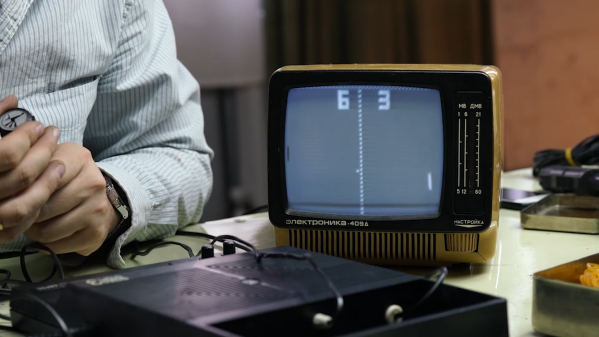
A small B/W TV showing a Pong-like game being played on a Soviet-era game console

Soviet-Era Pong Console Is Easy To Repair

Many early home video game consoles were developed by American and Japanese companies: think Nintendo, Commodore, and Atari. But on the other side of the Iron Curtain, which was still very much in place in the 1980s, an entirely separate industry was built on names like Tesla and Elektronika. As a resident of the republic of Georgia, [Thomas] over at Workshop Nation has built up a sizeable collection of such Soviet-era hardware. A while back, he stumbled upon an Elektronika Video Sport 3, a 1990-vintage Pong-like video game console made in the USSR, and made a delightful video that shows him bringing it back to life.

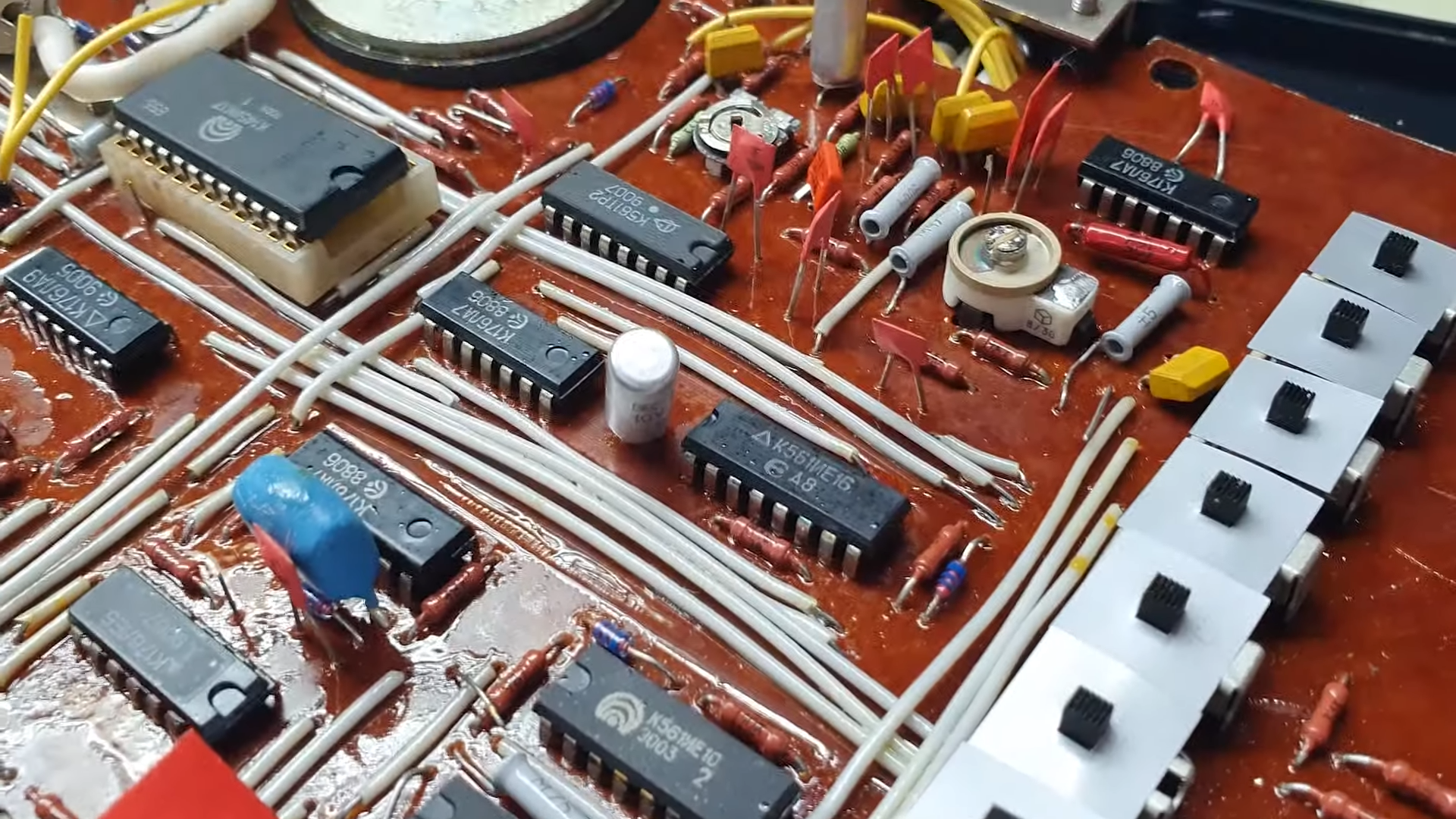
A circuit board from an Elektronika game consoleLike its Western counterparts, the Video Sport 3 is built around a dedicated chip, in this case a K145IK17. This is a Soviet clone of the GI AY-3-8500 that powered nearly every TV Pong console in the West, allowing it to run several variations of Pong as well as a simple target shooting game. Interestingly, the Video Sport 3 also has a “test” mode in which it outputs a test signal to help you adjust your TV settings — quite useful in the days of analog CRTs. It also came with a comprehensive user manual, as well as full schematics to help you repair it in case anything breaks.

[Thomas]’s device didn’t immediately work, which is why he opened it up and tried to find any errors. The main board he found inside was a beautifully hand-made, single-layer board with around a dozen chips and lots of discrete components. Nothing seemed obviously broken, but [Thomas] decided to replace a few electrolytic capacitors as a precaution. This turned out to be enough to get the console working again — dodgy caps truly are a universal problem with older hardware.

A small Elektronika black-and-white TV that [Thomas] found earlier forms a perfect complement to the Video Sport 3. Together, they give us a glimpse into what a typical video game setup may have looked like in an early 1990s Soviet home. In fact, the Eastern Bloc supplied a reasonably wide selection of home computers, although not many people could actually buy them. Some truly bizarre machines were also produced for professional users.

Continue reading “Soviet-Era Pong Console Is Easy To Repair”

Kim-1: Memory Problem Resolved

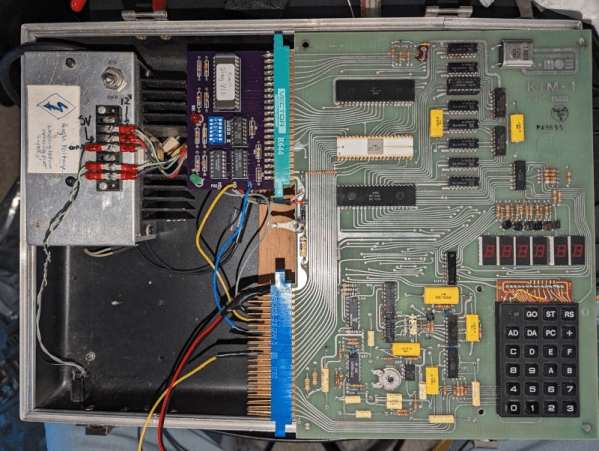
At the very start of the personal computer revolution, there were relatively inexpensive boards with little more than a CPU, some memory, a display, and switches or a keypad. Some of these had expansion ports meant to allow you to build up, and some were just “trainers” to learn about computers. While you could argue that the Altair fell into this category, it had a case and a proper bus. The computers we are thinking about were usually just on a single board and — with luck — had an edge connector for expansion. Perhaps the most famous of these was the KIM-1 and [Old VCR] shows us how he brought one back to life.

These were highly popular mainly because of the low price of $245 back in 1976. For that price you got a calculator-style keyboard and LED display, 1K of RAM, and 2K of ROM. [Old VCR] has several and noticed that one was developing memory problems.

Continue reading “Kim-1: Memory Problem Resolved”

The ThinkPad You All Wish You Had, With A Brain That’s Not Ancient

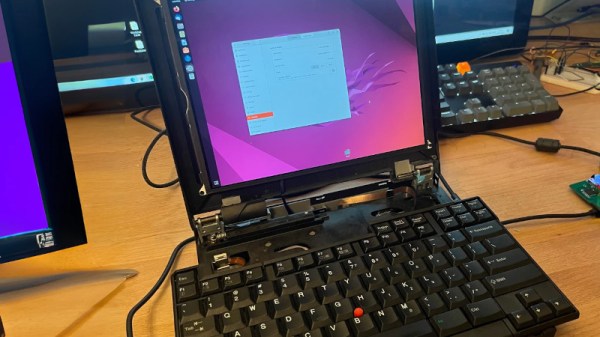
An IBM (or, later, Lenovo) ThinkPad is a popular choice in our community. They’re prized for their rugged design, longevity, and good software support. Over the many years that the line has been available, there have been a few models which have captured the attention more than others, and among those, probably the most sought-after is the ThinkPad 701c. It would be an unremarkable mid-1990s 486 laptop were it not for the party piece of that flip-out butterfly keyboard (see video, below). [Karl Buchka] has one that’s profoundly dead, and rather than use it as a novelty paperweight, he’s giving it a new lease of life with a Framework motherboard.

This is very much a work in progress, so there will be plenty more to come, but so far, he’s taken the display panel from an iPad and made it work with the Framework board, and designed an entirely new lower case for the Thinkpad. This will hold the Framework board with its USB-C ports at the edge, so in the place of its USB-based expansion modules, he’s made a custom external port replicator. Meanwhile, a Teensy handles that unique keyboard. We’re told that the design files will all eventually be put online should anyone else want to try.

We’d normally be slightly upset were someone to butcher something as unusual as a 701c, however, in thic ase we can see that it turns a broken computer into one that should see quite a bit of use.  We can’t help envying him this project.

Understandably not many 701c owners have dived inside their machines, but we have previously brought you a contemporary processor upgrade. If you’ve never seen the 701c’s keyboard — or you just want to see it again — here you go:

Thanks [Ł. Juszczak] for the tip.

Adding Portals To Quake

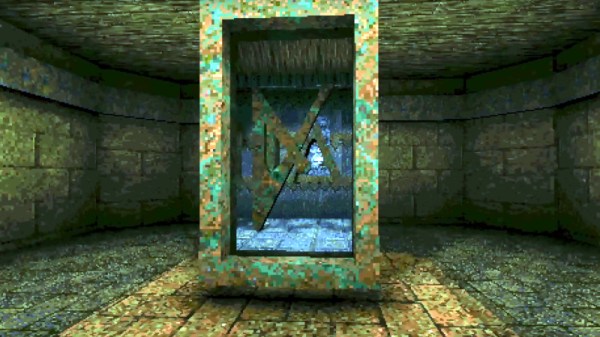
For those who have played Quake extensively, adding portals seems unnecessary, as teleporters are already a core part of the game mechanics. What [Matthew Earl] accomplishes is more of the Portal style of portal by rendering what is on the other side of the portal with a seamless teleportation transition.

Of course, Quake is an old game with a software renderer. Just throwing another camera into the scene, rendering to another texture, and then mapping that texture to the scene isn’t an option. Quake uses an edge rasterizer and generates spans along scanlines that track where edges intersect the current scanline. Rather than making expensive per-pixel comparisons, [Matt] stashes the portal spans and renders them in a second render, so even with multiple portals, only a single screen’s worth of pixels are rendered.

However, this technique has no near clipping plane, which means objects can appear in the portal that don’t make any sense as they are in front of the portal’s viewpoint. Luckily, Quake has an ingenious method for polygon occlusion: the BSP. While [Matt] is manually checking polygons, the BSP is the perfect tool for bisecting a room along a plane. It’s an incredible hack, and we’re excited to see Quake expand into a puzzle game. [Matt] dives into greater detail on how the software renderer works in another video that’s well worth a watch.

Perhaps the most incredible aspect of this technique is that it could run on original hardware. If you want to bring a little more Quake to life, why not get the Quake light flicker in your house? Video after the break.

Continue reading “Adding Portals To Quake”