If you run an OpenBSD server, or have OpenSMTPD running on a server, go update it right now. Version 6.6.2, released January 28th, fixes an exploit that can be launched locally or remotely, simply by connecting to the SMTP service. This was found by Qualys, who waited till the update was released to publish their findings.
It’s a simple logic flaw in the code that checks incoming messages. If an incoming message has either an invalid sender’s username, or invalid domain, the message is sent into error handling logic. That logic checks if the domain is an empty string, in which case, the mail is processed as a local message, sent to the localhost domain. Because the various parts of OpenSMTPD operate by executing commands, this logic flaw allows an attacker to inject unexpected symbols into those commands. The text of the email serves as the script to run, giving an attacker plenty of room to totally own a system as a result.
Browser Locker
“Your browser has been locked to prevent damage from a virus. Please call our Windows help desk immediately to prevent further damage.” Sound familiar? I can’t tell you how many calls I’ve gotten from freaked-out customers, who stumbled upon a scare-ware site that locked their browser. This sort of scam is called a browlock, and one particular campaign was pervasive enough to catch the attention of the researchers at Malwarebytes (Note, the picture at the top of their article says “404 error”, a reference to a technique used by the scam. Keep reading, the content should be below that.).
“WOOF”, Malwarebyte’s nickname for this campaign, was unusual both in its sophistication and the chutzpah of those running it. Browsers were hit via ads right on the MSN homepage and other popular sites. Several techniques were used to get the malicious ads onto legitimate sites. The most interesting part of the campaign is the techniques used to only deliver the scareware payload to target computers, and avoid detection by automated scanners.
It seems that around the time Malwarebytes published their report, the central command and control infrastructure behind WOOF was taken down. It’s unclear if this was a coincidence, or was a result of the scrutiny they were under from the security community. Hopefully WOOF is gone for good, and won’t simply show up at a different IP address in a few days.
Kali Linux
Kali Linux, the distribution focused on security and penetration testing, just shipped a shiny new release. A notable new addition to the Kali lineup is a rootless version of their Android app. Running an unrooted Android, and interested in having access to some security tools on the go? Kali now has your back.
Not all the tools will work without root, particularly those that require raw sockets, and sending malformed packets. It’s still a potentially useful tool to put into your toolbox.
Cacheout, VRD, and Intel iGPU Leaks
Intel can’t catch a break, with three separate problems to talk about. First up is cacheout, or more properly, CVE-2020-0549, also known as L1DES. It’s a familiar song and dance, just a slightly different way to get there. On a context switch, data in the Level 1 cache isn’t entirely cleared, and known side-channel attacks can be used to read that data from unprivileged execution.
VRD, Vector Register Sampling, is another Intel problem just announced. So far, it seems to be a less exploitable problem, and microcode updates are expected soon to fix the issue.
The third issue is a bit different. Instead of the CPU, this is a data leak via the integrated GPU. You may be familiar with the most basic form of this problem. Some video games will flash garbage on the screen for a few moments while loading. In some cases, rather than just garbage, images, video stills, and other graphics can appear. Why? GPUs don’t necessarily have the same strict separation of contexts that we expect from CPUs. A group of researchers realized that the old assumptions no longer apply, as nearly every application is video accelerated to some degree. They published a proof of concept, linked above, that demonstrates the flaw. Before any details were released, Phoronix covered the potential performance hit this would cause on Linux, and it’s not great.
Unintended Legal Consequences
Remember the ransomware attack that crippled Baltimore, MD? Apparently the Maryland legislature decided to step in and put an end to ransomware, by passing yet another law to make it illegal. I trust you’ll forgive my cynicism, but the law in question is a slow-moving disaster. Among other things, it could potentially make the public disclosure of vulnerabilities a crime, all while doing absolutely nothing to actually make a difference.
GE Medical Equipment Scores 10/10
While scoring a 10 out of 10 is impressive, it’s not something to be proud of, when we’re talking about a CVE score, where it’s the most critical rating. GE Healthcare, subsidiary of General Electric, managed five separate 10.0 CVEs in healthcare equipment that they manufacture, and an 8.5 for a sixth. Among the jewels are statements like:
In the case of the affected devices, the configuration also contains a private key. …. The same private key is universally shared across an entire line of devices in the CARESCAPE and GE Healthcare family of products.
The rest of the vulnerabilities are just as crazy. Hard-coded SMB passwords, a network KVM that has no credential checking, and ancient VNC versions. We’ve known for quite some time that some medical equipment is grossly insecure. It will apparently take a security themed repeat of the Therac-25 incident before changes take place.
Odds’n’ends
The Windows 7 saga continues, as Microsoft’s “last” update for the venerable OS broke many users’ desktop backgrounds. Microsoft plans to release a fix.
Firefox purged almost 200 extensions from their official portal over the last few weeks. It was found that over 100 extensions by 2Ring was secretly pulling and running code from a central server.
The Citrix problems we discussed last week has finally been addressed, and patches released, but not soon enough to prevent the installation of future-proof backdoors on devices in the wild. There are already plenty of reports of compromised devices. Apparently the exploitation has been so widespread, that Citrix has developed a scanning tool to check for the indicators of compromise (IoCs) on your devices. Apply patch, check for backdoors.



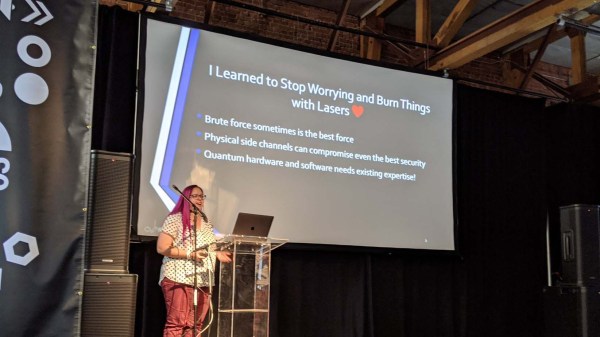
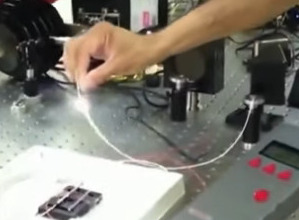 As a self-professed “Crazy Laser Lady”, part of this investigation examined how components held up to big lasers delivering power far outside normal operating range. This turned up exciting effects like a fiber fuse (~17:30 in the video) which is actually a plasma fire propagating through the fiber optic. It looks cool, but it’s destructive and useless for covert attacks. More productive results came when lasers were used to carefully degrade select components to make the system vulnerable.