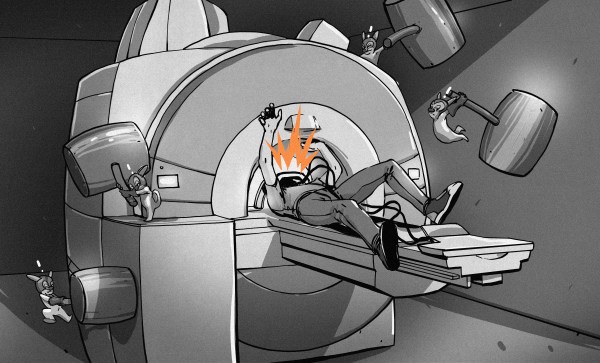
My dad was scheduled for his first MRI scan the other day, and as the designated family technical expert, Pop had plenty of questions for me about what to expect. I told him everything I knew about the process, having had a few myself, but after the exam he asked the first question that everyone seems to ask: “Why is that thing so damn loud?”
Sadly, I didn’t have an answer for him. I’ve asked the same question myself after my MRIs, hoping for a tech with a little more time and lot more interest in the technology he or she uses to answer me with more than the “it’s the machine that makes the noise” brush-off. Well, duh.
MRI is one of those technologies that I don’t feel I have a firm enough grasp on, and it seems like something I should really be better versed in. So I decided to delve into the innards of these modern medical marvels to see if I can answer this basic question, plus see if I can address a few more complicated questions.
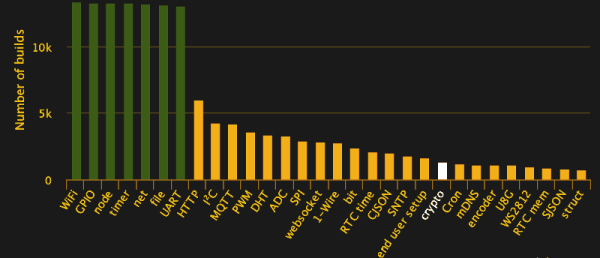
The Espressif ESP8266 chipset makes three-dollar ‘Internet of Things’ development boards an economic reality. According to the popular automatic firmware-building site nodeMCU-builds, in the last 60 days there have been 13,341 custom firmware builds for that platform. Of those, only 19% have SSL support, and 10% include the cryptography module.
We’re often critical of the lack of security in the IoT sector, and frequently cover botnets and other attacks, but will we hold our projects to the same standards we demand? Will we stop at identifying the problem, or can we be part of the solution?
This article will focus on applying AES encryption and hash authorization functions to the MQTT protocol using the popular ESP8266 chip running NodeMCU firmware. Our purpose is not to provide a copy/paste panacea, but to go through the process step by step, identifying challenges and solutions along the way. The result is a system that’s end-to-end encrypted and authenticated, preventing eavesdropping along the way, and spoofing of valid data, without relying on SSL.
We’re aware that there are also more powerful platforms that can easily support SSL (e.g. Raspberry Pi, Orange Pi, FriendlyARM), but let’s start with the cheapest hardware most of us have lying around, and a protocol suitable for many of our projects. AES is something you could implement on an AVR if you needed to.
It’s a common sight in the farming areas of the world — a group of enterprising automotive hackers take a humble economy car, and saw the roof off, building a convertible the cheapest way possible. Being the city dwelling type, I always looked on at these paddock bashing antics with awe, wishing that I too could engage in such automotive buffoonery. This year, my time would come — I was granted a hatchback for the princely sum of $100, and the private property on which to thrash it.
However, I wasn’t simply keen to recreate what had come before. I wanted to take this opportunity to build a solution for those who had suffered like me, growing up in the confines of suburbia. Surrounded by houses and with police on patrol, it simply isn’t possible to cut the roof off a car and drive it down to the beach without getting yourself in altogether too much trouble. But then again, maybe there’s a way.
The goal was to build the car in such a way that its roof could be cut off, but remain attached by removable brackets. This would allow the car to be driven around with the roof still attached, without raising too much suspicion from passing glances. For reasons of legality and safety, our build and test would be conducted entirely on private property, but it was about seeing what could be done that mattered.
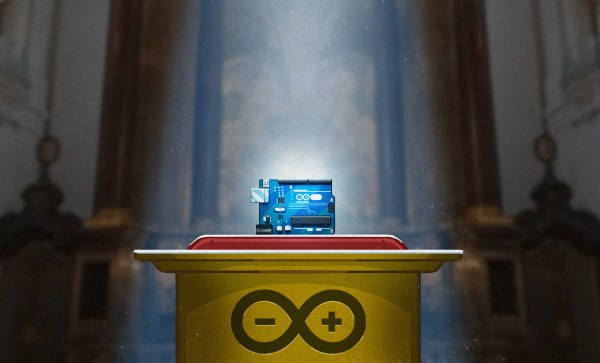
The Arduino Wars officially ended last October, and the new Arduino-manufacturing company was registered in January 2017. At the time, we were promised an Arduino Foundation that would care for the open-source IDE and code infrastructure in an open and community-serving manner, but we don’t have one yet. Is it conspiracy? Or foul play? Our advice: don’t fret. These things take time.
But on the other hand, the Arduino community wants to know what’s going on, and there’s apparently some real confusion out there about the state of play in Arduino-land, so we interviewed the principals, Massimo Banzi and Federico Musto, and asked them for a progress report.
The short version is that there are still two “Arduinos”: Arduino AG, a for-profit corporation, and the soon-to-be Arduino Foundation, a non-profit in charge of guiding and funding software and IDE development. The former was incorporated in January 2017, and the latter is still in progress but looks likely to incorporate before the summer is over.
Banzi, who is a shareholder of Arduino AG, is going to be the president of the Foundation, and Musto, AG’s CEO, is going to be on the executive board and both principals told us similar visions of incredible transparency and community-driven development. Banzi is, in fact, looking to get a draft version of the Foundation’s charter early, for comment by the community, before it gets chiseled in stone.
It’s far too early to tell just how independent the Foundation is going to be, or should be, of the company that sells the boards under the same name. Setting up the Foundation correctly is extremely important for the future of Arduino, and Banzi said to us in an interview that he wouldn’t take on the job of president unless it is done right. What the Arduino community doesn’t need right now is a Foundation fork. Instead, they need our help, encouragement, and participation once the Foundation is established. Things look like they’re on track.
Sometimes the end of a product’s production run is surrounded by publicity, a mix of a party atmosphere celebrating its impact either good or bad, and perhaps a tinge of regret at its passing. Think of the last rear-engined Volkswagens rolling off their South American production lines for an example.
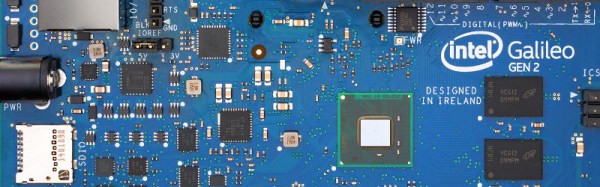
Then again, there are the products that die with a whimper, their passing marked only by a barely visible press release in an obscure corner of the Internet. Such as this week’s discontinuances from Intel, in a series of PDFs lodged on a document management server announcing the end of their Galileo (PDF), Joule (PDF), and Edison (PDF) lines. The documents in turn set out a timetable for each of the boards, for now they are still available but the last will have shipped by the end of 2017.
It’s important to remember that this does not mark the end of the semiconductor giant’s forray into the world of IoT development boards, there is no announcement of the demise of their Curie chip, as found in the Arduino 101. But it does mark an ignominious end to their efforts over the past few years in bringing the full power of their x86 platforms to this particular market, the Curie is an extremely limited device in comparison to those being discontinued.
Will the departure of these products affect our community, other than those who have already invested in them? It’s true to say that they haven’t made the impression Intel might have hoped, over the years only a sprinkling of projects featuring them have come our way compared to the flood featuring an Arduino or a Raspberry Pi. They do seem to have found a niche though where there is a necessity for raw computing power rather than a simple microcontroller, so perhaps some of the legion of similarly powerful ARM boards will plug that gap.
So where did Intel get it wrong, how did what were on the face of it such promising products fizzle out in such a disappointing manner? Was the software support not up to scratch, were they too difficult to code for, or were they simply not competitively priced in a world of dirt-cheap boards from China? As always, the comments are open.
Museum exhibits are difficult to make, and they’re always breaking down; especially the interactive ones. This is a combination of budget, building a one-off, and the incredibly harsh abuse they take from children.
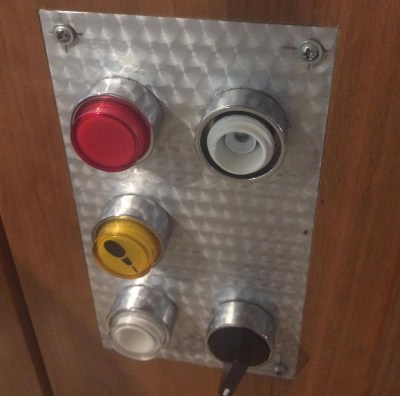
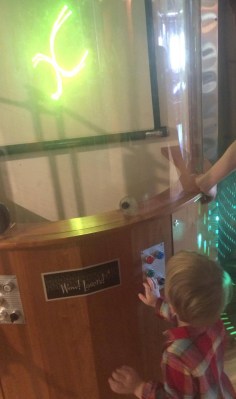
My first exhibit is an interactive laser show that turns waveforms from music into laser patterns, and different types of music have very different patterns. I knew from talking to the museum staff that industrial buttons were a necessity, but it turns out that industrial buttons are made under the assumption that tiny creatures won’t be constantly mashing, twisting, and (ew ew ew) licking the buttons. After a while, the buttons (and poor knob) were trashed.
The button face has been removed, and the knob is spinning freely.
Buttons at toddler level are in a vulnerable position.
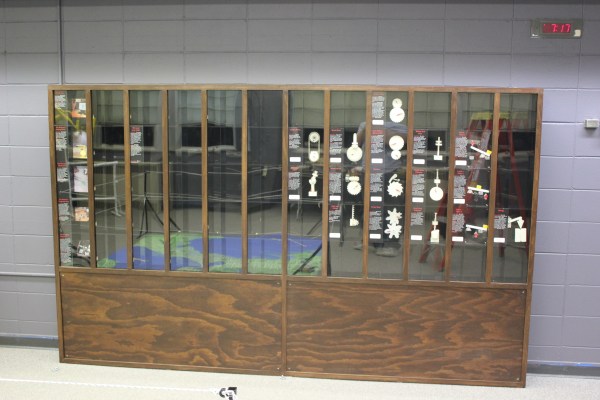
The second exhibit is also interactive, but in this case it’s just a simple button that turns on a thing for a while, then shuts it off. You can read more about the Periodic Table of Motion on the project page. Here I thought; let’s use capacitive touch, put the sensor behind two layers of acrylic for protection, and then there won’t be any moving parts to break. I built a bunch of units, tested it for weeks, then installed it. Instant failure despite my diligence.
Something is different about the installation from my test environment. It might be the second layer of acrylic contributing. Maybe it’s the power supply and a strange ground issue. Maybe the room’s fluorescent lights are creating an electromagnetic field that is interrupting the sensor, or the carpet is causing static buildup that is somehow causing the midichlorians to reverse polarity and discharge through the base plate of prefabulated aluminite. In some of the cells, the button doesn’t work. In other cells it is extremely sensitive. In one column of the table (columns share a common piece of acrylic among 5 cells), a single touch will trigger all 5.
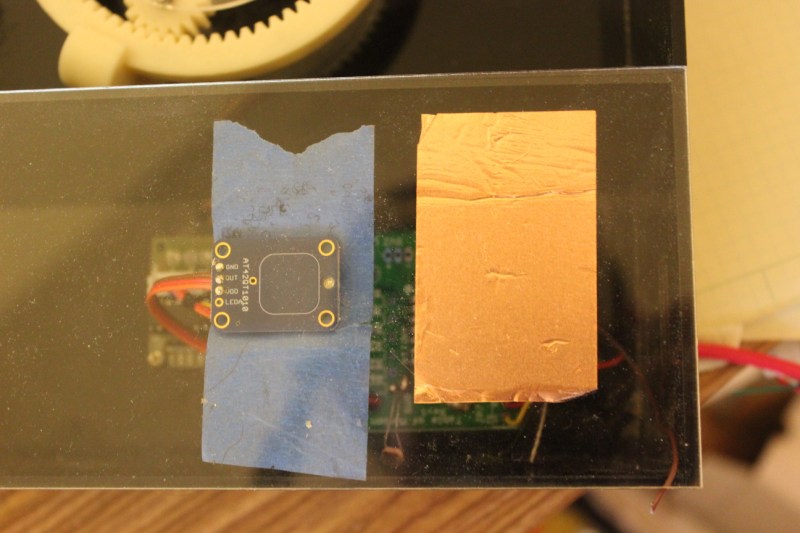
The circuit is an ATtiny with a 2.2M resistor between two pins, one of which connects via a short wire to a soldered connection to a piece of copper tape on the underside of an acrylic piece. The ATtiny is using the capsense library, which has features for automatic recalibration. Because of the way it is installed, I can’t reprogram them to adjust their sensitivity while inside the enclosure, so tweaking them post-install is not an option. I thought I could isolate the problem and use an existing capacitive touch sensor breakout of the AT42QT1010 hooked up to just power, but it had the exact same issue, meaning it’s either the power supply, the enclosure, or the room.
Side-by-side tests of copper tape+Arduino and AT42QT1010 had similar problems.
There are three paths I can go down now:
Find the problem and solve it
Switch to a photoresistor
Petition Hackaday for a better solution
Finding the problem and solving it will be a long and difficult path, especially since the museum environment is somehow and inexplicably different from the test environment. The photoresistor option has promise; when the user puts their hand over the paper button the light level changes. Some early testing indicates that it is easy to detect instantaneous change, and a trailing average and adjusting threshold make it robust enough for changing lighting conditions throughout the day. Further, it’s a simple change to the code, and the existing circuit board will accommodate the adjustment.
As for the third option…
What have you done for child-compatible touch interfaces that are robust enough to handle uncertain environments and harsh abuse? What buttons, knobs, and other interactive elements have you used?
Humanity is a planetwide force. We have the power to change our weather. We have the power to change the shape of the land. We have the power to selectively wipe a species from this earth if we choose. We’ve had this power for a while and we’re still coming to terms with it. Many of us even deny it.
With such power, what do we do? We have very few projects which are in line with our ability. Somewhere in the past few years, I feel like most of us have lost our audacity. We’ve culturally come to appreciate the safe bet too much. We pull the dreamers and doers down. We want to solve the small problems first, and see if we have time for the big problems later. We don’t dream big enough, and there is zero reason for this hesitation. We could leverage our planetwide power for planetwide improvements. Nothing is truly stopping us. No law, no government, nothing.
To put it simply, as far as technology goes, everything is still low-hanging fruit. We’ve barely done anything. Even some of our greatest accomplishments can happen randomly in nature. We’ve not left our planet in any numbers or for any length of time. Our cities are disorganized messes. In every single field today, the unexplored territory is orders larger than the explored. Yet despite this vast territory, there are very few explorers. People want to optimize the minutia of life. A slightly faster processor for a slightly smaller phone. It’s okay.
Yet that same small optimization applied to a larger effort could have vast positive impact. Those same microprocessors could catalog our planet or drive probes into space. The very same efforts we spend on micro upgrades could be leveraged if we just look at the bigger picture then get out of our own way. All that is lacking is ambition. Money, time, skill, industry, and people are all there, waiting. We have the need for and have the resources to support ten thousand Elon Musks, not just the one.
Big projects make us bigger than our cellphones and Facebook. When you see a rocket launch into the sky, suddenly, “the world” becomes, simply, “a world.” Order of magnitude improvements reduce the order of our perception of previously complex problems. They should be our highest goal. Whatever field you’re in, you should be trying to be ten times better than the top competitor.
However, there are some societal changes that have to occur before we can.