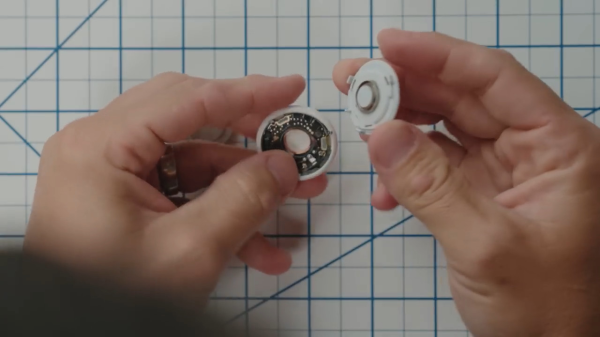
apple airtag being opened to remove the sounder

Apple AirTag: Antitheft Or Antistalking?

Occasionally, the extra features added to a product can negate some of the reasons you wanted to buy the thing in the first place. Take, for example, Apple’s AirTag — billed as an affordable way to link your physical stuff to your phone. If some light-fingered ne’er-do-well wanders by and half-inches your gear, you get notified. The thing is, the AirTag also has an anti-stalking measure, which after a while, notifies nearby iPhones, should the tag move but not be near your iPhone!

In a recent video, [David Manning] explains that this feature is great for preventing the device from being used to track people. But it also means that if said thief happens to own an iPhone, they will be notified of the nearby tag, and can find it and disable it. So in the end, it’s a bit less useful as an anti-theft measure!

The solution is to pop the back off the tag and yank out the little sounder module from the rear plastic. You lose the ability to locate the tag audibly, but you gain a little more chance of returning your stolen goods. Apple could easily remove this feature with a firmware update, but it’s a matter of picking your poison: antistalking or antitheft?

Continue reading “Apple AirTag: Antitheft Or Antistalking?”

Hackaday Links Column Banner

Hackaday Links: February 18, 2024

So it turns out that walking around with $4,000 worth of hardware on your head isn’t quite the peak technology experience that some people thought it would be. We’re talking about the recently released Apple Vision Pro headset, which early adopters are lining up in droves to return. Complaints run the gamut from totally foreseeable episodes of motion sickness to neck pain from supporting the heavy headset. Any eyeglass wearer can certainly attest to even lightweight frames and lenses becoming a burden by the end of the day. We can’t imagine what it would be like to wear a headset like that all day. Ergonomic woes aside, some people are feeling buyer’s remorse thanks to a lack of apps that do anything to justify the hefty price tag. The evidence for a wave of returns is mostly gleaned from social media posts, so it has to be taken with a grain of salt. We wouldn’t expect Apple to be too forthcoming with official return figures, though, so the ultimate proof of uptake will probably be how often you spot one in the wild. Apart from a few cities and only for the next few weeks, we suspect sightings will be few and far between.

Continue reading “Hackaday Links: February 18, 2024”

Reverse Engineering The Apple Touch Bar Screen

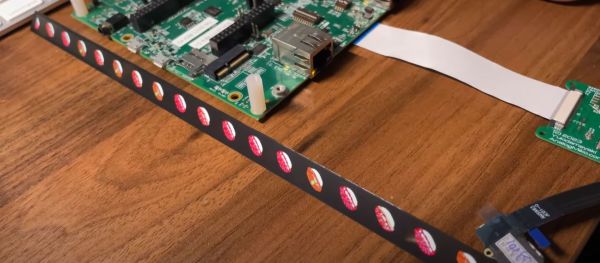
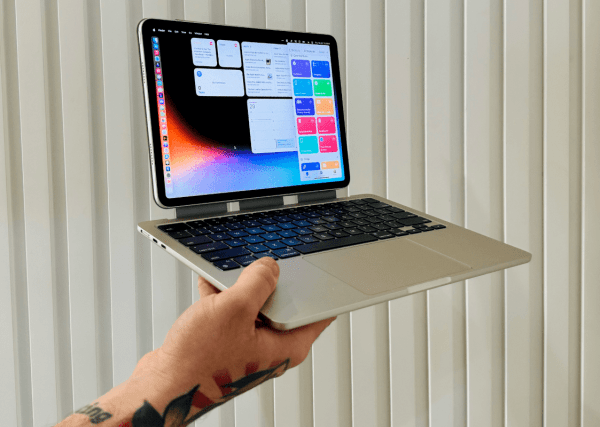
The Apple Touch Bar was an oddity on a fairly small number of Apple laptops which replaced the function key row with a touch display. Yet what is special about this display other than its odd form factor when you consider it as a generic touch display? As [Wenting Zhang] describes in a recent reverse-engineering video, this 2,170 x 60 pixel display is somewhat limited in that it doesn’t support the MIPI DSI video mode, only command mode, along with a special instruction (0x3C) for automatic address offsets. The results of this project can be found on the GitLab account.

In a way these limitations make sense when you consider Apple’s use case for these special MIPI-DSI displays. As a touch screen with dynamic controls being displayed on it, features such as video playback never were a goal, and thus Apple likely decided to save a few bucks, possibly also due to MIPI licensing costs. What this means is that if you had dreamed of snapping up an extremely long and narrow OLED display for a video project you’re in for somewhat of a bad time. Although animated content is possible – as [Wenting] demonstrates – this comes with all the limitations of command mode, meaning slower updates, higher power usage and a lot more overhead.

Continue reading “Reverse Engineering The Apple Touch Bar Screen”

Why The IPad Doesn’t Have A Calculator

For the handful among us who have an iPad tablet from Apple, some may have figured out by now that it lacks a feature that has come standard on any operating system since roughly the early 90s: a calculator application. Its absence on the iPad’s iPadOS is strange since the iPhones (iOS) have always had a calculator application built into the system.  Even Apple’s laptop and desktop systems (MacOS/OS X/MacOS) include a calculator.  As [Greg] at [Apple Explained] explains in a 2021 video, this seems to have been initially due to Steve Jobs, who didn’t like the scaled-up iOS calculator that the person in charge of iPad software development – [Scott Forstal] – was working on and set an ultimatum to replace or drop it.

In the video, [Greg] shows sections of an interview with Apple software chief [Craig Federighi], who when confronted with the question of why iPadOS doesn’t have a calculator or weather app, quickly slithers out of the way of the incoming question. He excuses the absence with the idea that Apple won’t do anything unless it makes people go ‘wow’ when they use it. Fast-forward two years, and iPadOS 17 still doesn’t have a version of the Apple Calculator app, making for rich meme fodder. One question that gets raised by some is whether Apple really needs to make such an app at all since you can use Spotlight and Siri to get calculations resolved, in the latter case, using the apparently hidden Calculator app.

These days, you can use Google Search as a calculator, too, with it even throwing up a calculator UI when you ask it to perform a calculation, and the App Store is full of various calculator apps, with or without advertising and/or paid features. In this context, what could Apple do with a calculator that would positively ‘wow’ its users?

Continue reading “Why The IPad Doesn’t Have A Calculator”

ThunderScan: The Wild 1980s Product That Turned A Printer Into A Scanner

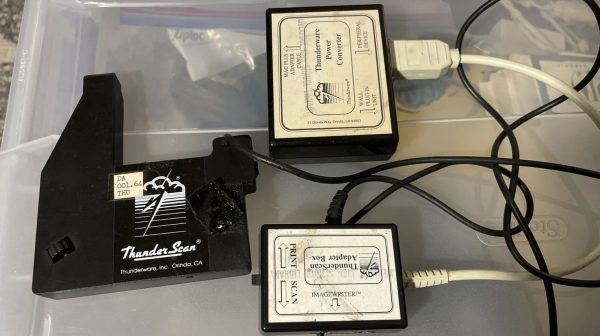
Back in the 1980s, printers were expensive things. Scanners were rare, particularly for the home market, because home computers could barely handle basic graphics anyway. Back in these halcyon days, an obscure company called Thunderware built a device to convert the former into the latter. It was known as the Thunderscan, and was a scanning head built for the Apple ImageWriter dot matrix printer. Weird enough already, but this device hides some weird secrets in its design.

The actual scanning method was simple enough; the device mounted a carriage to the printer head of the ImageWriter. In that carriage was an optical reflective sensor which was scanned across a page horizontally while it was fed through the printer. So far, so normal.

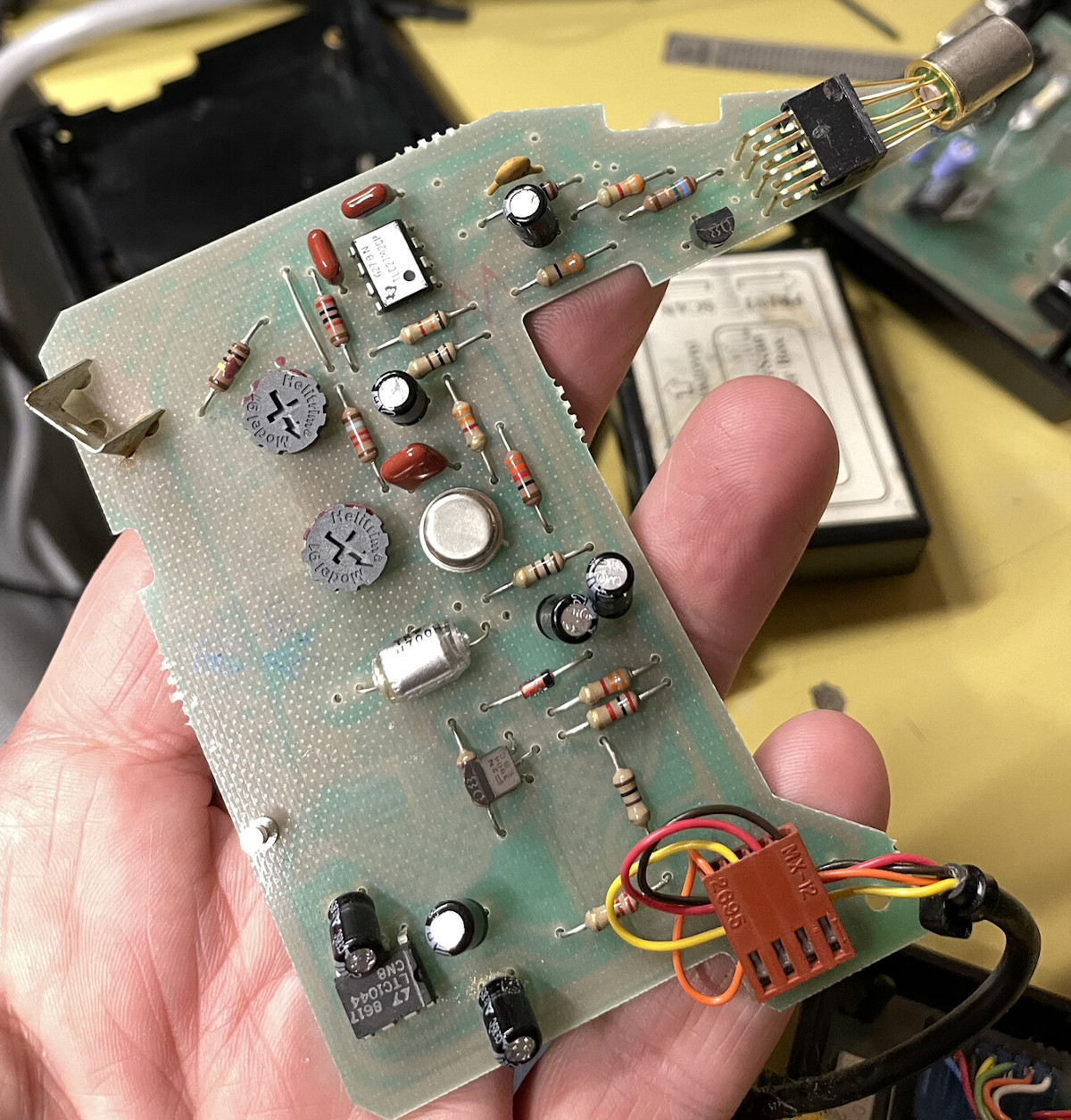
The hilarious part is how the scanner actually delivered data to the Macintosh computer it was hooked up to. It did precisely nothing with the serial data lines at all, these were left for the computer to command the printer. Instead, the output of the analog optical sensor was fed to a voltage-to-frequency converter, which was then hooked up to the handshake/clock-in pin on the serial port.

The scanner software simply looked at the rate at which new characters were becoming available on the serial port as the handshake pin was toggled at various frequencies by the output of the optical sensor. Faster toggling of the pin indicated a darker section of the image, slower corresponded to lighter.

Interestingly, [Andy Hertzfeld] also has his own stories to tell on the development, for which his software contribution seems to have netted him a great sum of royalties over the years. It’s funny to think how mainstream scanners once were; and yet we barely think about them today beyond a few niche uses. Times, they change.

Thanks to [J. Peterson] for the tip!

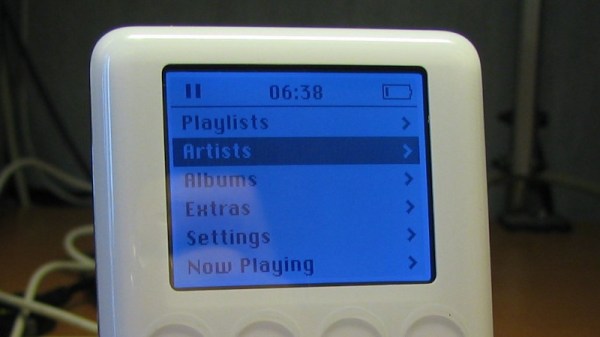
How The First IPod Was Blown Wide Open

If someone makes a device, someone else will want to break it open and run their own software on it. When the original manufacturer is Apple this is never made easy, and as [Daniel Stenberg] reminds us in the case of one of the earlier iPod models it required an unusual approach.

In short, an HTML file was found which triggered a reboot, meaning a buffer overrun had been found in the firmware. After much experimenting, the memory location was found which would flash the backlight, and from there a piece of ARM code could be injected which would dump the firmware very slowly bitwise by flashing the light. Enough code could be extracted to find the address of the USB serial port, allowing new code to be made which dumped the firmware via USB. We remember the earliest models using FireWire instead of USB, so perhaps we can zero in on the 3rd or 4th generation. From there enough could be deduced to run the Rockbox music player firmware. We remember seeing friends doing this back in the day, something which was for a while the height of open-source coolness.

Fast forward twenty years or so, and we’re still covering people chipping away at Apple’s defenses. We don’t know whether a first-generation iPod could run Doom, but we know Rockbox was capable of it on other players.

A Flasher Mac, 25 Years Later

Apple Macintosh computers of the 1990s came with a system ROM containing an Open Firmware implementation and the Mac Toolbox required to start the operating system. In many cases this was on a SIMM-like daughter board, and it would have been a true ROM that was unable to be reprogrammed. This is not the end of the story though, and [Doug Brown] set out on the trail of a Flash-based ROM module allowing the firmware on these machines to be updated.

The trail was warm thanks to an Apple developer utility found on a secondhand Mac prototype, allowing ROM flashing. A little disassembly allowed a list of valid IDs to be made, and this info coupled with a bit of reverse engineering from online photos of a real Apple Flash ROM from the ’90s allowed a new board to be created with four Am28F020  chips. He can now flash at will, with such oddities as running ROMs from different machines with the “wrong” startup chime. It’s an interesting little piece of 1990s Mac trivia, settled.

This isn’t the first time we’ve peered at Apple ROMs, indeed some of the older ones had plenty of Easter eggs hidden within.