Precision CNC Drawing With EtchABot

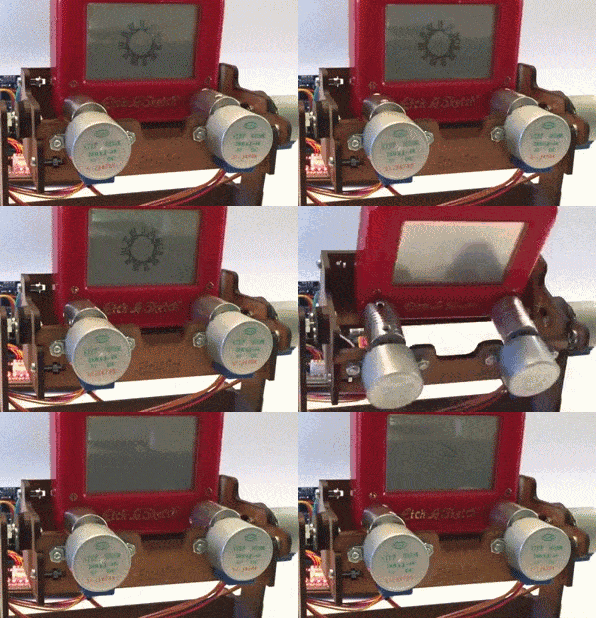
Turning the classic toy Etch-A-Sketch into a CNC drawing tablet intrigues a large number of hackers. This version by [GeekMom] certainly takes the award for precision and utility. Once you build something like this, you can hardly stop writing firmware for it; [GeekMom] produced an entire Arduino library of code to allow joystick doodling, drawing web images, and a self-erasing spirograph mode. The topper is the version that runs as a clock!

gallery

The major hassle with making a CNC version of this toy is the slop in the drawing mechanism. There is a large amount of backlash when you reverse the drawing direction. If that isn’t bad enough, the backlash is different in the vertical or horizontal directions. Part of [GeekMom’s] presentation is on how to measure and correct for this backlash.

The EtchABot uses three small stepper motors. Two drive the drawing controls and the third flips the device forward to erase the previous drawing. The motors are each controlled by a ULN2003 stepper motor drivers. An Arduino Uno provides the intelligence. Optional components are a DS3231 Real Time Clock and a dual axis X-Y joystick for the clock and doodling capability. Laser cut wood creates a base for holding the Etch-A-Sketch and the electronics.

The write up and details for this project are impressive. Be sure to check out the other entries in [GeekMom’s] blog. Watch the complete spirograph video after the break.
Continue reading “Precision CNC Drawing With EtchABot”

Your Fingers Will Never Leave Your Hands With This Firecracker Launcher

Who doesn’t like to ring in the New Year with explosives? But speaking from personal experience – I can neither confirm not deny nearly blowing my hand off once with a small dry-ice grenade – a hands-off way to launch your fireworks can be a plus, in which case you might want to check out this automatic firecracker launcher.

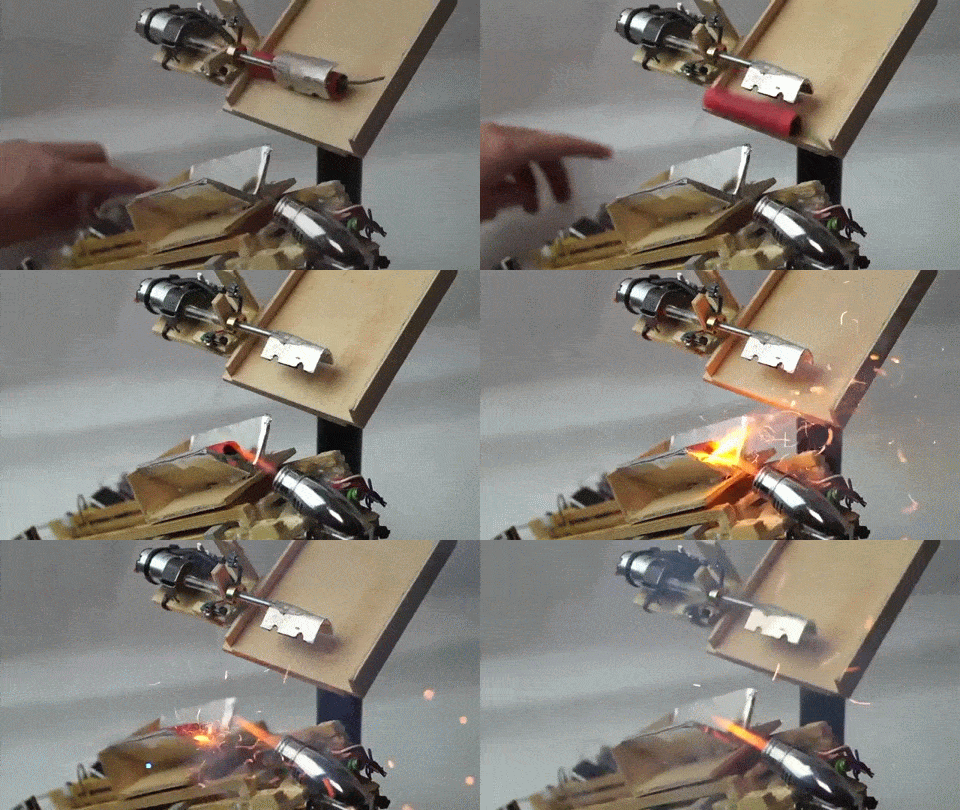
[Valentin]’s build has all the earmarks of an inspired afternoon of hasty hacking. Mostly built of wood and hot glue, there’s a feed ramp for fresh ammo and an elastic-powered sled on a ramp. Fireworks are metered onto the sled with one turn of a small gear motor, the fuse is light by a butane torch, and another gear motor pulls the sled back and launches the firecracker. The launch is somewhat anemic – perhaps some stouter rubber bands or latex tubing would provide a little more oomph. But it’s still a fun build with plenty of potential for improvement – perhaps something along the lines of this automated beer catapult?
Continue reading “Your Fingers Will Never Leave Your Hands With This Firecracker Launcher”

StarMAT Greets Visitors With The Imperial March

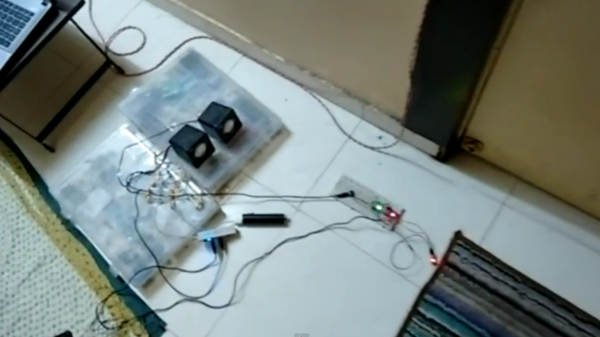
Strong is the Force, with this Padawan. To coincide with the latest installment of the continuing saga from a galaxy far, far away, [Rohit Gupta] built a Star-Wars themed interactive doormat. The doormat detects a footstep using capacitive sensing and plays a random Star Wars audio clip like the opening theme or the Imperial March or a famous phrase from the movie. Check out the video below the break.

The current setup is temporarily breadboarded, but we are sure it will be popular enough with his visitors to make him tidy it up. The hardware consists of an Arduino with an audio shield connected to a pair of speakers. A capacitive wire loop under the mat and a capacitive sensor tuned to the mat size wire take care of the sensing.

When Earth people step on the mat, the sensor triggers the Arduino to play a random audio clip from the SD card. The capacitive sensing is taken care by the TP223 1-key touch pad detector chip (PDF), which he mounted on a home etched board with SMD parts. The whole bundle is powered by a small “power bank” battery pack like the ones used to charge mobile phones.

Continue reading “StarMAT Greets Visitors With The Imperial March”

Nixie Tube Energy Meter Dresses Up Front Hall

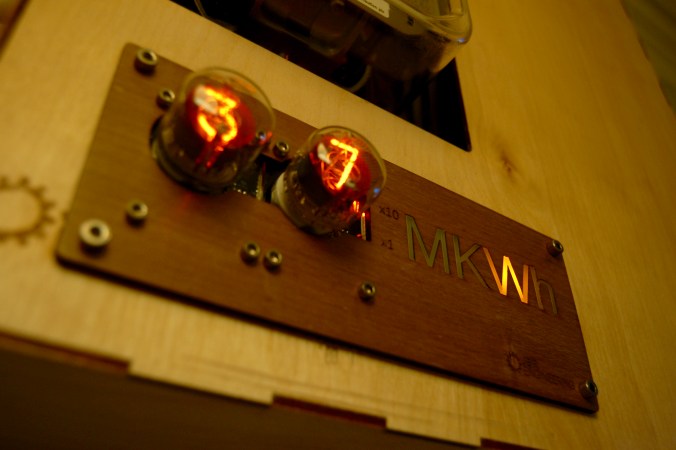
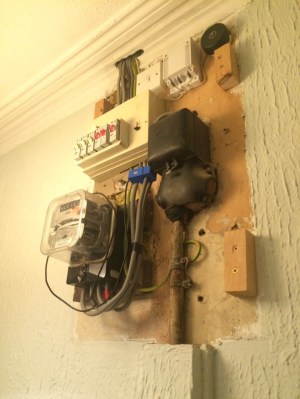
When you move into a new house, there’s always something that needs fixing up. A bit of paint and some new drapes may help freshen up the place and put your mark on it, but things like exposed wiring and a very utilitarian looking electrical panel in your front hall are altogether different. Unwilling to live with the mess, [John Whittington] decided to enclose his utility panel and add a Nixie tube IoT watt meter to dress things up while monitoring energy usage.

IMG_8991-e1451227735242Looking at the “before” pictures on [John]’s blog, we can see why he’d want to invest the effort – not exactly an attractive way to greet guests at the front door. A simple wooden box to replace the previous cover would have sufficed, but why pass up the opportunity to add value? [John] opted for a Nixie tube display to complement the glass of the electric meter. The Nixie modules were a bit on the pricey side, though, so with only a pair of tubes to work with, [John] came up with a clever system to indicate the scale of the display. We doubt he’ll ever see megawatt-level instantaneous power draw, but the meter is also capable of totalling energy use, and as a bonus an ESP-8266 gives lets him stream data to the web.


We’ve featured tons of Nixie projects before – everything from clocks to cufflinks. We have to agree that [John]’s Nixie project turned out great, and it’s sure to be a conversation starter with arriving guests.

Continue reading “Nixie Tube Energy Meter Dresses Up Front Hall”

Better 3D Graphics On The Arduino

There are cheap LCDs available from China, and when plugged into an Arduino, these displays serve as useful interfaces or even shinier baubles for your latest project. [Michael] picked up a few of these displays in the hope of putting a few animated .GIFs on them. This is an impossible task with an ATMega microcontroller – the Arduino does not have the RAM or the processing power to play full-screen animations. It is possible to display 3D vector graphics, with an updated graphics library [Michael] wrote.

The display in question uses the ILI9341 LCD driver, found in the Adafruit library, and an optimized 3D graphics driver. Both of these drivers have noticeable flicker when the animation updates, caused by the delay between erasing a previous frame and when a new frame is drawn.

With 16-bit color and a resolution of 320×240 pixels, there simply isn’t enough memory or the processing power on an ATMega microcontroller to render anything in the time it takes to display a single frame. There isn’t enough memory to render off-screen, either. To solve this problem, [Michael] built his render library to only render pixels that are different from the previous frame.

Rendering in 3D presents its own problems, with convex surfaces that can overlap themselves. To fix this, [Michael]’s library renders objects from front to back – if the pixel doesn’t change, it doesn’t need to be rendered. This automatically handles occlusions.

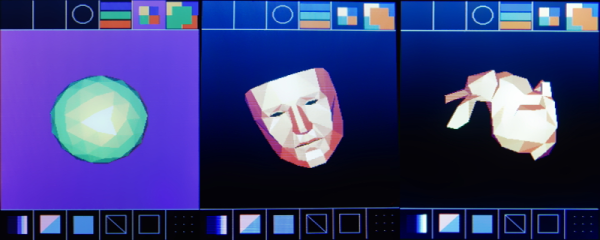
In a demo application, [Michael]’s LCD and Arduino can display the Stanford bunny, a low-poly 3D face, and geometric object. It’s not a video game yet, but [Michael] thinks he can port the classic game Spectre to this platform and have it run at a decent frame rate.

Video of the demo below.

Continue reading “Better 3D Graphics On The Arduino”

Code Craft-Embedding C++: Hacking The Arduino Software Environment

The Arduino software environment, including the IDE, libraries, and general approach, are geared toward education. It’s meant as a way to introduce embedded development to newbies. This is a great concept but it falls short when more serious development or more advanced education is required. I keep wrestling with how to address this. One way is by using Eclipse with the Arduino Plug-in. That provides a professional development environment, at least.

The code base for the Arduino is another frustration. Bluntly, the use of setup() and loop() with main() being hidden really bugs me. The mixture of C and C++ in libraries and examples is another irritation. There is enough C++ being used that it makes sense it should be the standard. Plus a good portion of the library code could be a lot better. At this point fixing this would be a monumental task requiring many dedicated developers to do the rewrite. But there are a some things that can be done so let’s see a couple possibilities and how they would be used.

Continue reading “Code Craft-Embedding C++: Hacking The Arduino Software Environment”

Hackaday Links: December 20, 2015

If you don’t have a Raspberry Pi Zero right now, you’re not getting one for Christmas. Who would have thought a $5 Linux computer would have been popular, huh? If you’re looking for a new microcontroller platform you can actually buy, the Arduino / Genuino 101 is available in stores. This was released a few months ago, but it still looks pretty cool: DSP, BTLE, and a six-axis sensor.

If you don’t know [David], the Swede, you should. He’s the guy that launched a glider from a high altitude balloon and is one of the biggest advocates of tricopters. Now he bought an airplane wing for his front yard. It was an old Swedish air force transport aircraft being broken up for scrap. Simply awesome.

Chocolate chips. Now that the most obvious pun is out of the way, here’s how you make DIP8 cookie cutters.

[Barb] is over at the Crash Space hackerspace in LA, and she has a YouTube channel that goes over all her creations. This week, it’s a layered wood pendant constructed out of many layers of veneer. Take note of the 3M 77 spray glue used for the lamination and the super glue used as a clear, hard finish.

Star Wars was released and we have a few people digging through the repertoire to see what [John Williams] lifted for the new movie. Here’s musical Tesla coils playing the theme for the Force.

Flickr gives you a full gigabyte of storage, but only if you upload JPEGs, GIFs, and PNGs. That doesn’t prevent you from using Flickr as your own cloud storage.

We know two things about [Hans Fouche]: he lives in South Africa and he has a gigantic 3D printer. His latest creation is an acoustic guitar. It may not sound great, but that’s the quality of the recording. It may not play great, but he can fix that with some acetone vapor. It would be very interesting to see 3D printing used in a more traditional lutherie context; this printer could easily print molds and possibly even something to bend plywood tops.

Starting in 1990, [deater] would make a yearly Christmas-themed demo on his DOS box. You can really see the progression of technology starting with ANSI art trees written in BASIC, to an EGA graphical demo written with QBASIC to the last demo in 96 made with VGA, and SoundBlaster effects written in Turbo Pascal and asm.