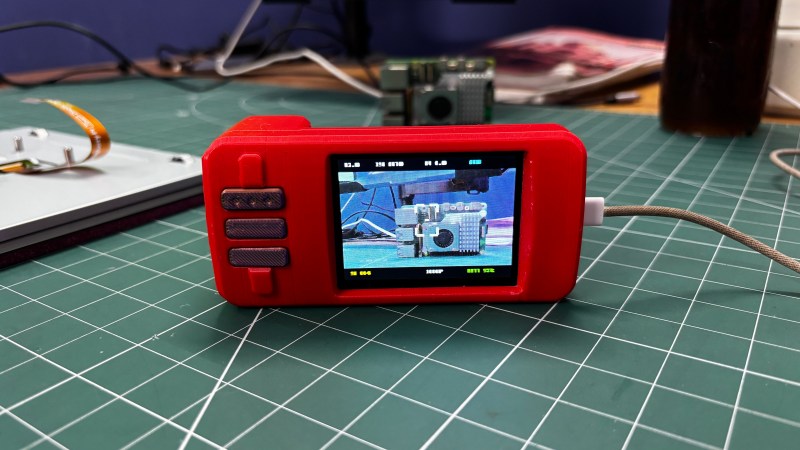
A Raspberry Pi Zero-based camera in a nice yellow case. There's a yellow lanyard, too.

Optocam Zero’s Pictures Look One Hundred

Yeah, we know, there’s a camera on your phone that does this and that. But these days its become trendy to turn towards older digital cameras in place of smartphones, and we can tell you from experience, that the joys of having a dedicated photographing contraption are many.

There’s plenty of cheap digital cameras on the secondhand market, but instead of fending off the clothes bros and other reseller types at the thrift store, stay home and build [Doruk Kumkumoğlu]’s Optocam Zero. Inspired by the Kodak Charmera and the like, [Doruk] aimed for something that’s playful, enjoyable, and intuitive to use.

Optocam Zero uses an auto-focus camera module and features eight photo filters. The screen dims when inactive to preserve battery life, but it can be charged back up with USB-C, and you can use it for the duration. And unlike my young adult camera, you don’t have to take out the SD card to see the pictures, just use the custom hotspot interface to transfer them.

Continue reading “Optocam Zero’s Pictures Look One Hundred”

Pixel Camera Puts Lo-Fi Images In The Palm Of Your Hand

Some things have an undeniable appeal, and lo-fi, pixelated Game Boy-camera-like images are one of them. In service of this, [Raul Zanardo] created his handheld pixel camera that goes the extra mile. It implements slick real-time pixel art filters and a number of other useful features.

A live preview with real-time filters makes capturing just the right image easy.

For hardware, [Raul] uses a LilyGo T-Display S3 Pro which is an ESP32-based development board, camera, and color touchscreen display in a handheld form factor that vaguely resembles a chunky smartphone. The only change is swapping the stock camera for an OV3660-based camera module. It’s a drop-in replacement, but necessary because some of the features and settings his software uses are not available on the stock camera.

The camera captures 240 x 176 images, but the really neat part is the real-time filter pipeline. There are many configurable choices to play with, including pixelation, dithering, edge detection, CRT scanline effect, and color palette presets. Captures are saved to a local micro SD card and there’s all kinds of handy features like a photo gallery that takes full advantage of the color touchscreen. There’s also USB Mass Storage functionality, so downloading photos is as simple as plugging in a USB cable.

The Game Boy camera’s charming lo-fi imagery has inspired many pixel-camera projects, and this one makes great use of an inexpensive handheld development board and includes truly useful features.

Do you have your own pixel-art inspired camera project? Hit up our tips line and tell us all about it!

Every 3D Printable Film Camera, In One Place

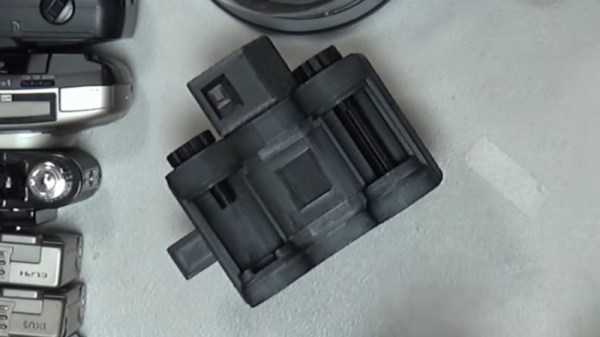
For those of us who hack old cameras, the 3D printer has undoubtedly been a boon. High precision, or at least consistent precision, lightproof enclosures can be easily made and reproduced for others. As a result there are quite a few printable cameras out there, and we’ve featured our share here. We didn’t realize just how many there are without the work of [Sebastian] though, as he’s gathered together every one he can find in a glorious catalog of homemade photographic construction.

As a snapshot of the world of home made cameras it’s refreshing to see such a wide range of designs. There are pinholes aplenty as well as cameras using lenses from scavanged point and shoots through 35mm SLR, medium format, and even one using a Micro Four Thirds compact digital camera lens. For film there’s 35mm and 120 as well as large format, but we’re pleased to see a few instant cameras in there. Some of the models in the list are paid-for designs but most of them are free, so you probably won’t need any encouragement to make yourself a camera!

Unless we missed something, we didn’t see any movie cameras in the list. With 35mm and 16mm models to be found, we hope some of them make it.

Retro Open Source Camera Straight From The ’90s

In our modern society, we have started to take the humble camera for granted. Perhaps because of this, trendy standalone cameras have started to take off. Unfortunately, most of the time these cameras are expensive and not any better than those in our everyday smartphones. If only there were some open-source solution where you could build and customize your own standalone device? [Yutani] has done just that with the SATURNIX.

Simple microcontrollers and cameras meant for Raspberry Pis are a dime a dozen these days. Because of this, it’s no surprise to hear that the SATURNIX is based on recognizable hardware, a Raspberry Pi Zero 2W and an Arducam 16MP sensor. The Pi Zero powers both the sensors’ capture abilities and the interactive LCD display.

Continue reading “Retro Open Source Camera Straight From The ’90s”

Recording HDR Video With A Raspberry Pi

The Raspberry Pi line of single-board computers can be hooked up with a wide range of compatible cameras. There are a number of first party options, but you don’t have to stick with those—there are other sensors out there with interesting capabilities, too. [Collimated Beard] has been exploring the use of the IMX585 camera sensor, exploiting its abilities to capture HDR content on the Raspberry Pi.

The IMX585 sensor from Sony is a neat part, capable of shooting at up to 3840 x 2160 resolution (4K) in high-dynamic range if so desired. Camera boards with this sensor that suit the Raspberry Pi aren’t that easy to find, but there are designs out there that you can look up if you really want one. There are also some tricks you’ll have to do to get this part working on the platform. As [Collimated Beard] explains, in the HDR modes, a lot of the standard white balance and image control algorithms don’t work, and image preview can be unusable at times due to the vagaries of the IMX585’s data format. You’ll also need to jump some hurdles with the Video4Linux2 tools to enable the full functionality of these modes.

Do all that, recompile the kernel with some tweaks and the right drivers, though, and you’ll finally be able to capture in 16-bit HDR modes. Oh, and don’t forget—you’ll need to find a way deal with the weird RAW video files this setup generates. It’s a lot of work, but that’s the price of entry to work with this sensor right now. If it helps convince you, the sample shots shared by [Collimated Beard] are pretty good.

If you’re looking to record some really juicy, colorful imagery with the Raspberry Pi, this is a difficult but viable way to go. We’ve seen some other hardcore Raspberry Pi camera hacks of late, too.

Continue reading “Recording HDR Video With A Raspberry Pi”

Experiment With The Pi Camera The Modular Way

The various Raspberry Pi camera modules have become the default digital camera hacker’s tool, and have appeared in a huge number of designs over the past decade. They’re versatile and affordable, and while the software can sometimes be a little slow, they’re also of decent enough quality for the investment. Making a Pi camera can be annoying though, because different screens, lenses, and modules have their own mounting requirements. [Jacob David C Cunningham] has a solution here, with a modular Raspberry Pi camera, as an experimentation platform for different screens and lenses.

It takes the form of a central unit that holds the Pi and its support components, and front and rear modules for the screens or displays. Examples are given using the HQ and non-HQ modules, as well as with round or rectangular displays.

When designing a camera for 3D printing it’s a very difficult task, to replicate or exceed the industrial design of commercial cameras. Few succeed, and we’d include ourselves among that number. But this one comes close; it looks like a camera we’d like to use. We like it.

Pan-Tilt Head For Camera Motion Control

Historically, moving and pointing a camera while filming was the job of a highly-skilled individual. However, there are machines that can do that, enabling all kinds of fancy movement that is difficult or impossible for a human to recreate. A great example is this pan-tilt build from [immofoto3d.]

The build uses a hefty cradle to mount DSLR-size cameras or similar. It’s controlled in the tilt axis by a chunky NEMA 17 stepper motor hooked up to a belt drive for smooth, accurate movement. Similarly, another stepper motor handles the pan axis, with an option for upgrade if you have a heavier camera rig that needs more torque to spin easily. Named Gantry Bot, it’s an open-source design with source files available, so you can make any necessary tweaks on your own. You will have to bring your own control mechanism, though—telling the stepper motors what to do and how fast to do it is up to you.

It’s a heavy-duty build, this one, and you’ll really want a decent metal-capable CNC to get it done, along with a 3D printer for all the plastic pieces. With that said, we’ve featured some other similar builds that might be more accessible if you don’t have a hardcore machine shop in the basement. If you’ve got your own impressive motion rig in the works, be sure to notify the tipsline!