A Look At Full Spectrum 3D Printing

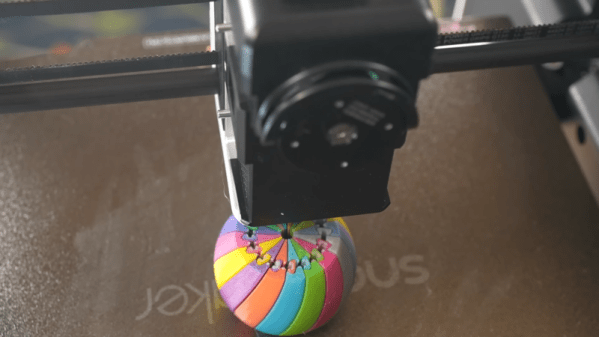
Many modern desktop 3D printers include the ability to print in multiple colors. However, this typically only works with a few colors at a time, and the more colors you can use, the higher the machine’s cost and complexity. However, a recent technique allows printers to mix new colors by overlaying thin sheets of different filaments. [YGK3D] looks at how it works in a recent video.

In the early days of 3D printing, there were several competing approaches. You could have separate extruders, each with a different color. Some designs used a single extruder and switched between different filaments on demand. Others melted different filaments together in the hot end.
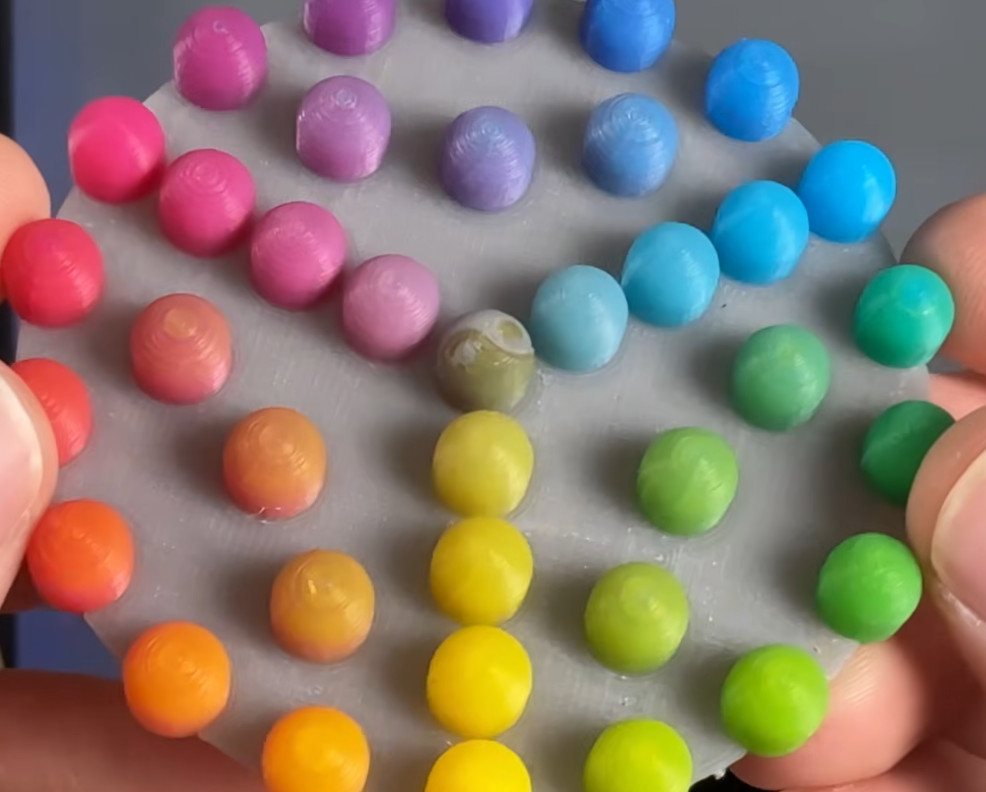
One advantage of the hotends that melted different materials is that you could make different colors by adjusting the feed rates of the plastics. However, that has its own problems with maintaining flow rate, and you can’t really use multiple material types. But using single or multiple hotends that take one filament at a time means you can only handle as many colors as you have filaments. You can’t mix, say, white and black to get gray.

Using Full Spectrum, you can define virtual filaments, and the software figures out how to approximate the color you want by using thin layers of different colors. The results are amazing. While this technically could work on any printer, in reality, a filament-switching printer will create a ton of waste to mix colors, and a single-filament machine will drive you batty manually swapping filament.

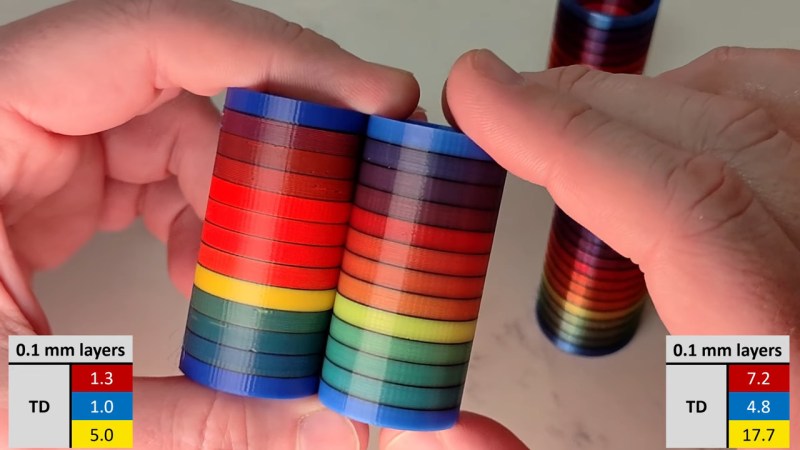
So you probably really need a tool changer and translucent plastic. You can see the difference in the test article when using opaque filament vs translucent ones. At low layer heights, four filament colors can give you 39 different colors. At more common layer heights, you may have to settle for 24 different colors.

One issue is that the top and bottom surfaces don’t color well. However, a new plugin that adds texture to the surfaces may help overcome that problem.

We looked at Full Spectrum earlier, but development continues. If you are still trying to get a handle on your filament-switching printer, we can help.
Continue reading “A Look At Full Spectrum 3D Printing”

Two test towers, showing the palette potential of three (R, B, Y) filaments.

FullSpectrum Is Like HueForge For 3D Models, But Bring Your Toolchanger

Full-color 3D printing is something of a holy grail, if nothing else, just because of how much it impresses the normies. We’ve seen a lot of multi-material units in the past few years, and with Snapmaker’s U1 and the Prusa XL, it looks like tool changers are coming back into vogue. Just in time, [Ratdoux] has a fork of OrcaSlicer called FullSpectrum that brings HueForge-like color mixing to tool-changing printers.

The hook behind FullSpectrum is very simple: stacking thin layers of colors, preferably with semi-translucent filament, allows for a surprising degree of mixing. The towers in the image above have only three colors: red, blue, and yellow. It’s not literally full-spectrum, but you can generate surprisingly large palettes this way. You aren’t limited to single-layer mixes, either: A-A-B repeats, and even arbitrary patterns of four colors are possible, assuming you have a four-head tool-changing printer like the Snapmaker U1 this is being developed for.

FullSpectrum is, in fact, a fork of Snapmaker’s fork of OrcaSlicer, which is itself forked from Bambu Slicer, which forked off of PrusaSlicer, which originated as a fork of Slic3r. Some complain about the open-source chaos of endless forking, but you can see in that chain how much innovation it gets us — including this technique of color mixing by alternating layers.

Continue reading “FullSpectrum Is Like HueForge For 3D Models, But Bring Your Toolchanger”

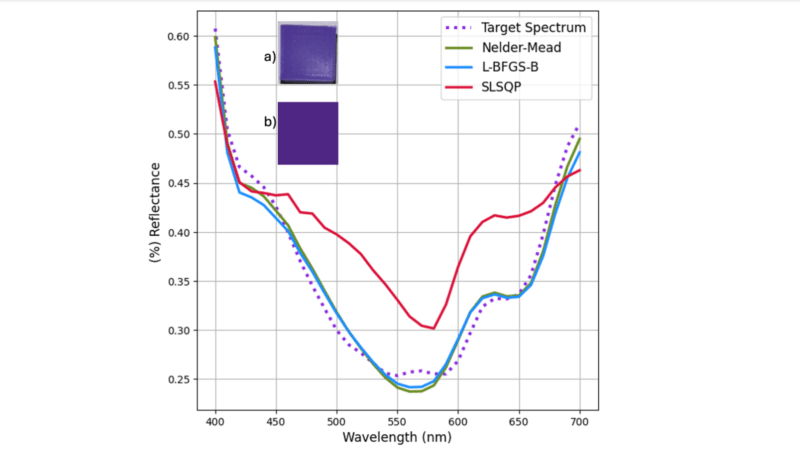
A graph is shown of the percentage reflection of visible light as a function of wavelength. Four lines are traced on the graph, which all approximate the same shape. In the top left, two purple shapes are shown, which the spectral chart describes.

Paint Mixing Theory For Custom Filament Colors

Recycling 3D filament is a great idea in theory, and we come across homemade filament extruders with some regularity, but they do have some major downsides when it comes to colored filaments. If you try to recycle printer waste of too many different colors, you’ll probably be left with a nondescript gray or brown filament. Researchers at Western University, however, have taken advantage of this pigment mixing to create colors not found in any commercial filament (open access paper).

They started by preparing samples of 3D printed waste in eight different colors and characterizing their spectral reflectance properties with a visible-light spectrometer. They fed this information into their SpecOptiBlend program (open source, available here), which optimizes the match between a blend of filaments and a target color. The program relies on the Kubelka-Munk theory for subtractive color mixing, which is usually used to calculate the effect of mixing paints, and minimizes the difference which the human eye perceives between two colors. Once the software calculated the optimal blend, the researchers mixed the correct blend of waste plastics and extruded it as a filament which generally had a remarkably close resemblance to the target color.

In its current form, this process probably won’t be coming to consumer 3D printers anytime soon. To mix differently-colored filaments correctly, the software needs accurate measurements of their optical properties first, which requires a spectrometer. To get around this, the researchers recommend that filament manufacturers freely publish the properties of their filaments, allowing consumers to mix their filaments into any color they desire.

This reminds us of another technique that treats filaments like paint to achieve remarkable color effects. We’ve also seen a number of filament extruders before, if you’d like to try replicating this.

Digital Paint Mixing Has Been Greatly Improved With 1930s Math

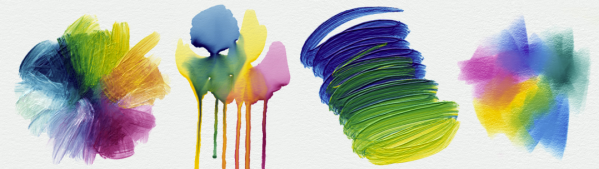
You might not have noticed if you’re not a digital artist, but most painting and image apps still get color mixing wrong. As we all learned in kindergarten, blue paint and yellow paint makes green paint. Try doing that in Photoshop, and you’ll get something altogether different—a vague, uninspiring brownish-grey. It’s the same story in just about every graphics package out there.

As it turns out, there’s a good reason the big art apps haven’t tackled this—because it’s really hard! However, a team of researchers at Czech Technical University has finally cracked this long-standing problem. The result of their hard work is Mixbox, a digital model for pigment-based color mixing. Once again, creative application of mathematics has netted aesthetically beautiful results!

Continue reading “Digital Paint Mixing Has Been Greatly Improved With 1930s Math”

Build Some Entertainment For Young Holiday Guests

Need a good excuse to duck out on the family over the holidays and spend a few hours in your shop? [Jens] has just the thing. He built a color-mixing toy that looks great and we’d bet you have everything on-hand necessary to build your own version.

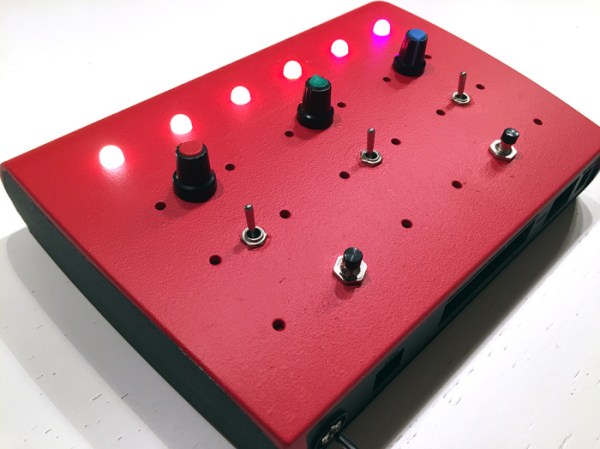
The body of the toy is an old router case. Who doesn’t have a couple might-be-broken-but-I-kept-it-anyway routers sitting around? Spray painted red, it looks fantastic! The plastic shell hosts 6 RGB LEDs, 3 toggle switches, and 2 buttons. [Jens] demonstrates the different features in the demo video below. They include a mode to teach counting in Binary, color mixing using the color knobs, and a few others.

Everything is driven by an Arduino Pro Mini. The lights are APA106 LEDs; a 4-pin through-hole package version of the WS2812 pixels. You could easily substitute these for the surface mount varieties if you just hot glue them to the underside of the holes in the panel. We’d love to see some alternate arrangements for LEDs and a couple more push buttons for DIY Simon Says.

Continue reading “Build Some Entertainment For Young Holiday Guests”