RFID Spoofer With Code And Instructions

Here’s a field-programmable RFID spoofer developed by [Doug Jackson]. He was inspired by the spoofers we looked at near the end of September that didn’t have source code available. With the idea seeded in his mind he figured he could develop his own version, and then decided to share the build details with the rest of us.

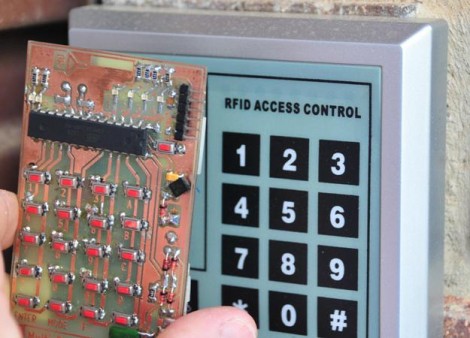
The tags that he purchased for testing and developing the spoofer have a code printed on the back of them. A bit of sleuthing at the data from a tag reader and he managed to crack the code. From there he built this tag spoofer with a keypad on which you enter the number from the back of any 125 kHz tag and the device becomes that tag. If you have been waiting to test your RFID hacking skills there should be nothing holding you back now that [Doug] shared the details of his own adventure.

Mac SE Reborn As A Server And Mac Emulator

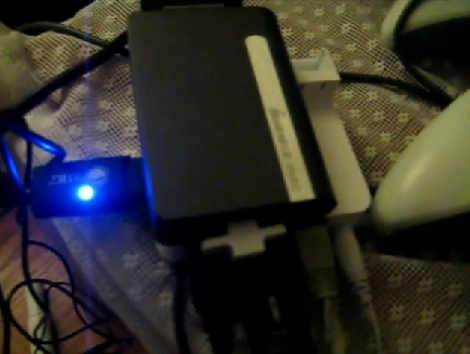
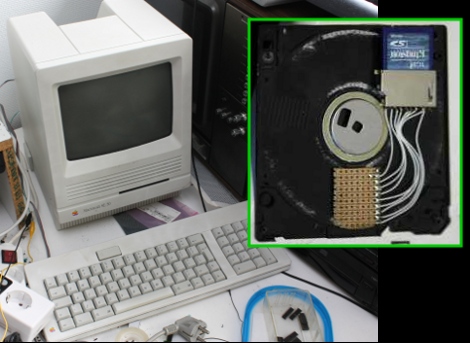
[Sprite_TM] cooked up an amazing hack by resurrecting a Mac SE using a Dockstar and ARM processor. The retro hardware had a bad mainboard thanks to the corrosive properties of a failed backup-battery. He had been wanting to do something with the Seagate Dockstar and decided it would find a nice home in the Mac. But what fun is a dead machine housing a headless server? To add to the fun he included an ARM processor running a Mac emulator, along with all the bits to make the screen, keyboard, and peripherals work. When the Mac is off the Dockstar still runs as a server.

But one of the best parts is the floppy drive. It still takes floppies, but there’s no magnetic media inside of them anymore. Instead, he’s added an SD card slot and some protoboard in the space for the read head. The drive itself has had the read head transplanted for some pogo pins (hey, we saw those earlier today). When you insert the floppy, the pogo-pins raise up and contact the protoboard, connecting the SD card to a Teensy microcontroller.

There’s so much going on with this project we just can’t cover it all here. Things like a chemical cleaning to return the original color of the classic case, and building a converter so that the peripherals are USB compatible are just some of the pleasures awaiting you in [Sprite_TM’s] post. He’s also filmed a demo video that we’ve embedded after the break.

Continue reading “Mac SE Reborn As A Server And Mac Emulator”

SNES Controller Dock For Dell Streak

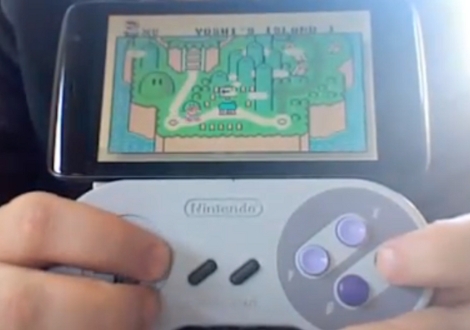
The Dell Streak is an Android tablet. [Collin Meyer] wanted to use an original SNES controller to play emulated games on the device. What he came up with is a controller that is a dock for he handheld.

Several things have to come together to make this happen. The Streak uses a standard PDMI dock that connects to a computer via a USB connection. [Collin] repurposed a sync cable by connecting a couple of pins on the dock connector which forces the device to use USB host mode. From there he used a Teensy microcontroller to convert the SNES controller into a USB device (very similar to this hack). The Teensy and shortened sync cable find a new home inside the SNES controller body and, in the video after the break, it looks like he used something like sugru to add a bit of support for the Streak.

Continue reading “SNES Controller Dock For Dell Streak”

Android Apps Using Processing

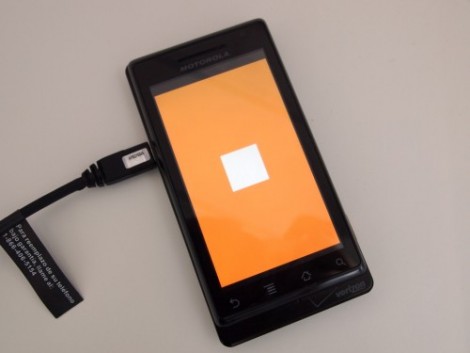
Processsing has come to Android. [Jer] posted a guide to setting up the software and coding your first Processing app for Android. The module which supports Google’s mobile operating system is not yet part of the stable Processing release but it works and is available to download and use. It provides support for Android version 2.1 and newer, playing nicely with the SDK to emulate your sketches during development. The Hello World app seen above uses just a few lines of code to draw a white box on an orange background. After you’ve installed and tested the tools you’ll be developing in no time.

This makes a great addition to your Android development tool bag.

[Thanks Tech B]

Using An NES Controller On An Android Phone

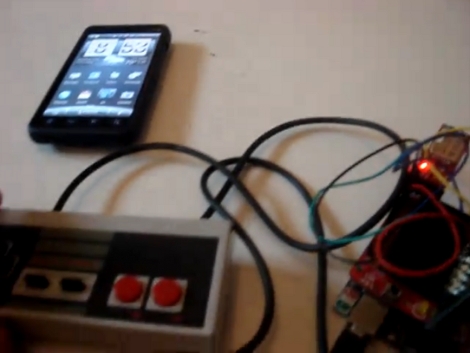
[Sk3tch] rigged up a way to use an original NES controller with Android. He bought the controller and a breakout board for it at DEFCON. By combining the controller, an Arduino, and a blueSMIRF BlueTooth module the controller can be used as a keyboard on his Android device. In the video after the break he demonstrates pairing the devices and playing Super Mario Bros. 3 in an emulator.

He calls this Alpha quality but it certainly looks like it works well. In the beta version we’d love to see all of the extra electronics inside the controller case like those USB mods.

Continue reading “Using An NES Controller On An Android Phone”

GBA Emulator Ported To Didj

Tired of messing with the hardware of the Didj you picked up? Now you can use it for gaming on that last road trip of the summer. A Game Boy Advanced emulator has been ported for use on both the Didj and the Explorer. You’ll have to dig up a copy of the original bios for a GBA as well as some ROMs, but the rest seems pretty straight forward. We are still holding out hope for Doom or Quake on the Didj, but this will help us wait a bit longer.

[Thanks Nirvous via Rosincore]

Super Simple Gaming Controller For Android Or IPhone

If you’ve got an iPhone or Android device that you use with a Wii remote when gaming, this quick hack will give you the third hand you need to manage all of that hardware. [Syanni85] mounted his Android phone to a Wii wheel for just a few dollars in parts. He ran across the wheel itself at the dollar store, and the phone is held in place using a universal mounting bracket. A small square pad sticks onto the back of any device and mates with a base. He cut off the unnecessary parts of the base and glued it to the back of the wheel.

If you haven’t tried using a Wii remote with your phone yet, find out how to do it with iPhone or with Android.