Use Bluetooth To Open Your Garage And Start Your Car Remotely

bluetooth_remote_garage_opener_and_car_starter

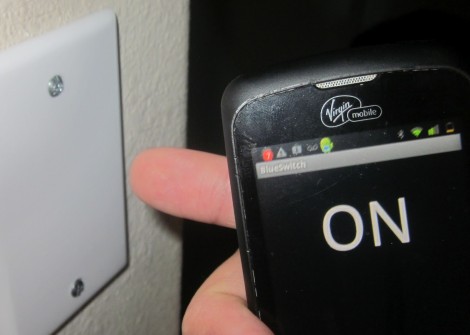
Instructables user [tcollinsworth] is a big fan of his Android smart phone. He practically carries it with him everywhere, so he figured it would be cool to integrate as many of his home electronics with the phone as possible. His garage door openers seemed like easy enough targets, and while he was in the garage, he decided to hack his car’s remote starter as well.

He put together a small circuit that allows him to trigger any device via an application called Daisy On/Off, made specifically for the Bluetooth board he selected. One set of pins were wired to the garage door opener’s terminals, and the other to his remote start key fob. Once he had everything connected up, he packaged his components in a project box courtesy of his MakerBot. With that finished, he put together a simple interface in the Daisy application which can start his car or open the garage with a single button press.

It should be mentioned that [tcollinsworth] works for Daisy, so the reasoning behind his choice of components and Android applications is an obvious one. That said, schematics for the Daisy Bluetooth board are available online and the device can be controlled using BlueTerm, so you can feel free to roll your own implementation if you wish.

Our only nagging thought is that the system should probably include a feedback circuit that relays messages to the phone, indicating that the door is indeed open and that the car has been started. Pocket dialing your car to start without opening the garage first would definitely be a bad thing.

Check out the video below to see the system in action.

Continue reading “Use Bluetooth To Open Your Garage And Start Your Car Remotely”

Google? In My Lightbulbs? It’s More Likely Than You Think

led_lighting_by_google

With the recent announcement and release of their ADK, it was only a matter of time before Google started invading your home in a big way. From the looks of it, Google will be jumping into the home lighting market very shortly, which could prove to be quite interesting.

Partnering with Florida-based Lighting Sciences, Google is planning on developing consumer-grade 60W equivalent smart LED light bulbs. The bulbs will be able to wirelessly communicate using Google’s new open-source home networking protocol. The lights will be controllable using any Android device allowing users to dim, brighten and toggle the lights on and off without ever touching a wall switch.

We think it’s an interesting idea, and we’re all for getting quality LED lighting in the home. That said, some of Google’s other utility-centric endeavors such as PowerMeter have met only mediocre success, so it remains to be seen if this concept takes off. If it does however, we can’t wait to see the flood of ADK-based hacks the community puts together. Since their new wireless protocol will likely be extended to all sorts of other household systems, the possibilities are endless.

Building A Home Automation Mesh Network

[Ian Harris] designed a bunch of home automation for his parents using X10 hardware. He was a bit disappointed by the failure rate of the modules and the overall performance of the system so he set out to replace it with his own hardware. Lucky for use he’s documented the journey in a four-part series about mesh networks.

The hardware seen above is his test rig. He’s using a couple of Sparkfun breakout boards to develop for nrf2401a RF transceiver chips. These could be used as slave modules, with a central command device, but due to the home’s architecture wireless signals don’t propagate well from one end of the house to the other. The solution is to build a mesh network that will allow each module to act as a network node, receiving and passing on messages until they arrive at the target device. He’s trying to do this with cheap hardware, selecting the PIC 16F88 which boasts 7 KB or program memory and 368 bytes of ram. In the end it doesn’t take much code to get this running, it’s the concepts that take some time and research before you’ll be comfortable working with them.

[Thanks Oakkar7]

Reverse Engineering Radio Controlled Outlets

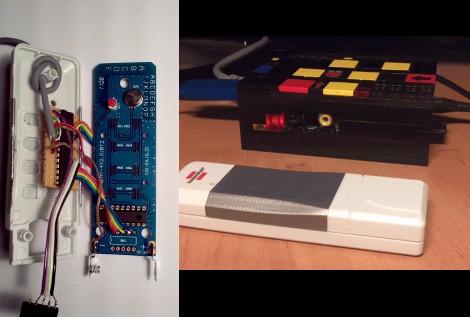
[Chr] picked up a pack of remote control outlets in order to reverse engineer them and build control into his own projects. These can be plugged into outlets around your house and a relay inside each module will switch whatever device is plugged into it after receiving a command from the remote. Once he cracked open the control housing it was easy to find the data line for the RF module which was on its own board. He used a logic analyzer to capture data from various button presses and then spent some time deciphering the communication protocol. He used what he learned to roll the module and code into an interface box where an ATmega8 connects via USB and passes commands from a computer to the RF board. Now he’s added home automation via a computer quite inexpensively. After the break you can watch a clip of the outlets switched using a smartphone.

So why not just patch into the buttons on the remote? Well, this same project was attempted at our local hackerspace earlier this month and the buttons don’t just pull a pin to ground. They use tri-state logic and are arranged into a matrix that is a lot harder to mimic (if not impossible) with a microcontroller. Analyzing the communications going into the RF module is definitely the less labor-intensive of the two approaches.

Continue reading “Reverse Engineering Radio Controlled Outlets”

Home Automation Without Pulling Wires

Here’s a bit of simple home automation using hacks with which we’re become pretty familiar. [Mrx23] combined OpenWRT, a microcontroller, and a set of RF controlled outlet switches to add automation to his plug-in devices. An RF remote that controls the switched outlets has been connected to an Arduino. The router communicates with the Arduino via a serial connection. And the router is controlled by a web interface which means you can use a smartphone or other web device to control the outlets.

The best thing about this system is the power that the router wields. Since it has an underlying Linux kernel you have the option of setting CRON jobs to turn lighting on and off, and group settings can be established to set up a room’s lighting level for watching movies, hosting guests, etc. Combine this with the fact that OpenWRT can use port forwarding for Internet control and the possibilities really start to open up.

[Thanks Arpad]

Making Home Automation Modules Talk To Each Other


[Danny] has been working on an RNET to Sonos bridge. These are devices from two different manufacturers used to facility whole-house audio systems. Usually there’s a main controller with a large color screen and then several satellite controllers like the one above which have some of the features but at a lower cost. Normally you’re limited to using hardware from one line of devices in order to get them to talk to each other but [Danny’s] saying ‘no way’ to that restriction.

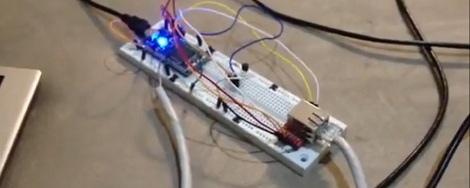
His latest post has some of the details on how he pulls this off. He used an RS232 serial connection with an Arduino to sniff out the data stream from the RNET base unit. Once he figured out the protocol he used the Arduino to parse all incoming commands, format them for the Sonos controller, and send it over the Ethernet cable to that device. He’s got everything tied together and working. Take a look at the proof in the clip after the break.

Continue reading “Making Home Automation Modules Talk To Each Other”

Cellphone-controlled Home

[youtube=http://www.youtube.com/v/exTpD0–BCo]
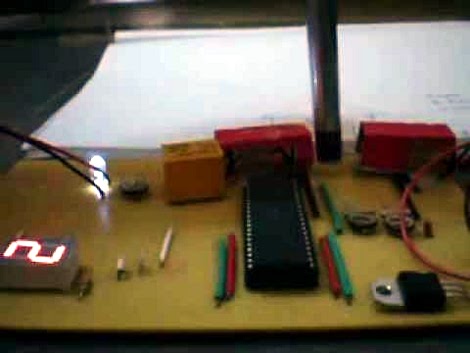
[Tixlegeek] used a Motorola 68HC705J1 development board to remotely control his home through his cellphone. The video above, as well as [Tixlegeek]’s website, is in French, though the video has been captioned. The development board (called the ERMES125) is controlled by a PIC externally. It has an array of LEDs, and apperantly a few high voltage relays. The PIC is connected to a laptop through a serial interface. The laptop is running a small web server, which uses CGI to control the PIC from a webpage. This system allows [Tixlegeek] to log onto the webpage from his web enabled phone, click a few buttons, and have appliances turn on or off through relays controlled by the PIC (via serial signals from the laptop).