A Kinect Primer

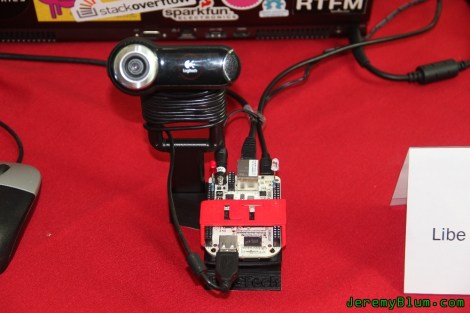
Yes, the Kinect is over one year old now, and after some initial unhappiness from [Microsoft], it’s become a hacker’s best friend. [Eric] decided to celebrate this with an Article all about how it works.  If you’re new to this piece of hardware and want to get into working with it, this should be a good hacking introduction.  If you’ve been reading [HAD] lately, you will have noticed this information being used to “build a Kinect bot for 500 bones.”

Some interesting facts in this article include that the Kinect measures 307200 distance point, known as a “point cloud” in the gaming area. From this, it’s able to construct a 3D image of the environment around it and allow interaction. Such interesting hardware didn’t take long to hack after Adafruit announced a $3000.00 bounty to open it up to the masses.  This only took four days to do, making one wonder why, with their incredible resources, [Microsoft] wouldn’t either more effectively lock it down or officially open it to be hacked and modified to begin with. Our vote would be to officially open it up, but no one consulted us on the decision.

How To Develop For STM32 Discovery Boards Using Linux

Some hard work has gone into making it possible to develop for the STM32 Discovery board using a Linux system. The board boasts an ARM Cortex-M3 processor, which can be programmed via the mini-USB port on the side. But the company only supports development through their IDE’s which don’t run natively on Linux. The stlink project aims to solve this, providing a toolchain, and making it possible to flash the microcontroller via the USB connection.

The github project linked above also includes a tutorial to get you started (pdf). In addition to a walk through on compiling the software packages, it includes a simple blink program that you can use to test out your hardware. GDB, the familiar open-source debugger, is used to flash the chip. This is a bare-bones tutorial so if you end up posting about your experiences using this toolchain with the Discovery boards we’d love to hear about it.

[Thanks Texane]

Have You Got What It Takes To Code Android Apps Using Assembly?

Do you have a rooted Android device and a computer running Linux? If so, you’re already on your way to coding for Android in Assembly. Android devices use ARM processors, and [Vikram] makes the argument that ARM provides the least-complicated Assembly platform, making it a great choice for those new to Assembly programming. We think his eight-part tutorial does a great job of introducing the language and explaining how to get the development tools up and running. You’ll need to know some basic programming concepts, but from what we saw you don’t need any prior experience with ARM or Android.

So why learn Assembly at all? We took a stab at Assembly for AVR a few months ago and really learned a lot about the hardware that we just never needed to know writing in C. It’s a great way to optimise functions that waste too much time because of quirks with higher-level language compilers. That means you don’t need to write your entire application in Assembly. You can simply use it to streamline hairy parts of your code, then include those Assembly files at compile time.

Installing Linux On A 386 Laptop

The “cheap” and “easy” way in about an hour! A question that pop’s up from time to time is “I somehow ended up with an archaic old laptop / computer, can it run Linux?” Well of course it can, but that totally depends! On what? Well machine CPU, CPU speed, hard disk space, RAM and most importantly what you are expecting it to do.

Okay, why a Intel 386? Well number one I own a 386, but more importantly its the absolute bottom Intel CPU you can run Linux on. While it wont be able to do much, it will give you a basic system to kick around and “get to know” the insides of Linux without a million things installed and the worry of breaking it.

Unfortunately a 386 requires some special moves as the actual chip was dropped from almost all distributions long ago. All of the modern distributions I have looked at require at least a 486 CPU. This tutorial will be strictly for installing a basic bare bones Linux on a 386. Have a 486? Pentium? Faster? Never fear I will be covering that in a part II later this week.

Linux on a 386 in about an hour? Madness you might think, it probably takes Linux longer to boot on a 386 (and in some cases you are correct)! Want to know the trick? Simple, cheat!

Join me after the break for the parts and steps needed to get you started.

Continue reading “Installing Linux On A 386 Laptop”

Fonera-based Quadcopter Can Be Controlled From A Web Browser

fonera_html_controlled_quadcopter

[Tiakson] just wrapped up the construction of a quadcopter which piqued our interest due to the unexpected mix of hardware he used.

A good portion of the copter is made up of the essential bits we have come to expect from a quad rotor system. Instead of using an Xbee or hobby wireless controller however, [Tiakson] opted to use an old Fonera router running OpenWRT to control the system. He wrote special software that allows him to direct the quadcopter using an HTML 5 interface, adding a few kernel tweaks along the way that enabled him to emulate I2C ports over GPIO pins.

The Fonera takes in data from Wii nunchuck and Motion+ sensors, relaying commands to the on-board PIC 16F976 microcontroller. The PIC is used to manage the electronic speed controller modules using PWM, which the Fonera could not handle on its own.

This is a great use for a old router, and the cost is obviously far cheaper than buying off the shelf wireless control modules. We would love to hear how much extra weight the Fonera adds, as well as if there is any controller lag introduced by the web-based interface.

Continue reading to see a quick demo video of the quadcopter in action.

Continue reading “Fonera-based Quadcopter Can Be Controlled From A Web Browser”

Sleek, Disc-less GameCube Handheld

sd_card_gamecube_handheld

Console hacker [techknott] has a skill set that is quite possibly second to none. We do love [Ben Heck] and think that his portable consoles are beyond awesome, but you’ve got to check out this portable GameCube [techknott] put together.

While the construction details are pretty sparse, the video below shows off the bulk of the portable ‘Cube’s best features. Far smaller than his Flip-Top GameCube or Dreamcast portables we’ve featured in the past, his new handheld sports a wider screen and is completely disc-less. While the legality of booting backup copies of games from an SD card is something we won’t delve into, we do like the concept.

The console itself is probably only about one and a half times the width of a standard GameCube controller, and while it doesn’t sport an internal battery pack, we wouldn’t turn one down. Besides, who wants to play GameCube outside? With one of these in hand, we are more than happy to keep our pasty selves indoors, thank you very much.

The only complaint we have here is the lack of build details. [techknott’s] handheld consoles are pretty amazing – we just wish that we could see how the magic was made!

Be sure to check out the video below to see the console in action.

[Thanks, Dave]

Continue reading “Sleek, Disc-less GameCube Handheld”

Hacking 14 Year Old Power PC Mac Back To Life

For a while now I have been battling a dying 2.6Ghz dual core computer, but due to laziness and budget I just let it ride. At first it would occasionally crash in games, then it got to where it would crash during routine activities. After a year of this it would nail 105 degrees C in like 20 seconds and that is where the drama starts!

I threw my 2ghz “electronics” computer into my main machine’s case and used that for a few months. It’s motherboard had suffered from every electrolytic capacitor on it being puffy, but it has worked fine for nearly 5 years. I was surprised by the sound of what ended up being 2 caps blowing off of the geforce 7600 video card. In shock and excitement I removed the blown caps, slapped her back in and got another 4 months out of it before 2 more capacitors blew and took out a voltage regulator (and who knows what else with it).

Only armed with the craptop, I was stuck in a pickle! Then a co-worker came up to me and said “hey man you want this mac I only want its zip drive”. Well of course, going bonkers without my avrgcc, datasheets, and calculators, I took on the 14 year old Apple Power Macintosh 9600/300 as my bench machine, and I will now show you how I turned it from a novelty relic to a daily useful machine after the break.

Continue reading “Hacking 14 Year Old Power PC Mac Back To Life”