There’s A Computer In This Hard Drive

Throughout the history of personal computers, there are some unique form factors. The 3com Audrey was sold as a computing appliance, meant to sit on a kitchen counter, to display recipes or something. For some reason, Macs were cubes once, and it actually wasn’t a bad machine. At one point, you were supposed to put a monitor on top of your computer.

A few years ago, [glitch] read about an interesting system from the early 80s. The SIIG S286 was designed by the same people that made SCSI cards and external hard drives, and it shows: this is a complete 286-based system stuffed into what was probably an external enclosure for a 5 1/4 drive at some point. After finding one of these bad boys on an auction site a few months ago, he finally got it working. It’s weird, but it can get on a network, and you can read Hackaday with it.

The entire computer is stuffed into a case that’s about 5″ wide, 4″ tall, and 10″ long. There’s a motherboard with built-in VGA, ‘game port’, and a printer port. There’s a riser card for real 16-bit ISA cards, two serial ports, and a connector for a hard disk and floppy drive. Basically, it’s an entire 286 system wrapped up in a tiny box.

After acquiring this machine, [glitch] took it apart and found the usual damage. The CMOS battery leaked, but not too bad. This was replaced with a hermetically sealed lithium thionyl chloride battery. These are non-rechargable, but a quick swipe of the soldering iron disable the motherboard’s charging circuitry. The hard drive was replaced with a 128 MB Flash module, and an Ethernet card was installed.

With that, [glitch] has a complete system that can connect to the Internet. Of course, getting on the Internet with a 286 is a challenge, but we have a Hackaday Retro Edition for just the occasion. The browser is Arache, with the mTCP package. That’s about as low as you can go in Intel-land, and excellent proof that the computer will work for another 35 years or so.

Refurbishing A DEC 340 Monitor

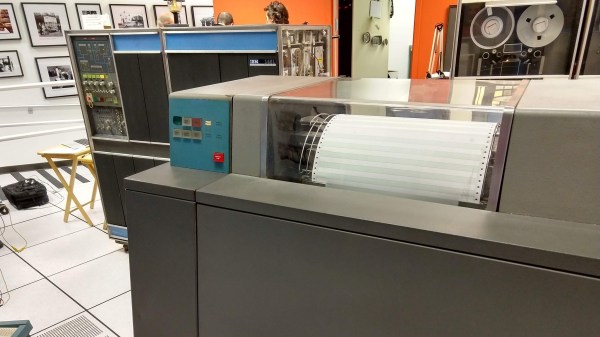
Back in the “good old days” movie theaters ran serials. Every week you’d pay some pocket change and see what happened to Buck Rogers, Superman, or Tex Granger that week. Each episode would, of course, end in a cliffhanger. [Keith Hayes] has started his own serial about restoring a DEC 340 monitor found in a scrap yard in Australia. The 340 — not a VT340 — looks like it could appear in one of those serials, with its huge cabinets and round radar-like display. [Keith] describes the restoration as “his big project of the year” and we are anxious to see how the cliffhangers resolve.

He’s been lucky, and he’s been unlucky. The lucky part is that he has the cabinet with the CRT and the deflection yoke. Those would be very difficult to replace. The unlucky part is that one entire cabinet of electronics is missing.

Continue reading “Refurbishing A DEC 340 Monitor”

A Smarter PSU Converter Leaves The Magic Smoke Inside

Over the years, computers have become faster, but at the same time, more power hungry as well. Way back around the 386 era, most PCs were using the AT standard for power supplies. Since then, the world moved on to the now ubiquitous ATX standard. Hobbyists working on older machines will typically use these readily available supplies with basic adapters to run old machines, but [Samuel] built a better one.

Most AT to ATX adapters are basic passive units, routing the various power lines where they need to go and tying the right pin high to switch the ATX supply on. However, using these with older machines can be fraught with danger. Modern supplies are designed to deliver huge currents, over 20 A in some cases, to run modern hardware. Conversely, a motherboard from the early 90s might only need 2 or 3A. In the case of a short circuit, caused by damage or a failed component, the modern supply will deliver huge current, often damaging the board, due to the overcurrent limit being set so high.

[Samuel]’s solution is to lean on modern electronics to build an ATX to AT adapter with programmable current protection. This allows the current limit to be set far lower in order to protect delicate boards. The board can be set up in both a “fast blow” and a “slow blow” mode to suit various working conditions, and [Samuel] reports that with alternative cabling, it can also be used to power up other old hardware such as Macintosh or Amiga boards. The board is even packed with extra useful features like circuitry to generate the sometimes-needed -5V rail. It’s all programmed through DIP switches and even has an OLED display for feedback.

It’s an adapter that could save some rare old hardware that’s simply irreplaceable, and for that reason alone, we think it’s a highly important build. We’ve talked about appropriate fusing and current limiting before, too – namely, with LED strips. 


WFW 3.11 running on a Thinkpad T400

Windows For Workgroups 3.11 In 2018

It’s been 25 years since Microsoft released Windows for Workgroups 3.11. To take a trip back to the end of the 16-bit era of operating system, [Yeo Kheng Meng] got WFW 3.11 running on a modern Thinkpad.

To make things difficult, a few goals were set for the project. Obviously, this wouldn’t be much fun in a virtual machine, so those were banned. A video driver would be needed, since WFW 3.11 only supports resolutions up to 640×480 in software. Some basic support for sound would be desirable. Finally, TCP/IP networking is possible in WFW 3.11, so networking hardware would allow access modern internet.

[Yeo Kheng Meng] accomplished all of these goals on a 2009 Thinkpad T400 and throughly documented the process. Some interesting hacks were required, including the design of a custom parallel port sound card based on the Covox Speech Thing. Accessing HTTPS web servers required a man-in-the-middle attack to strip SSL, since the SSL support on WFW 3.11 is ancient and blocked by most web servers today.

If you want your own WFW 3.11 laptop, the detailed instructions will get you there. [Yeo Kheng Meng] has also provided the hardware design for the sound card. You can watch a talk on the process after the break.

Continue reading “Windows For Workgroups 3.11 In 2018”

Commodore 64 To Raspberry Pi Conversion Is Respectful & Complete

We’re big fans of taking old computers and giving them a new lease on life, but only when it is done respectfully. That means no cutting, no hot glue, and no gouging out bits to make the new computer fit. It’s best if it can be done in a way that the original parts can be restored if required.

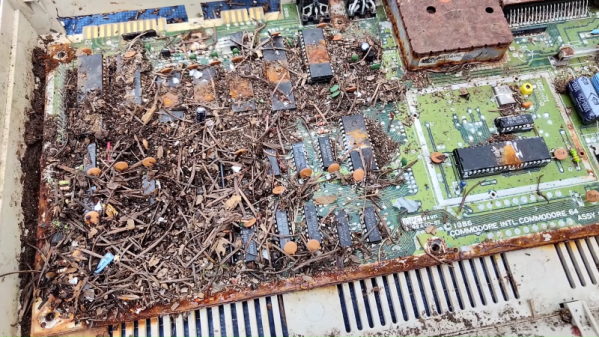
This Commodore 64 to Raspberry Pi conversion from [Mattsoft] definitely fits our criteria here, as it uses the old keyboard, joystick connectors and output portholes for the required authentic look. It does this through the clever use of a couple of 3D-printed parts that hold the Raspberry Pi and outputs in place, mounting them to use the original screw holes in the case.

Combine the Pi with a Keyrah V2 to connect the C64 keyboard and a PowerBlock to juice up all of the parts, and you’ve got a fully updated C64 that can use the keyboard, joysticks or other peripherals, but which also comes with a HDMI port, USB and other more modern goodies.

[Mattsoft] suggests using Combian 64, a C64 emulator for the Pi for the authentic look and feel. Personally, I might use it as a thin client to the big-ass PC with 16 CPU cores and 32GB of memory that’s hidden in my basement, but that’s just because I enjoy confusing people.

Core Memory Upgrade For Arduino

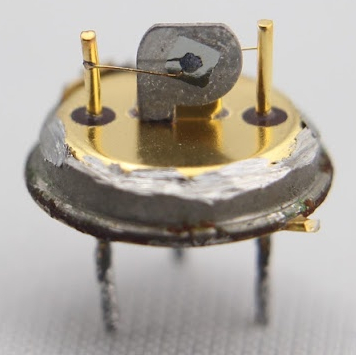
Linux programs, when they misbehave, produce core dumps. The reason they have that name is that magnetic core memory was the primary storage for computers back in the old days and many of us still refer to a computer’s main memory as “core.” If you ever wanted to have a computer with real core memory you can get a board that plugs into an Arduino and provides it with a 32-bit core storage. Of course, the Arduino can’t directly run programs out of the memory and as designer [Jussi Kilpeläinen] mentions, it is “hilariously impractical.” The board has been around a little while, but a recent video shined a spotlight on this retro design.

Impractical or not, there’s something charming about having real magnetic core memory on a modern CPU. The core plane isn’t as dense as the old commercial offerings that could fit 32 kilobits (not bytes) into only a cubic foot. We’ll leave the math about how much your 8-gigabyte laptop would have to grow to use core memory to you.

Continue reading “Core Memory Upgrade For Arduino”

The Forgotten Workstation: Sun JavaStation

These days, conversations about Java tend to center around Oracle and Google fighting it out in court. But back in 1996, Sun was the keeper of Java and promoted it heavily. They even released a diskless workstation that only runs Java applets. The Sun JavaStation was affectionately called the “Mr. Coffee” and [Cameron Gray] wants to show you how it worked and what’s inside of it.

A single screw frees the innards from the small case. Inside looks like a dense PC from the era, although the parts inside are a far cry from a typical PC. The CPU was a 110 MHz microSPARC II soldered directly to the motherboard. The four RAM slots could take up to 64 megabytes of PC RAM.

Continue reading “The Forgotten Workstation: Sun JavaStation”