Building A Portable Weather Radar

If you run a large meteorology bureau, then you probably have access to a wonderful weather radar for scrying the heavens. The rest of us aren’t so lucky. If you find yourself bereft of such hardware, though, you could build your own, taking your lead from [Koakno]’s fine example.

The build uses a satellite dome salvaged from an old RV that [Koakno] scored for just $5. Specifically, a Winegard Carryout Anser GM-5000. The motorized parabolic dish was designed to track TV satellites, but here it’s been repurposed into a scanning radar antenna for X-band signals. It’s paired with a cheap SDR—you can use several on the market—which injects an 850 MHz signal, which is up-converted to 10.4 GHz by the low-noise block (LNB) in the GM-5000 and sprayed out towards the weather.

Echoes come back from rain, hail, and debris, and get down-converted by the LNB back into an 850 MHz signal that the SDR can capture. The echoes are then plotted on a Plan Position Indicator (PPI) display, showing what’s going on in the atmosphere around the dome. [Koakno] reckons detection ranges span out to 40 km for things like heavy rain, while a supercell hail core could be spotted at up to 60 km in the right conditions.

It’s worth noting something important, though. [Koakno] explains that this system is currently in violation of FCC regulations, and shouldn’t be used without the proper licenses to access given spectrum. It’s a useful study of how to build a weather radar, but perhaps not something you can just wire together and fire up without getting in a spot of bother.

If you’re a die-hard tornado chaser or you’ve just always longed to stare meaningfully at a PPI display, this could be the build for you. We’ve featured other DIY radars before, too. We’d also like to see yours, so when it’s done and written up, fire us a note on the tipsline!

Hackaday Europe 2026: High Performance SDR On The Cheap

Radios were once big complicated appliances, full of warm valves and paper-wrapped capacitors, all humming and glowing to capture signals from the aether and spit them out of a speaker. Every component was chosen to build the radio to suit a particular purpose.

These days, we have altogether fancier technology that lets us build radios that can be reconfigured on the fly; software-defined radios, if you will. [Anders Nielsen] has been exploring how to build a high-performance SDR recently, and came to Hackaday Europe 2026 to tell us all about it.

Continue reading “Hackaday Europe 2026: High Performance SDR On The Cheap”

DIY SI5351 Radio Tunes In SW, MW, And More

There are plenty of radios you can buy that pick up MW and SW bands if that’s what you’re into. Or, you can follow [mircemk]’s example, and whip one up yourself instead.

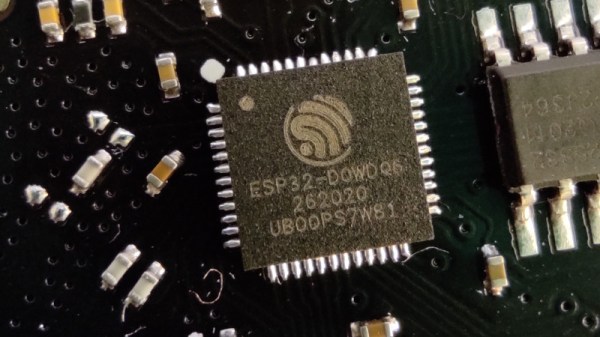
The build employs an ESP32 as the brains of the operation. It’s hooked up to a rotary encoder and a small colour TFT screen, which displays an old-school style tuning dial for choosing the desired frequency. This setup is paired with an Si5351—a capable clock generator chip that can deliver just about any frequency from <8KHz up to 150+ MHz on command. There’s naturally a bunch of supporting analog hardware for the radio end of things, plus a NE612 mixer IC and a PAM8403 class D audio amplifier board, hooked up to a small 0.25W speaker for audio output. [mircemk] has set up the rig to act as a simple radio set, or, with the flick of a switch, it can be configured for SDR use with an attached computer.

It’s a handsome build, and one that likely proves a pleasant way to browse the MW and SW bands on a rainy afternoon. We’ve looked at other hardware in this category before, too. Video after the break.

Continue reading “DIY SI5351 Radio Tunes In SW, MW, And More”

Positioning Without Satellites Or Base Stations

We’re all used to satellite navigation systems such as GPS or GLONASS, sheer magic in which the combination of a set of reference transmitters and super-accurate timing information can be used to calculate a position to an astounding precision. They had land based predecessors such as LORAN and Decca Navigator which worked in a similar fashion but with fixed land-based reference transmitters. Terra is an attempt to do the same thing without a network of dedicated transmitters, instead using FM broadcast transmitters as its fixed points.

This might seem like an impossible task without access to the transmitters, but they have a workaround using the Internet as a backhaul. Instead of transmitting their timing information like the systems mentioned above, they rely on a set of reference receivers sharing it online to the client’s receiver software. So far they have a demo running in Denver.

The interesting thing about this system is that it’s open-source, and requires only a relatively inexpensive software defined radio receiver and a computer to operate. Now anyone with a group of internet-connected friends to set up reference receivers can have their own positioning system, it’s no longer the exclusive preserve of governments. We like this idea, and we look forward to seeing it being tested more widely.

If you’d like to know where we’ve come from, we’ve taken a look at LORAN before.

Make Your Ceiling Disappear With ADS-B And Short-Throw Projector

If you’re into airplanes, you’ve probably had the experience of hearing an unusual aircraft and rushing outside to try and catch a glimpse of it, all while fumbling with a smartphone to open a flight-tracking app. If your home was equipped with [cpaczek]’s Skylight project, which combines ADS-B data with a short throw projector, that little dance would have been totally unnecessary.

ADS-B or the “Automatic Dependent Surveillance-Broadcast”, is the standard by which aircraft broadcast their position and other flight information from onboard transponders. In most of the world, every commercial aircraft has an ADS-B transmitter, and they’re slowly creeping into general aviation as well. The signals aren’t hard to pick up with software-defined radio — like perhaps this RP2040 based unit we featured — or the RTL-SDR v4 this project calls for.

Using data from ADS-B, the Skylight software runs on Raspberry Pi 5 and renders icons of the aircraft exactly where they would appear above you, if that pesky ceiling wasn’t in the way. You get the flight’s code, destination and flightplan with a nice icon representing what type of airplane it is. Thanks to specifying a Pi 5, the projection is a smooth 60 FPS at 1080p. Airplanes aren’t the only things plotted, though — this is also a planetarium, giving you a full view of the stars and any satellites passing overhead. That’s obviously via an API, not SDR, and if you like you can configure it to track aircraft that way to — allowing you to set your Skylight for anywhere in the world, if you aren’t near an interesting airport.

ADS-B isn’t just for pilots and plane nerds — if you’re flying drones, you probably should keep an eye on it, too. In that case, though, you probably won’t be looking at your ceiling.

Thanks to [Thinkerer] for the tip!

A web interface is shown providing information about a cellular network base station.

Running Your Own 3G Network

CDMA2000 was one of the protocols defined for 3G networks and is now years out of date and being phased out worldwide. Nevertheless, there are still vast numbers of phones that will happily connect to it, creating an opportunity for hackers seeking to run their own cellular networks. [Chrismoos] recently made this endeavour significantly easier by releasing 1xBTS, a Rust implementation of the lower three layers of a CDMA2000 network.

The lowest layer of the stack is an SDR for the actual radio communications. It’s been tested with the USRP B200 and B210, the LimeSDR Mini 2, and the BladeRF Micro 2.0. The code might work with certain other SDRs using the SoapySDR abstraction layer. The SDR is controlled by the base station (BTS) software, which, in turn, is controlled by the base station controller (BSC) over an Abis link. The BSC manages channels and mobile device associations, and exchanges frames with the mobile switching center (MSC), which handles message switching.

Continue reading “Running Your Own 3G Network”

An overlay is shown on a topographical map. High points are highlighted in blue. The letters "A" and "B" are shown in red text at two points.

Using A Scientific Satellite For Passive Radar

The basic principle of radar systems is simple enough: send a radio signal out, and measure the time it takes for a reflection to return. Given the abundant sources of RF signals – television signals, radio stations, cellular carriers, even Wi-Fi – that surround most of us, it’s not even necessary to transmit your own signal. This is the premise of passive radar, which uses passive RF illumination to form an image. The RF signal doesn’t even need to come from a terrestrial source, as [Jean Michel Friedt] demonstrated with a passive radar illuminated by the NISAR radar-imaging satellite (pre-print paper).

NISAR is a synthetic-aperture radar satellite jointly built by NASA and ISRO, and it completes a pass over the world every twelve days. It uses an L-band chirp radar signal, which can be picked up with GNSS antennas. One antenna points up towards the satellite, and has a ground plane blocking the signal from directly reaching the second antenna, which picks up reflections from the landscape under observation. Since the satellite would illuminate the scene for less than a minute, [Jean-Michel] had to predict the moment of peak intensity, and achieved an accuracy of about three seconds.

The signals themselves were recorded with an SDR and a Raspberry Pi. High-end, high-resolution SDRs such as the Ettus B210 gave the best results, but an inexpensive homebuilt MAX2771-based SDR also produced recognizable images. This setup won’t be providing any particularly detailed images, but it did accurately show the contours of the local geography – quite a good result for such a simple setup.

If you’re more interested in tracking aircraft than surveying landscapes, check out this ADS-B-synchronized passive radar system. Although passive radar doesn’t require a transmitter license, that doesn’t mean it’s free from legal issues, as the KrakenSDR team can testify.