A USB-controlled Solder Reflow Oven

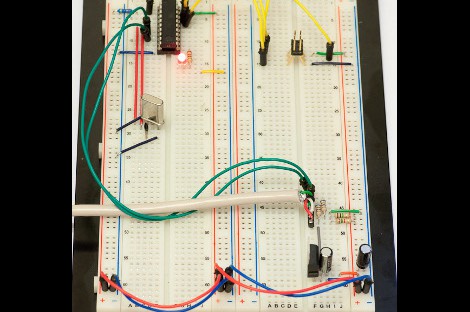
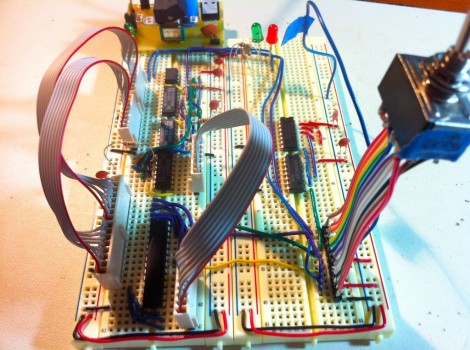
[Joel] of [Helion Microsystems] is at it again with his USB controlled solder reflow oven.  You may remember him from his crazy twitter-enabled Ewok model. Although these two projects are quite different, they both use the HU-320 USB breakout board that he’s in the process of getting funding for via [Pozible], or Australian Kickstarter for Yanks.

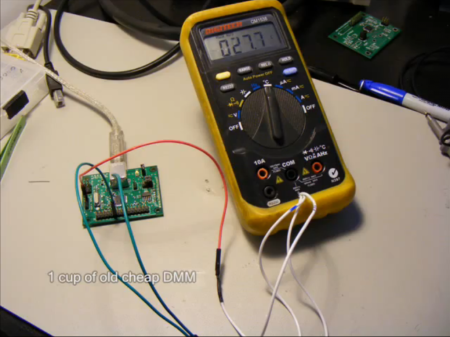
The reflow oven works using a thermocouple-enabled RS-232 voltmeter to output the temperature to the HU-320 board. [Joel] has been nice enough to provide us with the C# code to interface with many multimeters if you want to implement a similar project.  Temperature is controlled with a mechanical relay for what would appear to be a poor man’s PID controller.

Sadly, Fluke meters don’t seem to be listed, but your place of work probably wants their meter back anyway!  For another toaster reflow oven implementation, check out this [HAD] article.  Be sure to check out the video after the break for a video of the setup! (heat treat engineers may find the “recipe” format humorous).

Continue reading “A USB-controlled Solder Reflow Oven”

Modular Controllers You Can’t Wait To Show Off To Your Friends

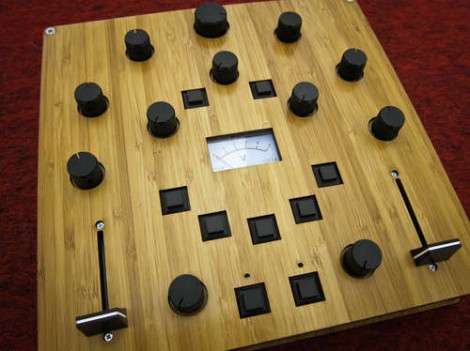
Let’s get this straight, [Alex] is going to show us how to make controllers like this one? Where do we sign up? Even without seeing it in action we want one, but the urge to build is even greater after he shows it off (check the clip after the break). He’s a design student who made an open source project aimed at making it easier to build hardware controllers that pair with just about any software application.

The need for external controllers is on the rise, starting with music-based applications like DJ tools, and Midi controllers for musicians (we’re thinking Monome clones). But anything that can take input from a USB HID can be controlled with something like this. That’s because [Alex] is using the Teensy controller board as an interface. Just select the input types you want – sliders, potentiometers, buttons, switches – then wire them up to the microcontroller pins. If you start to run out of inputs he also discusses some add-on chips to use as port expanders.

Of course there’s a lot to be said for the physical appearance as well. Even though he used point-to-point connections for all of the controls, that wiring is hidden behind the aesthetically pleasing laser-cut dashboard. Follow his advice for layout and find a friend with access to a sweet laser cutter and you’re in business. Continue reading “Modular Controllers You Can’t Wait To Show Off To Your Friends”

Shove A Hub Into That Keyboard

As masters of technology, our desks are often cluttered with odds and ends. We have cables spewing out of every nook, and our computer ports full. The last thing we really want is more stuff getting in the way or buried under piles of technical documentation when adding something like a USB hub. That is where [Michael] comes in, shoving a small USB hub into his Logitech keyboard.

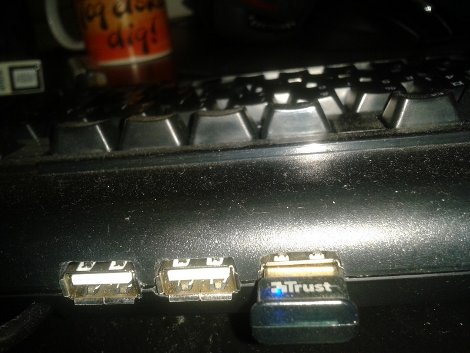
The keyboard is already USB, and the hub has 3 forward facing ports and a fourth single port in the rear. Taking the 2 devices apart he used the already there USB cord from the keyboard replacing the input cord of the hub. Then he removed the rear port and directly wired his keyboard onto the hub.

From there, its just a matter of figuring out where he wanted the hub, and cutting out the plastic. He used a knife, and had fond memories of some minor cuts, which leads us to recommend being (more) careful. A little application of fire to blade goes a long way.

Once the keyboard is back together he has a convenient 3 port hub on the back of his keyboard that looks factory and saves clutter.

Building An EEPROM Programmer

Behold this ATtiny85 based EEPROM programmer. It seems like a roundabout way of doing things, but [Quinn Dunki] wanted to build to her specifications using tools she had on hand. What she came up with is an ATtinyISP USB programmer, pushing data to an ATtiny85, which then programs an EEPROM chip with said data.

The hardware is the next module for her Veronica 6502 computer build. When we last saw that project [Quinn] was planning to add persistent storage for the operating firmware. This will be in the form of an EEPROM programmed with this device. Using ISP and an ATtiny as a go-between means that she should have no problems reflashing the OS without removing the chip. But it all depends on how she designs the interface.

For example, she blew a whole bunch of time troubleshooting the device because garbage data was being written to the chip. In the end, having her manual bus programmer hooked up during the flashing operation was the culprit. Lesson learned, it’s onward and upward with the build.

We’ve been featuring [Quinn’s] projects a lot lately. That’s in part because they’re really interesting, but also because she does such a great job of documenting her experience.

Running The Numbers On A Cheap PSU

[Mike] picked up a cheap USB hub for four pounds (about $6) including delivery. He wanted to know how it’s possible to get quality electronics for that price, and as you may have guessed it’s not possible. He cracked open the power supply that shipped with the hub and hooked it up for some testing.

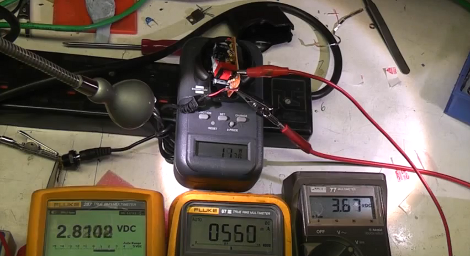
The wall wart has a sticker on it that claims a rating of 1 Amp at 5 volts. It’s pretty easy to see that this hardware cannot meet that spec just by looking at the circuit board. It’s a low-end single sided board that has some really disappointing isolation between the mains and regulated side of the circuit. As far as we can tell there’s really no reliable regulation circuit on the low side of the transformer, and the tests that [Mike] runs in the clip after the break show this. From left to right in the picture above you can see voltage at the hub-side of the power cord, current on the load, and voltage leaving the circuit board. At just 560 mA the voltage the USB hub is receiving has fallen below 3 volts!

The link to this project was sent in by [Paul] after reading about that fake Canon camera PSU. We love this kind of stuff so keep the tips coming as you find them!

Continue reading “Running The Numbers On A Cheap PSU”

A Little Tweeting “Ewok”

Tweet Receiving, that is. This Ewok model, named “Ewen the Cheerlight,” is able to rotate its head left and right as well as show expressions. The most interesting feature of this hack, however, is that the little Ewok actually wakes up each time one tweets a “colour” to @cheerlights and lets it’s owner [Joel] know what he thinks of the “color” you’ve chosen. [Joel] insists that he’s like this featured on [HAD], although it remains to be seen if it will soon be turned off after the tweets start rolling in…

As far as how the device works, the head is turned with a simple hobby servo motor, and the expressions are shown on a LED matrix. The model itself is built from a polystyrene ball and an old table lamp. The build really looks awesome.

All of this is controlled by an Easy USB Interface Board which is listed on [Pozible], the Australian version of [Kickstarter]. Be sure to check out the video of “Ewen” in action after the break! Continue reading “A Little Tweeting “Ewok””

LED Sconces Spice Up Dorm Room Parties

This dorm room is ready to entertain, thanks in part to the LED wall sconces that [Joseph] hacked together. Inside each fixture you’ll find three 3-Watt LED modules. For proper heat dissipation he mounted them on sheet metal which he cut out, including some fingers for additional surface area. The shape for the heat sink was chosen to fit behind the diffuser of the sconce, which is an incandescent light fixture with the socket removed.

[Joseph] designed his own control boards for the base station and LED modules. They communicate with each other via RS485, which lets him run CAT-5 cable to each, but the lights do require external power as well. The controller itself is a USB dongle which takes the serial commands from a computer and pushes them out over the RS485 protocol. In the video after the break you can get a good look at the hardware and the overall performance of the system.

Continue reading “LED Sconces Spice Up Dorm Room Parties”