We’ve seen quite a few DIY 2G networks over the years, but the 4G field has been relatively barren. Turns out, there’s an open source suite called srsRAN that lets you use an SDR for setting up an LTE network, and recently, we’ve found a blog post from [MaFrance351] (Google Translate) that teaches you everything you could need to know if you ever wanted to launch a LTE network for your personal research purposes.
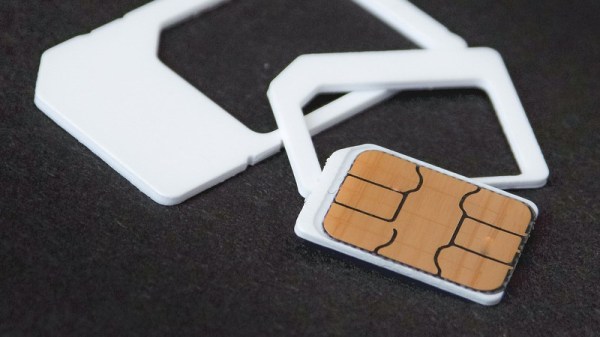
For a start, you want a reasonably powerful computer, a transmit-capable full-duplex software defined radio (SDR), suitable antennas, some programmable SIM cards, and a few other bits and pieces like SIM card programmers and LTE-capable smartphones for testing purposes. Get your hardware ready and strap in, as [MaFrance351] guides you through setting up your own base station, with extreme amounts of detail outlining anything you could get caught up on.
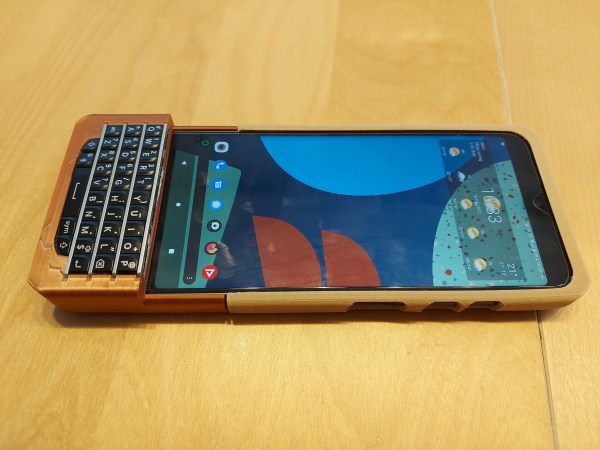
Missing the feel of physical keys on your phone, but not ready to give up your fancy new touchscreen phone? [Dakkaron] has attached a BlackBerry keyboard to a slightly more recent device.
Designed for the FairPhone 4, [Dakkaron]’s hack should be transferable to other smartphones as it connects to the phone over USB without any of that tedious mucking about with Bluetooth. There’s even a handy OpenSCAD-based generator to help you along in the customization process.
[Dakkaron] started with an Arduino Pro Micro-based implementation, but the most recent iteration uses a custom board that can be obtained partially-populated. Unfortunately, the Hirose connector for the keyboard isn’t available off-the-shelf, so you’ll have to solder that yourself if you’re planning to do this mod. Sounds like a perfect opportunity to practice your surface mount soldering skills!
A team of researchers from the ASSET Research Group in Singapore have published the details of a collection of vulnerabilities in the fifth generation mobile communication system (5G) used with smartphones and many other devices. These fourteen vulnerabilities are detailed in this paper and a PoC detailing an attack using a software defined radio (SDR) is provided on GitHub. The core of the PoC attack involves creating a malicious 5G base station (gNB), which nearby 5G modems will seek to communicate with, only for these vulnerabilities to be exploited, to the point where a hard reset (e.g. removal of SIM card) of the affected device may be required.
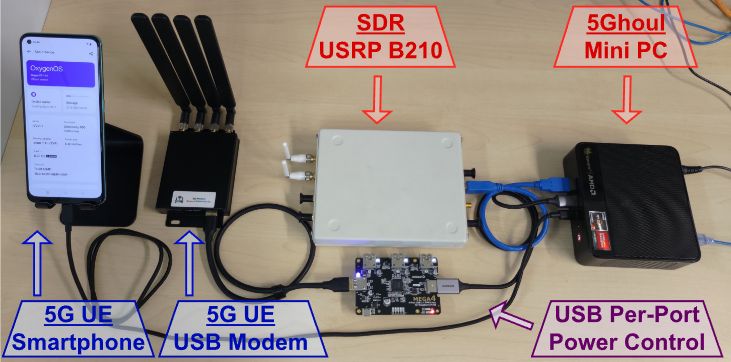
Hardware Setup for 5Ghoul PoC testing and fuzzer evaluation. (Credit: Matheus E. Garbelini et al., 2023)
Another attack mode seeks to downgrade the target device’s wireless connection, effectively denying the connection to a 5G network and forcing them to connect to an alternative network (2G, 3G, 4G, etc.). Based on the affected 5G modems, the researchers estimate that about 714 smartphone models are at risk of these attacks. Naturally, not just smartphones use these 5G modem chipsets, but also various wireless routers, IoT devices, IP cameras and so on, all of which require the software these modems to be patched.
Most of the vulnerabilities concern the radio resource control (RCC) procedure, caused by flaws in the modem firmware. Android smartphones (where supported) should receive patches for 5Ghoul later this month, but when iPhone devices get patched is still unknown.
The Great American Eclipse was a solar eclipse that passed nearly the entire continental United States back in 2017. While it might sound like a once-in-a-lifetime event to experience a total solar eclipse, the stars have aligned to bring another total solar eclipse to North America although with a slightly different path stretching from the west coast of Mexico and ending off the cost of Newfoundland in Canada. Plenty of people near the path of totality have already made plans to view the event, but [Stephen] and a team of volunteers have done a little bit of extra preparation and plan to launch a high-altitude balloon during the event.
The unmanned balloon will primarily be carrying a solar telescope with the required systems onboard to stream its images live during its flight. The balloon will make its way to the stratosphere, hopefully above any clouds that are common in New Brunswick during the early spring, flying up to 30,000 meters before returning its payload safely to Earth. The telescope will return magnified images of the solar eclipse live to viewers on the ground and has been in development for over two years at this point. The team believes it to be the first time a non-governmental organization has imaged an eclipse by balloon.
For those who have never experienced a total solar eclipse before, it’s definitely something worth traveling for if you’re not already in its path. For this one, Canadians will need to find themselves in the Maritimes or Newfoundland or head south to the eastern half of the United States with the Americans, while anyone in Mexico needs to be in the central part of the mainland. Eclipses happen in places other than North America too, and are generally rare enough that you’ll hear about a total eclipse well in advance. There’s more to eclipses than watching the moon’s shadow pass by, though. NASA expects changes in the ionosphere and is asking ham radio operators for help for the 2024 eclipse.
Since the very early 1990s, we have become used to ubiquitous digital mobile phone coverage for both voice and data. Such has been their success that they have for many users entirely supplanted the landline phone, and increasingly their voice functionality has become secondary to their provision of an always-on internet connection. With the 5G connections that are now the pinnacle of mobile connectivity we’re on the fourth generation of digital networks, with the earlier so-called “1G” networks using an analogue connection being the first. As consumers have over time migrated to the newer and faster mobile network standards then, the usage of the older versions has reduced to the point at which carriers are starting to turn them off. Those 2G networks from the 1990s and the 2000s-era 3G networks which supplanted them are now expensive to maintain, consuming energy and RF spectrum as they do, while generating precious little customer revenue.
Tech From When Any Phone That Wasn’t A Brick Was Cool
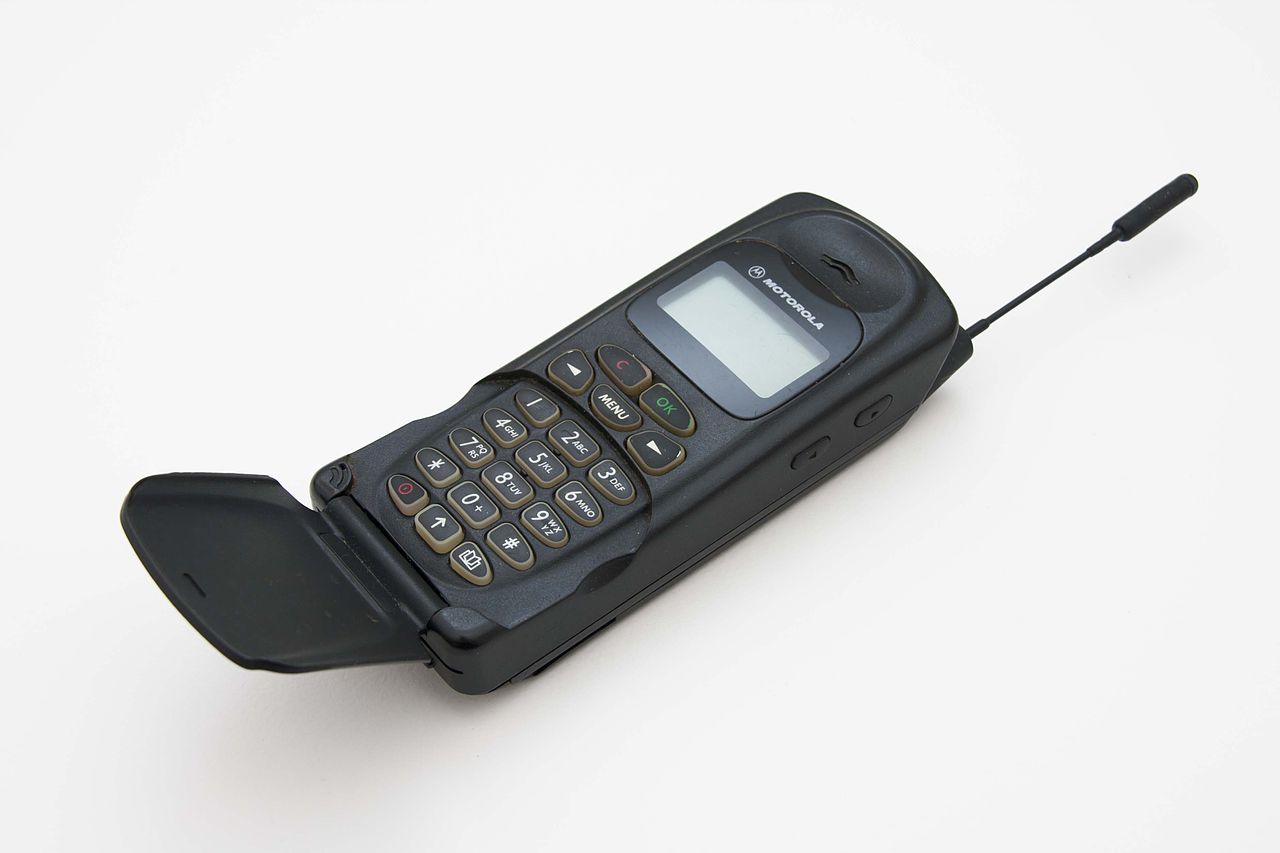
If this is your phone, you may be in trouble. Digitalsignal, CC BY-SA 3.0.
All this sounds like a natural progression of technology which might raise few concerns, in the same way that nobody really noticed the final demise of the old analogue systems. There should be little fuss at the 2G and 3G turn-off. But the success of these networks seems to in this case be their undoing, as despite their shutdown being on the cards now for years, there remain many devices still using them.
There can’t be many consumers still using an early-2000s Motorola Flip as their daily driver, but the proliferation of remotely connected IoT devices means that there are still many millions of 2G and 3G modems using those networks. This presents a major problem for network operators, utilities, and other industrial customers, and raises one or two questions here at Hackaday which we’re wondering whether our readers could shed some light on. Who is still using, or trying to use, 2G and 3G networks, why do they have to be turned off in the first place, and what if any alternatives are there when no 4G or 5G coverage is available? Continue reading “2G Or Not 2G, That Is The Question”→
We love watching 3D prints magically grow, through the power of timelapse videos. These are easier to make than ever, due in no small part to a vibrant community that’s continuously refining tools such as Octolapse. Most people are using some camera they can connect to a Raspberry Pi, namely a USB webcam or CSI camera module. A DSLR would arguably take better pictures, but they can be difficult to control, and their high resolution images are tougher for the Pi to encode.
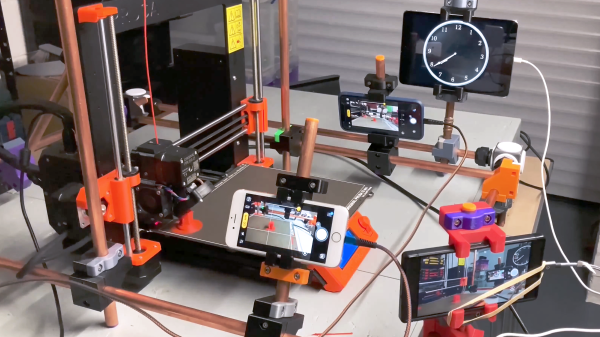
If you’re anything like us, you’ve got a box or drawer full of devices that can take nearly as high-quality images as a DSLR, some cast-off mobile phones. Oh, that pile of “solutions looking for a problem” may have just found one! [Matt@JemRise] sure has, and in the video after the break, you can see how not one but four mobile phones are put to work.
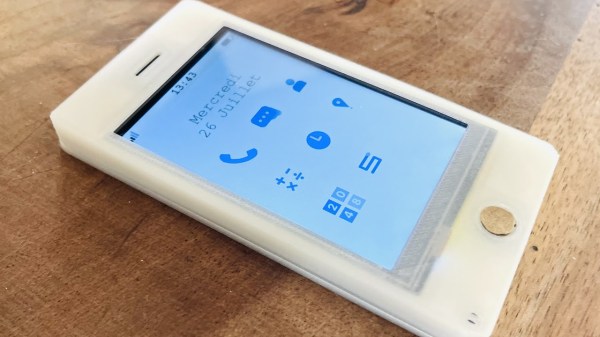
As microcontrollers become ever faster and cheaper, something we’ve been expecting has been an open source smartphone based not upon a high-end chip, but on a cheap commodity one. In the electronic badge arena we’ve come pretty close, but perhaps it’s left to [Gabriel Rochet] to deliver the first one that brings everything together. His Paxo phone is now on version 4, and while the French-language website link stubbornly resists translation with Google translate, English speakers can find a description of its capabilities along with the software in a GitHub repository.
The hardware is surprisingly straightforward, with a resistive touch screen and a PCB featuring power management, an ESP32 main processor, and a GSM module. The 2G connectivity may not be the fastest, or even available in your country, but otherwise the feature set looks more than reasonable for a basic mobile phone.
We like this project a lot, because as we said it starts to deliver on the promise of the 2018 EMF badge and the 2022 MCH badge. We think the former badge’s designers might find something of interest in it.