Big Chemistry: Ultrapure Water

My first job out of grad school was with a biotech company in Cambridge, Massachusetts. It was a small outfit, and everyone had a “lab job” in addition to whatever science they were hired to do — a task to maintain the common areas of the lab. My job was to maintain the water purification systems that made sure everyone had an ample supply of pure, deionized water to work with. The job consisted of mainly changing the filter and ion-exchange cartridges of the final polishing units, which cleaned up the tap water enough for science.

When I changed the filter packs, I was always amazed and revolted by the layers of slime and sediment in them. A glimpse out the window at the banks of the river Charles — love that dirty water — was enough to explain what I was seeing, and it was a lesson in just how much other stuff is mixed in with the water you drink and cook with and bathe in.

While we humans can generally do pretty well with water that rates as only reasonably pure, our industrial processes are quite another thing. Everything from power plants to pharmaceutical manufacturing facilities needs water of much, much higher purity, but nothing requires purer water than the specialized, nanometer-scale operations of a semiconductor fab. But how does ordinary tap water get transformed into a chemical of such purity that contaminants are measured in parts per trillion? And how do fabs produce enough of this ultrapure water to meet their needs? With some big chemistry.
Continue reading “Big Chemistry: Ultrapure Water”

Berlin Clock Takes Inspiration From Sci-Fi Sources, Looks Incredible

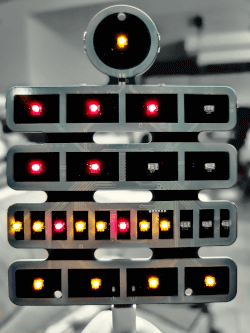
What would a HAL9000 look like if it eye were yellow and sat atop a front panel inspired by an Altair 8800? You’d have today’s feature, [Stephan]’s BerlinUhr, a gorgeous little take on a Berlin Clock.

At Hackaday, we have a soft spot for clock builds. They’ve graced our pages from early times. When we saw this ultra cool Berlin Clock, we couldn’t resist the urge to share it with all of our readers.  For those of you not familiar with a Berlin Clock, it’s a clock that consists of 24 lights, and was the first of its kind back in 1975.

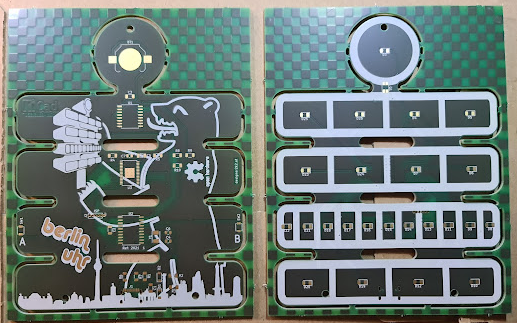
[Stephan]’s build is notable because not only is it a beautiful design, but the work that went into the design and build. At several inches tall, the BerlinUhr is supported solely by a USB-C connection, although it can also be hung on a wall. The RTC is backed up by a CR1216, and an ATtiny167 provides the brains for the operation.

A neat part of the build comes with the KPS-3227 light sensor, used to adjust the LED brightness according to ambient lighting. Rather than being a straightforward part to insert into the PCB, KiCad’s footprint had some pins reversed, causing [Stephan] to learn how to correct it and contribute the fix to KiCad. Well done!

We weren’t kidding about clocks, by the way- check out the link to the Atomic Wrist Watch on this post from 2005, and this Russian VFD based clock from 2006- with video!

Do you have your own favorite clock build you’d love to see grace our pages? Be sure to submit a tip!

Pico Makes Capable Logic Analyzer

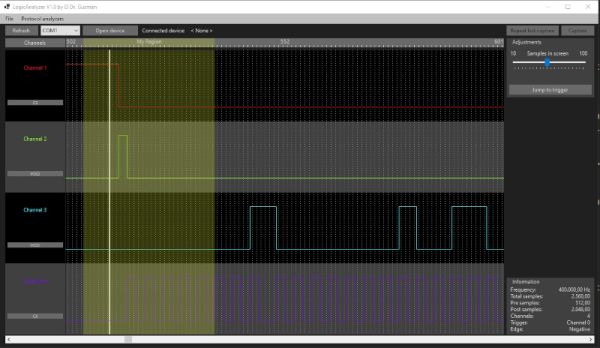
A common enough microcontroller project is to create some form of logic analyzer. In theory, it should be pretty easy: grab some digital inputs, store them, and display them. But, of course, the devil is in the details. First, you want to grab data fast, but you also need to examine the trigger in real time — hard to do in software. You may also need input conditioning circuitry unless you are satisfied with the microcontroller’s input characteristics. Finally, you need a way to dump the data for analysis. [Gusmanb] has tackled all of these problems with a simple analyzer built around the Raspberry Pi Pico.

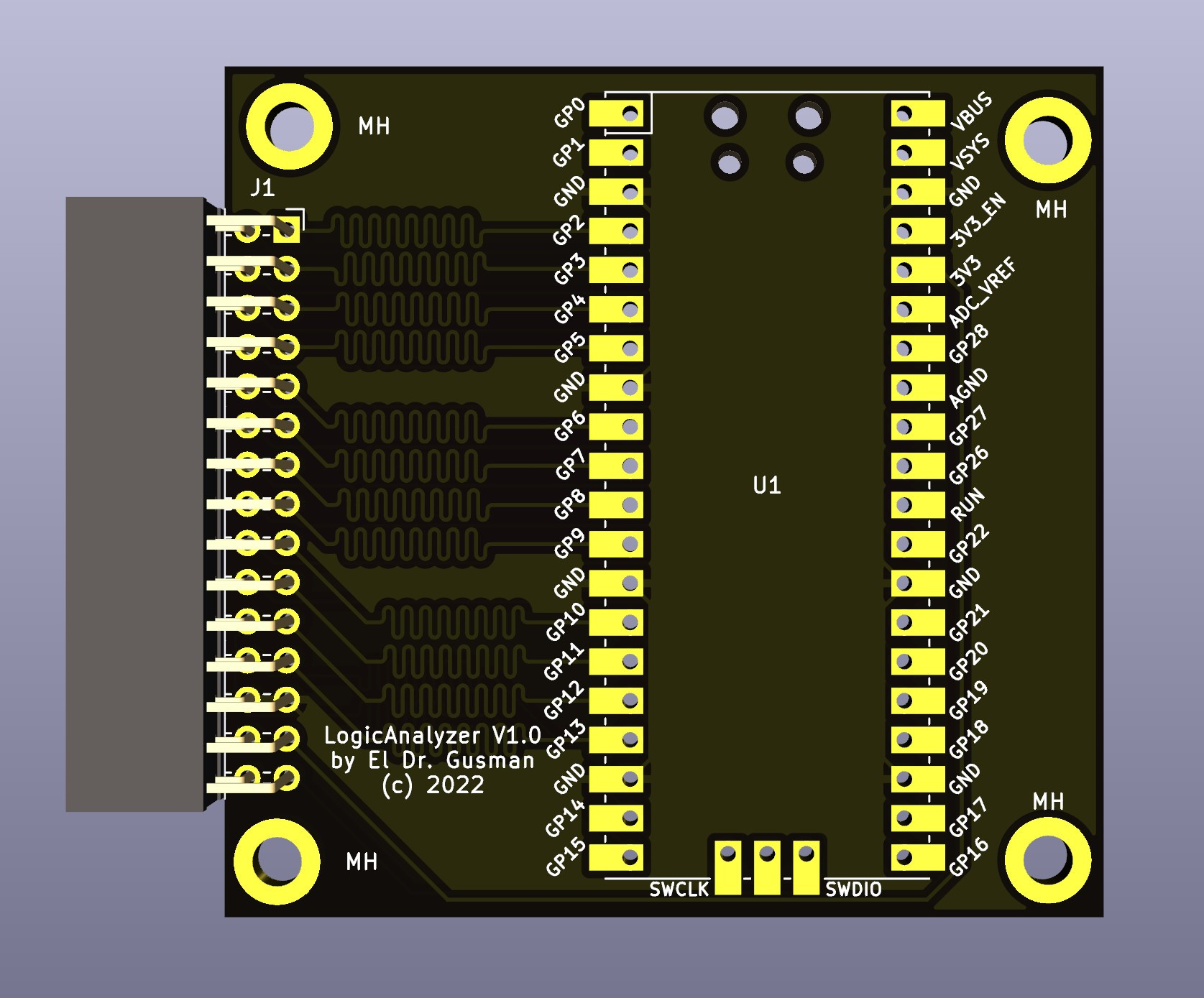
On the front and back ends, there is an optional board that does fast level conversion. If you don’t mind measuring 3.3 V inputs, you can forego the board. On the output side, there is custom software for displaying the results. What’s really interesting, though, is what is in between.

The simple PCB is completely optional.

The Pico grabs 24 bits of data at 100 MHz and provides edge and pattern triggers. This is impressive because you need to look at the data as you store it and that eats up a few instruction cycles if you try to do it in software, dropping your maximum clock rate. So how does this project manage it?

It uses the Pico’s PIO units are auxiliary dedicated processors that aren’t very powerful, but they are very fast and deterministic. Two PIO instructions are enough to handle the work for simple cases. However, there are two PIOs and each has four separate state machines. It still takes some work, but it is easier than trying to run a CPU at a few gigahertz to get the same effect. The fast trigger mode, in particular, abuses the PIO to get maximum speed and can even work up to 200 MHz with some limitations.

If you want to try it, you can use nothing more than a Pico and a jumper wire as long as you don’t need the level conversion. The project page mentions that custom software avoids using OpenBench software, which we get, but we might have gone for Sigrok drivers to prevent having to reinvent too many wheels. The author mentions that it was easier to roll your own code than conform to a driver protocol and we get that, too. Still, the software looks nice and even has an SPI protocol analyzer. It is all open source, so if you want other protocols before the author gets to them, you could always do it yourself.

If you do want a Pico and Sigrok, we’ve covered a project that does just that. Most of the logic analyzers we use these days we build into our FPGA designs.