PCjr WebServer Hits 2500 Hours Uptime

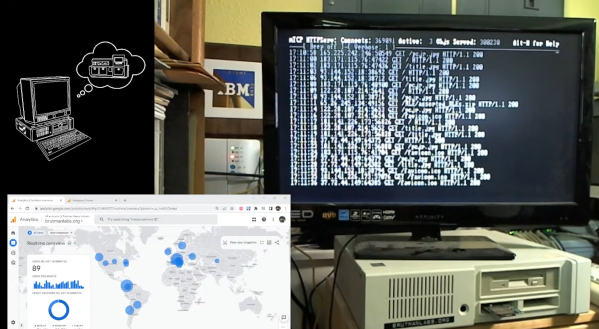
When [Mike] fired up his PCjr webserver back in March, he probably wasn’t expecting it to go viral. 2640 hours later, here we are! Not only has his machine run continuously for over 110 days, it also is surviving a global hug of death. All of this is thanks to some very special software.

We see lots of old machines here on Hackaday. We also see lots of minimal web servers. But we don’t see many that can run for thousands of hours, offering up to 8 simultaneous connections. Curious if jr is still up? Check brutmanlabs.org. The whole website is hosted on the 40-year-old machine. If you want to be a bit more kind, here’s a direct link to the text-only status page. While many of those hours were idle, currently lots of folks are hitting that little V20 CPU, so please give it a few seconds to respond.

The PCjr has a few upgrades — the aforementioned V20 CPU upgrade, a jrIDE sidecar, and a memory upgrade to 736 kB to name a few.  Ethernet connectivity is via a Xircom parallel port adapter – which is circa 1993.  The operating system is IBM PC DOS 5.02. One thing to note is that all these upgrades were possible back in the mid-1980’s when the PCjr was still current.  [Mike] could run the system with an MFM hard drive, an ISA ethernet card (via an adapter), and use the original CRT monitor. Older DOS versions would work too — though partition sizes would be limited. The “modern” conveniences are just to keep from wearing out vintage hardware which is quickly becoming rare.

The real glue that holds this all together is [Mike’s] own software: mTCP. mTCP is a full set of tools for running internet applications on systems running MS-DOS or a compatible OS. We’ve seen quite a few mTCP projects over the years.  [Mike] has worked tirelessly testing the software, ensuring that it is stable and reliable.

Software is never perfect though – one thing [Mike] didn’t implement is a log roller. Since he has logging turned on, the PCjr was slowly filling up its hard drive. Once the drive was full, mTCP would perform an orderly shutdown — but the uptime will be reset.  [Mike] was able to go in and switch off logging with  DOS’s DEBUG command. A live patch is not the way one would normally update software – but the fact that he was able to do it shows how deep [Mike’s] knowledge of the software goes.

[Mike] has even provided a live stream recording of the little PCjr handling requests from all over the globe.
Continue reading “PCjr WebServer Hits 2500 Hours Uptime”

Building A MiniPET Is Better With Friends

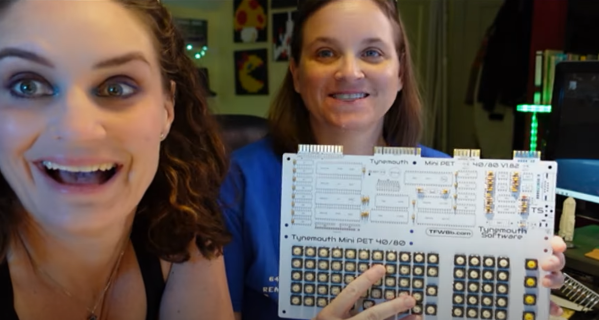
[Taylor and Amy] love taking on retro computer projects. This week they’re building a MiniPET from Tynemouth and The Future is 8 Bit.  It’s a pretty awesome kit which sadly isn’t available anymore. Taylor bought one of the last ones as part of a charity sale at the 2023 Vintage Computer Festival Southwest.

If you haven’t seen their YouTube channel yet, check it out! The two have been best friends since 1984. Their channel has just the right mix of education and comedy, with pacing fast enough to keep things interesting. It’s really refreshing to see two people enjoying a project together.

The MiniPET is of course a reproduction of the hardware in the Commodore PET, the machine which predated the VIC-20 and of course the Commodore 64. The kit starts with installing a few discrete parts — resistors,  capacitors, and diodes.  Then come the IC sockets. [Taylor and Amy] ran into a bit of trouble when it came time to install the chips. While installing the 40-pin 65C21 Peripheral Interface Adapter (PIA), one pin bent under the socket. [Taylor] popped the chip back out, and replaced it — which resulted in 3 bent pins!

Anyone who’s installed new DIP parts has been through this. The pins are always bent out a bit from the factory. The old “Bend it in using a table” method usually works — but if you want perfect pins, try a pin straightener. These versatile tools can even be 3D printed.

Once the pin problems are solved, it’s time to power up the kit and see if it will work.  That’s when we get to see that magic moment when a project first comes to life. Check out the video – you’ll see what we mean.

Continue reading “Building A MiniPET Is Better With Friends”

Saying Goodbye To Don Lancaster

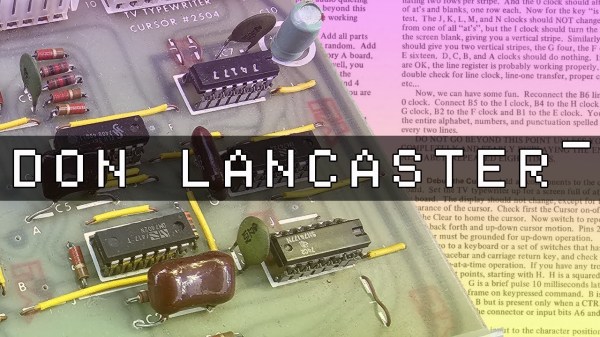
The electronics world has lost a guru. On June 7th this year, Don Lancaster passed away. [Brad] from Tech Time Traveller paid tribute to Don in a recent video. Don Lancaster was perhaps best known as the designer of the TV Typewriter.  The Typewriter drew characters on a TV screen when the user typed on a keyboard. It was the fundamental part of a simple terminal. This was quite an accomplishment in 1973 when the article was first published.

Don embodied the hacker spirit by figuring out low-cost (cheap) ways to overcome obstacles. His genius was his ability to communicate his methods in a way even non-technical people could understand. Keyboards are a great example. Back in the 1970’s a simple keyboard cost hundreds of dollars. Don figured out how to build one from scratch and published an article explaining how to do it.

Like many people we cover here on Hackaday, Don was quite a character. His website layout hasn’t changed much since the 1990’s, but the content has grown. To say he was a prolific writer would be an understatement. PostScript, Magic Sinewaves, and patents are just a few of his favorite topics. Don’s recent work involved the research of prehistoric canals in the American Southwest.

Everyone here at Hackaday sends our deepest condolences to Don’s family.

Continue reading “Saying Goodbye To Don Lancaster”

Take A Ride In The Bathysphere

[Tom Scott] has traveled the world to see interesting things.  So when he’s impressed by a DIY project, we sit up and listen. In this case, he’s visiting the Bathysphere, a project created by a couple of passionate hobbyists in Italy. The project is housed at Explorandia, which based on google translate, sounds like a pretty epic hackerspace.

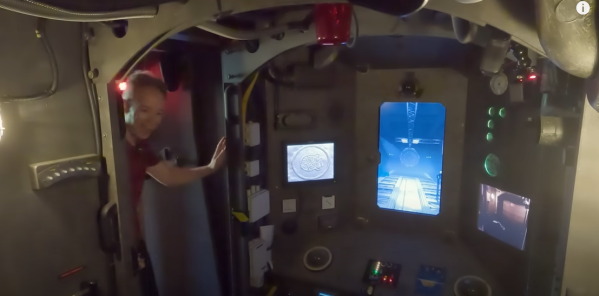
The Bathysphere project itself is a simulation of a submarine. Sounds simple, but this project is anything but.  There are no VR goggles involved.  Budding captains who are up for the challenge find themselves inside the cockpit of a mini-submarine. The sub itself is on a DIY motion platform. Strong electric motors move the system causing riders to feel like they are truly underwater. Inside the cockpit, the detail is amazing. All sorts of switches, lights, and greebles make for a realistic experience.  An electronic voice provides the ship status, and let’s the crew know of any emergencies. (Spoiler alert — there will be emergencies!)

The real gem is how this simulation operates. A Logitec webcam is mounted on an XY gantry. This camera then is dipped underwater in a small pond. Video from the camera is sent to a large monitor which serves as the sub’s window. It’s all very 1960’s simulator tech, but the effect works. The subtle movements of the simulator platform really make the users feel like they are 20,000 leagues under the sea.

Check out the video after the break for more info!

Continue reading “Take A Ride In The Bathysphere”

NABU PC – A 1984 Z-80 Computer You Can Buy Today

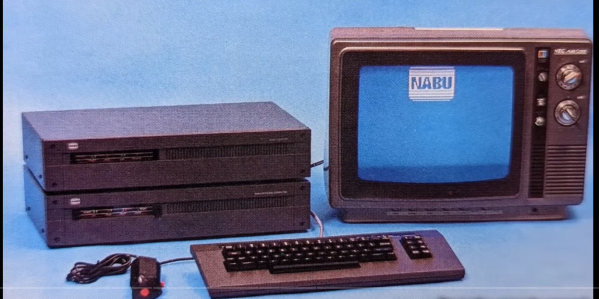
Want to hack on brand new 8-bit 1980s hardware? Until recently you needed a time machine, or deep pockets to do this. All that has recently changed with the NABU PC. A retro machine that can be bought brand new for $59.99, (plus shipping) no time machine needed.

[Adrian] has one in his Digital Basement, and breaks it all down for us. The NABU PC was a Canadian computer.  Designed to connect to the cable TV network, the standard system had no internal secondary storage. You read that right; the NABU used the cable network to download and play games, view documents — just about anything you’d want to do with a computer. Cable modems back in the 80s — maybe someone did have a time machine?

Unfortunately, the NABU network failed. Not due to the PC’s hardware, but because the cable system back then was not designed for bidirectional data. While the NABU PC did see a limited release in Canada, was never widely successful. When production was shut down, the machines couldn’t be liquidated, as they didn’t do anything without the network. So in the warehouse, they sat, until this month, where can find them being sold on eBay.

So what’s inside a NABU? It starts with a Z-80 CPU sporting 64 kB of RAM. A TMS9918 handles video, while a General Instrument AY-3-8910 does the sound.  There are also two UARTs. An 8251 for serial io to the keyboard and joysticks, and a high-performance UART chip to handle comms with the network adapter. The keyboard is loaded with good old ALPS switches, and [Adrian] found it rather impressive.

That’s all well and good, but what can you actually do with a NABU PC? Right now, not much. The ROM software comes up and looks for the network adapter, then complains when it doesn’t find it. This means it’s hacking time! An army of retrocomputing enthusiasts are already working on bringing back the NABU computer. Check [Adrian]’s video description for all the documentation links, and check here on Hackaday for the latest updates!

This isn’t our first time watching this sort of liquidation — remember the HP touchpad?

Continue reading “NABU PC – A 1984 Z-80 Computer You Can Buy Today”

Digital Hourglass Counts Down The Seconds

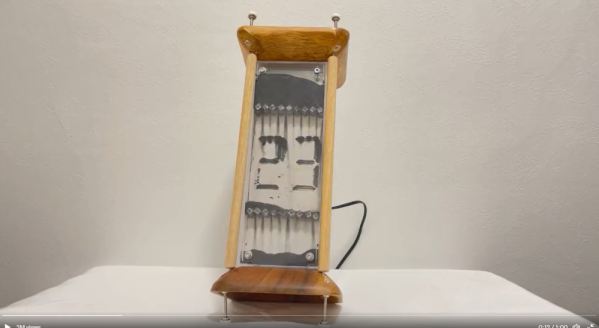
If someone asked you to build a digital hourglass, what would your design look like? [BitBlt_Korry] took on that challenge, creating a functional art piece that hits it right on the nose: an hourglass with a digital display

Iron filings fall between two pieces of plexiglass while ghostly numbers appear, counting down 30 seconds. Just as quickly as they appear, the numbers disappear – dropping down to the bottom of the enclosure. Each second is punctuated by what might be the loudest clock tick we’ve ever heard.

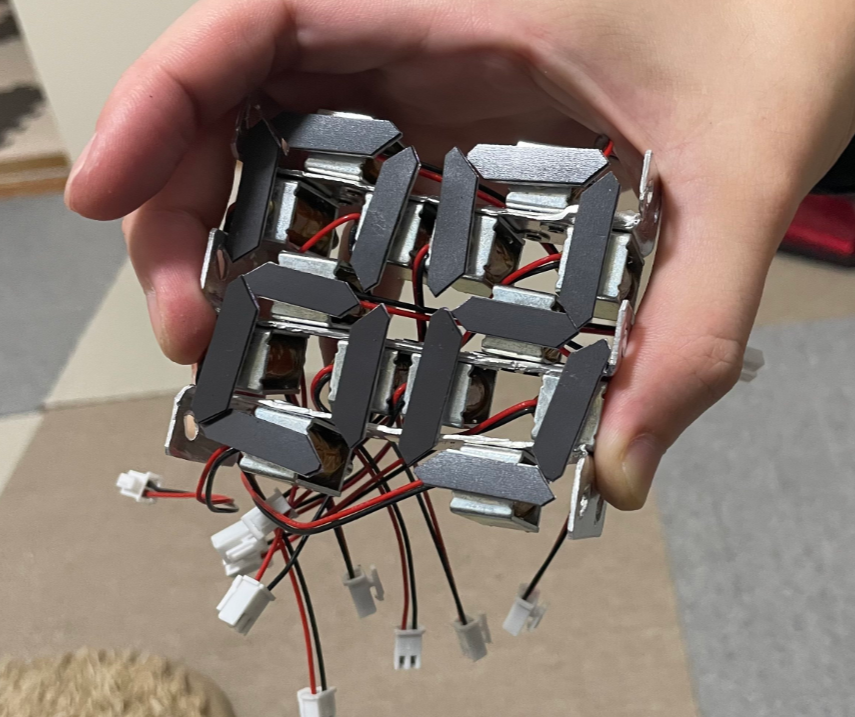
Of course, it’s not all magic. The hourglass is controlled by a Raspberry Pi Pico running code in MicroPython. The pico drives a series of transistors, which in turn are used to control 14 solenoids.  The solenoids serve double duty — first, they move pieces of flat “fridge magnet” material close enough to attract iron filings. Their second duty is of course provide a clock tick that will definitely get your attention.

Tilt sensors are the user input to the hourglass, letting the Pi Pico know which end is up when it’s time to start a new 30-second countdown.

[BitBlt_Korry] mentions that the hardest part of the project was setting the screws at the top and bottom of the hourglass to get the perfect uniform flow of iron filings. 

[BitBlt_Korry] calls his creation “「時場(じば)」”.  Google translates this to “Jiba”, which means “magnetic field”.  We’re not native speakers, but we’re guessing there is a double meaning there.

This isn’t the first time we’ve seen humble iron filings stand up and dance at our command. If iron dust is too dry a topic, we’ve got plenty of ferrofluid projects as well!

Continue reading “Digital Hourglass Counts Down The Seconds”

Knight Rider Keeps On Truckin’

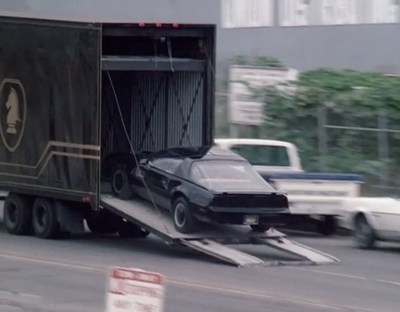
[AJ] and [Joe], collectively the [Knight Rider Historians] are bringing back one of the most iconic vehicles of the 1980’s. Everyone remembers KITT driving into the F.L.A.G. truck. Even the Mythbusters re-enacted the stunt back in 2007. The duo managed to track down the original tractor and trailer from the show for restoration, and part of that process means uncovering the Hollywood hacks used to make the car-driving-into-trailer stunt work.

Back in the ’80s when a movie or TV show wrapped up, the props were often re-used in other productions or sold off. The 1975 Dorsey trailer used on Knight Rider was eventually purchased, stripped down, and painted white. It spent the last 30 years serving as a racing trailer. Carrying cars, and tools, and serving as a mobile shop at the track.

Unsurprisingly, most of the custom parts from Knight Rider are gone – but some hints remain. Specifically, [KRH] are trying to figure out how the drive-up door operated. Originally they assumed it was a hydraulic ram system that pulled the cables. However, above a dropped ceiling they found a welded hard mount and a 24-foot rail running down the trailer roof.

They believe the hard mount was for a winch, and the rail was used as a cable guide for two winch cables.  A set of pulleys just behind the door directed these cables down to the ramp itself.

Continue reading “Knight Rider Keeps On Truckin’”