A graphic showing the suggested footprint dimensions for 0402 parts

Want Better 0402 Reflow? Consider These Footprints!

Assembling with a stencil is just that much more convenient – it’s a huge timesaver, and your components no longer need to be individually touched with a soldering iron for as many times as they have pads. Plus, it usually goes silky smooth, the process is a joy to witness, and the PCB looks fantastic afterwards! However, sometimes components won’t magically snap into place, and each mis-aligned resistor on a freshly assembled board means extra time spent reflowing the component manually, as well as potential for silent failures later on. In an effort to get the overall failure rate down, you will find yourself tweaking seemingly insignificant parameters, and [Worthington Assembly] proposes that you reconsider your 0402 and 0201 footprints.

Over the years, they noticed a difference in failure rates between resistor&capacitor footprints on various boards coming in for assembly – the size and positioning of the footprint pads turned out to be quite significant in reducing failure rate, even on a tenth of millimeter scale. Eagle CAD default footprints in particular were a problem, while a particular kind of footprint never gave them grief – and that’s the one they recommend we use. Seeing the blog post become popular, they decided to share their observations on 0201 as well, and a footprint recommendation too. Are your 0402 resistors giving you grief? Perhaps, checking the footprints you’re using is a good first step.

The 0402 and 0201 components are in a weird spot, where soldering iron assembly is no longer really viable, but the stencil+reflow approach might not be unilaterally successful when you start off – fortunately, that’s where writeups like these come in. Interested in learning stenciling? Get some solder paste, and read up on all the different ways you can put it onto your boards.

A modchip described in the article - a small PCB with an epoxy blob on it, soldered to the Cisco switch PCB using four thin wires

Counterfeit Cisco Hardware Bypasses Security Checks With Modchips

Some pictures recently surfaced on social media, showing a small PCB tapped into four points on Cisco-branded boards. What is this about? A NSA backdoor so data can be exfiltrated to some third party? Well, that’s theoretically possible, but it’s actually used for bypassing hardware authenticity checks in Cisco hardware being cloned — a sizable industry. Of course, “can’t believe it’s not Cisco” hardware is only valuable insofar that it’s able to run the Cisco software, and that’s where the bodge boards play a major role.

An unidentified IC on the a different counterfeit Cisco board, with markings soldered offA 2020 report by F-Secure details an investigation, comparing three switches marked as Cisco 2960X – one known genuine and two known counterfeits. The counterfeits had the aforementioned implants either soldered to the bottom of the PCB or added to the board as a separate component, and the paper goes into why they’re important for successful counterfeiting.

Apparently, these chips emulate or bypass an I2C EEPROM containing part of the code executed during the boot sequence, and Cisco depends on this EEPROM’s contents for authenticity verification. Cisco software reads the EEPROM twice — once for verification, and once again for actually running it. The microcontroller included on the mod board can return a genuine binary with a valid signature on the first read, and a binary with hardware checks patched out for subsequent reads.

The paper will tell you about way more than this — it’s thorough yet captivating. As you’d expect, it devotes quite a bit of time to comparing genuine and counterfeit boards, showing that the cloning process is pretty to-the-T, save for some part substitutions. For instance, check out the PDF page 12 to see how via locations are exactly copied between PCBs in a bizarre way, or the Cisco file format and authenticity check analysis closer to the end of the report. All in all, the 38 pages of the document make for a fun foray into what makes Cisco authentication mechanisms tick, and what helps clone hardware makers bypass them.

Are such chips ever used for adding backdoors and data exfiltration? There’s no evidence of that, as much as that’s not to be excluded — bypassing anti-cloning protections would make other hijinks more viable no doubt, that said, only hardware authentication bypass measures were found so far. This mechanism also breaks during software updates, and absolutely, leaves some to be desired when it comes to its stated functionality. That said, such fun insights can help us, say, enforce right-to-repair, enable hardware reuse, and thwart many predatory business practices in areas where laws fail us.

SteamDeck connected to a laptop with a USB cable, showing the 'printed-out' document on its screen inside a PDF reader

SteamDeck: Become Printer

Wonderful things happen when we read the documentation. For instance, we’ve all seen a Raspberry Pi work as an Ethernet adapter over USB, or a ESP32-S2 presenting as a storage device. Well, [parkerlreed] has made his Steam Deck work as a USB printer after reading the Linux kernel docs on the USB gadget configuration, and all it took was some C code and a BIOS setting change.

“Wouldn’t it be cool if our USB tablets exposed a fake printer interface and saved the received documents as PDF?” With a SteamDeck, you can do just that – thanks to the g_printer kernel module. The C code is fairly straightforward, and even lets you configure some aspects of the printer device.

Of course, there’s gotta be a cherry on the cake, and [parkerlreed]’s shell script hides an addition that makes your PDF printing experience all that more realistic! Not to spoil it too much – you should watch the video of the script in action, showcasing both the ease of use and the added realism.

Jokes aside, the usefulness of this script is undeniable, and owners of USB-device-capable portable Linux devices will find this script a must-have. It’s seriously cool when someone dives into documentation and pulls out a clever solution to a “wouldn’t it be cool” idea – fundamentally, it is the same mindset that gave us the venerable RTL-SDR. What’s your favourite ‘dig into docs and figure out a clever feature’ hack?

We thank [Myself] for sharing this with us on the Hackaday Discord!

Continue reading “SteamDeck: Become Printer”

Showing KiCanvas board viewer component inside a browser window, with a board being displayed and toggleable layers

KiCanvas Helps Teach And Share KiCad Projects In Browsers

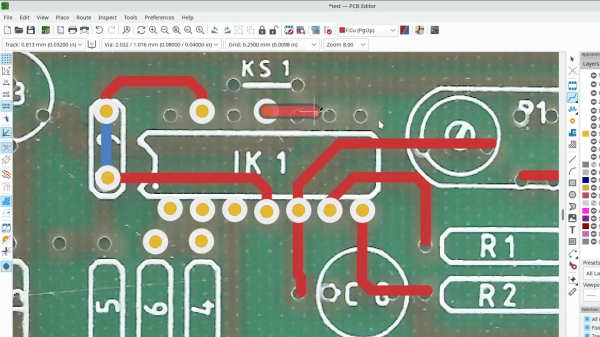
KiCad is undeniably the hacker favourite when it comes to PCB design, and we’ve built a large amount of infrastructure around it – plugins, integrations, exporters, viewers, and much more. Now, [Stargirl Flowers] is working on what we could call a web viewer for KiCad files – though calling the KiCanvas project a “KiCad viewer” would be an understatement, given everything it aims to let you do. It will help you do exciting things like copy-pasting circuits between KiCad and browser windows, embed circuits into your blog and show component properties/part numbers interactively, and of course, it will work as a standalone online viewer for KiCad files!

Continue reading “KiCanvas Helps Teach And Share KiCad Projects In Browsers”

The hack's author performing the operation described at his workdesk, with a separate camera window showing the acupuncture needles being used to touch the board points

Find SWD Points Quickly, No Extra Hardware Needed

Say you’re tinkering with a smart device powered by a CPU that uses Serial Wire Debug (SWD), but doesn’t mark the testpoints. Finding SWD on a board — how hard could it be? With [Aaron Christophel]’s method, you can find the SWD interface on a PCB within a few minutes’ time. All you need is two needles, a known-to-be-ground connection, an SWD dongle of some kind, and a computer with an audio output. What’s best — you could easily transfer the gist of this method to other programming interface types!

The idea is simple: you wire the ground up, connect the needles to SWDIO and SWCLK, launch [Aaron]’s Python script, then start poking around all the unnamed test points. The script runs JLink software to probe for SWD devices attached to the probes — if an SWD interface isn’t found, it beeps idly, but as soon as the device is detected, your computer will start beeping at you in a lively manner. In this way, you don’t have to re-scan devices manually, solder to any test points except the GND one, or try and hold both probes on test points with one hand – the scanning process itself is hands-free.

Depending on how many points your board has and whether you try to optimize the process by probing points closest to the SWD pins on the CPU, you might hit the jackpot immediately, or you might have to poke around for a minute-two. That said, [Aaron]’s method seems to be the best you can do while remaining relatively extra-hardware-free, and if you want to make it a tinge more permanent, clothespins are there for you.

In case you don’t mind extra hardware – could we interest you in some 3D printed needle probe desks? There’s a wide variety of those, whether you’d like some tentacle-like ones, or ones that make your desk look like like an acupuncture table. Or, say, would you like a more automatic method of finding all kinds of debug interfaces? Then JTAGulator might be what you’re looking for.

Continue reading “Find SWD Points Quickly, No Extra Hardware Needed”

All About USB-C: Pinecil Soldering Iron

As many people have pointed out, what matters with USB-C isn’t just the standard, it’s the implementations. After all, it’s the implementations that we actually have to deal with, and it’s where most of the problems with USB-C arise. There is some fault to the standard, like lack of cable markings from the get-go, but at this point, I’m convinced that the USB-C standard is a lot better than some people think.

I’d like to walk you through a few USB-C implementations in real, open-source, adjacent, and just interesting products. They’re all imperfect in some way – it can’t be otherwise, as they have to deal with the messy real world, where perfection is a rarity.

Today, let’s check out the Pinecil. A soldering iron by Pine64, released a few years ago, keeping the price low and quality high. It sports both a barrel jack and a USB-C port for its power input – a welcome departure from the Miniware iron strategy, where neither the barrel-jack-only TS100 nor the low-power proprietary-tip TS80 irons quite did it. And, given its design around TS100 T12-style tips, it’s no wonder Pinecil took a well-deserved spot in hobbyist world.

Can’t Just Pull The Trigger

Now, you might be thinking that Pinecil ought to be a simple device. The usual way to get high power out of a USB-C port is a Power Delivery (PD) trigger IC, and you could merely use that. However, if you’ve read the USB-C power article, you might remember the 45 W vs 60 W charger scenario, where such an arrangement would fail immediately. Overall, the configurability of trigger ICs is quite low, and when encountering a PD compatibility problem with some PSU, you can’t do anything about it except replace the IC with a slightly-different-logic IC- if a replacement even exists, and it usually does not. This is costly and limiting for a real-world use product. Continue reading “All About USB-C: Pinecil Soldering Iron”

All About USB-C: Framework Laptop

Talking about high-quality USB-C implementations, there’s a product that has multiple selling points designed around USB-C, and is arguably a shining example of how to do USB-C right. It’s the Framework laptop, where the USB-C expansion cards take the center stage.

Full disclosure – this article is being typed on a Framework laptop, and I got it free from Framework. I didn’t get it for Hackaday coverage – I develop Framework-aimed hardware as hobby, specifically, boards that hack upon aspects of this laptop in fun ways. As part of their community developer support effort, they’ve provided me with a laptop that I wouldn’t otherwise be able to get for such a hobby. By now, I’m part of the Framework community, I have my own set of things I like about this laptop, and a set of things I dislike.

This is not an article about how I’m satisfied or dissatisfied with the Framework laptop – there’s plenty of those around, and it would not be fair for me to write one – I haven’t paid for it in anything except having lots of fun designing boards and hanging out with other people designing cool things, which is something I do willingly. I’m an all-things-laptops enthusiast, and the reason I’d like to talk about Framework is that there is no better example of USB-C, and everything you can do with it, in the wild. Continue reading “All About USB-C: Framework Laptop”