FPGA Powers DIY USB Scope And Signal Generator

Oscilloscopes and to lesser extent signals generators are useful tools for analyzing, testing and diagnosing circuits but we often take for granted how they work. Luckily, [FromConceptToCircuit] is here to show us how they’re made.

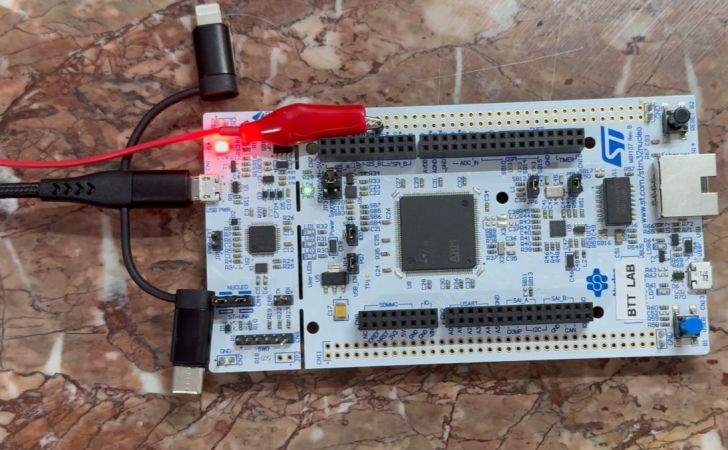
[FromConceptToCircuit] starts by selecting the hardware to use: an Artix-7-based FPGA and an FT2232 USB-serial converter. RS245 in synchronous FIFO mode is selected for its high bandwidth of about 400 Mbps. Then, they show how to wire it all up to your FPGA of choice. Now it’s time for the implementation; they go over how the FT2232 interfaces with the FPGA, going through the Verilog code step-by-step to show how the FPGA makes use of the link, building up from the basic transmission logic all the way up to a simple framed protocol with CRC8-based error detection. With all that, the FPGA can now send captured samples to the PC over USB.

Now it’s PC-side time! [FromConceptToCircuit] first explains the physical pipeline through which the samples reach the PC: FPGA captures, transmits over RS245, FT2232 interfaces that with USB and finally, the software talks with the FT2232 over USB to get the data back out. The software starts by configuring the FT2232 into RS245 mode, sets buffer sizes, the whole deal. With everything set up, [FromConceptToCircuit] explains how to use the FT2232 driver’s API for non-blocking communication.

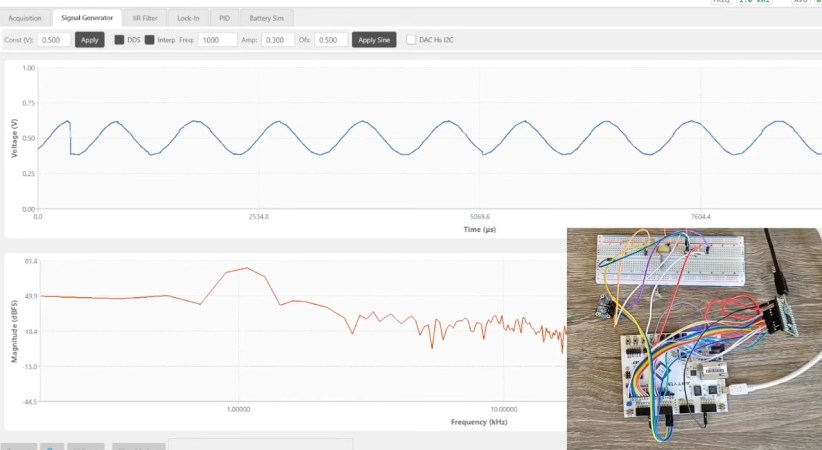
As a bonus, [FromConceptToCircuit] adds a signal generator feature to the oscilloscope using an I2C DAC chip. They start by explaining what exactly the DAC does and follow up with how it’ll be integrated into the existing system. Then it’s time to explain how to implement the I2C protocol bit-for-bit. Finally combine everything together for one final demo that shows a sine wave on the DAC’s output.

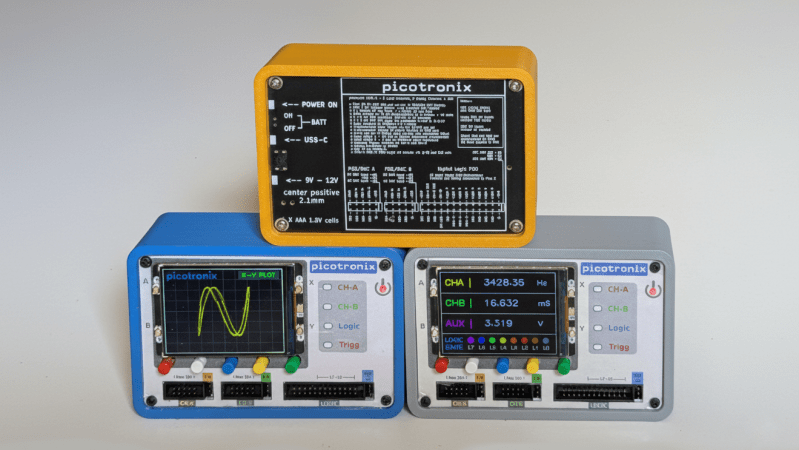
A set of three stacked oscilloscopes is shown. The lower two oscilloscopes have screens and input pins visible, and the top oscilloscope is reversed, with a printed back plate visible.

A Higher-End Pico-Based Oscilloscope

Hackers have been building their own basic oscilloscopes out of inexpensive MCUs and cheap LCD screens for some years now, but microcontrollers have recently become fast enough to actually make such ‘scopes useful. [NJJ], for example, used a pair of Raspberry Pi Picos to build Picotronix, an extensible combined oscilloscope and logic analyzer.

This isn’t an open-source project, but it is quite well-documented, and the general design logic and workings of the device are freely available. The main board holds two Picos, one for data sampling and one to handle control, display, and external communication. The control unit is made out of stacked PCBs surrounded by a 3D-printed housing; the pinout diagrams printed on the back panel are a helpful touch. One interesting technique was to use a trimmed length of clear 3D printer filament as a light pipe for an indicator LED.

Even the protocol used to communicate between the Picos is documented; the datagrams are rather reminiscent of Ethernet frames, and can originate either from one of the Picos or from a host computer. This lets the control board operate as an automatic testing station reporting data over a wireless or USB-connected network. The display module is therefore optional hardware, and a variety of other boards (called picoPods) can be connected to the Picotronix control board. These include a faster ADC, adapters for various analog input spans, a differential analog input probe, a 12-bit logic state analyzer, and a DAC for signal generation.

If this project inspired you to make your own, we’ve also seen other Pico-based oscilloscopes before, including one that used a phone for the display.

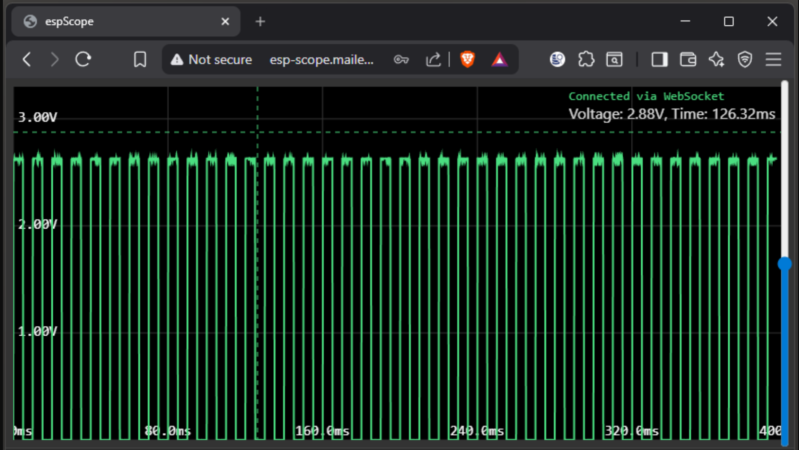
A browser window is shown, in which a web page is displaying a green trace of a square wave.

A Compact, Browser-Based ESP32 Oscilloscope

An oscilloscope is usually the most sensitive, and arguably most versatile, tool on a hacker’s workbench, often taking billions of samples per second to produce an accurate and informative representation of a signal. This vast processing power, however, often goes well beyond the needs of the signals in question, at which point it makes sense to use a less powerful and expensive device, such as [MatAtBread]’s ESP32 oscilloscope.

Continue reading “A Compact, Browser-Based ESP32 Oscilloscope”

“Simplest” Oscilloscope Is A Cunning Vector Display

Superlatives are tricky things. [mircemk]’s guide “How to make Simplest ever Oscilloscope Clock” falls into that category. It’s that word, simplest. Certainly, this is an oscilloscope clock, and a nice one. But is it simple?

There’s a nice oscilloscope circuit with a cute 2″ 5LO38I CRT and EF80 tubes for horizontal and vertical deflection that we’d say is pretty simple. (It’s based on an earlier DIY oscilloscope project [mircemk] did.) The bill of materials is remarkably sparse– but it’s modules that do it. One entry is a DC-DC step up supply to get the needed HV. Another is a LM317 to get 6.3 V to heat the tubes. The modules make for a very simple BOM, but on another level, there’s quite a bit of complex engineering in those little modules.

When we get to the “clock” part of the oscilloscope clock, that quandary goes into overdrive. There’s only one line on the BOM, so that’s very simple. On the other hand, it’s an ESP32. Depending on your perspective, that’s not simple at all. It’s a microcomputer, or at least something that can play at emulating one.

Oh, in the ways that matter to a maker — parts count, time, and effort, this oscilloscope clock is very simple. The fact that its actually a vector display for a powerful little micro just adds to the versatility of the build. We absolutely love it, to be honest. Still, the idea that you can have millions of transistors in a simple project — never mind the “simplest ever” — well, it just seems weird on some level when you think about it.

It all comes back to what counts as “simple”. If we’re taking lines on a BOM, arguably this would be even simpler if you used an existing oscilloscope. 

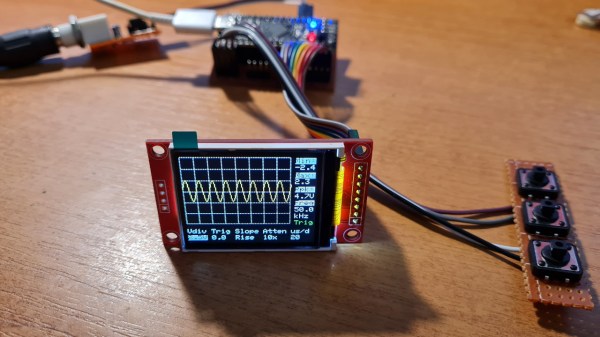
The completed oscilloscope in parts, with the screen in the front connected with prototyping wires, protoboarded buttons on the right, and the BlackPill board somewhere behind

DIY STM32 Scope Is Simple, Cheap, And Featureful

Would you like to have a small digital oscilloscope? Do you have a spare BlackPill (STM32F401) board and a TFT display laying around? [tvvlad1234] presents us with a simple and educational digital storage oscilloscope design that barely needs any components for you to build one, and it’s packed with features just like you would expect from a self-respecting open-source project. Not just that — it can even stream data to your computer, in a format compatible with the TekScope software!

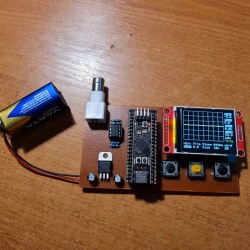
The same scope design, but now on a self-etched boardIt’s hard to overshadow just how easy this scope is to build, use, and hack on. You really don’t need much in the way of parts, a protoboard will do, though you can also etch or order your own PCBs. The front-end is super straightforward to find components for and assemble, a few opamps and resistors is all you need. So after jumper-wiring the LCD and three push buttons to your BlackPill, you’re golden.
Of course, the simple frontend results in the input range being from -3.3 V to 3.3 V, but as you could guess, this is exactly the kind of project where you could tweak the resistors and even upgrade it later on. Are you a bit lost in how oscilloscopes work? [tvvlad1234] has an explainer for you, too!

This build could easily take up a honorary “temporary turned permanent” place on your bench, thanks to its McGyver-esque qualities. It’s also, quite possibly, a better scope than the red “soldering kit” ones we’ve seen online. All in all, it’s a strong contender in the “simple and powerful DIY scope” arena, before this, we’ve seen one built with an Arduino Nano, and one with a Pi Pico.

Building A Pocket Sized Arduino Oscilloscope

There’s little question that an oscilloscope is pretty much a must-have piece of equipment for the electronics hacker. It’s a critical piece of gear for reverse engineering devices and protocols, and luckily for us they’re as cheap as they’ve ever been. Even a fairly feature rich four channel scope such as the Rigol DS1054Z only costs about as much as a mid-range smartphone. But if that’s still a little too rich for your taste, and you’re willing to skimp on the features a bit, you can get a functional digital oscilloscope for little more than pocket change.

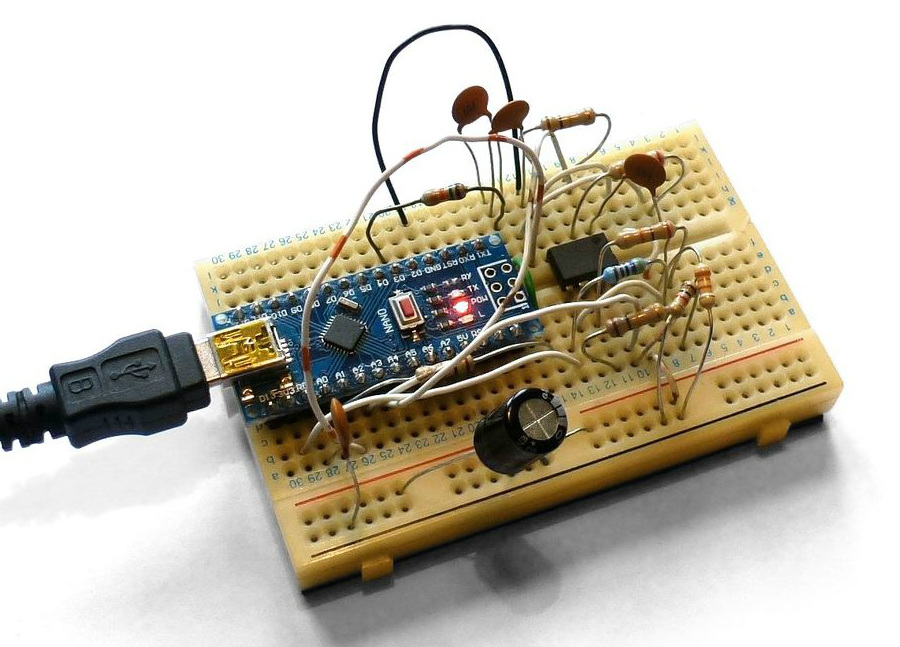
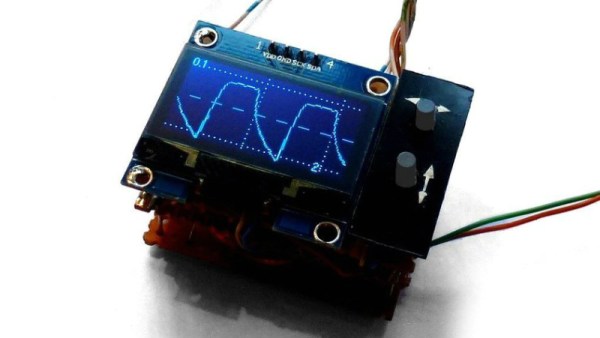
While there are a number of very cheap pocket digital storage oscilloscopes (DSOs) on the market, [Peter Balch] decided he’d rather spin up his own version using off-the-shelf components. Not only was it an excuse to deep dive on some interesting engineering challenges, but it ended up bringing the price even lower than turn-key models. Consisting of little more than an Arduino Nano and a OLED display, the cost comes out to less than $10 USD for a decent DSO that’s about the size of a matchbox.

But not a great one. [Peter] is very upfront about the limitations of this DIY pocket scope: it can’t hit very high sample rates, and the display isn’t really big enough to convey anything more than the basics. But if you’re doing some quick and dirty diagnostics in the field, that might be all you need. Especially since there’s a good chance you can build the thing out of parts from the junk bin.

Even if you’re not looking to build your own version of the Arduino-powered scope [Peter] describes, his write-up is still full of fascinating details and theory. He explains how his software approach is to disable all interrupts, and put the microcontroller into a tight polling loop to read data from the ADC as quickly as possible. It took some experimentation to find the proper prescaler value for the Atmega’s 16MHz clock, but in the end found he could get a usable (if somewhat noisy) output with a 1uS sample rate.

Unfortunately, the Arduino’s ADC leaves something to be desired in terms of input range. But with the addition of an LM358 dual op-amp, the Arduino scope gains some amplification so it can pick up signals down into the mV range. For completion’s sake, [Peter] included some useful features in the device’s firmware, such as a frequency counter, square wave signal source, and even a voltmeter. With the addition of a 3D printed case, this little gadget could be very handy to have in your mobile tool kit.

If you’d rather go the commercial route, Hackaday’s very own [Jenny List] has been reviewing a number of very affordable models such as the DSO Nano 3 and the JYE Tech DSO150 build-it-yourself kit.

[Thanks to BaldPower for the tip.]

A DIY Nine Channel Digital Scope

Have you ever found yourself in the need of a nine channel scope, when all you had was an FPGA evaluation board? Do not despair, [Miguel Angel] has you covered. While trying to make sense of the inner workings of a RAM controller core, he realized that he needed to capture a lot of signals in parallel and whipped up this 9-channel digital oscilloscope.

The scope is remote-controlled via a JavaScript application, and over Ethernet. Graphical output is provided as a VGA signal at full HD, so it is easy to see what is going on. Downloading sampled data to the controlling computer for analysis is in the works. [Miguel] runs his implementation on an Arty A7 development board which is currently available for around a hundred dollars, but the design is transferable to other platforms. The code and some documentation is available on GitHub and there is a demo video after the break.

Continue reading “A DIY Nine Channel Digital Scope”