Sunlight-Based Life Clock Predicts Your Darkest Hour

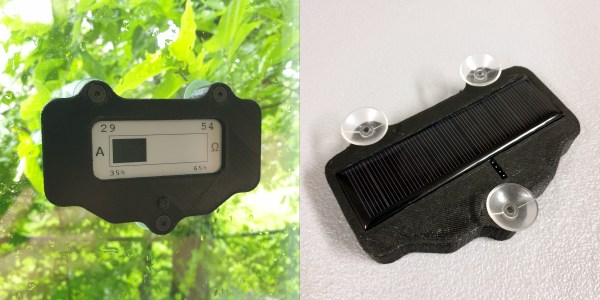
The past year has been quite a ride for everyone on Earth. But you never know which day is going to be your last, so you might as well live a little, eh? This clock doesn’t actually know when you’ll kick off, either. But just for fun, it predicts the number of years remaining until you go to that hackerspace in the sky by hazarding a guess that’s based on your current age and the latest life expectancy tables. Don’t like the outcome? It’s completely randomized, so just push the button and get a set of numbers: the age you might die, and the percentage of life elapsed and remaining.

We love the design of this calculated doom clock, and it’s quite simple inside — an Arduino Pro Mini outputs the graph on an 2.9″ e-paper display, and both are powered with a 5.5 V solar panel. Just suction cup that puppy to the window and you’ll get automatic updates about your impending demise on sunny days, and none on cloudy days.

Want a more realistic picture of your mortality? Here’s a clock that counts down to your 80th birthday.

Printable Hot-Swap Sockets Make Keyboard Building Even Cooler

Okay, so you want to build a keyboard — something crazy-curvy like the dactyl or dactyl manuform. The kind of keyboard that has to be hand-wired, because key wells and rigid PCBs do not play well together. You want to build this keyboard, but all that hand-wiring would mean that you can’t easily swap switches later. And it will means hours and hours of fiddly soldering. What do you do? You could buy or design your own switch PCBs, but again, those are rigid and space is limited inside of most of these designs.

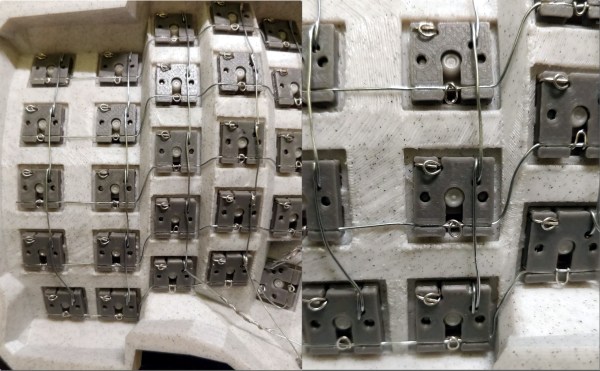
If you’re [stingray127], you trade those hours of soldering for a week of designing and printing some sweet little hot-swap sockets with wire guides. This is version four, which is easier to print than earlier versions. They are designed to use through-hole diodes and 24 AWG solid-core wire and give a tight fit. Can’t figure out how to use them? [stingray127] has a wiring guide with plenty of pictures.

We really like this idea, and it makes the end result feel more like a totally hand-wired keyboard than individual switch PCBs would As you can see, it involves little solder. The only downside is that you can only swap a few switches at a time, otherwise the matrix might fall apart. But that’s hardly even a downside.

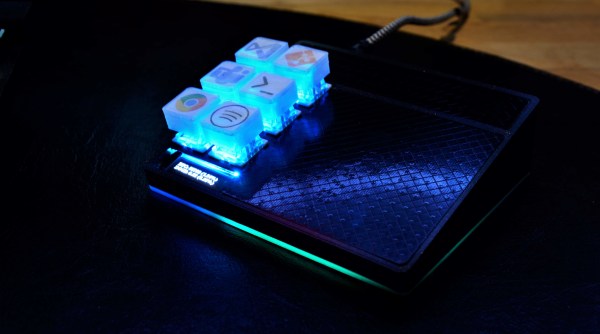
Just want to make a macropad? You can easily print your way out of using a PCB for those, too.

Via KBD and r/mk

Cheap, Expandable Floor Piano Plays With Heart And Soul

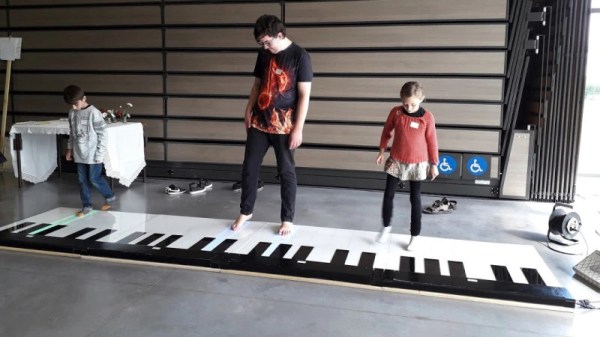
Ever since we saw the movie Big, we’ve wanted a floor piano. Still do, actually. We sometimes wonder how many floor pianos that movie has sold. It’s definitely launched some builds, too, but perhaps none as robust as this acrylic and wooden beauty by [FredTSL]. If you want more technical detail, check out the project on IO.

The best part is that this piano is modular and easily expands from 1 to 8 octaves. Each octave runs on an Arduino Mega, with the first octave set up as a primary and the others as secondaries. When [FredTSL] turns it on, the primary octave sends a message to find out how many octaves are out there, and then it assigns each one a number. Whenever a note is played via conductive fabric and sensor, the program fetches the key number and octave number and sends the message back to the primary Mega, which plays the note through a MIDI music shield.

We think this looks fantastic and super fun to dance around on. Be sure to check out the build log in photos, and stick around after the break, because you’d better believe they busted out some Heart and Soul on this baby. After all, it’s pretty much mandatory at this point.

Wish you could build a floor piano but don’t have the space or woodworking skills? Here’s a smaller, wireless version that was built in 24 hours.

Continue reading “Cheap, Expandable Floor Piano Plays With Heart And Soul”

Alice Ball Steamrolled Leprosy

Leprosy is a bacterial disease that affects the skin, nerves, eyes, and mucosal surfaces of the upper respiratory tract. It is transmitted via droplets and causes skin lesions and loss of sensation in these regions. Also known as Hansen’s disease after the 19th century scientist who discovered its bacterial origin, leprosy has been around since ancient times, and those afflicted have been stigmatized and outcast for just as long. For years, people were sent to live the rest of their days in leper colonies to avoid infecting others.

The common result of injecting chaulmoogra oil. Image via Stanford University

Until Alice Ball came along, the only thing that could be done for leprosy — injecting oil from the seeds of an Eastern evergreen tree — didn’t really do all that much to help. Eastern medicine has been using oil from the chaulmoogra tree since the 1300s to treat various maladies, including leprosy.

The problem is that although it somewhat effective, chaulmoogra oil is difficult to get it into the body. Ingesting it makes most people vomit. The stuff is too sticky to be applied topically to the skin, and injecting it causes the oil to clump in abscesses that make the patients’ skin look like bubble wrap.

In 1866, the Hawaiian government passed a law to quarantine people living with leprosy on the tiny island of Moloka’i. Every so often, a ferry left for the island and delivered these people to their eventual death. Most patients don’t die of leprosy, but from secondary infection or disease. By 1915, there were 1,100 people living on Moloka’i from all over the United States, and they were running out of room. Something had to be done.

Professor Alice Ball hacked the chemistry of chaulmoogra oil and made it less viscous so it could be easily injected. As a result, it was much more effective and remained the ideal treatment until the 1940s when sulfate antibiotics were discovered. So why haven’t you heard of Alice before? She died before she could publish her work, and then it was stolen by the president of her university. Now, over a century later, Alice is starting to get the recognition she deserves.

Continue reading “Alice Ball Steamrolled Leprosy”

Friendly Webcam Robot Keeps An Eye On Privacy

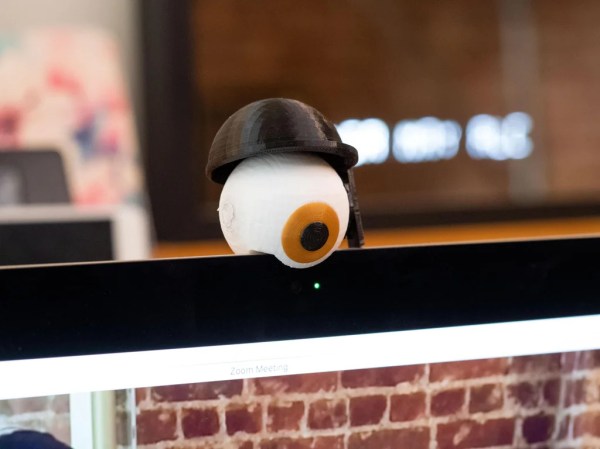
Wouldn’t it be nice if every webcam had a hardware switch? Especially for those built-in webcams like the one in your laptop. Since they don’t have switches yet, we’re just stuck trying to remember to turn them off or re-apply the sticker after every meeting. [Becky Stern] was tired of trying to remember to blind the all-seeing eye, and decided to make a robot companion that would do it for her.

Essentially, a servo-driven, 3D-printed eyelid covers the eye’s iris and also the web cam directly underneath. At first, we though [Becky] had liberated the business parts of a cheap webcam and built it into the eyeball, but this is far less intrusive. The eyeball simply sits atop the monitor, and [Becky] can control the eyelid two ways: she can set a timer with the potentiometer to close it automatically after some number of minutes, or else do it on demand using the momentary button. We’d love to see it tied directly to Zoom and or whatever else [Becky] uses regularly. Be sure to check out the build and demo video after the break to see it in action.

We love this cute and friendly reminder that the camera could be watching us. It’s way less creepy than this realistic eyeball webcam that looks around and blinks.

Continue reading “Friendly Webcam Robot Keeps An Eye On Privacy”

Gesture-Detecting Macro Keyboard Knows What You Want

[jakkra] bought a couple of capacitive touchpads from a Kickstarter a few years ago and recently got around to using them in a project. And what a project it is: this super macro pad combines two touchpads with a 6-pack of regular switches for a deluxe gesture-sensing input device.

Inside is an ESP32 running TensorFlow Lite to read in the gestures from the two touchpads. The pad at the top is a volume slider, and the square touchpad is the main input and is used in conjunction with the buttons to run AutoHotKey scripts within certain programs. [jakkra] can easily run git commands and more with a handful of simple gestures. The gestures all seem like natural choices to us: > for next media track, to push the current branch and to fetch and pull the current branch, s for git status, l for git log, and the one that sounds really useful to us — draw a C to get a notification that lists all the COM ports. One of the switches is dedicated to Bluetooth pairing and navigating menus on the OLED screen.

We love the combination of inputs here and think this looks great, especially with the double touchpad design. Be sure to check out the gesture demo gif after the break.

Gesture input seems well-suited to those who compute on the go, and a gesture glove feels like the perfect fit.

Continue reading “Gesture-Detecting Macro Keyboard Knows What You Want”

Sawdust Printer Goes Against The Grain By Working With Wood Waste

Wood-infused filament has been around for awhile now, and while it can be used to create some fairly impressive pieces, the finished product won’t fool the astute observer. For one thing, there’s no grain to it (not that every piece needs to show grain). For another, you can’t really throw it on a fire for emergency heating like you could with actual wood.
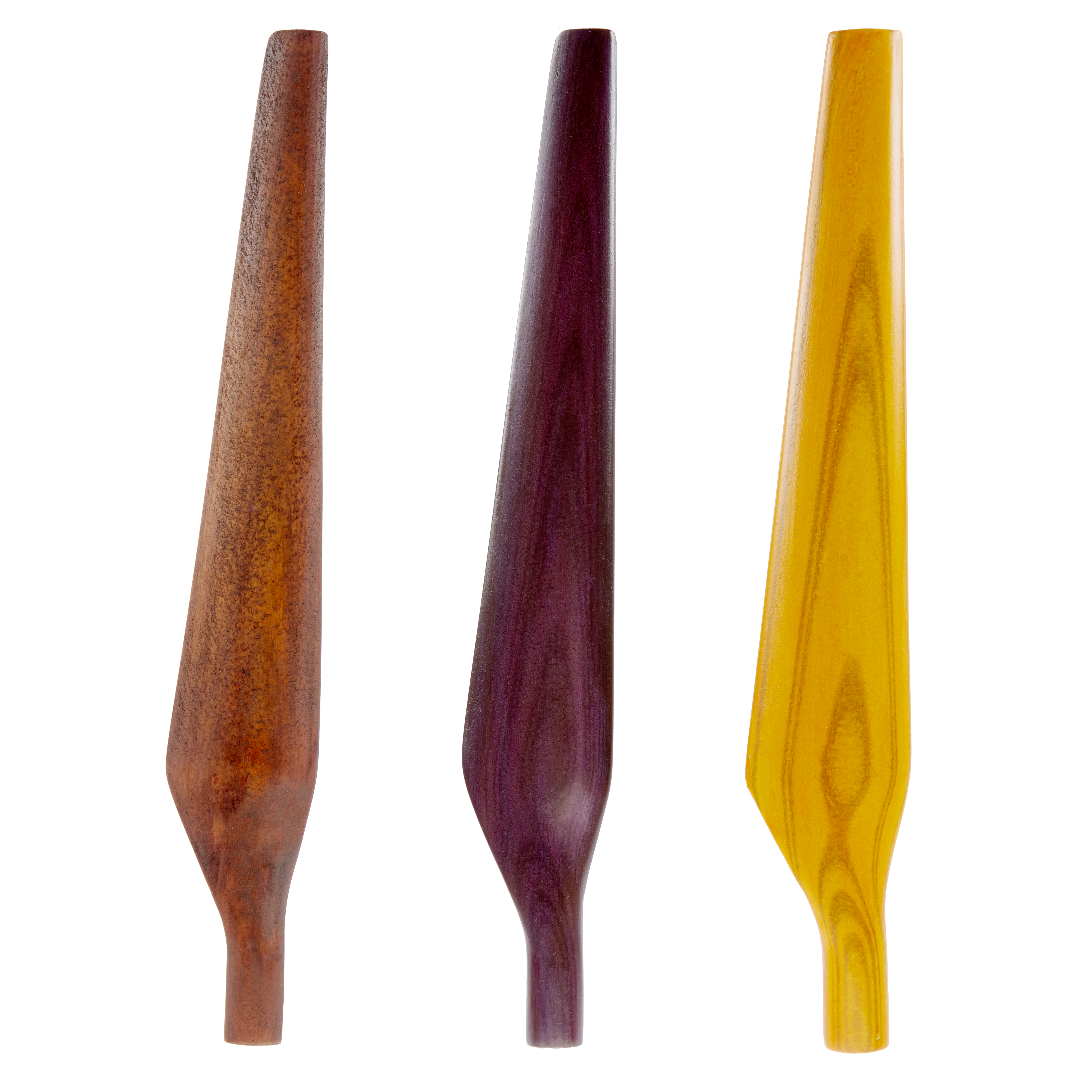
But a company called Desktop Metal has created a new additive manufacturing process for wood and paper waste called Forust (get it?) that gets a lot closer to the real thing. It might be an environmental savior if it catches on, though that depends on what it ends up being good for.

The company’s vision is to produce custom and luxury wood products — everything from sophisticated pencil cups to stunning furniture, and to take advantage of the nearly limitless geometry afforded by additive manufacturing. Forust uses the single-pass binder jetting method of 3D printing to lay down layers of sawdust and lignin and then squirt out some glue in between each one to hold them together.

Although Desktop Metal doesn’t mention a curing process for Forust in their press release, post-processing for solidity and longevity is the norm in binder jetting, which is usually done with ceramic or metal-based materials.

Let’s talk about those wood grains. Here’s what the press release says:

Digital grain is printed on every layer and parts can then be sanded, stained, polished, dyed, coated, and refinished in the same manner as traditionally-manufactured wood components. Software has the ability to digitally reproduce nearly any wood grain, including rosewood, ash, zebrano, ebony and mahogany, among others. Parts will also support a variety of wood stains at launch, including natural, oak, ash, and walnut.

Beauty and workability are one thing. But this will only be worthwhile if the pieces are strong. This is something that isn’t too important for pencil holders, but is paramount for furniture. Forust’s idea is to ultimately save the trees, but how are they going to get sawdust and lignin without the regular wood industry — they want to be circular and envision recycling of their goods at end-of-life into new goods

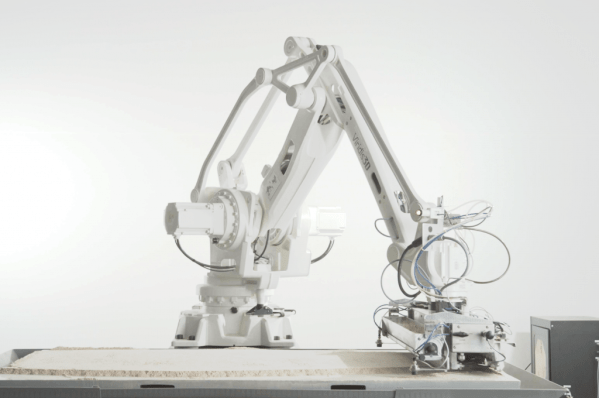
We wondered if the wood waste printer would ever become a thing. You know, there’s more than one way to print in sawdust — here’s a printer that stacks up layers of particle boards and carves them with a CNC.

Images via Forust