Embed With Elliot: The Volatile Keyword

Last time on Embed with Elliot we covered the static keyword, which you can use while declaring a variable or function to increase the duration of the variable without enlarging the scope as you would with a global variable. This piqued the curiosity of a couple of our readers, and we thought we’d run over another (sometimes misunderstood) variable declaration option, namely the volatile keyword.

On its face, volatile is very simple. You use it to tell the compiler that the declared variable can change without notice, and this changes the way that the compiler optimizes with respect to this variable. In big-computer programming, you almost never end up using volatile in C. But in the embedded world, we end up using volatile in one trivial and two very important circumstances, so it’s worth taking a look.

Continue reading “Embed With Elliot: The Volatile Keyword”

Chaos Communication Camp 2015: Badges, Talks, And Culture

The Rad1o Badge

The rad1o badge is this great standalone HackRF clone, and great hardware hacking platform. On Day Two and most of Day Three, people were divided largely into two camps: those simply having fun with GNURadio and the software-defined radio (SDR) side of things, and those modifying and adding to the rad1o firmware to get the various peripherals up and working or simply make sweet animations.

DSCF8096

On the evening on Day Three, this all changed. [iggy] managed to get the HackRF PortaPack library ported over to the rad1o badge. We’re excited about this code because it lets the radio and microcontroller sides of the badge work together, and that means things like a standalone SDR radio sniffer with waterfall plot (pictured here picking up WiFi and Bluetooth signals) is feasible. Using the badge as a standalone transmit and receive platform can’t be far away. Things are starting to get really cool with the rad1o, and there’s still two days of camp left.

Meanwhile, on the SDR front, there was a packed house at the GNURadio workshop last night, and there’s going to be a repeat on Sunday since it was so popular. The Munich CCC has a great SDR scavenger hunt going on currently, and [Sec] and [Schneider] from Munich gave their talk on eavesdropping on the Iridium satellite pager system with a twist at the end: a live demo of decoding the pager’s beacon signals inside the tent, run on custom software and the rad1o badge.

Talks

We attended Internet Archive’s talk on how they’re getting along. If you don’t know the IA, they run the Wayback Machine, have preserved a bunch of old-school video games, and are currently running a large-scale book-scanning project. High points of the talk include the story of their legal self-defense against an intrusive National Security Letter, and the background of their workaround that lets them loan out books even when they’re still under copyright.

At the same time, [Will Scott] gave a talk on open proxies. Thanks to the saved talks, we watched both. A lot of computers out there (accidentally or otherwise) allow people to proxy their data

[Lieven Standaert]’s talk on prototyping is a great summary of a bunch of tricks and tips that he’s learned by shepherding students through some fairly ambitious design projects. He’s got a complete lab with CNC mill, laser cutter, and 3D printer and the focus of the talk is on how to use these various tools together most efficiently, playing to each of their various strong suits.

shot0001[Tarek Loubani] gave an inspirational talk “3D Printing High-Quality Low-Cost Free Medical Hardware“. Basically, he looked into stethoscope designs, and re-engineered a 3D printable version. All of the tech in stethoscopes is in the housing design and its shape, and they’re relatively expensive, so it’s a fantastic low-hanging fruit. Watch the talk if you’re thinking about doing some good with your 3D printer. (Not that printing out owls with top hats isn’t important for the world…)

If you’re looking to upgrade your DIY electronics manufacturing capabilities, [hunz]’s talk on “Pushing the Limits of DIY Electronics” is worth a look. As the cool parts get smaller, the DIYer faces a number of new challenges, from thin traces to reflow soldering of BGA parts. A great tip: some board houses offer free SMD solder stencils, and it can be easily worth it to order up a single-sided PCB from them just to get the stencil. He also got into the design side of DIY manufacture, including a discussion of transmission lines that we found helpful.

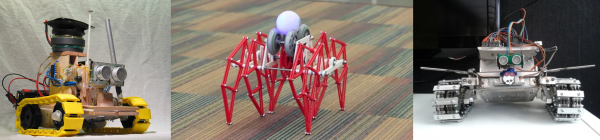
Here are two more talks that we probably don’t need to tell you are cool: space hacking and combat robots. Need we say more? Both talks are introductory and general, and if what you need is a little encouragement to get involved, you’ll find it here.

Life in Camp: Kids and the Lake

OK, we’re not going to lie: it got hot over the last two days. Like, really hot. One of the nicest features of camp life, then, is the lake (or the lakes, because there’s another one just outside the camp that’s larger and a bit less popular). If you’ve already caught up on your sleep, and your hacking projects are in a good place, or if it’s just too hot to work, nothing beats a dip in the cool water. Heck, even if you’ve got hacking to do, take a swim break for an hour. After all, that’s what makes Camp special.

IMG_20150815_145833Finally, we were surprised how kid-friendly Camp has become this time around. The accommodations for the still-too-young-to-hack are pretty amazing. From a petting zoo to a gigantic Lego-filled tent, to the nearly full schedule of finger painting and kiddie arts-and-crafts, you’d have almost as much to do at Camp if you were five as if you were twenty-five. Time passes, and even hackers don’t stay young forever, and it’s fantastic to see the community taking care of the next generation. Plus, the kids seem to love it.

Going On

Again, with so many things going on at Camp, it’s hard to keep up with everything. Look through the archived talks and see what strikes your fancy. If you find something you like, post up in the comments.

Chaos Communication Camp 2015: Dispatch From Day One

There’s been too much to do here at the Chaos Communication Camp — the Quadrennial outdoor meeting of hackers. Between talks and projects and workshops, there’s hardly been a minute to sit down and write up a summary.  Nonetheless, I’ve sat in on a few talks.  Here’s a quick overview of some of what happened on Day One, and a little look behind the scenes into what makes a 5,000-person hacker camp work.

Continue reading “Chaos Communication Camp 2015: Dispatch From Day One”

Chaos Communication Camp 2015 Teaser

It happens every four years in Germany. The days are at their longest and the summer heat’s penetrating. It’s time to break out the tent and go camping. But who wants to go camping in the wilderness, where there’s no Gigabit Ethernet and nobody to hack on projects with? Much better to attend the Chaos Communications Camp 2015 with 5,000 other nerds. And Hackaday will be there!

If you’ve never been to a Chaos Camp, it’s an amazing experience. It’s like a DIY version of DEF CON, except that it takes place in tents in the countryside outside Berlin instead of gambling-themed hotels in the dry, dusty desert. There’s a lot more emphasis on actually doing stuff while at camp. (It’s meant to be a vacation, after all.) Indeed, presentations are shut down in the middle of the day for three and a half hours to give people time to hack and interact.

Cccamp15-poster-preview_title


Have a look at the list of projects, events, sessions, villages, or talks to get a feeling of scale, and bear in mind that a lot of the most interesting activities are often unofficial: people getting together to work on stuff. There’s plenty of inspiration and room for cooperation to go around.

Like many cons these days, the badge itself will doubtless serve as at least one such source of inspiration, and the 2015 Camp’s badge is awesome. It’s essentially a HackRF One with an LPC4300 ARM Cortex M4 micro, large flash memory, USB, battery, audio, and an LCD screen on-board. Add an antenna and you’ve got an insanely versatile standalone radio hacking platform. We’re digging through the docs in anticipation. So expect some to see a bunch of SDR and RF hacks in the next few months as 5,000 hackers get these in their hands.

If you can’t make it (tickets have been sold out for a while now), you can check out the live streams. Not only will the talks be shown as they happen, but in keeping with the democratic ethos of the CCC, anyone who can set up an icecast server can set up their own stream.

And of course, we’ll be there reporting on as much as we can. If anything strikes your fancy and you’d like us to check it out for you, post up in the comments here. We can’t promise the impossible, but we’ll try. And if you’re going to camp as well, keep an eye out for Elliot and say Hi.

DEF CON Vs IoT: On Hackability And Security

Ahh DEF CON! One group of hackers shows off how they’ve broken into all sorts of cool devices and other hackers (ahem… “security professionals”) lament the fact that the first group were able to do so. For every joyous “we rooted the Nest thermostat, now we can have fun” there’s a doom-mongering “the security of network-connected IoT devices is totally broken!”.

And like Dr. Jekyll and Mr. Hyde, these two sides of the hacker persona can coexist within the same individual. At Hackaday, we’re totally paranoid security conscious, but we also like to tinker with stuff. We believe that openness and security are best friends forever. If you can open it, you can see if it’s well-made inside, at least in principle. How do we reconcile this with the security professional’s demand for devices that only accept signed binary firmware updates so that they can’t be tampered with?

We’ve got no answers, but we’ve got plenty of questions. Read on, and let us know what you think.

Continue reading “DEF CON Vs IoT: On Hackability And Security”

Alcove: Blinky Art With A Killer Story

We should come clean right up front. We like blinky stuff, tech art, smoke machines, and dark atmospheric electronic music. This audiovisual installation piece (scroll down) by [supermafia] ticks off all our boxes. As the saying doesn’t really go, writing about site-specific audiovisual art pieces is like dancing about architecture, so go ahead and watch the video (Vimeo) below the break.

Continue reading “Alcove: Blinky Art With A Killer Story”

Logic Noise: 4046 Voltage-Controlled Oscillator, Part One

In this session of Logic Noise, we’ll be playing around with the voltage-controlled oscillator from a 4046 phase-locked loop chip, and using it to make “musical” pitches. It’s a lot of bang for the buck, and sets us on the path toward much more interesting circuits in the future. So watch the intro video right after the break, and we’ll dig straight in.

Continue reading “Logic Noise: 4046 Voltage-Controlled Oscillator, Part One”