Supercon Talk: Mike Szczys Runs Down The State Of The Hackaday 2019

2019 was a great year for Hackaday. It marked the fifteenth year of the hacker community’s hive-brain, which is essentially forever in Internet Years, and we’re still laser-focused on bringing you the hacks that inspire you to create the hacks that inspire someone else to create the hacks of tomorrow. We’re immensely proud that Hackaday remains a must-read in the worldwide community of folks doing creative things with technology.

At the Superconference, our editor-in-chief Mike Szczys covered the best new developments here at Hackaday HQ in 2019: new weekly columns, mobile-friendly formats for both Hackaday’s front page and the mobile app for Hackaday.io, our podcast, some great new contests, and a ton of great in-depth original articles from our crew of writers. And that’s just what was new last year.

The part of Mike’s talk that I enjoyed the most, though, was his look back fifteen years ago to when Hackaday was just born. In the intervening 5,545 days, we’ve written more than 34,718 articles. (So much for “hack-a-day”, he says, doing the math.) We’re nearing our millionth comment. That’s a lot of Hackaday. So it’s fun to ask what has changed over this time, and track it through the memory of a hardware hacker.

Dig the old image styling! Groovy.

Back in 2008, Hackaday was a spry four-year-old, and we were featuring robot hacks where the brains and Internet connectivity were provided by WRT-54G routers, SMS connectivity was provided by hacking into a Nokia 3100, and the battery weighed more than the motors yet only lasted fifteen minutes. Today’s hacks toss in an ESP32, any old cheap SMS module, and an off-the-shelf Li-Ion battery pack and will run for days. Don’t even get me started on 3D printers. Or the ease of writing software for any of these machines. We’ve never lived in better times!

But that doesn’t mean that every project has to be a superconducting supercollider either; it’s equally important to showcase our simpler projects too, to give new people a foothold into the hacking scene. And it’s similarly crucial to show people how you failed, tried, and tried again before declaring victory. If all of our finished projects look like they were conjured out of thin air, it hides all of the learning that went into them, and that’s where a lot of the real gold is buried.

While we add features, media come and go, and the cutting edge becomes less and less distinguishable from magic, one thing remains constant: showing each other what we’re up to, sharing our best tips and tricks, and pushing forward the hacker state of the art. Long live Hackaday!

Continue reading “Supercon Talk: Mike Szczys Runs Down The State Of The Hackaday 2019”

Living In Corona Times

This week the new coronavirus has spread like wildfire. The good news last week has been the success with which China, Taiwan, and Singapore have handled the epidemic, and that western nations are just beginning to emulate their approach of reducing person-to-person interactions as much as possible to slow the rate of infection. The bad news, however, is that countries like Italy currently have a number of cases that is overwhelming their health system, and that the disease seems to be spreading rapidly in other countries. It’s going to get a lot worse before it gets better.

Our sincerest thanks go out to all of the medical professionals who are providing care in this difficult situation. But also to those who are providing public infrastructure in less obvious ways: the cashiers who subject themselves to hundreds of contacts per day just so that you and I can buy toothpaste, for instance. The rest of us are staying at home as much as possible, washing our hands, and slowing the spread as much as possible simply by not catching or passing on the virus.

The original part, left, with its 3D-printed counterpart.

Of course, everyone wants to help, and there have been some heroic hacks. The fablabs and hackerspaces in Italy who’ve been 3D printing respirator parts for instance, have directly and obviously helped save lives. With respirators being the limiting factor in many hospitals, we’ve also seen an effort to design an open source ventilator, adapt one to serve multiple patients, and even a start towards converting a CPAP fan into a ventilator for emergencies.

But most of us don’t have medical expertise. If you have spare CPU cycles, consider donating them to the folding@home effort to simulate the proteins in the virus. And any hack to make the lives of those stuck in voluntary quarantine more “normal” is perhaps as important in the long run. I made a simple clock to help my son who’s stuck at home and can’t yet tell time, adjust to his new daily routine. Others have made more obviously whimsical devices. We like this computer-vision face-touching alarm. If it makes people smile while slowing down one transmission vector, it’s a win.

If you have the expertise, consider helping out your local schools with telepresence and online education. While a number of colleges are already geared up for distance learning, it’s uncharted territory for primary education most everywhere. I’m sure you can also think of other ways to help out locally. If so, don’t hesitate to tell us your success stories.

For the rest: simply washing your hands, staying healthy, and not passing the virus on to others is a quietly heroic act that we think shouldn’t be overlooked. Thanks.

This article is part of the Hackaday.com newsletter, delivered every seven days for each of the last 212 weeks or so. It also includes our favorite articles from the last seven days that you can see on the web version of the newsletter.

Want this type of article to hit your inbox every Friday morning? You should sign up!

The Corona Clock

Schools are closed here in Germany until after Easter vacation, and that means that our almost-six-year-old son Max is staying at home with us. The good news is that my wife and I work from home anyway, so it’s not too stressful as long as he can look after himself for eight hours per day. The bad news is that there’s no way a kindergarten kid can take care of himself for such long stretches, and we don’t want to just park him in front of the boob tube. At least there’s two of us.

The new stay-at-home life has required some adjustment, but for at least the first five days (and counting) it’s working out pretty darn well. One trick: my wife came up with the idea of a visual schedule to help Max divide his day up into kindergarten-sized chunks, and then we added an LED strip behind it to turn it into a linear clock of sorts. And we did it with stuff we had lying around the house.

Granted, it’s not a super deep hacky-hack, and some of you out there could probably get it done with a handful of 555 timers. But it was quick, gets the job done, and heck, with NTP sync, it’s the most accurate kiddie clock in the world! So those of you out there who are stuck like we are, trying to balance childcare and working from home, here’s a quick project that can increase familial harmony while giving you an excuse to order more LED strips.

Continue reading “The Corona Clock”

The Ultimate Game Boy Talk

It is absolutely no exaggeration to say that [Michael Steil] gave the Ultimate Game Boy talk at the 33rd Chaos Communication Congress back in 2016. Watch it, and if you think that there’s been a better talk since then, post up in the comments and we’ll give you the hour back. (As soon as we get this time machine working…)

We were looking into the audio subsystem of the Game Boy a while back, and scouring the Internet for resources, when we ran across this talk. Not only does [Michael] do a perfect job of demonstrating the entire audio system, allowing you to write custom chiptunes at the register level if that’s your thing, but he also gets deep into the graphics engine. You’ll never look at a low-bit Pole Position clone the same again. The talk even includes some new (in 2016, anyway) hacks on the pixel pipeline in the last 15 minutes, and a quick review of the hacking tools and even the Game Boy camera.

Why do you care about the Game Boy? It’s probably the last/best 8-bit game machine that was made in mass production. You can get your hands on one, or a clone, for dirt cheap. And if you build a microcontroller-based cartridge, you can hack the whole thing non-destructively live, and in Python! Or emulate the whole shebang. Either way, when you’re done, you’ve got a portable demo of your hard work thanks to the Nintendo hardware. It makes the perfect retro project.

Continue reading “The Ultimate Game Boy Talk”

Corona Cancels Cons

As you read this, the Open Hardware Summit is taking place, but differently than in previous years. This year, it’s taking place in cyberspace! To what do we owe this futuristic development? Unfortunately, COVID-19, the corona virus.

And OHS isn’t alone. Vintage Computer Festival Pacific Northwest was cancelled outright. In Germany, where I live, the national health board has recommended cancelling all events with more than 1,000 attendees, and both the Maker Faire Berlin and the Chaos Computer Club’s 20th annual Easterhegg have been called off.

And just announced yesterday, our own Hackaday Belgrade event is going to be postponed and rescheduled for later this year. It’s truly sad, but we’re still looking forward to seeing you all a little bit later in the summer. If you can’t make the new date, tickets will of course be refunded. We’ll keep you informed when we get a new venue and time.

The best way to slow the spread of a global pandemic, according to the WHO who should know best, is washing your hands and avoiding contact with other people. “Social distancing” is the new catch-phrase, and that means keeping a few meters away from other folks whenever reasonable. And clearly, gathering people from all over the world, packing them into a single auditorium, and spending quality time together doesn’t meet this requirement.

So we’re all probably going to be laying low globally for a little while. On the positive side, this means more time for hacking here in the lab, and I’m excited to be able to watch the online version of the Open Hardware Summit. If you’re working from home, it’s that much easier to keep up to date with Hackaday. Still, I can’t wait to be on the other side of this thing, and it makes me appreciate the various social gatherings that much more.

And of course I have Isaac Newton in my thoughts, who developed the groundwork for his Calculus and laws of gravitation while at home because Cambridge was closed to stop the spread of the Great Plague. Wash your hands!

This article is part of the Hackaday.com newsletter, delivered every seven days for each of the last 210 weeks or so. It also includes our favorite articles from the last seven days that you can see on the web version of the newsletter.

Want this type of article to hit your inbox every Friday morning? You should sign up!

Hackaday Belgrade Conference Postponed

Due to uncertainties about the progress of the spread of the novel corona virus, it’s with a sad heart that we announce that we’re postponing the 2020 Hackaday Belgrade conference.

We will be rescheduling for later in the year, but for now we’ll be refunding conference tickets. We received a record number of incredible presenter proposals, and once we’ve rescheduled, we’ll get in touch with everyone who entered a proposal to check up on your availability.

In the meantime, come and hang out with us virtually on Hackaday.io’s Hackaday Belgrade page.

We know how much you were all looking forward to Belgrade in May, and it pains us to have to take this step. When we get more details ironed out, we’ll be sure to let you know! See you all a little bit later in the summer?

Hackaday Podcast 058: Motorheads, 3D Prints That Bend Metal, And Homebuilt Onewheel Deathmachines

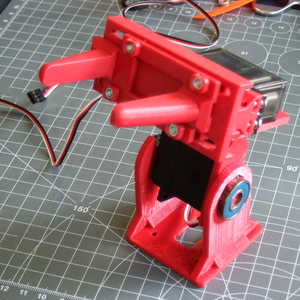
Hackaday editor Elliot Williams and contributor Jonathan Bennett discuss the past week of Hackaday. Freeman Dyson, who wanted to send us to space on the back of nuclear explosions, passed away. Only slightly less dangerous, we looked at self-balancing vehicles, 3D printed press brakes, and making rubies in the home lab. All the usual suspects make cameo appearances: robots, FPGAs, and open-source software.

Take a look at the links below if you want to follow along, and as always tell us what you think about this episode in the comments!

Take a look at the links below if you want to follow along, and as always, tell us what you think about this episode in the comments!

Direct download (60 MB or so.)

Continue reading “Hackaday Podcast 058: Motorheads, 3D Prints That Bend Metal, And Homebuilt Onewheel Deathmachines”